
Introduction
Thank you for purchasing the UBON Rockstar SP-29 30W Bluetooth Party Speaker. This speaker is designed to deliver powerful audio with versatile connectivity options, including a wireless microphone for karaoke and vibrant RGB lighting. Please read this manual carefully to ensure proper use and to maximize your enjoyment of the product.

Image: UBON Rockstar SP-29 Bluetooth Party Speaker with wireless microphone.
Product Overview
Key Features
- Powerful 30W Sound Output: Equipped with dual 4-inch speakers for immersive Hi-Fi stereo sound.
- Wireless Microphone & Remote Control: Includes a wireless mic for karaoke and a remote for convenient operation.
- Long Playtime: Up to 10 hours of music playback with a 4000mAh rechargeable battery.
- Multi-Device Compatibility: Supports Bluetooth v5.3, USB, Aux, FM, and TF card connectivity.
- RGB Lights: Integrated RGB lighting for an enhanced party atmosphere.
What's in the Box
- UBON Rockstar SP-29 Party Speaker
- Wireless Microphone
- Charging Cable
- User Manual
Setup
Unpacking
Carefully remove all components from the packaging. Retain the packaging for future transport or storage.
Charging the Speaker
- Connect the provided charging cable to the speaker's charging port.
- Plug the other end of the cable into a suitable USB power adapter (not included).
- The charging indicator will illuminate. Allow approximately 4-5 hours for a full charge.
- Disconnect the cable once fully charged to preserve battery life.
Powering On/Off
- To power on, press and hold the Power button located on the control panel until the display illuminates.
- To power off, press and hold the Power button again until the display turns off.
Operating Instructions
Bluetooth Connectivity
- Ensure the speaker is powered on and in Bluetooth mode (indicated by 'BLUE' on the display). If not, press the Mode button to switch to Bluetooth.
- Enable Bluetooth on your mobile device or tablet.
- Search for available devices and select "UBON SP-29" from the list.
- Once paired, the speaker will confirm the connection, and you can begin playing audio.

Image: UBON Rockstar SP-29 speaker highlighting its multi-connectivity options including Bluetooth, USB, Aux, FM, and TF card.
Karaoke Mode and Wireless Microphone
- Power on the wireless microphone.
- The microphone will automatically connect to the speaker.
- Adjust the microphone volume using the controls on the microphone or the speaker's control panel.
- For optimal performance, ensure the microphone is within range of the speaker.
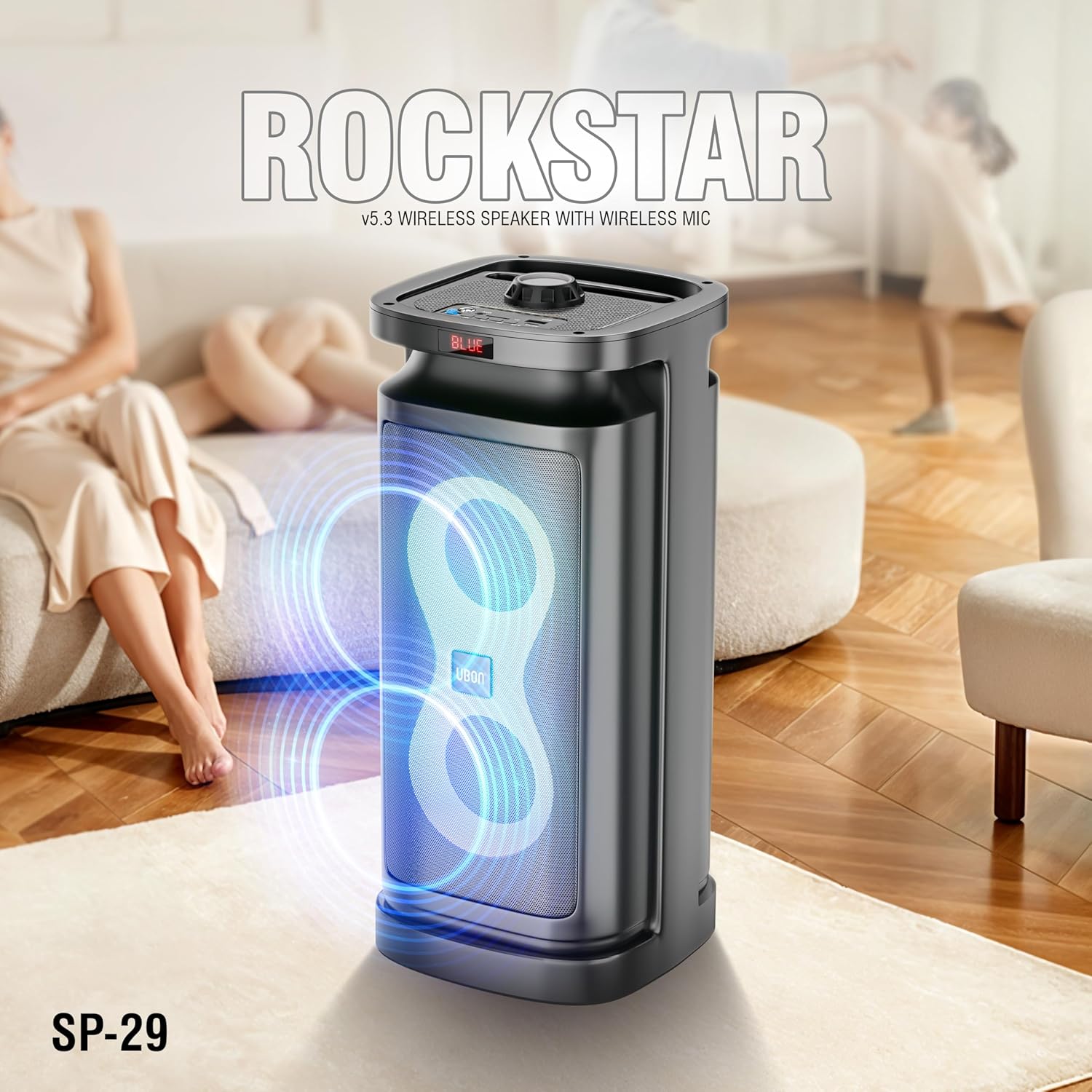
Image: Person using the wireless microphone with the UBON Rockstar SP-29 speaker in karaoke mode.
RGB Lights
The speaker features dynamic RGB lighting. Use the dedicated light button on the control panel or remote control to cycle through different light modes or to turn the lights off.
Other Connectivity Modes (USB, Aux, FM, TF Card)
- USB Mode: Insert a USB drive into the USB port. The speaker will automatically switch to USB mode and begin playing audio files.
- Aux Mode: Connect an external audio device using a 3.5mm Aux cable. Press the Mode button to select Aux input.
- FM Radio: Press the Mode button to switch to FM radio. Use the Play/Pause button to auto-scan for stations and the Next/Previous buttons to navigate.
- TF Card Mode: Insert a TF (microSD) card into the designated slot. The speaker will automatically switch to TF card mode and play audio.
Remote Control Functions
The included remote control allows for convenient operation of various functions, including power, mode selection, volume adjustment, track control, and RGB light settings.
Maintenance
Cleaning
Wipe the speaker's exterior with a soft, dry cloth. Do not use abrasive cleaners or solvents. Avoid exposing the speaker to excessive moisture.
Battery Care
To prolong battery life, avoid fully discharging the speaker frequently. Charge the speaker regularly, even if not in use for extended periods.
Troubleshooting
- No Power: Ensure the speaker is charged. Connect the charging cable and allow it to charge for a period before attempting to power on.
- No Sound: Check the volume levels on both the speaker and your connected device. Ensure the correct input mode is selected.
- Bluetooth Pairing Issues: Make sure the speaker is in Bluetooth mode and discoverable. Turn off Bluetooth on other nearby devices to avoid interference. Try unpairing and re-pairing the device.
- Microphone Not Working: Ensure the wireless microphone is powered on and its battery is charged. Check the microphone volume settings.
- Remote Control Not Responding: Check the remote control's battery. Ensure there are no obstructions between the remote and the speaker's IR receiver.
Specifications
| Feature | Specification |
|---|---|
| Model Name | Rockstar SP-29 |
| Output Power | 30 Watts |
| Speaker Size | Dual 4-inch |
| Connectivity | Bluetooth v5.3, USB, Aux, FM, TF Card |
| Battery Capacity | 4000 mAh |
| Playtime | Up to 10 Hours (at moderate volume) |
| Control Method | Remote, On-device buttons |
| Special Features | Wireless Mic, RGB Lights, Bass Boost, Display |
| Product Dimensions | 19.1D x 45.7W x 19.1H Centimeters |
| Item Weight | 2.2 Kilograms |
| Material | ABS Plastic, Metal Mesh |

Image: Diagram illustrating the dimensions of the UBON Rockstar SP-29 speaker, showing its height and width.
Warranty and Support
Warranty Information
This product comes with a 1-Year Manufacturer Warranty. Please retain your purchase receipt as proof of purchase for warranty claims. The warranty covers manufacturing defects but does not cover damage caused by misuse, accidents, or unauthorized modifications.
Customer Support
For technical assistance, warranty claims, or any other inquiries, please contact UBON customer support. Refer to the contact information provided on the product packaging or the official UBON website.
