
ST-CARE C60
ST-CARE Fitness Tracker User Manual
Model: C60
Introduction
Welcome to the ST-CARE Fitness Tracker user manual. This guide provides detailed instructions on how to set up, operate, and maintain your new fitness tracker. The ST-CARE Fitness Tracker is designed to help you monitor your daily activity, track your health metrics, and enhance your fitness journey with its advanced features and user-friendly interface.

Image: The ST-CARE Fitness Tracker, a sleek black band with a rectangular display showing time and date.
Setup
1. Unboxing and Initial Charge
Upon unboxing, ensure all components are present: the fitness tracker and its magnetic charging cable. Before first use, fully charge your device. Connect the magnetic charging cable to the charging points on the back of the tracker and plug the USB end into a compatible power source (e.g., computer USB port, 5V/1A USB adapter).

Image: Illustration showing the magnetic charging connection and battery life indicators for normal use, charging time, and standby time.
2. App Installation
Download and install the "Keep Health" app from your smartphone's app store (available for iOS and Android). This app is essential for syncing data, customizing settings, and accessing detailed health reports.

Image: A collage of smartphone screens displaying various data and features within the "Keep Health" application, with the fitness tracker in the center.
3. Device Pairing
Open the "Keep Health" app, create an account or log in, and follow the on-screen instructions to pair your fitness tracker via Bluetooth. Ensure Bluetooth is enabled on your smartphone and the tracker is sufficiently charged.
Operating Your Fitness Tracker
1. Navigation
The fitness tracker features a 1.10-inch AMOLED HD Touch Color Screen for easy navigation. Swipe up, down, left, or right to access different functions and menus. Tap to select options.

Image: Close-up of the fitness tracker's AMOLED screen displaying a vibrant watch face.
2. Activity Tracking
Your ST-CARE Fitness Tracker automatically tracks your daily activity, including steps taken, calories consumed, and workout distance and time. Detailed data can be viewed in the "Keep Health" app.

Image: Two people running outdoors, with an overlay showing the fitness tracker and a smartphone displaying activity data like steps, calories, and distance. Below, icons for Heart Rate, Blood Oxygen, and Blood Pressure monitoring are shown.
3. Sports Modes
The tracker supports 25 professional sports modes to accurately record your workout time, heart rate, and distance for various activities. Select the appropriate mode before starting your exercise.

Image: A woman drinking water while cycling, with an overlay of 25 sports mode icons including Walk, Run, Football, Cycling, Yoga, Dance, Roller Skating, Badminton, Tennis, Mountaineering, and Basketball.
4. Health Monitoring
The tracker provides 24/7 monitoring of key health metrics:
- Heart Rate: Real-time dynamic heart rate monitoring.
- Body Temperature: Continuous body temperature tracking.
- Sleep Monitor: Tracks deep sleep, light sleep, and awake stages to assess sleep quality.
- Blood Oxygen & Blood Pressure: Supports real-time monitoring.

Image: A couple sleeping peacefully, with an overlay of a smartphone screen showing detailed sleep tracking data, including deep sleep, light sleep, and awake times.
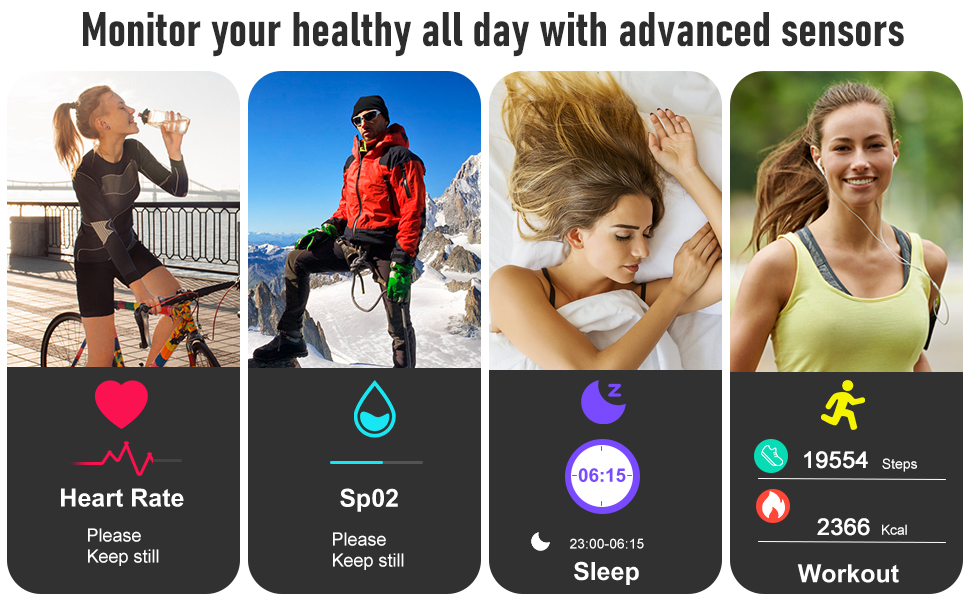
Image: Four panels showing individuals engaged in healthy activities (drinking water, mountaineering, sleeping, running), with icons below representing Heart Rate, SpO2 (Blood Oxygen), Sleep, and Workout (steps/calories).
5. Smart Functions
The tracker offers various intelligent features to keep you connected and organized:
- Call & Message Reminder: Receive notifications for incoming calls and messages directly on your wrist.
- Remote Photograph: Control your phone's camera remotely.
- Drink Water Reminder: Get alerts to stay hydrated.
- Sedentary Reminder: Prompts you to move after periods of inactivity.
- Female Health: Dedicated tracking for female physiological cycles.
- Family Health: Monitor health data for family members through the app.
- Alarm Clock & Stopwatch: Convenient time management tools.
- Find Device: Helps locate your connected smartphone.

Image: Four panels illustrating practical functions: Stopwatch (runners at starting line), Remote Music Control (woman with headphones), Sedentary Reminder (person stretching at a desk), and Camera Control (person skiing).

Image: A woman using a laptop, surrounded by social media app icons (LinkedIn, Facebook, Twitter, YouTube, WhatsApp, Instagram, Skype, Messenger) indicating smart notification capabilities.

Image: A family in a living room, with a smartphone screen overlay showing a "Family account" interface to monitor health data for multiple members.

Image: A family posing for a photo on a beach, with the fitness tracker displaying a camera icon and a smartphone showing a camera interface, illustrating remote camera control.
6. Personalized Watch Faces
Customize your tracker's appearance with a variety of invigorating watch faces available through the "Keep Health" app.

Image: A collection of various digital watch faces displayed on multiple fitness tracker screens, showcasing customization options.
Maintenance
1. Waterproof Rating
The ST-CARE Fitness Tracker is 5 ATM waterproof, meaning it can withstand splashes, rain, and can be worn while washing hands, taking a bath, or diving. Avoid hot water or steam.

Image: The fitness tracker partially submerged in water, with bubbles, illustrating its 5 ATM waterproof capability.
2. Cleaning
Regularly clean your tracker and strap with a soft, damp cloth. Ensure the charging contacts are free of dust and debris for optimal charging.
3. Battery Life
With regular use, the tracker's battery lasts up to 10-14 days, and up to 30 days on standby. Charging takes approximately 2 hours using the magnetic fast charging cable.
Troubleshooting
- Device not turning on: Ensure the device is fully charged.
- Data not syncing: Check Bluetooth connection on your phone and app. Ensure the app is updated.
- Inaccurate readings: Ensure the tracker is worn snugly on your wrist, not too tight or too loose. Clean the sensors regularly.
- Notifications not appearing: Check app permissions on your phone and ensure notifications are enabled for the "Keep Health" app.
Specifications
| Feature | Detail |
|---|---|
| Brand | ST-CARE |
| Model | C60 |
| Screen Size | 1.1 Inches AMOLED Touch Color Screen |
| Battery Life (Normal Use) | 10-14 days |
| Battery Life (Standby) | 30 days |
| Charging Time | Approx. 2 hours |
| Waterproof Rating | 5 ATM |
| Compatible Devices | Smartphones (iPhone and Android) |
| Strap Adjustment Range | 5.0in to 9.45in |
Warranty and Support
Your ST-CARE Fitness Tracker comes with a 12-month warranty from the date of purchase. For any support inquiries, technical assistance, or warranty claims, please contact ST-CARE customer service through the "Keep Health" app or visit the official ST-CARE website.
For more information and updates, visit the ST-CARE Store on Amazon.
Related documentsC60

Ask a question about this manual
Ask about setup, troubleshooting, compatibility, parts, safety, or missing instructions. Manuals+ will review the question and use this page’s manual context to help answer it.