Introduction
This manual provides comprehensive instructions for the proper use and care of your Timex Men's Easy Reader Watch 38mm. Designed for clear readability and reliable timekeeping, this watch features a classic design with modern functionality.
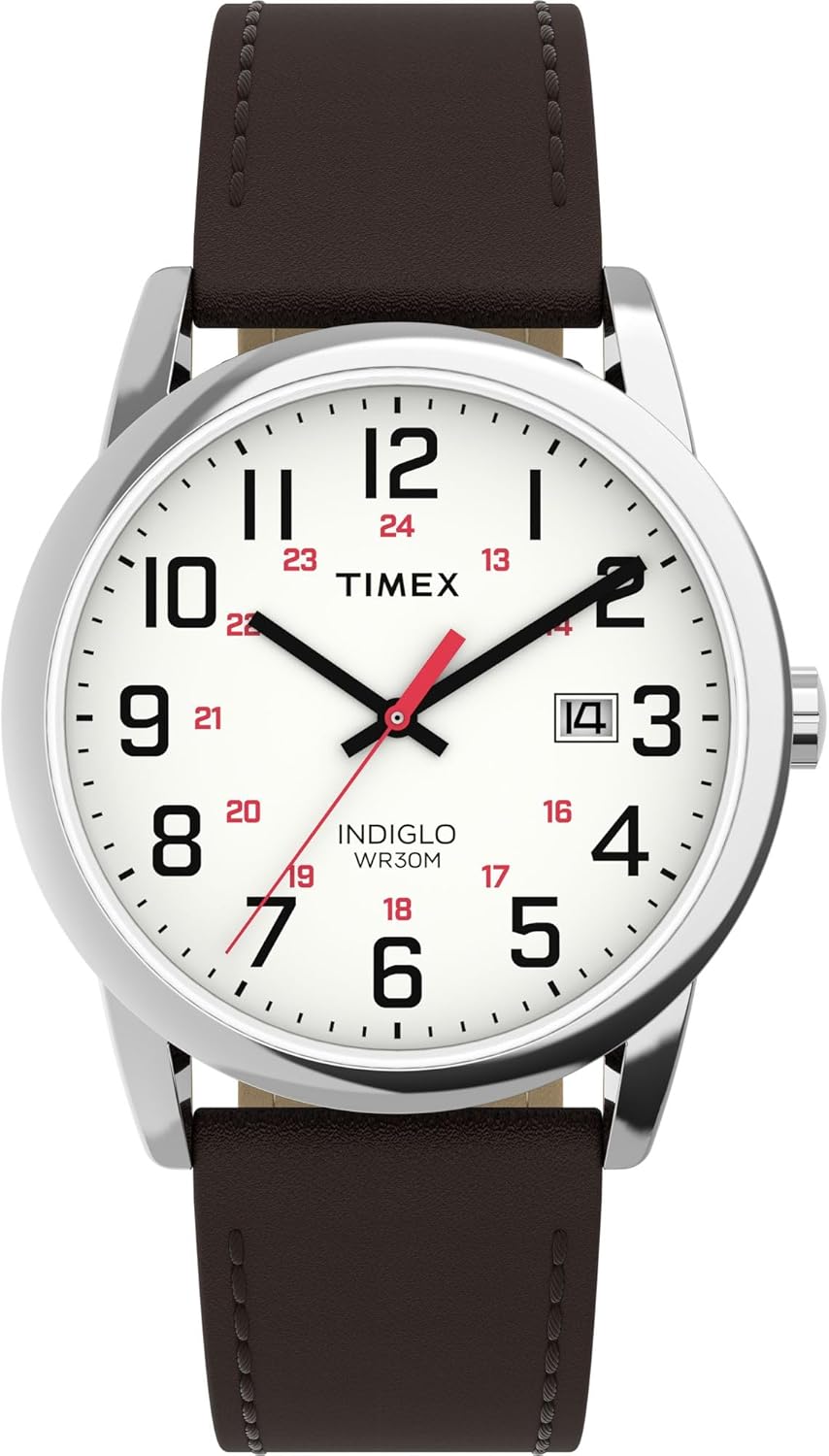
Image: Front view of the Timex Men's Easy Reader Watch, showcasing its clear white dial with large black numerals, 24-hour markers, and a brown leather strap.
Setup
To ensure battery life during shipping, your watch arrives with a small plastic piece, known as a crown guard, positioned between the watch crown and the case. Follow these steps to activate your watch and begin timekeeping:
- Remove the Crown Guard: Gently pull out and remove the small plastic crown guard. This piece prevents the crown from being fully pushed in, thus conserving battery power.
- Push the Crown In: Firmly push the crown (the small knob on the side of the watch case) all the way back into the watch case until it clicks into place. The second hand will then begin to move, indicating that the watch is now active and keeping time.

Image: Side profile of the watch, illustrating the position of the crown for setup and adjustments.
Operating Instructions
Setting Time and Date
- Pull the Crown Out: Gently pull the crown out to the first click position to set the date, or to the second click position to set the time.
- Set the Date: If in the first click position, turn the crown clockwise or counter-clockwise to adjust the date in the date window.
- Set the Time: If in the second click position, turn the crown to move the hour and minute hands. Rotate the hands past 12 o'clock to determine if it's AM or PM for correct date change.
- Push the Crown In: Once the time and date are set, push the crown back into the watch case to resume normal operation.
Using INDIGLO® Night-Light
To illuminate the watch dial in low-light conditions, simply press and hold the crown. The INDIGLO® night-light will activate, providing clear visibility of the time.
Maintenance
- Cleaning: Wipe the watch case and strap with a soft, dry cloth. For leather straps, avoid excessive moisture.
- Water Resistance: This watch is water resistant to 30 meters (WR30M). It is suitable for splashes or brief immersion in water, but not for swimming or bathing. Do not operate the crown while the watch is wet.
- Battery Replacement: The watch is powered by a quartz movement with a battery. When the watch stops, the battery needs replacement. It is recommended to have the battery replaced by a qualified watch technician to ensure proper sealing and water resistance.
- Storage: When not in use for extended periods, store the watch in a cool, dry place away from direct sunlight and extreme temperatures.

Image: Side view of the watch, displaying the leather strap and buckle mechanism.
Troubleshooting
| Problem | Possible Cause | Solution |
|---|---|---|
| Watch not running | Crown guard not removed or crown not pushed in; depleted battery. | Ensure crown guard is removed and crown is fully pushed in. If still not running, battery replacement may be required. |
| Date not changing at midnight | Time set incorrectly (AM/PM). | Adjust the time by advancing the hands 12 hours. |
| INDIGLO® not working | Depleted battery. | Battery replacement may be required. |
Specifications
- Model Number: TW2Y126009J
- Case Diameter: 38mm
- Movement: Quartz
- Water Resistance: 30 meters (WR30M)
- Backlight: INDIGLO® Night-Light
- Strap Material: Leather
- Features: Date window, 12/24-hour time indexes

Image: Rear view of the watch, displaying the stainless steel case back with engraved Timex logo and water resistance rating.
Warranty Information
Your Timex watch is warranted against manufacturing defects by Timex for a period of ONE YEAR from the original purchase date. This warranty does not cover normal wear and tear, battery, crystal, watch case, strap, or loss/theft. For full warranty details and service instructions, please refer to the official Timex website or contact customer support.
Customer Support
For further assistance, technical support, or warranty claims, please contact Timex Customer Service:
- Website: Visit the official Timex website for FAQs and support resources.
- Contact: Refer to the contact section on the Timex website for phone numbers or email support.


