
Introduction
The Hatteker HT-6112 Professional Hair Clipper is designed for precise and powerful hair cutting. It features a sharp stainless steel blade, a fine adjustment gear for customizable cutting lengths, and an LED display for battery status. This clipper is suitable for both professional and personal use, offering a quiet and comfortable grooming experience with its low-noise technology. This manual provides essential information for safe and effective use of your device.
What's in the Box
Please check the package contents to ensure all items are present:
- Hatteker HT-6112 Hair Clipper
- 4 Guide Combs (3mm, 6mm, 10mm, 13mm)
- USB Charging Cable
- Lubricant Oil
- Cleaning Brush

Image: Hatteker HT-6112 Hair Clipper with its accessories, including four guide combs, a USB charging cable, and a cleaning brush.
Product Features
- Stainless Steel Blade: High-performance blade for smooth, sharp, and precise trimming.
- Digital LED Display: Shows remaining battery percentage for convenient monitoring.
- Long Battery Life: Up to 240 minutes of runtime on a 3.5-hour USB charge.
- Adjustable Taper Lever: Allows customization of cutting lengths from close cuts to longer styles.
- Low-Noise Motor: Powerful yet quiet operation for a comfortable grooming experience.
- Versatile Guide Combs: Includes 3mm, 6mm, 10mm, and 13mm combs for various hairstyles.
- USB Charging: Type-C interface compatible with various charging devices.

Image: The Hatteker HT-6112 Professional Hair Clipper, highlighting its sleek design and digital display.
Setup
- Initial Charge: Before first use, fully charge the clipper for approximately 3.5 hours using the provided USB cable. The LED display will show the charging progress and full charge status.
- Attach Guide Comb: Select the desired guide comb (3mm, 6mm, 10mm, or 13mm) and securely attach it to the clipper blade. Ensure it clicks into place.
- Blade Adjustment: Use the adjustable taper lever on the side of the clipper to fine-tune the cutting length. Move the lever up for a longer cut and down for a shorter cut.

Image: The hair clipper charging via USB, illustrating its digital display and battery specifications.

Image: Detail of the clipper's adjustable taper lever for precise length control.
Operating Instructions
- Prepare Hair: Ensure hair is clean and dry before cutting. For best results, comb hair in the direction of growth.
- Turn On: Press the power button to turn on the clipper. The LED display will illuminate.
- Begin Trimming: Start cutting from the bottom of the head, moving upwards against the direction of hair growth. Use smooth, even strokes.
- Adjust Length: If a different length is desired, turn off the clipper, change the guide comb, or adjust the taper lever, then resume cutting.
- Detailing: For detailing or outlining, remove the guide comb and use the bare blade with caution.
- Turn Off: After use, press the power button to turn off the clipper.

Image: Demonstrates the use of guide combs for different hair lengths during a haircut.

Image: A barber using the Hatteker HT-6112 clipper for a professional haircut.
Maintenance
- Cleaning the Blades: After each use, turn off the clipper and remove any attached guide comb. Use the provided cleaning brush to remove loose hairs from the blades.
- Oiling the Blades: Apply a few drops of the provided lubricant oil to the blades after every few uses or when the clipper feels sluggish. Turn the clipper on for a few seconds to distribute the oil evenly. This helps maintain blade sharpness and prolongs clipper life.
- Storage: Store the clipper in a dry, cool place, away from direct sunlight and moisture. Ensure it is turned off and unplugged when not in use.
- Battery Care: To maintain battery health, avoid completely draining the battery frequently. Charge it when the display indicates low power.

Image: Close-up of the stainless steel blade, illustrating the area to be cleaned and oiled.
Troubleshooting
| Problem | Possible Cause | Solution |
|---|---|---|
| Clipper does not turn on. | Battery is drained. | Charge the clipper fully. |
| Poor cutting performance or pulling hair. | Blades are dull, dirty, or not oiled. | Clean and oil the blades. If issues persist, consider professional sharpening or blade replacement. |
| Clipper makes unusual noise. | Blades are not properly aligned or require oiling. | Ensure blades are clean and oiled. Check for any obstructions. |
| Battery not holding charge. | Battery degradation or faulty charging cable/adapter. | Ensure the charging cable and adapter are working correctly. If the problem persists, contact customer support. |
Specifications
- Model Number: HT-6112
- Blade Material: Stainless Steel
- Power Source: Battery Powered (1 Lithium Ion battery included)
- Battery Capacity: 2000 mAh
- Charging Time: Approximately 3.5 hours
- Runtime: Up to 240 minutes
- Motor Speed: 7000 RPM
- Noise Level: Less than 55dB
- Product Dimensions: 23.5 x 14 x 6.5 cm
- Item Weight: 430 g
- Color: White
- Special Features: Digital LED Display, USB Charging, Low Noise, Rechargeable
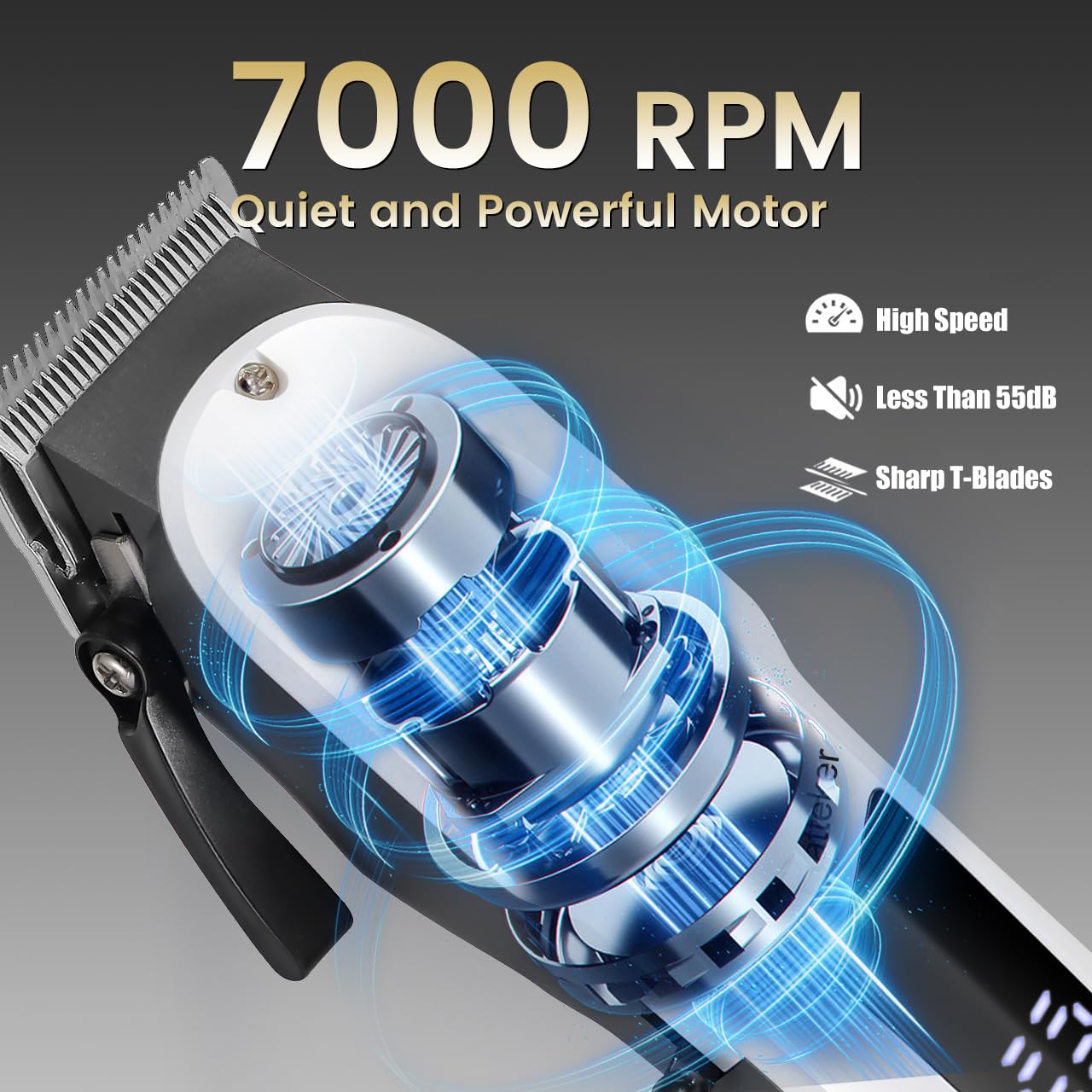
Image: Internal view of the clipper's 7000 RPM motor, emphasizing its quiet and powerful operation.
Warranty and Support
The Hatteker HT-6112 Professional Hair Clipper comes with a 12-month quality warranty. For any product-related issues, questions, or support, please contact Hatteker customer service. Please refer to your purchase documentation for specific contact details or visit the official Hatteker website for further assistance.
For further information, you may also visit the product detail page on Amazon.in: Hatteker HT-6112 Product Page


