
1. Introduction
Thank you for choosing the Mivi DuoPods Aura TEWS017 Wireless Earbuds. These True Wireless Stereo (TWS) earbuds are designed to provide a superior audio experience with advanced features such as Active Noise Cancellation (ANC), powerful bass drivers, and extended battery life. This manual will guide you through the setup, operation, and maintenance of your new earbuds.

Image: Overview of Mivi DuoPods Aura key features including 60 hours playtime, Quad-mic ANC, IPX4 water resistance, Bluetooth v5.3, dual connectivity, 13mm dynamic drivers, and premium leather-finish.
2. What's in the Box
- Mivi DuoPods Aura Wireless Earbuds (Left and Right)
- Charging Case
- USB Charging Cable
- Multiple Sizes of Eartips
- User Manual
3. Product Overview
Familiarize yourself with the components of your Mivi DuoPods Aura earbuds and charging case.

Image: Front view of the Mivi DuoPods Aura earbuds placed inside their charging case, showcasing the design.

Image: Mivi DuoPods Aura earbuds and their charging case, emphasizing the premium leather-finish design.
4. Setup
4.1 Charging the Earbuds and Case
Before first use, fully charge the Mivi DuoPods Aura. The charging case holds multiple charges for the earbuds, extending your listening time.
- Charging the Case: Connect the provided USB charging cable to the charging port on the case and to a power source. The LED indicators on the case will show the charging status.
- Charging the Earbuds: Place the earbuds into the charging case. Ensure they are correctly seated; the earbuds will automatically begin charging.
A full charge provides up to 60 hours of total playtime. With fast charging, 10 minutes of charge can provide 100 minutes of audio playback.

Image: The Mivi DuoPods Aura charging case open with earbuds inside, highlighting the 60 hours playtime and fast charging capability.
4.2 Pairing with Your Device
The Mivi DuoPods Aura use Bluetooth v5.3 for a stable and efficient connection.
- Initial Pairing:
- Open the charging case. The earbuds will automatically enter pairing mode.
- On your device (smartphone, tablet, laptop), enable Bluetooth.
- Search for "Mivi DuoPods Aura" in the list of available Bluetooth devices and select it to connect.
- Once connected, you will hear an audio prompt, and the LED indicator on the earbuds will change.
- Re-pairing: The earbuds will automatically connect to the last paired device when taken out of the case.
- Dual Device Connectivity: The DuoPods Aura support connecting to two devices simultaneously. After pairing with the first device, pair with the second device. The earbuds will intelligently switch between them.

Image: Illustration of Mivi DuoPods Aura connected to both a smartphone and a laptop, showcasing the dual device connectivity feature.
4.3 Wearing the Earbuds
For optimal sound quality and comfort, choose the correct size of eartips and ensure a secure fit.
- Select the eartips that provide the best seal in your ear canal.
- Gently insert each earbud into your ear and twist slightly until it feels snug and comfortable.
5. Operating Your Earbuds
5.1 Touch Controls
The Mivi DuoPods Aura feature intuitive touch controls on each earbud.
| Function | Action |
|---|---|
| Play/Pause | Single tap on either earbud |
| Next Track | Double tap on the right earbud |
| Previous Track | Double tap on the left earbud |
| Volume Up | Triple tap on the right earbud |
| Volume Down | Triple tap on the left earbud |
| Answer/End Call | Single tap on either earbud |
| Reject Call | Press and hold either earbud for 2 seconds |
| Toggle ANC/Transparency Mode | Press and hold the left earbud for 2 seconds |
| Activate Voice Assistant | Press and hold the right earbud for 2 seconds |
| Gaming Mode On/Off | Quadruple tap on either earbud |
5.2 Active Noise Cancellation (ANC)
The DuoPods Aura feature 35 dB Quad-mic ANC to reduce ambient noise, allowing for an immersive listening experience. Transparency Mode allows you to hear your surroundings without removing the earbuds.
- To cycle through ANC On, Transparency Mode, and ANC Off, press and hold the left earbud for 2 seconds.

Image: A visual representation of the Active Noise Cancellation (ANC) feature, showing how the Mivi DuoPods Aura block out external sounds for focused listening.
5.3 Gaming Mode
Activate Gaming Mode for ultra-low latency (50ms) to ensure synchronized audio and video during gameplay.
- To activate or deactivate Gaming Mode, quadruple tap on either earbud.
6. Maintenance
6.1 Cleaning
- Regularly clean the earbuds and charging case with a soft, dry, lint-free cloth.
- Remove eartips and clean them with mild soap and water, then dry thoroughly before reattaching.
- Avoid using harsh chemicals or abrasive materials.
6.2 Water and Sweat Resistance
The Mivi DuoPods Aura are IPX4 sweat and splash resistant, making them suitable for workouts and light rain. However, they are not waterproof and should not be submerged in water.
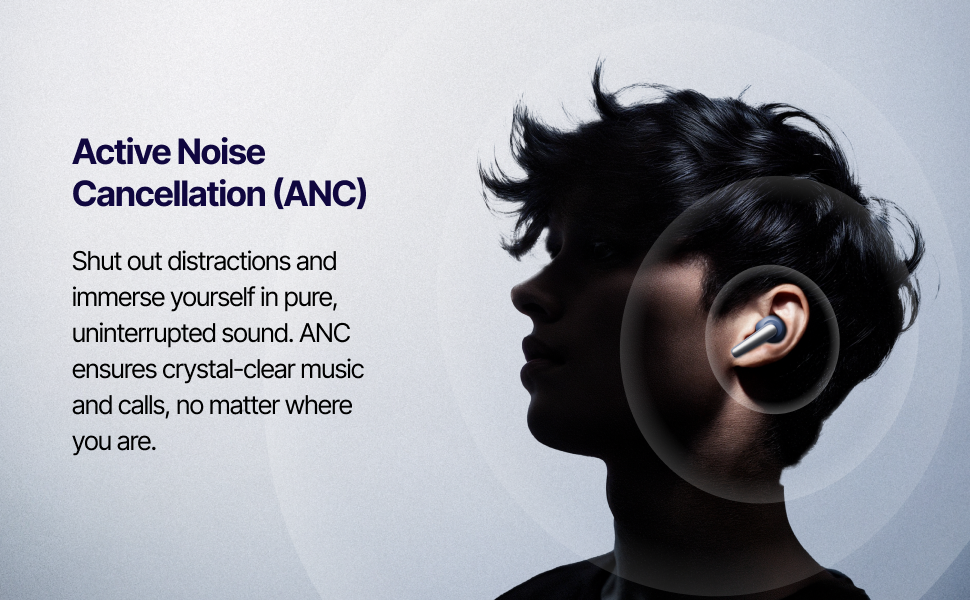
Image: Mivi DuoPods Aura earbuds shown with water droplets, illustrating their IPX4 sweat and splash resistant design.
6.3 Storage
- Store the earbuds in their charging case when not in use to protect them and keep them charged.
- Avoid storing in extreme temperatures or humid environments.
7. Troubleshooting
If you encounter any issues, refer to the following common solutions:
- No Sound:
- Ensure earbuds are charged.
- Check Bluetooth connection on your device.
- Adjust volume on both earbuds and your device.
- Pairing Issues:
- Turn off Bluetooth on other nearby devices.
- Forget "Mivi DuoPods Aura" from your device's Bluetooth list and try pairing again.
- Ensure earbuds are in pairing mode (LEDs flashing).
- Earbuds Not Charging:
- Ensure the charging cable is securely connected.
- Check if the charging case has power.
- Clean the charging contacts on both earbuds and the case.
- ANC Not Functioning Correctly:
- Ensure earbuds are properly seated in your ears for a good seal.
- Cycle through ANC modes using the touch control.
- Resetting the Earbuds: If issues persist, place both earbuds in the charging case, close the lid, wait 10 seconds, then open the lid and try re-pairing. Refer to the full Mivi support website for specific reset procedures if needed.
8. Specifications
| Feature | Detail |
|---|---|
| Brand | Mivi |
| Model Name | Mivi DuoPods Aura |
| Model Number | TEWS017 |
| Ear Placement | In Ear |
| Noise Control | Active Noise Cancellation (35 dB Quad-mic ANC) |
| Audio Driver Size | 13 Millimetres |
| Bluetooth Version | 5.3 |
| Bluetooth Range | 10 Metres |
| Battery Average Life | 60 Hours (Total Playtime) |
| Gaming Mode Latency | 50ms |
| Water Resistance | IPX4 Sweat Proof |
| Control Type | Touch Control |
| Item Weight | 50 Grams |
| Country of Origin | India |
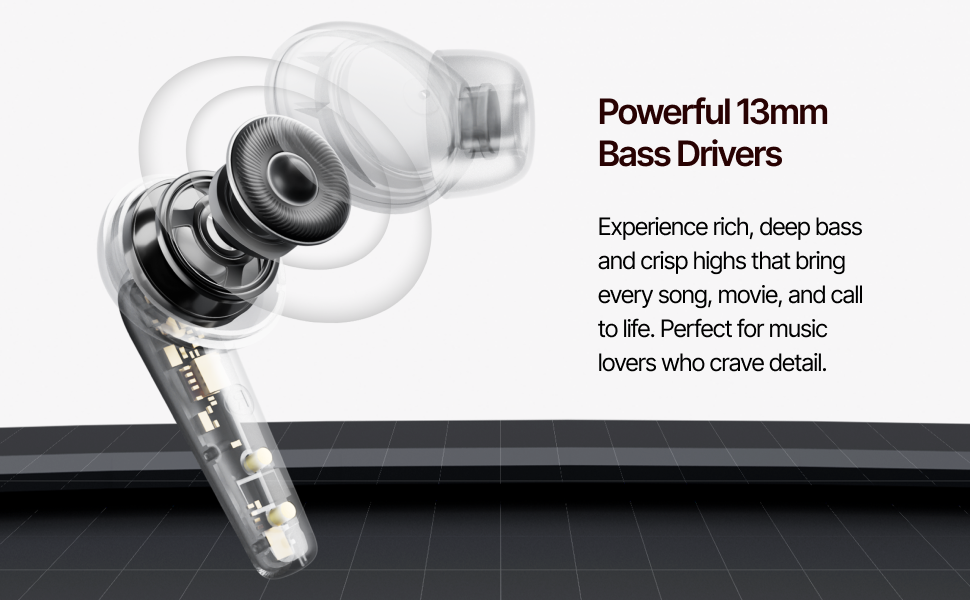
Image: Detailed view of the 13mm bass drivers within the Mivi DuoPods Aura earbuds, illustrating their powerful audio components.
9. Warranty and Support
Your Mivi DuoPods Aura TEWS017 earbuds come with a 1 Year Manufacturer Warranty from the date of purchase.
For warranty claims, technical support, or any other inquiries, please contact Mivi customer service through their official website or the contact information provided with your product packaging.
Please retain your proof of purchase for warranty validation.