
1. Introduction
This manual provides comprehensive instructions for the Airzeen R7 Robot Vacuum Cleaner. Please read this manual thoroughly before operating the device to ensure safe and efficient use. Keep this manual for future reference.

Image: The Airzeen R7 Robot Vacuum Cleaner, showcasing its sleek design, accompanied by its remote control and a smartphone displaying the control app.
2. What's in the Box
Verify that all components are present in the package:
- 1 x Airzeen R7 Robot Vacuum (includes dust box, HEPA filter, sponge, roller brush, battery)
- 1 x Remote Control
- 1 x Charging Station
- 1 x Power Adapter (for Charging Dock)
- 2 x Side Brushes
- 1 x Cleaning Brush
- 1 x Quick Guide
- 1 x User Manual

Image: A visual representation of all items included in the Airzeen R7 Robot Vacuum package, such as the robot, charging dock, remote, brushes, and filters.
3. Product Features
3.1. Powerful Suction
The R7 robot vacuum delivers up to 3000PA of strong suction power, effectively lifting dirt, crumbs, and pet hair from various surfaces. It features 3 adjustable suction levels: Quiet, Standard, and Max, allowing customization for different cleaning needs.

Image: The Airzeen R7 robot vacuum actively cleaning a hard floor, illustrating its 3000Pa suction power and the three adjustable suction levels (Quiet, Standard, Max).
3.2. Large Dustbin Capacity
Equipped with a 600ML oversized dustbin, the R7 reduces the frequency of emptying, allowing for longer cleaning sessions. The dustbin includes a high-efficiency HEPA filter to capture fine particles and improve air quality.

Image: The Airzeen R7 robot vacuum with its 600ML dust box partially removed, highlighting the internal HEPA filter for efficient dust collection.
3.3. Automatic Carpet Boost
The R7 automatically detects carpets and increases suction power to Max mode, ensuring thorough cleaning of low-pile carpets by absorbing hidden debris. It reverts to the previous suction level when returning to hard floors.
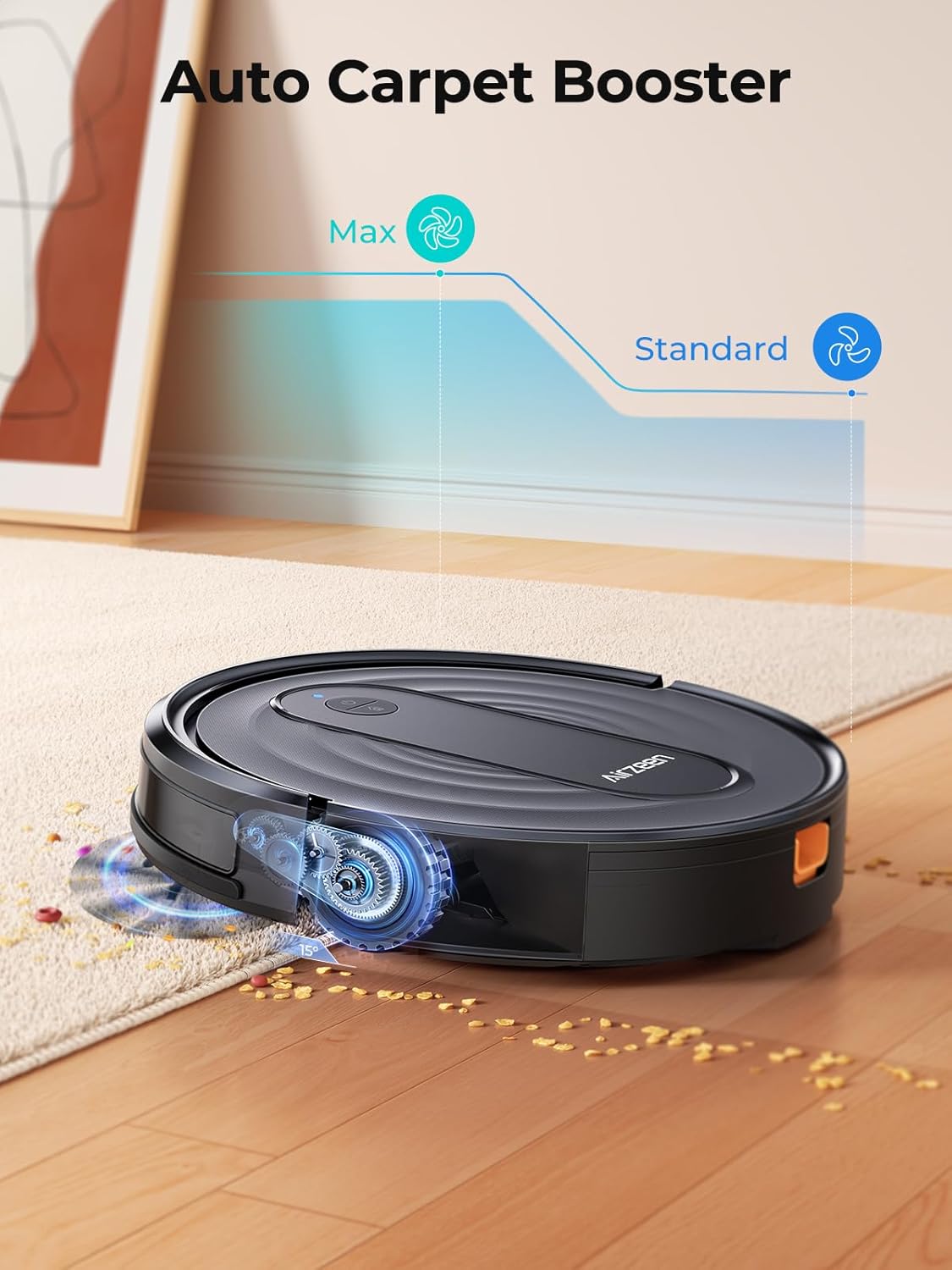
Image: The Airzeen R7 robot vacuum moving from a hard floor onto a carpet, illustrating its automatic carpet boost feature for enhanced cleaning.
3.4. Long Battery Life & Auto-Recharge
The 2600mAh battery provides up to 120 minutes of cleaning time on a single charge. When the battery level drops below 15% or cleaning is complete, the robot automatically returns to its charging dock to recharge.

Image: The Airzeen R7 robot vacuum navigating back to its charging station, demonstrating its automatic recharge capability.
3.5. Slim Design
With an ultra-slim profile of 3.07 inches (7.8 cm), the R7 can easily glide under furniture such as sofas and beds, reaching areas where dust and debris often accumulate.

Image: The Airzeen R7 robot vacuum cleaning underneath a sofa, highlighting its slim design that allows access to low-clearance areas.
4. Setup
4.1. Initial Charging
- Place the charging dock against a wall on a hard, flat surface, ensuring there are no obstructions within 1 meter to the front and 0.5 meters to the sides.
- Connect the power adapter to the charging dock and plug it into a power outlet.
- Place the robot vacuum onto the charging dock. Ensure the charging contacts on the robot align with those on the dock. The indicator light on the robot will show charging status.
- For first-time use, fully charge the robot for at least 6 hours to activate the battery performance. A solid green light indicates a full charge.
4.2. App Connection (2.4 GHz Wi-Fi Only)
To utilize smart control features, connect your R7 robot vacuum to the companion app:
- Download the app named "HonySmart" from the Google Play Store or Apple App Store.
- Open the app and register an account.
- Add the R7 device by following the in-app instructions.
- Ensure your smartphone is connected to a 2.4 GHz Wi-Fi network. The R7 does not support 5 GHz Wi-Fi.
- Reset the Wi-Fi on the robot as prompted by the app.
- Connect to the "SmartLife XXXX" hotspot created by the robot.
- Once connected, the app will guide you through the final steps to successfully pair your device.

Image: A visual step-by-step guide demonstrating the process of connecting the Airzeen R7 robot vacuum to the smartphone application.
5. Operation
5.1. Control Methods
The Airzeen R7 can be controlled via multiple methods:
- Remote Control: Use the included remote to start/stop cleaning, select cleaning modes, and direct the robot manually.
- Smartphone App: The "HonySmart" app allows for comprehensive control, including scheduling, mode selection, suction power adjustment, and monitoring.
- Voice Control: Integrate with Amazon Alexa or Google Assistant for hands-free operation. (e.g., "Alexa, turn on R7")

Image: The Airzeen R7 robot vacuum operating, with icons representing control via remote, smartphone app, and Amazon Alexa voice commands.
5.2. Cleaning Modes
The R7 offers 5 distinct cleaning modes to suit various cleaning requirements:
- Automatic Cleaning: The robot intelligently navigates and cleans the entire floor area.
- Spot Cleaning: Focuses on a specific area with concentrated dirt, cleaning in a spiral pattern.
- Edge Cleaning: Cleans along walls and furniture edges to ensure no dust is left in corners.
- Scheduled Cleaning: Set specific times for the robot to clean automatically via the app.
- Manual Cleaning: Control the robot's movement directly using the remote control or app.
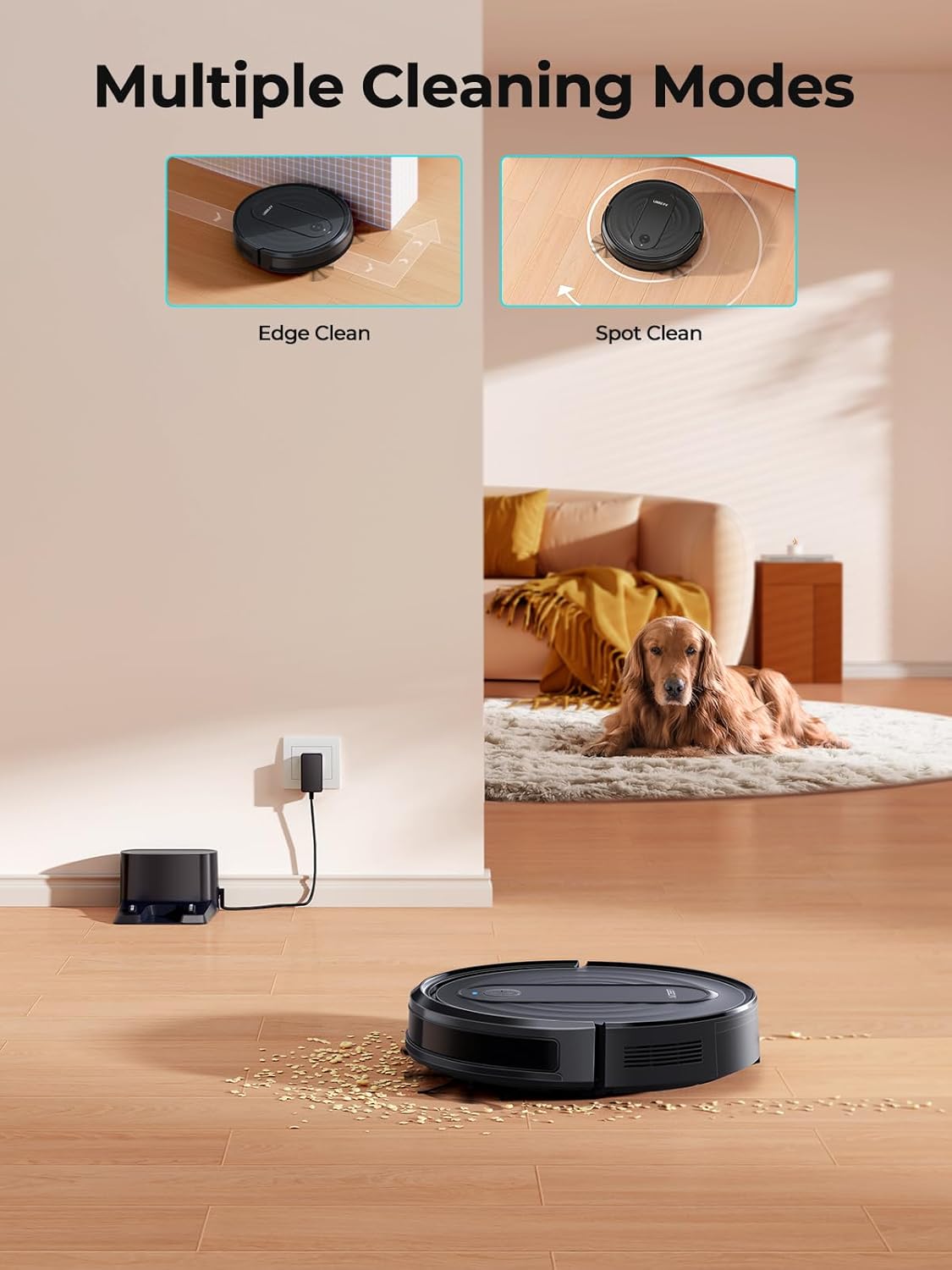
Image: The Airzeen R7 robot vacuum illustrating two of its cleaning modes: Edge Clean, where it cleans along walls, and Spot Clean, where it focuses on a specific dirty area.

Image: The Airzeen R7 robot vacuum cleaning at a scheduled time, with a smartphone displaying the scheduling interface.

Image: The Airzeen R7 robot vacuum performing a spot cleaning operation on a localized area of debris.

Image: The Airzeen R7 robot vacuum executing an edge cleaning routine, moving along the perimeter of a room.
6. Maintenance
Regular maintenance ensures optimal performance and extends the lifespan of your Airzeen R7 robot vacuum.
6.1. Emptying the Dustbin
- Press the dustbin release button and pull out the dustbin.
- Open the dustbin cover and empty its contents into a trash bin.
6.2. Cleaning the Filter
- Remove the HEPA filter and sponge filter from the dustbin.
- Tap the HEPA filter gently to remove dust. Do not wash the HEPA filter with water.
- Rinse the sponge filter with water. Ensure it is completely dry before reinserting.
- Replace filters regularly (every 3-6 months, depending on usage).
6.3. Cleaning Brushes
- Side Brushes: Gently pull the side brushes off. Remove any tangled hair or debris. Reattach them by pressing firmly. Replace if worn or damaged.
- Roller Brush: Remove the roller brush cover. Lift out the roller brush. Use the included cleaning tool to cut and remove tangled hair or fibers. Reinsert the roller brush and secure the cover.

Image: A collection of replacement parts for the Airzeen R7 robot vacuum, including the main roller brush, side brushes, and HEPA filters, essential for routine maintenance.
7. Troubleshooting
Refer to the following common issues and solutions:
- Q: How to prevent the R7 robot vacuum from getting stuck?
A: The R7 robot vacuum has a height of 7.8 cm. If the clearance under your cabinet is exactly 7.8 cm, the vacuum may get stuck underneath. For such areas, we recommend placing a physical barrier to prevent the robot from entering. Before using the robot vacuum, please tidy up any loose items such as power cords, shoes, or socks on the floor to avoid obstruction.
- Q: Why did my robot vacuum cleaner stop working so quickly?
A: When the robot vacuum is first delivered, its battery level may be around 25%. Please fully charge it for 6 hours before the first use to activate battery performance. A solid green light indicates the battery is fully charged.
If your robot returns to the charging dock after only 30 minutes, please check whether Room Cleaning Mode is enabled. Quiet mode: 120 mins; Standard mode: 110 mins; Strong mode: 70 mins.
If not in use for a long time, please fully charge the machine, turn off the power, and store it in a dry and cool place. Recharge it at least once every three months to prevent the battery from being damaged due to long-term storage.
- Q: Does the R7 robot vacuum support mopping?
A: Yes, the R7 robot vacuum supports mopping. You will need to purchase the additional 2-in-1 water tank with mop holder and mop cloth from the Airzeen official store. Important: Remove the mop holder before cleaning carpeted areas. If used on carpets with the mop attached, the carpet may get wet.
- Q: Can I place the charging dock on a carpet? What should I do if the robot can't recharge?
A: Do not place the charging dock on carpet. The robot's ability to recharge is affected by its surroundings. Please place the charging base against a wall on a hard, flat, and unobstructed surface in a cool area. If the robot is unable to return to charge, place it approximately 1 meter in front of the charging dock and then press the "Recharge" button.
8. Specifications
| Feature | Detail |
|---|---|
| Brand | Airzeen |
| Model Name | R7 |
| Special Feature | Anti-Collision, Anti-Fall, Scheduling |
| Color | Black |
| Product Dimensions | 12"L x 12"W x 3"H (approx. 30.5cm L x 30.5cm W x 7.6cm H) |
| Filter Type | Sponge |
| Battery Life | 120 minutes |
| Cleaning Path Width | 15 Inches (approx. 38.1cm) |
| Voltage | 14.4 Volts |
| Dustbin Capacity | 600 Milliliters |
| Power Source | Battery Powered |
| Batteries Included | Yes (1 AAA batteries for remote, included) |
| Control Method | App, Remote, Touch, Voice |
| Compatible Devices | Smartphones |
| Form Factor | Robotic |
| Item Weight | 4.38 pounds (approx. 1.99 kg) |
9. Warranty & Support
The Airzeen R7 robot vacuum comes with a 2-year warranty, ensuring peace of mind regarding manufacturing defects and performance issues. Additionally, lifetime technical support is provided to assist with any questions or operational challenges you may encounter.
For technical assistance, warranty claims, or any other inquiries, please contact Airzeen customer support through the contact information provided on the official Airzeen website or your purchase platform.


