
Motorola Moto G15 Power
Motorola Moto G15 Power 4G Smartphone User Manual
Model: Moto G15 Power
1. Introduction
Welcome to the user manual for your new Motorola Moto G15 Power 4G smartphone. This guide provides essential information to help you set up, operate, maintain, and troubleshoot your device. The Moto G15 Power is designed to deliver a superior mobile experience with its advanced features, including a vibrant Full HD+ display, a high-resolution camera system, and a long-lasting battery.
Please read this manual carefully to ensure optimal performance and longevity of your device. Keep it for future reference.
2. Initial Setup
2.1 Package Contents
Ensure your package contains the following items:
- Motorola Moto G15 Power Smartphone
- 30W TurboPower Charger
- USB-C Cable
- SIM Ejector Tool
- Quick Start Guide (this manual)
2.2 Inserting SIM and microSD Cards
- Locate the SIM tray on the side of your phone.
- Insert the SIM ejector tool into the small hole next to the tray and push gently until the tray pops out.
- Place your Nano-SIM card(s) and/or microSD card into the tray with the gold contacts facing down. Ensure they are correctly seated. The Moto G15 Power supports Dual SIM functionality.
- Carefully push the tray back into the phone until it clicks into place.

Image: Side view of the Motorola Moto G15 Power, illustrating the location of the SIM card tray.
2.3 Charging the Device
Before first use, fully charge your Moto G15 Power. Connect the USB-C cable to the phone's charging port and the 30W TurboPower charger to a power outlet. The battery indicator will show charging progress.
2.4 Powering On/Off
- To power on: Press and hold the Power button (located on the right side of the phone) until the Motorola logo appears.
- To power off: Press and hold the Power button, then tap 'Power off' on the screen.
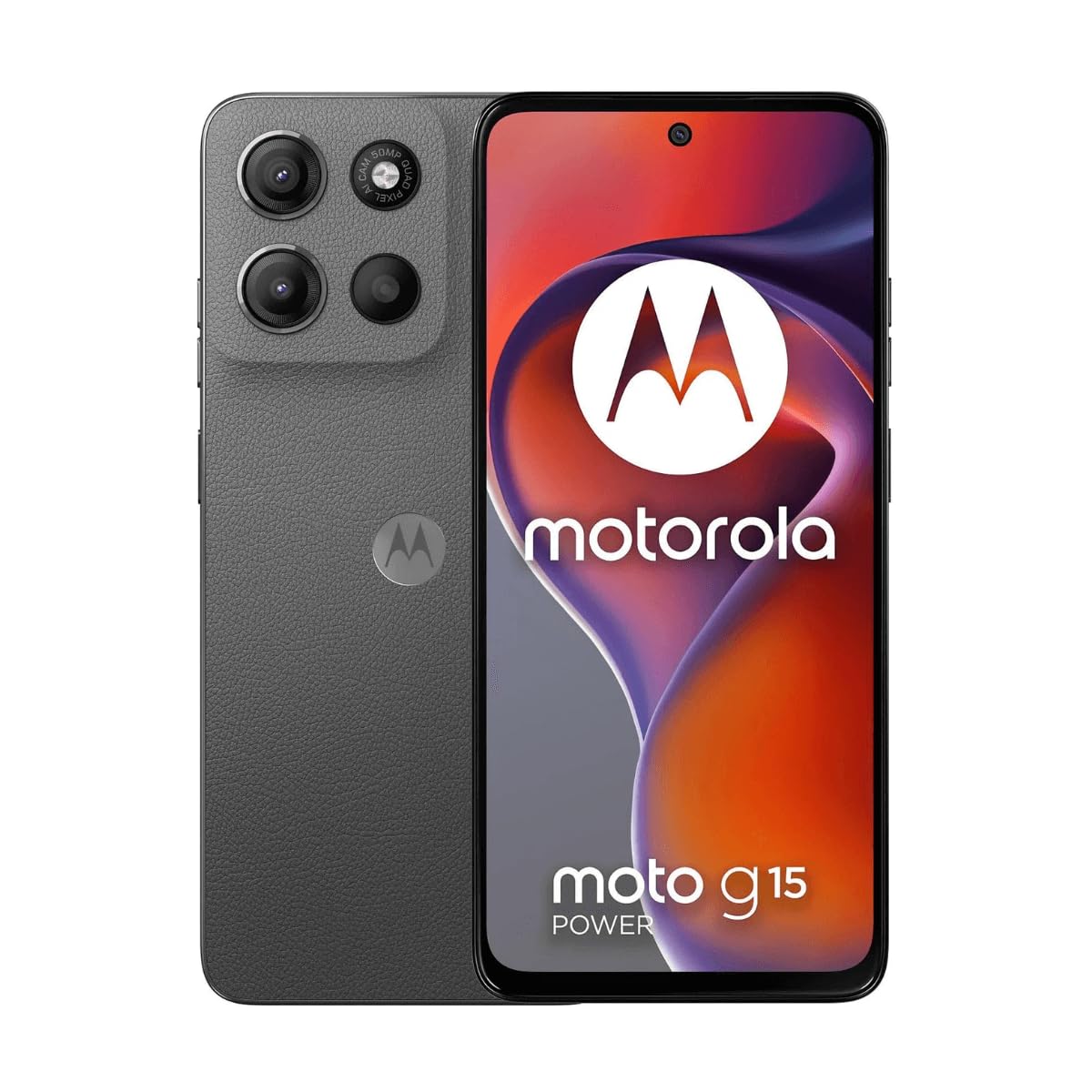
Image: Front view of the Motorola Moto G15 Power, displaying the screen and the location of the power button on the right side.
3. Operating Your Device
3.1 Touchscreen Navigation
Your Moto G15 Power features a responsive 6.72-inch Full HD+ display. Use the following gestures for navigation:
- Tap: Select an item or open an app.
- Swipe: Scroll through screens or lists.
- Pinch: Zoom in or out on photos and web pages.
- Long Press: Access contextual menus or move icons.
3.2 Making Calls and Sending Messages
To make a call, open the Phone app and dial the number or select a contact. To send a message, open the Messages app, tap 'Start chat', and enter the recipient and your message.
3.3 Camera Usage
The Moto G15 Power is equipped with a 50 MP main camera with Quad Pixel technology and an 8 MP front camera. Open the Camera app to capture photos and videos.
- Photo Mode: Tap the shutter button to take a picture.
- Video Mode: Switch to video mode and tap the record button to start/stop recording.
- Selfie Camera: Tap the camera switch icon to use the front camera.
- Advanced Features: Explore settings for portrait mode, night vision, and other photographic enhancements.

Image: Rear view of the Motorola Moto G15 Power, highlighting the 50MP camera module.
3.4 Audio and Display
Experience enhanced audio with Dolby Atmos support, whether through headphones or the phone's speakers. The 6.72-inch Full HD+ display features a High Brightness Mode for improved outdoor visibility.
3.5 Battery Management
Your device is equipped with a 6000 mAh battery and supports 30W TurboPower charging. To optimize battery life:
- Adjust screen brightness.
- Close unused apps.
- Enable battery saver mode when needed.
3.6 Connectivity
The Moto G15 Power supports 4G cellular networks, Wi-Fi, Bluetooth, and NFC. Access these settings via the Quick Settings panel or the Settings app.
4. Maintenance and Care
4.1 Cleaning Your Device
Use a soft, lint-free cloth to clean the screen and body of your phone. Avoid abrasive materials or harsh chemicals. For stubborn smudges, slightly dampen the cloth with water.
4.2 Water Resistance
The Moto G15 Power is designed to be splash and liquid resistant. This means it can withstand minor splashes or light rain. It is not waterproof and should not be submerged in water. Liquid damage is not covered under warranty.
4.3 Software Updates
Regularly check for and install software updates to ensure your device has the latest features, security patches, and performance improvements. Go to Settings > System > System updates.
4.4 Battery Care
To prolong battery life, avoid exposing your phone to extreme temperatures. Do not leave it fully charged or fully discharged for extended periods.
5. Troubleshooting
5.1 Device Not Turning On
- Ensure the battery is charged. Connect the charger and wait a few minutes before attempting to power on.
- Press and hold the Power button for at least 10-15 seconds to force a restart.
5.2 Charging Issues
- Check if the charger and USB-C cable are securely connected to both the phone and the power outlet.
- Try using a different compatible charger and cable to rule out faulty accessories.
- Ensure the charging port is clean and free of debris.
5.3 Network Connectivity Problems
- Restart your phone.
- Check if Airplane Mode is disabled.
- Verify that your SIM card is correctly inserted and active.
- Reset network settings: Settings > System > Reset options > Reset Wi-Fi, mobile & Bluetooth.
5.4 Apps Crashing or Freezing
- Close and reopen the app.
- Clear the app's cache and data: Settings > Apps > [App Name] > Storage & cache > Clear cache / Clear storage.
- Update the app from the Google Play Store.
- If the issue persists, uninstall and reinstall the app.
6. Specifications
| Feature | Specification |
|---|---|
| Model Name | Moto G15 Power |
| Operating System | Android |
| Processor | MediaTek Helio G81 Extreme |
| RAM | 8 GB |
| Internal Storage | 512 GB |
| Expandable Storage | Up to 512 GB (microSD) |
| Display Size | 6.72 Inches |
| Display Resolution | 2340 x 1080 pixels (Full HD+) |
| Rear Camera | 50 MP |
| Front Camera | 8 MP |
| Battery Capacity | 6000 mAh |
| Charging | 30W TurboPower |
| Connectivity | 4G, 2G, Wi-Fi, Bluetooth, NFC |
| SIM Type | Dual Nano SIM |
| Dimensions | 9 x 76 x 166 mm |
| Water Resistance | Splash and liquid resistant |
| Headphone Jack | USB-C |
| Color | Gravity Grey |
7. Warranty Information
Your Motorola Moto G15 Power is covered by a limited warranty. The terms and conditions of this warranty may vary by region. Please refer to the warranty card included in your product packaging or visit the official Motorola website for detailed information regarding warranty coverage, duration, and claims procedures.
Keep your proof of purchase for any warranty claims.
8. Support
For further assistance, technical support, or to access additional resources, please visit the official Motorola support website. You can find FAQs, software downloads, and contact information for customer service.
Motorola Official Support: www.motorola.com/support
Related documentsMoto G15 Power


Ask a question about this manual
Ask about setup, troubleshooting, compatibility, parts, safety, or missing instructions. Manuals+ will review the question and use this page’s manual context to help answer it.