
1. Introduction
Thank you for choosing the NiceVeedi 40W RGB Photography Lighting Kit. This professional studio light is designed to provide versatile and high-quality illumination for various creative applications, including live streaming, video recording, portrait photography, and content creation. This manual provides detailed instructions for setup, operation, maintenance, and troubleshooting to ensure optimal performance and longevity of your device.
2. Package Contents
Please verify that all items listed below are included in your package:
- 1 x RGB LED Video Light Panel
- 1 x Infrared Remote Control
- 1 x Tripod
- 1 x AC Adapter
- 1 x Storage Bag

3. Setup Instructions
3.1 Assembling the Tripod
- Unfold the tripod legs until they are fully extended and stable.
- Adjust the height of the tripod by loosening the locking knobs on the central column, extending to the desired height, and then securely tightening the knobs.
3.2 Attaching the Light Panel
- Locate the 5/8" standard socket on the bottom of the LED Light Panel.
- Mount the light panel onto the top of the tripod stand.
- Secure the light panel by tightening the easy-manual screw knob on the tripod mount.
- Adjust the light panel's angle using the 180° adjust socket as needed.
3.3 Power Connection
- Connect the AC adapter to the DC power outlet on the back of the LED Light Panel.
- Plug the AC adapter into a standard electrical outlet.
4. Operating Instructions
4.1 Powering On/Off
Press the 'ON/OFF' button located on the back panel of the light to power the unit on or off.
4.2 Control Panel Overview
The back panel features an LED display and physical buttons for direct control:
- LED Display: Provides real-time visual feedback of hue, saturation, brightness, and color temperature.
- Mode Button: Cycles through different lighting modes (CCT, HSI, RGB, FX).
- Option Button: Selects specific parameters within a mode (e.g., hue, saturation, brightness).
- Increase/Reduce Buttons: Adjusts the selected parameter's value.
- ON/OFF Button: Powers the light on or off.
- DC Power Outlet: For connecting the AC adapter.

4.3 Remote Control Usage
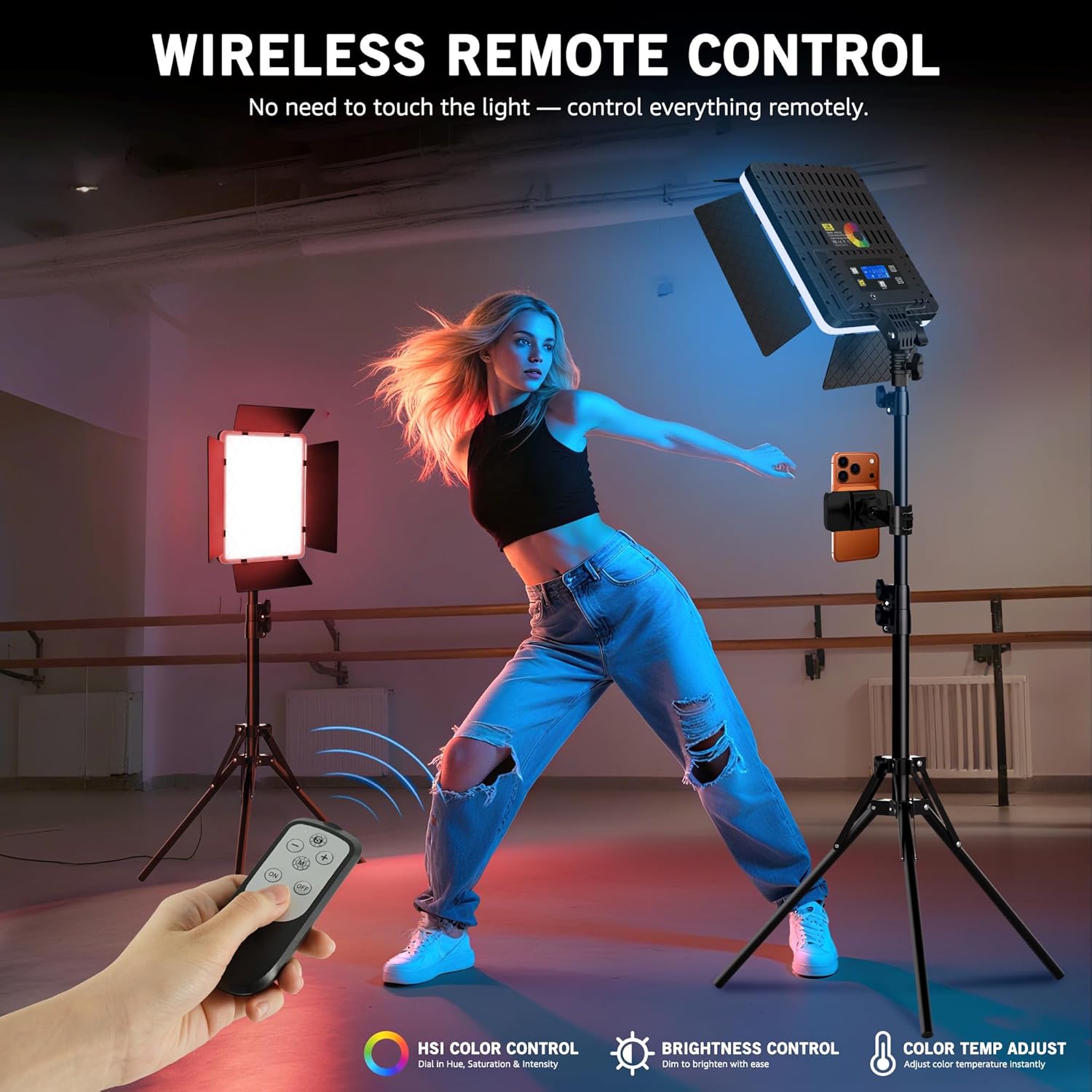
The included infrared remote control allows for wireless adjustment of lighting settings from up to 26 feet away. Ensure the remote is aimed at the infrared sensor located below the back of the light panel.
4.4 Lighting Modes
The light offers four primary lighting modes for flexible control:
- CCT Mode: Adjusts color temperature from 2700K (warm) to 6500K (cool) and brightness from 0% to 100%.
- HSI Mode: Provides full color freedom with 0-360° hue adjustment and 0-100% saturation control.
- RGB Mode: Allows for direct adjustment of Red, Green, and Blue color values.
- FX Mode: Includes 20 built-in lighting effects to add cinematic atmosphere.


4.5 Adjusting Barndoors
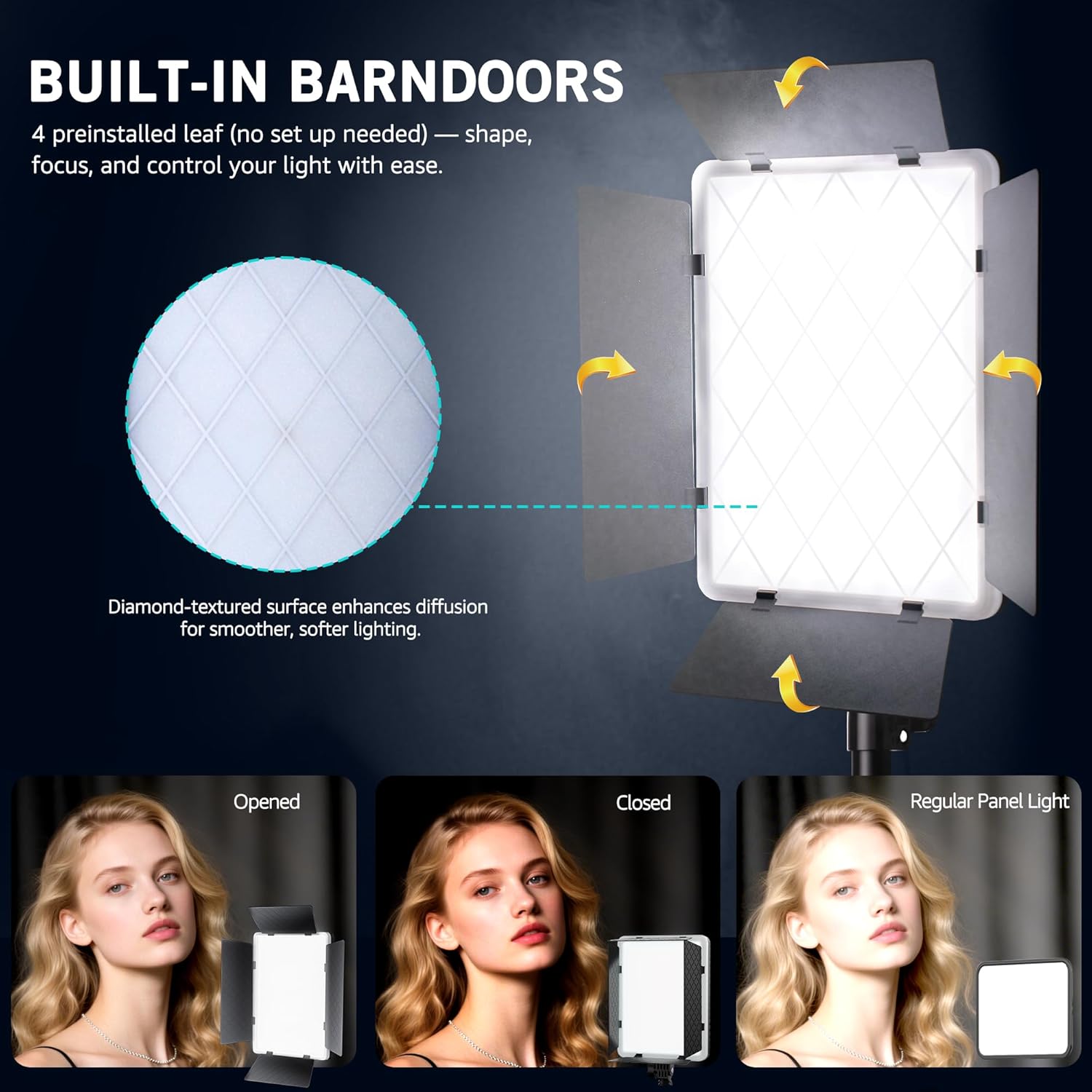
The built-in 4-leaf barndoors allow you to shape and control the light output. Adjust each leaf individually to direct light precisely where needed, creating focused highlights or wide flood lighting.
4.6 Product Video Demonstration
5. Maintenance
5.1 Cleaning
- Ensure the device is powered off and unplugged before cleaning.
- Use a soft, dry cloth to wipe the exterior of the light panel and tripod.
- For stubborn dirt, a slightly damp cloth can be used, followed by immediate drying.
- Do not use harsh chemicals, abrasive cleaners, or solvents, as these may damage the finish or internal components.
5.2 Storage
- When not in use, store the lighting kit in the provided storage bag to protect it from dust and physical damage.
- Store in a cool, dry place away from direct sunlight and extreme temperatures.
6. Troubleshooting
If you encounter any issues with your NiceVeedi 40W RGB Photography Lighting Kit, please refer to the table below for common problems and solutions:
| Problem | Possible Cause | Solution |
|---|---|---|
| Light does not turn on | No power supply; Loose connection; Faulty adapter | Ensure AC adapter is securely plugged into both the light and the power outlet. Check if the power outlet is functional. Try a different power outlet. |
| Remote control not working | Low battery; Obstruction; Not aimed correctly | Replace remote control batteries. Ensure there are no obstructions between the remote and the light's IR sensor. Aim the remote directly at the IR sensor. |
| Light output is inconsistent or flickering | Unstable power supply; Loose connection | Check power connections. Ensure the power source is stable. If using an extension cord, ensure it is rated for the device's power requirements. |
| Cannot change modes or settings | Buttons unresponsive; Remote issue | Try using both the physical buttons on the light panel and the remote control. If only one method fails, troubleshoot that specific component (e.g., remote battery). |
7. Specifications
Key technical specifications for the NiceVeedi 40W RGB Photography Lighting Kit:
| Feature | Specification |
|---|---|
| Max Output | 40W |
| LED Quantity | 540 Pcs |
| Color Temperature | 2700K-6500K |
| Lighting Modes | CCT, RGB, HSI, FX |
| Scene Effects | 20 |
| Remote Method | Infrared |
| Item Weight | 6 pounds |
| Package Dimensions | 17.32 x 9.96 x 6.06 inches |
8. Warranty and Support
NiceVeedi products are manufactured to high-quality standards. This product is covered by a manufacturer's warranty against defects in materials and workmanship. For specific warranty details, please refer to the documentation included with your purchase or contact NiceVeedi customer support.
For any inquiries, technical assistance, or support, please contact us through the Amazon platform or via the contact information provided in your product packaging. Our support team is dedicated to assisting you.