1. Introduction
This manual provides essential information for the safe and efficient use of your realme 15 Pro 5G smartphone. Please read this guide thoroughly before operating your device to ensure optimal performance and longevity. Keep this manual for future reference.

Image 1.1: realme 15 Pro 5G Smartphone, showcasing its design and key features.
2. What's in the Box
Verify that all items are present in your product packaging:
- realme 15 Pro 5G Smartphone
- Phone Case
- Power Adapter (80W SuperVOOC)
- USB Cable
- SIM Tray Ejector
- USB OTG Adapter
3. Setup
3.1 Initial Power On
- Press and hold the Power button on the side of the device until the realme logo appears.
- Follow the on-screen prompts to select your language, region, and connect to a Wi-Fi network.
3.2 SIM Card Installation
- Locate the SIM card tray on the side of your device.
- Insert the SIM tray ejector tool into the small hole next to the tray and press firmly until the tray pops out.
- Place your Nano-SIM card(s) into the designated slots on the tray. Ensure the gold contacts face downwards.
- Carefully reinsert the SIM tray into the phone until it clicks into place.
3.3 First-time Setup
After inserting your SIM card, continue following the on-screen instructions to:
- Sign in to your Google account.
- Set up a screen lock (PIN, pattern, password, fingerprint, or face unlock).
- Restore data from a previous device (optional).
- Review and accept terms and conditions.
4. Operating Instructions
4.1 Display Features
The realme 15 Pro 5G features a 144Hz HyperGlow 4D Curved Display, offering smooth visuals and an immersive experience. Key display characteristics include:
- Refresh Rate: 144Hz for fluid scrolling and gaming.
- Brightness: Up to 6500 nits peak brightness for clear visibility in various lighting conditions.
- Touch Response: 2500Hz for highly responsive touch interactions.
- Protection: Corning Gorilla Glass for enhanced durability.
- Water and Dust Resistance: IP69 rating provides resistance against dust and water.

Image 4.1: Overview of the realme 15 Pro 5G's display specifications.
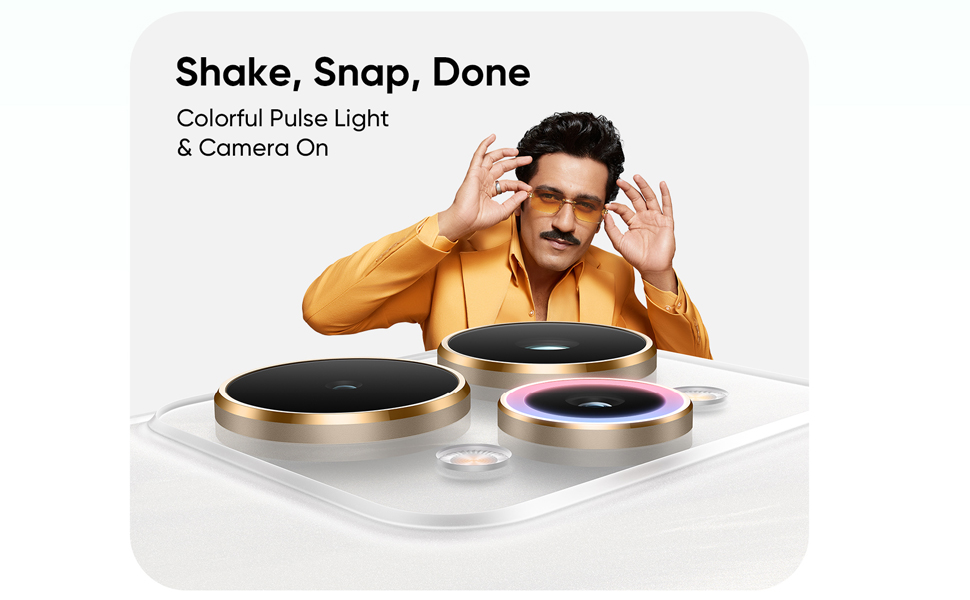
Image 4.2: Demonstrating the AI Ultra Touch Control for enhanced gaming responsiveness.
4.2 Camera Usage
The device is equipped with a Triple 50MP camera system, capable of capturing detailed photos and 4K 60FPS videos.
- Main Camera: 50MP Sony IMX896 sensor for high-resolution images.
- Wide-Angle Camera: 50MP for broader landscape and group shots.
- Selfie AI Camera: 50MP front camera for clear self-portraits.
- Video Recording: Supports 4K resolution at 60 frames per second.

Image 4.3: Detailed view of the triple 50MP camera system on the realme 15 Pro 5G.

Image 4.4: Examples of photographic capabilities using the AI camera features.
4.3 Battery and Charging
The realme 15 Pro 5G is powered by a 7000mAh battery and supports 80W SuperVOOC fast charging.
- Battery Capacity: 7000mAh for extended usage.
- Charging Speed: 80W SuperVOOC allows for rapid recharging.
- Usage: Provides up to 113 hours of Spotify playback or 22 hours of YouTube video playback on a single charge.

Image 4.5: Illustration of the 7000mAh battery and 80W SuperVOOC charging technology.
4.4 Performance
The device is equipped with the Snapdragon 7 Gen 4 processor, ensuring smooth multitasking and responsive operation.
- Processor: Snapdragon 7 Gen 4 for efficient performance.
- RAM: 8GB RAM (expandable with dynamic RAM) for seamless app switching.
- Storage: 256GB internal storage for applications and media.
- Operating System: Android 15.

Image 4.6: Visual representation of the Snapdragon 7 Gen 4 processor powering the device.

Image 4.7: Illustrating the large RAM and ROM capacity for enhanced performance.
5. Maintenance
5.1 Cleaning Your Device
- Use a soft, lint-free cloth to gently wipe the screen and body of the phone.
- Avoid using harsh chemicals, abrasive materials, or aerosol sprays.
- Ensure all ports are dry before charging or connecting accessories.
5.2 Software Updates
Regularly check for and install software updates to enhance device security, performance, and introduce new features. To check for updates:
- Go to Settings.
- Tap on About phone or System.
- Select Software update.
6. Troubleshooting
This section addresses common issues you might encounter with your realme 15 Pro 5G.
6.1 Device Not Turning On
- Ensure the battery is charged. Connect the phone to the 80W SuperVOOC charger for at least 10 minutes.
- Press and hold the Power button for 10-15 seconds to force a restart.
6.2 Screen Unresponsive
- Restart the device by holding the Power button.
- If the issue persists, perform a factory reset (see 6.4).
6.3 Battery Draining Quickly
- Check background app usage in Settings > Battery. Close or restrict power-intensive apps.
- Reduce screen brightness and set a shorter screen timeout.
- Disable unnecessary features like GPS, Bluetooth, or Wi-Fi when not in use.
6.4 Performing a Factory Reset
A factory reset will erase all data on your phone. Back up important data before proceeding.
- Go to Settings.
- Tap on System or Additional settings.
- Select Backup & reset.
- Choose Erase all data (factory reset) and confirm.
7. Specifications
| Feature | Specification |
|---|---|
| Model Number | RMX5101 |
| Operating System | Android 15 |
| RAM | 8 GB |
| Processor | Snapdragon 7 Gen 4 (2.8 GHz CPU Speed) |
| Display | 144Hz HyperGlow 4D Curve Display, 1280 x 2800 Resolution |
| Main Camera | Triple 50MP |
| Front Camera | 50MP |
| Battery Capacity | 7000mAh Lithium Ion |
| Charging | 80W SuperVOOC |
| Connectivity | Bluetooth, USB, Wi-Fi, 5G |
| Dimensions (LxWxH) | 16.23 x 7.62 x 0.77 cm |
| Weight | 187 g |
| Color | Flowing Silver |
| Water/Dust Resistance | IP69 |
8. Warranty and Support
Your realme 15 Pro 5G smartphone comes with a standard manufacturer's warranty. Please refer to the warranty card included in your packaging for specific terms and conditions, including warranty period and coverage details.
For technical support, service inquiries, or to find authorized service centers, please visit the official realme website or contact realme customer service.
You can also visit the realme Store on Amazon for additional product information and support: realme Store