
1. Important Safety Instructions
Please read and understand all safety instructions before operating the Gosvor LiteVac 800. Failure to follow these instructions may result in electric shock, fire, or serious injury.
- Always ensure the charging port is dry before connecting the charger.
- Do not operate the cleaner if the power cord or charger is damaged.
- Keep children and pets away from the pool area when the cleaner is in operation or charging.
- Only use the charger supplied by the manufacturer.
- Do not use the cleaner for purposes other than cleaning flat above-ground pools.
- Remove the cleaner from the pool before adding chemicals or performing maintenance.
- Store the cleaner in a cool, dry place when not in use.
2. Product Overview
The Gosvor LiteVac 800 is a cordless robotic pool cleaner designed for efficient and hassle-free cleaning of flat above-ground pools. Its compact design and intelligent features make pool maintenance simple.

Figure 2.1: Gosvor LiteVac 800 Robotic Pool Cleaner. This image shows the top-down view of the grey and orange robotic pool cleaner, highlighting its compact design and handle.
2.1 Package Contents
Verify that all items are present in the package:
- 1x Gosvor LiteVac 800 Robotic Pool Cleaner
- 1x Charger
- 1x User Manual (this document)
- 1x Retrieval Hook
- 2x Brushes (pre-installed or separate)
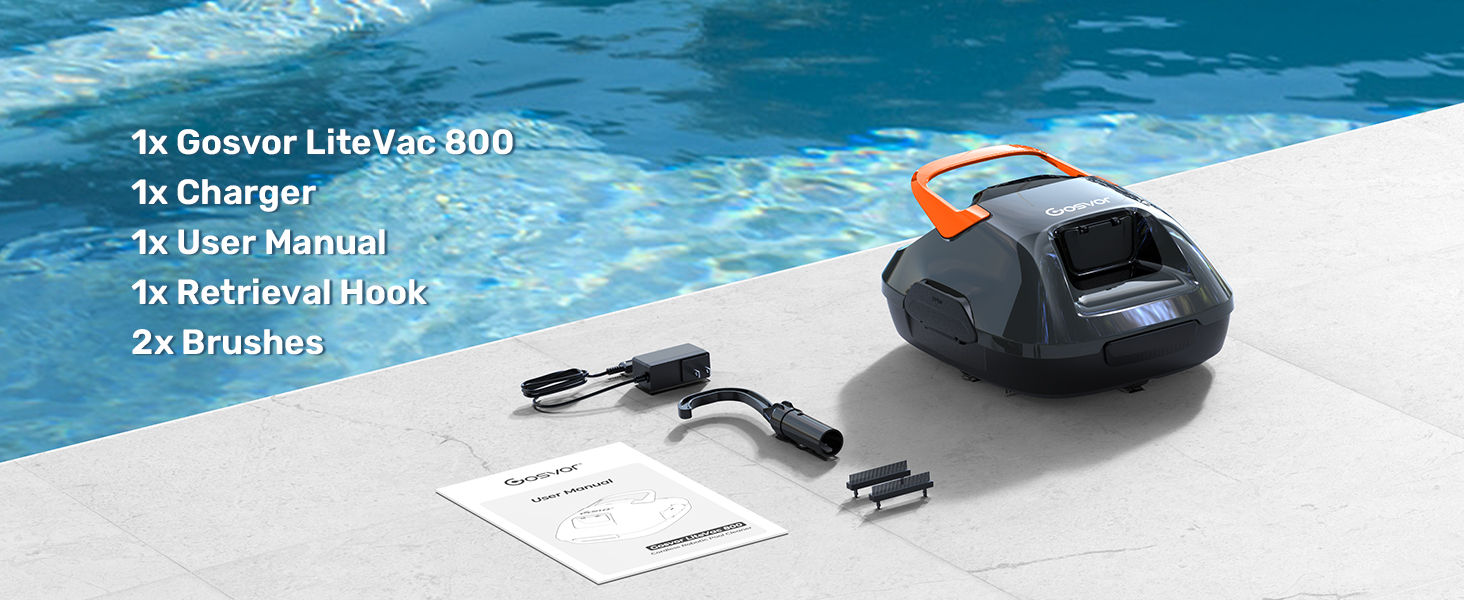
Figure 2.2: Package contents including the LiteVac 800 cleaner, charger, user manual, retrieval hook, and brushes, laid out next to a pool.
3. Setup
3.1 Initial Charging
Before first use, fully charge the LiteVac 800. The initial charge typically takes approximately 3 hours.
- Ensure the cleaner is dry and clean before charging.
- Locate the charging port on the cleaner.
- Connect the charger to the cleaner's charging port.
- Plug the charger into a standard electrical outlet.
- The indicator light on the charger will show the charging status (e.g., red for charging, green for fully charged).
- Once fully charged, disconnect the charger from both the outlet and the cleaner.

Figure 3.1: The Gosvor LiteVac 800 connected to its charger, illustrating the charging process near a pool.
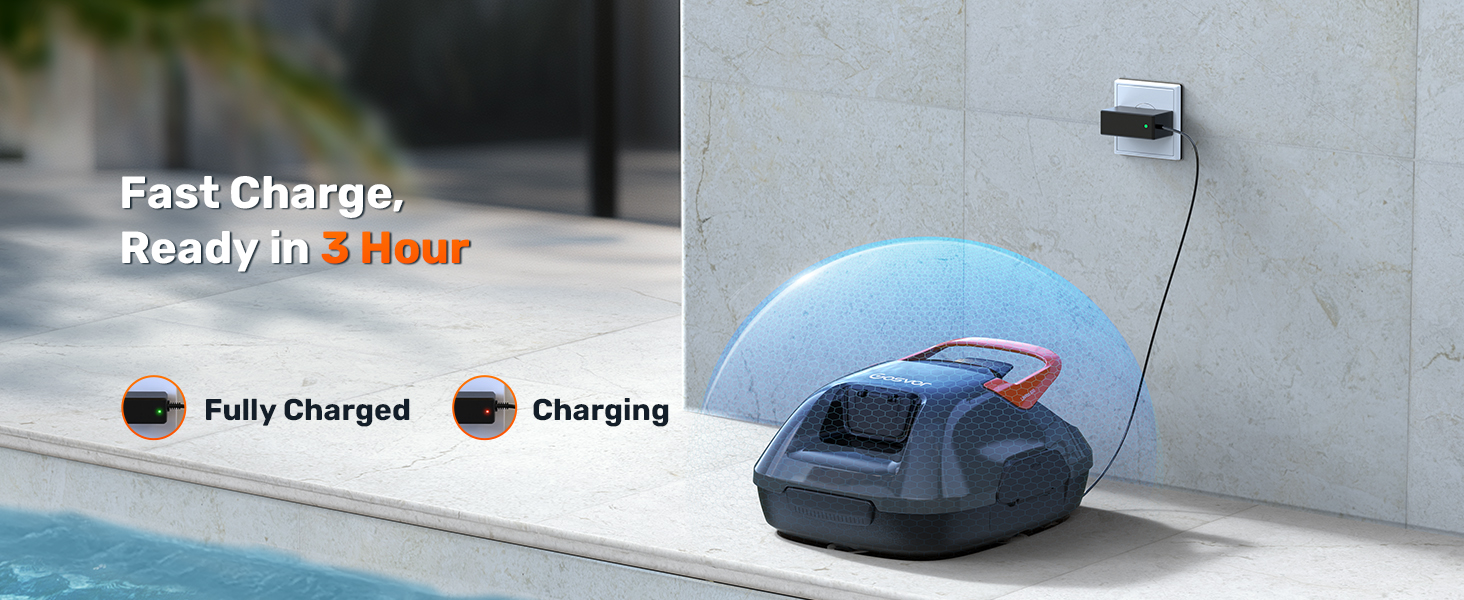
Figure 3.2: Visual representation of the charging status indicators for the LiteVac 800, showing both charging and fully charged states.
4. Operating Instructions
4.1 Preparing the Pool
Ensure the pool is free of large debris that could obstruct the cleaner's movement or suction ports. The LiteVac 800 is designed for flat above-ground pools up to 860 sq. ft.
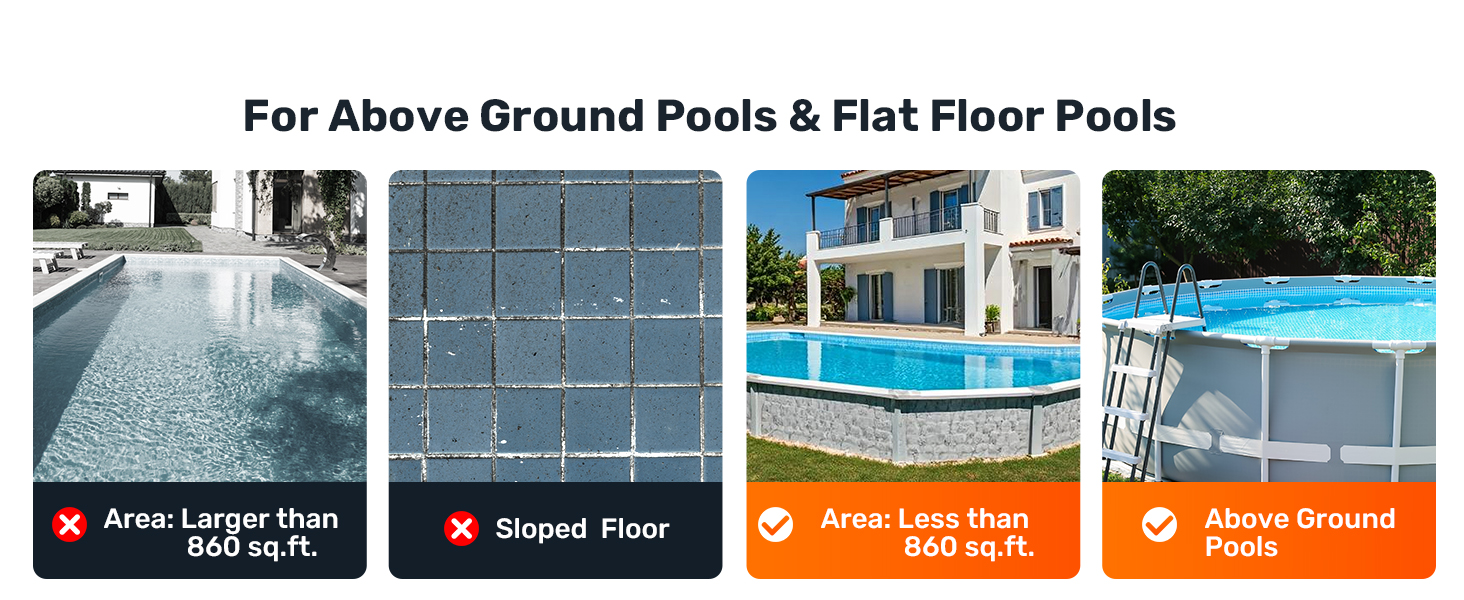
Figure 4.1: Illustrations showing compatible pool types (above-ground and flat floor pools) and incompatible types (larger than 860 sq. ft. or sloped floors).
4.2 Starting the Cleaning Cycle
The LiteVac 800 features a simple one-click start operation.
- Ensure the cleaner is fully charged.
- Submerge the cleaner into the pool water. It will sink to the bottom.
- Press the power button located on the cleaner. The cleaner will begin its cleaning cycle.
- The cleaner will operate for up to 90 minutes, covering an area of up to 860 sq. ft.
- When the battery is low, the cleaner will automatically self-park near the edge of the pool for easy retrieval.
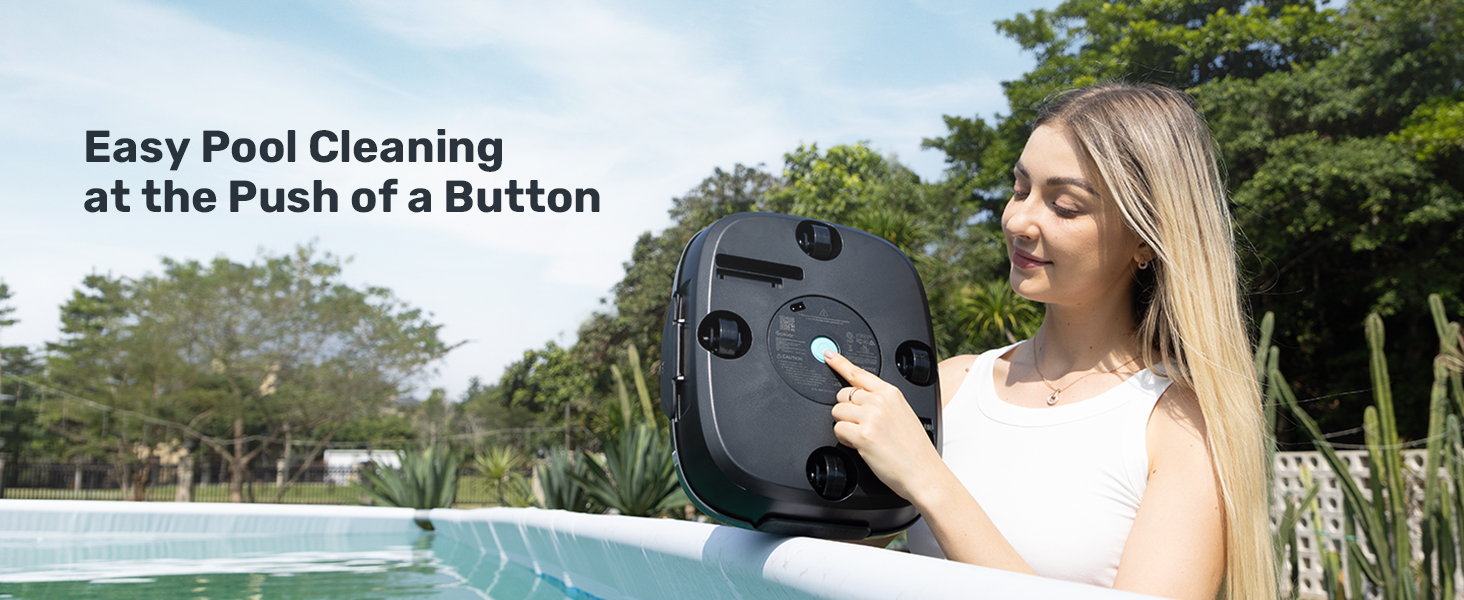
Figure 4.2: A user pressing the start button on the underside of the Gosvor LiteVac 800, demonstrating the one-click operation.

Figure 4.3: An aerial view of the Gosvor LiteVac 800 cleaning a pool, indicating its 90-minute run time and suitability for pools up to 860 sq. ft.
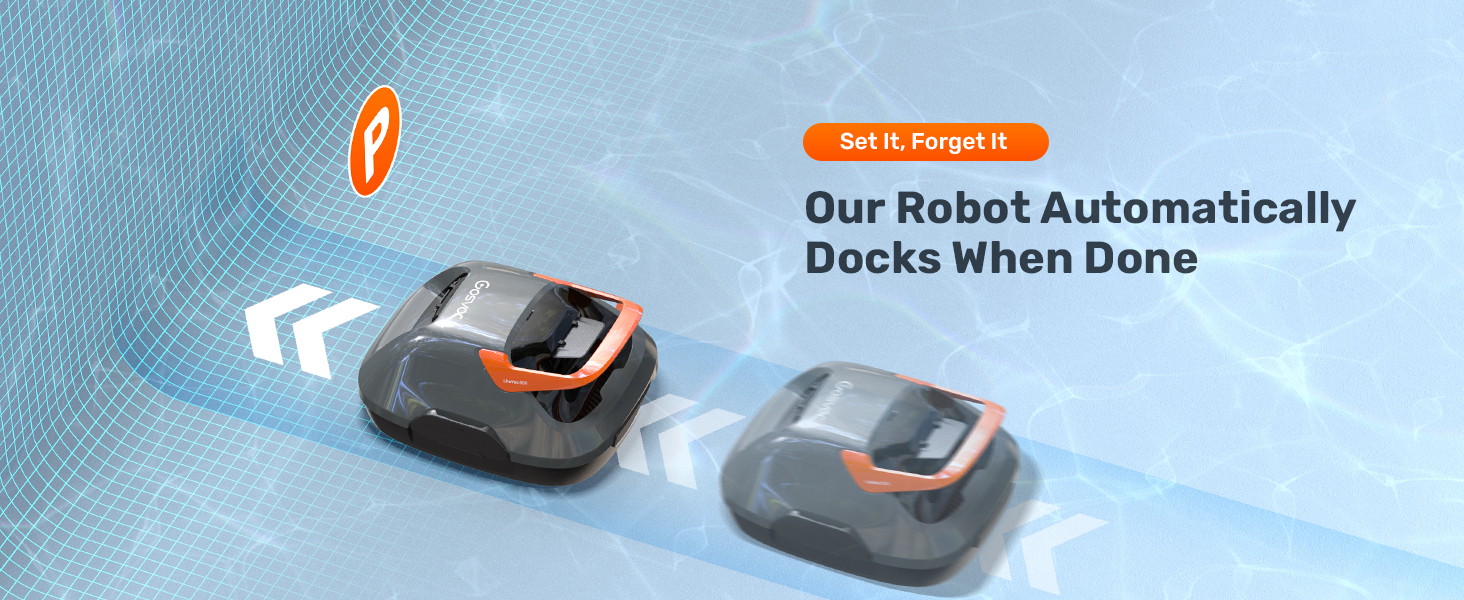
Figure 4.4: Illustration of the LiteVac 800's self-parking feature, showing the robot automatically docking near the pool edge when its cleaning cycle is complete or battery is low.
4.3 Retrieval from Pool
Once the cleaning cycle is complete or the cleaner has self-parked, use the provided retrieval hook to lift it from the pool.
- Attach the retrieval hook to a standard pool pole (not included).
- Hook the cleaner's handle with the retrieval hook.
- Slowly lift the cleaner out of the water. The cleaner is designed for fast water release, draining in approximately 15 seconds.
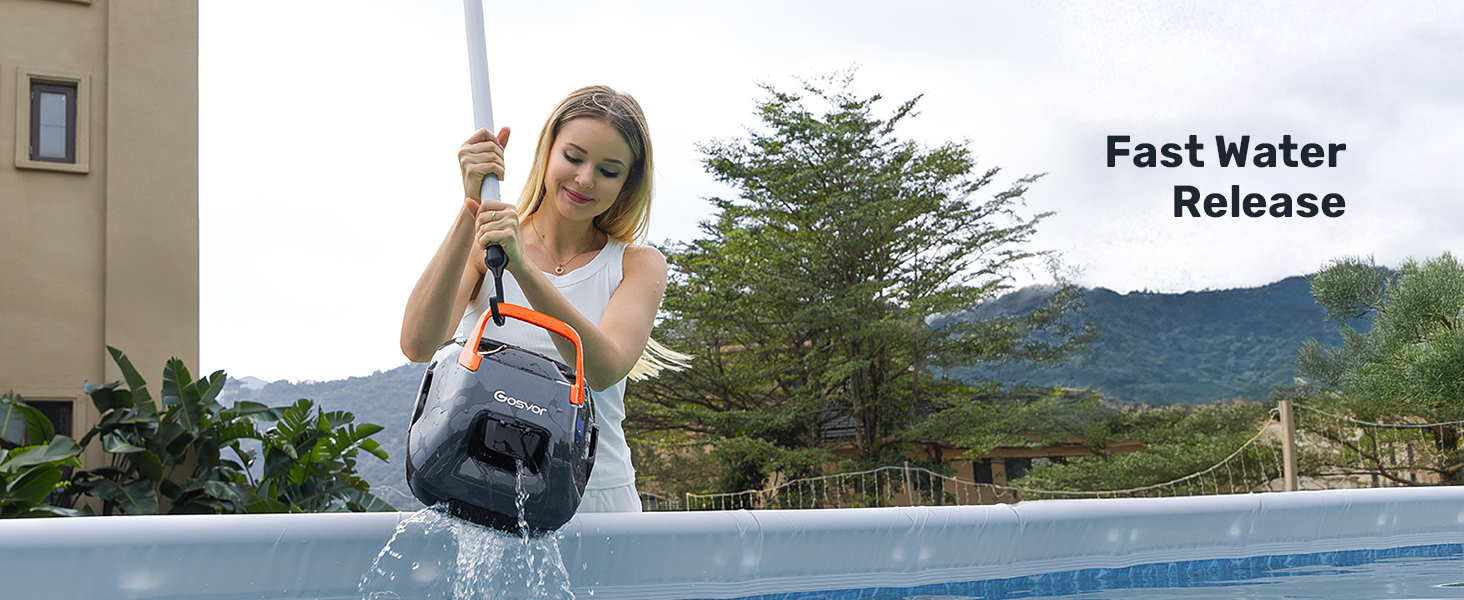
Figure 4.5: A person using a pole with a hook to retrieve the Gosvor LiteVac 800 from the pool, demonstrating the fast water release feature.
5. Maintenance
Regular maintenance ensures optimal performance and extends the lifespan of your LiteVac 800.
5.1 Cleaning the Filter Basket
The filter basket should be cleaned after each use to prevent debris buildup and maintain suction efficiency.
- After retrieving the cleaner from the pool, open the filter compartment.
- Remove the filter basket.
- Rinse the filter basket thoroughly with a garden hose to remove all collected debris. The filter is 180µm and the basket capacity is 2L.
- Ensure the filter basket is completely clean before reinstalling.
- Reinstall the filter basket into the cleaner, ensuring it clicks securely into place.
- Close the filter compartment.

Figure 5.1: A two-part image demonstrating the process of removing and rinsing the filter basket of the Gosvor LiteVac 800 to clear collected debris.
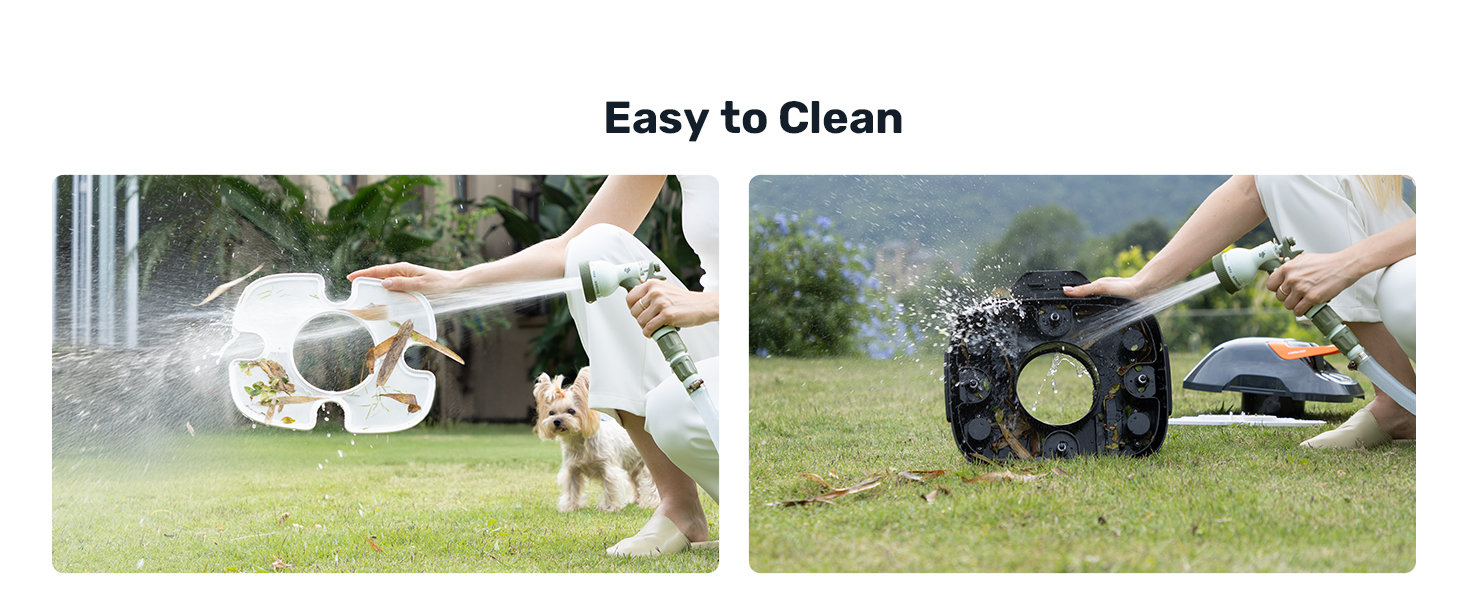
Figure 5.2: Two images showing the ease of cleaning the LiteVac 800's filter basket and the main unit with a hose.
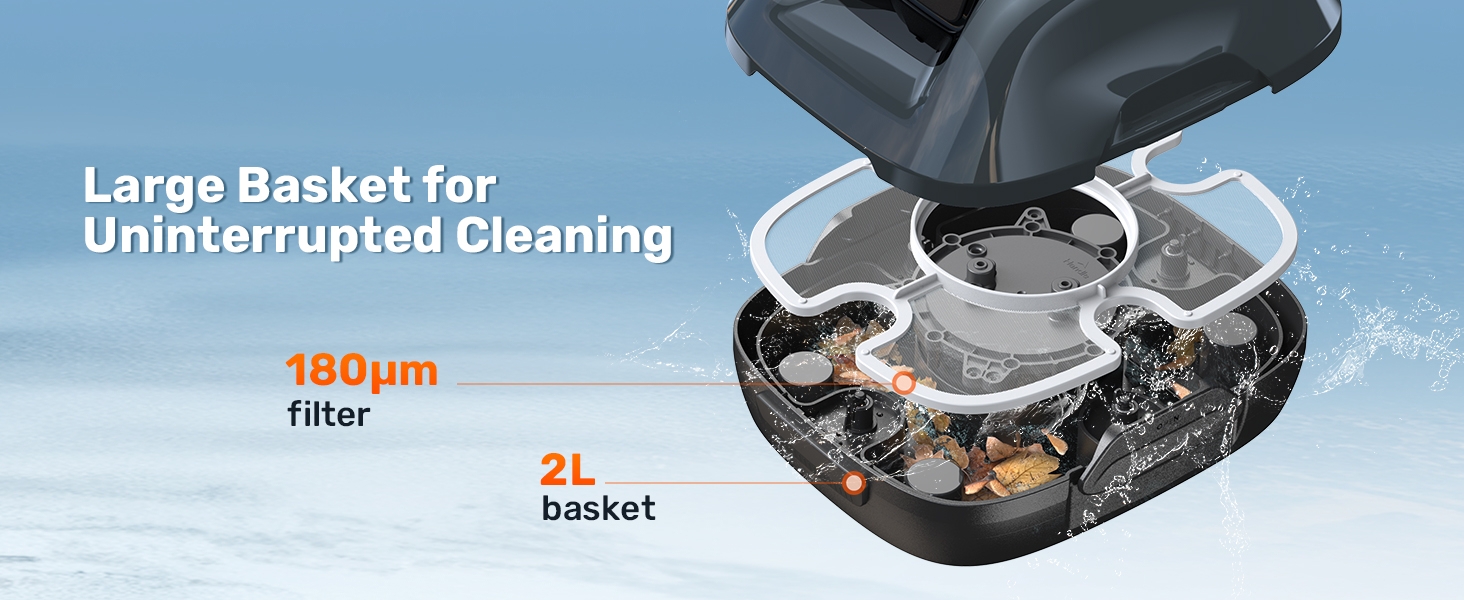
Figure 5.3: Detailed view of the LiteVac 800's internal components, highlighting the 180µm filter and 2L basket for debris collection.
5.2 General Cleaning and Storage
- Wipe down the exterior of the cleaner with a damp cloth as needed.
- Ensure the cleaner is completely dry before storing or charging.
- Store the LiteVac 800 in a cool, dry place, away from direct sunlight and extreme temperatures.
6. Troubleshooting
This section addresses common issues you might encounter with your Gosvor LiteVac 800.
| Problem | Possible Cause | Solution |
|---|---|---|
| Cleaner does not start. | Battery is low or depleted. Power button not pressed correctly. | Charge the cleaner for 3 hours. Ensure the power button is pressed firmly until the cleaner activates. |
| Cleaner moves slowly or suction is weak. | Filter basket is full or clogged. Suction ports are blocked. Battery is low. | Clean the filter basket thoroughly. Check and clear any obstructions from the suction ports. Recharge the cleaner. |
| Cleaner does not cover the entire pool. | Pool size exceeds recommended area (860 sq. ft.). Obstacles in the pool. Battery life reduced. | Verify pool dimensions. Remove toys, ladders, or other large obstacles. Ensure cleaner is fully charged before each use. |
| Cleaner stops mid-cycle. | Battery is low. Cleaner encountered an obstruction. | This is normal behavior for self-parking. Recharge the cleaner. Remove the obstruction and restart the cleaner. |
If the problem persists after attempting these solutions, please contact Gosvor customer support.
7. Specifications
| Feature | Detail |
|---|---|
| Model Name | LiteVac 800 |
| Brand | Gosvor |
| Product Dimensions | 13 x 11 x 7 inches (13"L x 11"W x 7"H) |
| Item Weight | 8 pounds |
| Power Source | Battery Powered |
| Battery Life (Operating Time) | Up to 90 minutes |
| Charging Time | Approx. 3 hours |
| Max Pool Area | 860 sq. ft. (flat above-ground pools only) |
| Suction Power | 20W (20 GPM) |
| Filter Fineness | 180µm |
| Filter Basket Capacity | 2L |
| Water Release Time | Approx. 15 seconds |
| Color | Orange and Grey |
8. Warranty and Support
For information regarding product warranty, returns, or technical support, please refer to the warranty card included with your purchase or visit the official Gosvor website. Contact details for customer service are typically provided in these resources.
You can visit the Gosvor Store for more information: Gosvor Official Store
