1. Introduction
This manual provides essential information for the safe and efficient use of your realme 15 5G Smartphone. Please read this guide thoroughly before operating the device to ensure optimal performance and longevity. Keep this manual for future reference.
2. What's in the Box
Verify that all items are present in the product packaging:
- realme 15 5G Smartphone
- Phone Case
- Power Adapter (80W SuperVOOC)
- USB Cable
- SIM Tray Ejector
- USB OTG Adapter
- Quick Start Guide (this document)
- Warranty Card
3. Device Overview
The realme 15 5G features a sleek design with advanced components. Familiarize yourself with the device's physical layout.

Image: Front and rear view of the realme 15 5G Smartphone, highlighting its camera module and curved display.
3.1 Key Components
- Display: 144Hz HyperGlow 4D Curved Screen.
- Cameras: Dual 50MP rear cameras and a front camera.
- Power Button: Located on the side for power on/off and screen lock.
- Volume Buttons: Located on the side for adjusting volume.
- USB-C Port: For charging and data transfer.
- SIM Card Tray: For inserting Nano-SIM cards.

Image: Side profile of the realme 15 5G Smartphone, illustrating its slim 7.66mm design.
4. Setup
4.1 Inserting SIM Cards
- Locate the SIM card tray on the side of the device.
- Insert the SIM tray ejector tool into the small hole next to the tray and press gently until the tray pops out.
- Place your Nano-SIM card(s) into the designated slots on the tray. Ensure the gold contacts face downwards.
- Carefully reinsert the SIM tray into the phone until it clicks into place.
4.2 Initial Power On and Configuration
- Press and hold the Power button until the realme logo appears.
- Follow the on-screen instructions to select your language, region, and connect to a Wi-Fi network.
- Complete the setup wizard, including Google account login, security settings, and data transfer if applicable.
4.3 Charging the Device
Your realme 15 5G supports 80W SuperVOOC fast charging.
- Connect the USB cable to the 80W SuperVOOC Power Adapter.
- Plug the adapter into a power outlet.
- Connect the other end of the USB cable to the USB-C port on your phone.
- The charging indicator will appear on the screen. Use only the provided charger and cable for optimal charging speed and safety.

Image: The realme 15 5G Smartphone being charged with the 80W SuperVOOC adapter, highlighting its 7000mAh battery and fast charging capability.
5. Operating Instructions
5.1 Basic Operations
- Power On/Off: Press and hold the Power button. Select 'Power off' or 'Restart' from the menu.
- Screen Lock/Unlock: Briefly press the Power button. Use your set security method (PIN, pattern, fingerprint, face unlock) to unlock.
- Volume Adjustment: Use the Volume Up/Down buttons.
5.2 Display Features
The 144Hz HyperGlow 4D Curved Display offers a smooth visual experience.
- Refresh Rate: The 144Hz refresh rate provides fluid scrolling and animations. This can be adjusted in Display Settings.
- Brightness: Adjust screen brightness manually or enable Adaptive Brightness for automatic adjustment based on ambient light.
- Color Mode: Customize display color profiles in settings for preferred visual output.

Image: The realme 15 5G's 144Hz HyperGlow 4D Curved Display, highlighting its key specifications like brightness, refresh rate, and protection.
5.3 Camera Usage
The device features Dual 50MP 4K Cameras for high-quality photography and videography.

Image: Close-up of the realme 15 5G's camera system, indicating the specifications of its 50MP main, 8MP wide-angle, and 50MP selfie cameras.
- Launching Camera: Tap the Camera icon on the home screen or lock screen.
- Photo Modes: Switch between modes like Photo, Portrait, Night, Pro, and more.
- Video Recording: Select Video mode. The device supports 4K video recording.
- AI Features: Utilize AI enhancements for scene recognition and optimal shot settings.
5.4 Connectivity
- Wi-Fi: Connect to wireless networks via Settings > Wi-Fi.
- Bluetooth: Pair with Bluetooth devices (headphones, speakers) via Settings > Bluetooth.
- USB: Connect to a computer for file transfer or use the USB OTG adapter for external storage.
- GPS: Enable location services for navigation and location-based apps.
5.5 Performance
The realme 15 5G is powered by the Dimensity 7300+ chipset, ensuring efficient multitasking and gaming.
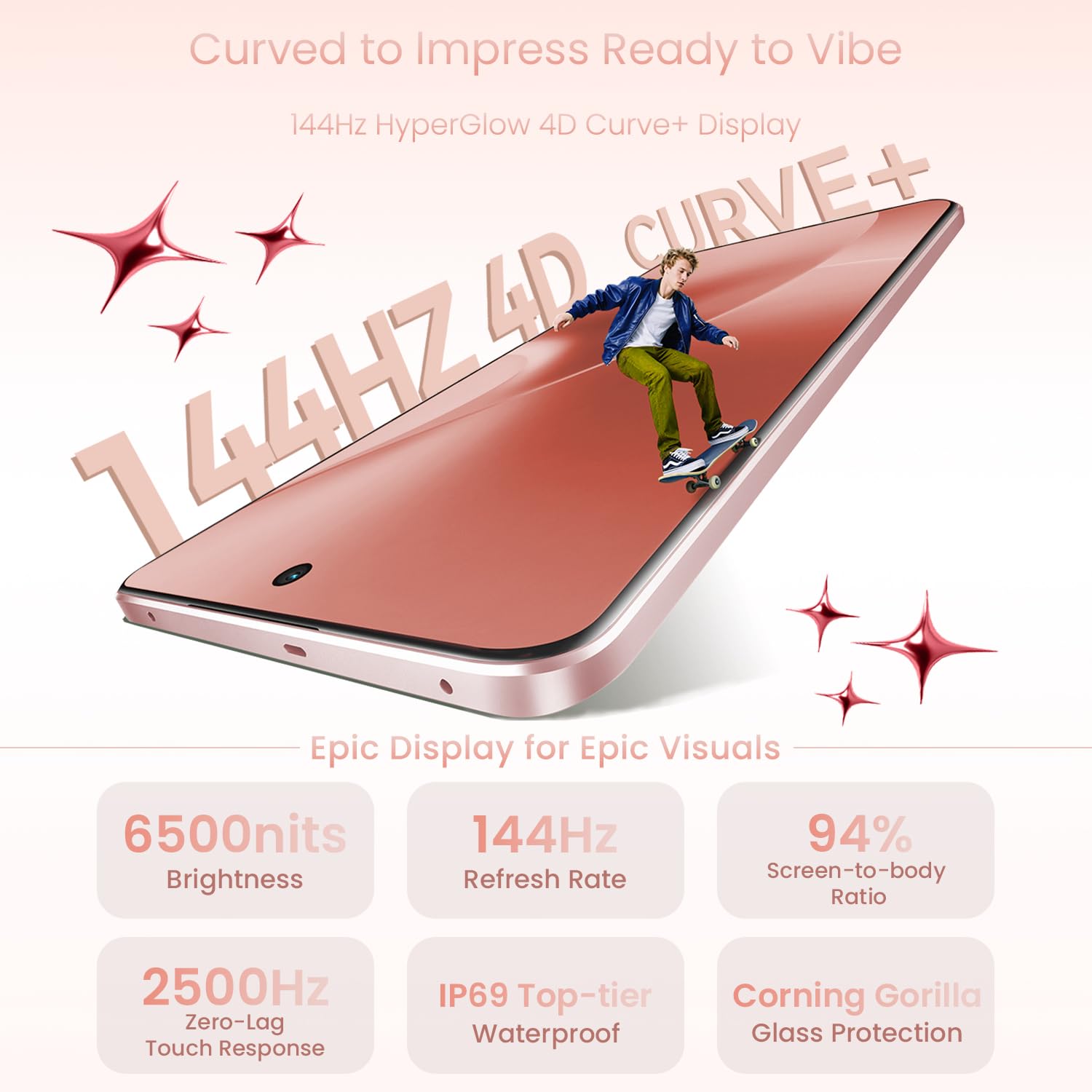
Image: Visual representation of the Dimensity 7300+ 5G Chipset, emphasizing its capability for smooth multitasking and enhanced gaming.
6. Maintenance
6.1 Cleaning Your Device
- Use a soft, lint-free cloth to wipe the screen and body.
- Avoid using harsh chemicals, abrasive materials, or aerosol sprays.
- For stubborn smudges, slightly dampen the cloth with water or a screen cleaner.
6.2 Battery Care
To maximize the lifespan of your 7000mAh battery:
- Avoid extreme temperatures.
- Do not let the battery completely drain frequently.
- Use the original 80W SuperVOOC charger and cable.
- Consider enabling battery optimization features in settings.
6.3 Software Updates
Regularly check for and install software updates to ensure your device has the latest features, security patches, and performance improvements. Go to Settings > About Phone > Software Update.
6.4 Water and Dust Resistance (IP69)
The realme 15 5G has an IP69 rating, indicating resistance to dust and high-pressure, high-temperature water jets. While resistant, it is not waterproof. Avoid intentional submersion in water or exposure to harsh liquids. Damage caused by liquid exposure is not covered under warranty.
7. Troubleshooting
If you encounter issues with your device, refer to the following common solutions:
- Device Not Powering On: Ensure the battery is charged. Connect to the charger for at least 15 minutes before attempting to power on.
- Screen Unresponsive: Force restart the device by holding the Power button for approximately 10-15 seconds.
- Apps Crashing: Clear the cache of the problematic app (Settings > Apps > [App Name] > Storage > Clear Cache). If the issue persists, reinstall the app.
- Poor Battery Life: Check background app usage, reduce screen brightness, disable unnecessary connectivity features (Bluetooth, GPS), and ensure software is updated.
- Connectivity Issues (Wi-Fi/Bluetooth): Toggle Wi-Fi or Bluetooth off and on. Restart the phone. Forget and reconnect to the network/device.
- Camera Not Working: Restart the device. Clear the Camera app's cache and data (Settings > Apps > Camera > Storage).
For persistent issues, contact realme customer support or visit an authorized service center.
8. Specifications
Key technical specifications for the realme 15 5G Smartphone:
| Feature | Specification |
|---|---|
| Model Number | RMX5106 |
| Operating System | Android 15 |
| RAM | 8 GB |
| Storage Capacity | 128 GB (as per current product variant) |
| Display | 144Hz HyperGlow 4D Curved Display, 2800 x 1280 Resolution |
| Processor | Dimensity 7300+ Chipset, 2.8 GHz CPU Speed |
| Rear Camera | Dual 50MP (Sony IMX882 AI Camera, Wide-Angle Camera) with 4K recording |
| Front Camera | 50MP Selfie AI Camera |
| Battery | 7000mAh Lithium Ion, 80W SuperVOOC Charging |
| Connectivity | 5G, Bluetooth, USB, Wi-Fi, GPS |
| Dimensions (LxWxH) | 16.23 x 7.62 x 0.8 cm |
| Weight | 187 g |
| Water & Dust Resistance | IP69 Rated |
9. Warranty and Support
Your realme 15 5G Smartphone comes with a manufacturer's warranty. Please refer to the warranty card included in your product packaging for detailed terms and conditions, including coverage period and service procedures.
For technical support, service inquiries, or further assistance, please visit the official realme support website or contact realme customer service through the contact information provided on their website or in your warranty documentation.
Manufacturer: realme
Country of Origin: India


