
1. Introduction
Thank you for choosing the Segway Navimow i205 AWD Robotic Lawn Mower. This manual provides essential information for the safe and efficient operation, maintenance, and troubleshooting of your new robotic lawn mower. Please read this manual thoroughly before initial use and keep it for future reference.
2. Key Features
2.1 All-Wheel Drive (AWD) and Terrain Performance
The Navimow i205 AWD is engineered to handle challenging terrains, including slopes up to 45% (24°). Its automotive-grade electronic stability control system actively stabilizes the mower, ensuring a consistent and uniform cut even on uneven or sloped surfaces. It can cover up to 500 m² of lawn in approximately 8 hours.
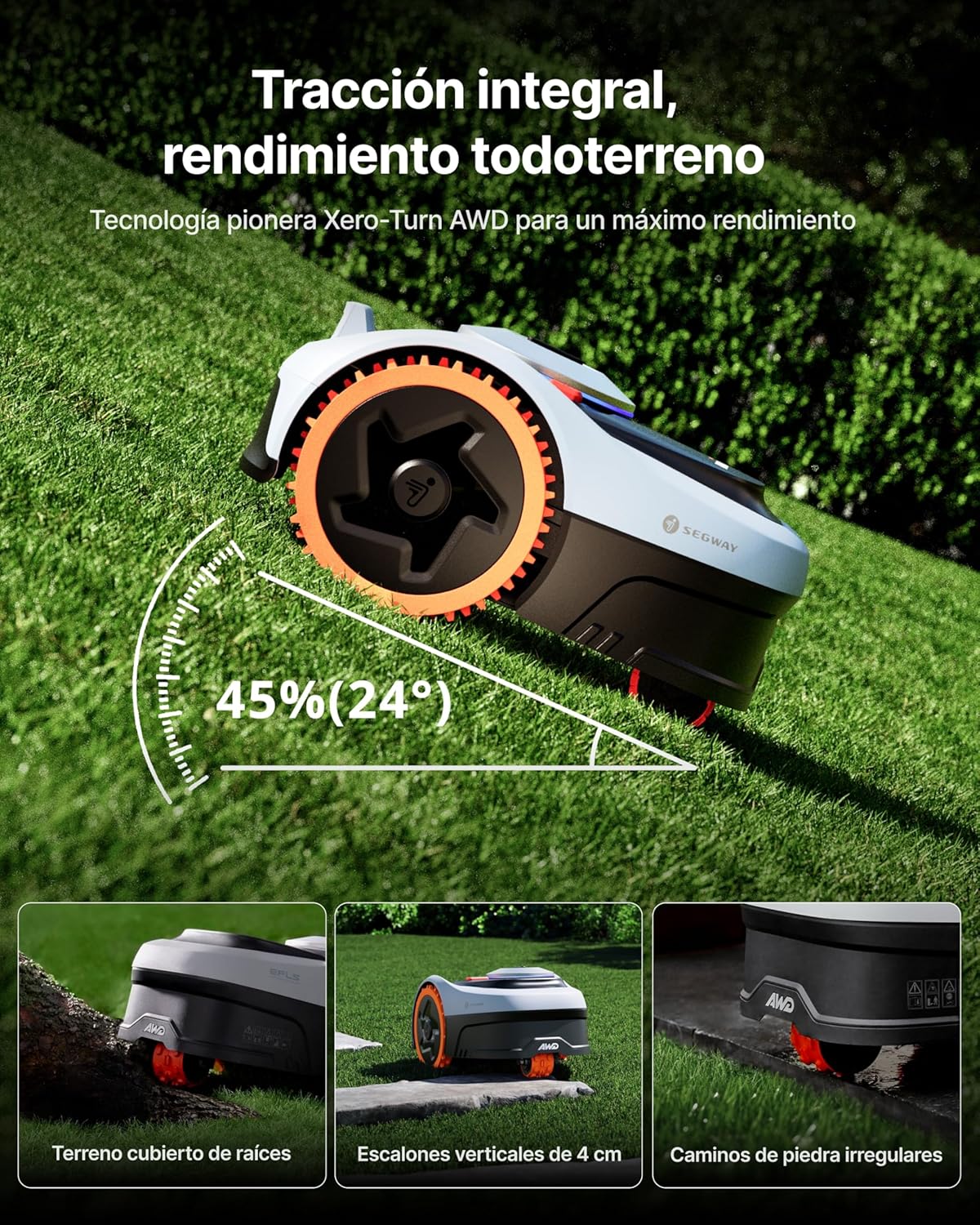
Image: The Navimow i205 AWD navigating a challenging slope, highlighting its robust all-wheel-drive system.
Video: Demonstration of the Navimow i205 AWD's all-terrain performance, including navigating roots and slopes.
2.2 Zero-Turn Maneuverability
The unique concentric third-wheel design allows the mower to perform zero-turn maneuvers without damaging the lawn. This ensures smooth steering control and a perfectly uniform cutting finish. The cutting height is adjustable from 2 to 6 cm, with an 18 cm cutting width.

Image: The Navimow i205 AWD executing a precise zero-turn, designed to protect your lawn.
Video: The robotic mower demonstrates its zero-turn agility, ensuring no damage to the grass during turns.
2.3 Wire-Free Setup with EFLS NRTK+Vision
The Navimow i205 AWD utilizes EFLS NRTK technology for wire-free operation, eliminating the need for perimeter wires. This system, combined with Vision, ensures centimeter-level precision even under trees or in narrow passages. Access to the RTK network is included without additional cost, and necessary mobile data is provided free of charge.

Image: The Navimow i205 AWD operating without perimeter wires, guided by satellite technology.
Video: Visual representation of the RTK network providing precise positioning for the mower.
2.4 Automatic Mapping
The EFLS RTK network enables one-touch automatic mapping, allowing you to set up your mowing area in minutes. The improved three-frequency RTK network, combined with Vision, ensures consistent precision.

Image: The Navimow app interface demonstrating the automatic lawn mapping feature.
Video: A user interacting with the Navimow app to initiate automatic lawn mapping.
2.5 VisionFence™ Obstacle Avoidance
The VisionFence system uses AI to detect and avoid over 150 types of obstacles, including pets and toys. This ensures safe operation and prevents collisions, maintaining a safe distance from objects in its path.

Image: The Navimow i205 AWD demonstrating its VisionFence obstacle avoidance technology.
Video: The mower's VisionFence system actively detecting and avoiding various obstacles on the lawn.
2.6 On-Demand All-Wheel Drive for Energy Saving
The intelligent adaptive drive system activates the third motor only when additional power is required, optimizing energy efficiency. This reduces consumption and significantly extends mowing time. Powered by a 2.5 Ah battery, the i205 AWD can mow up to 125 m² on a single charge.
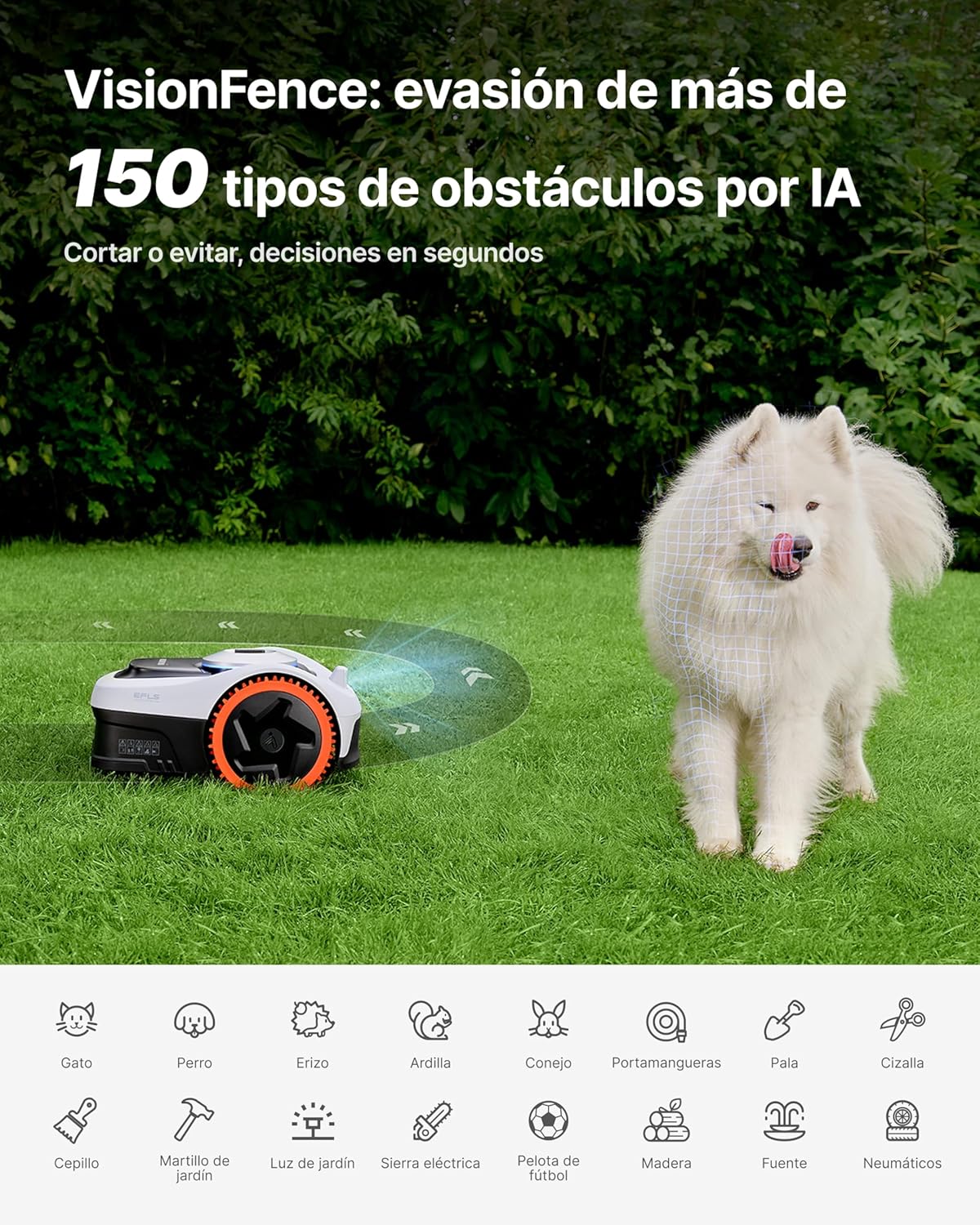
Image: An X-ray view illustrating the on-demand all-wheel drive system for optimized energy use.
Video: The mower demonstrates its on-demand all-wheel drive system, activating extra power only when needed on inclines.
2.7 Smart Safety System
Dual safety alerts notify you via the app with real-time GPS tracking if the mower is lifted or moves outside designated zones. This intelligent system ensures your mower remains secure and provides peace of mind.
Video: A smartphone displaying a security alert, indicating the mower is outside its geo-fence.
2.8 Weather-Adaptive Mowing
The mower can detect various extreme weather conditions such as rain, frost, snow, strong winds, or heat. It automatically adjusts its operation or returns to the charging station, ensuring safe and optimal performance throughout the seasons.

Image: The Navimow i205 AWD adapting to changing weather conditions, such as rain.
Video: The mower automatically adjusting its operation based on detected weather conditions like rain or sun.
2.9 Voice Control Integration
The Navimow i205 AWD seamlessly integrates with smart home systems like Alexa and Google Home. Simply use voice commands to start or stop mowing tasks.
Video: An animated representation of voice commands being used to control the robotic mower via a smart home assistant.
3. Setup
3.1 What's in the Box
Before starting, ensure all components are present:
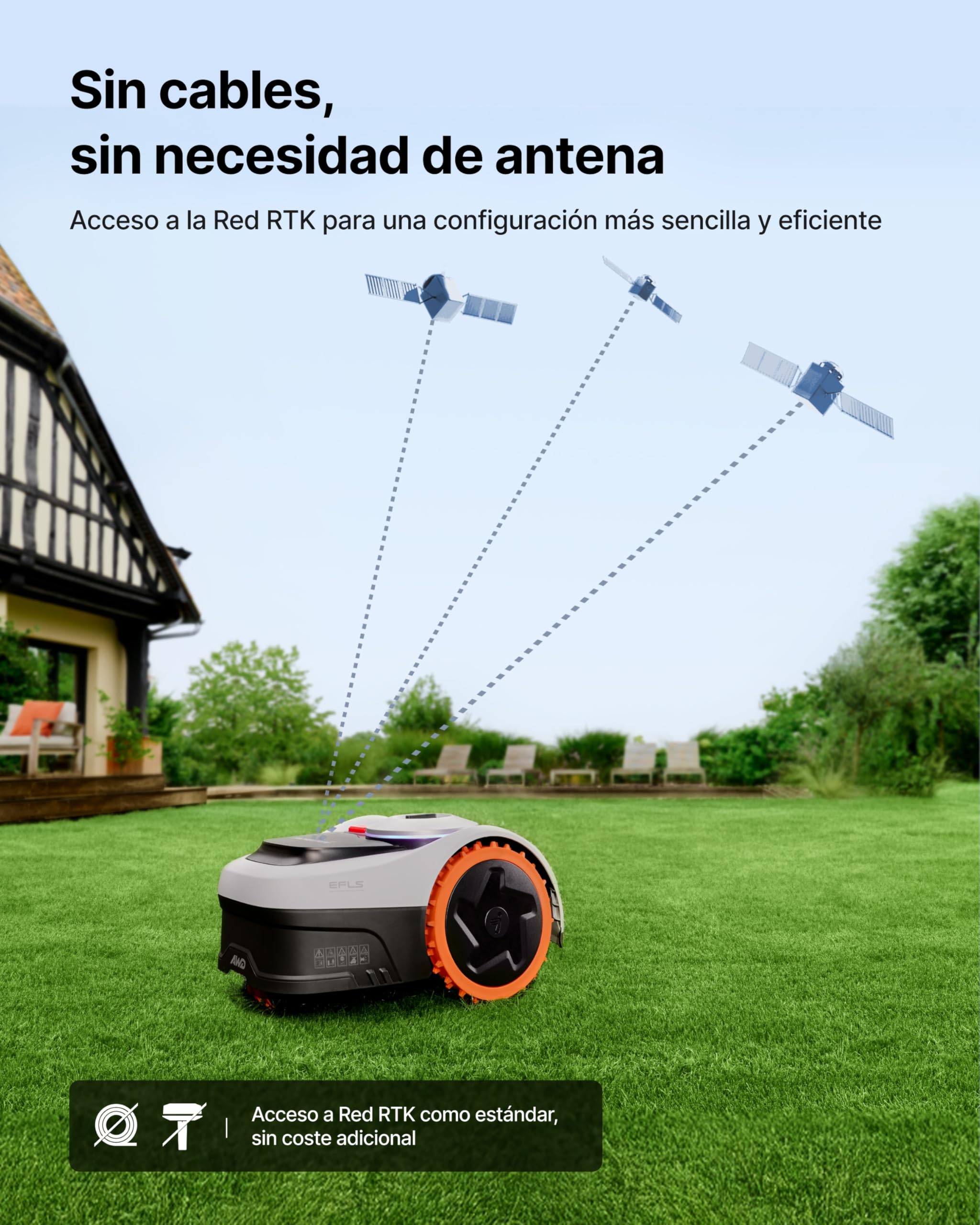
Image: A visual guide to the contents of the Navimow i205 AWD package.
- Navimow i205 AWD Robotic Mower
- Charging Station and Installation Kit
- Power Adapter
- GNSS Antenna with 6m Cable
- Spare Blades and Screws (x5)
- Extension Cable Stakes (x4)
- User Manuals (Information and Quick Start Guide)
3.2 Initial Placement and Charging Station Installation
- Choose a suitable location for the charging station, preferably in a shaded area with good RTK signal reception.
- Ensure the area around the charging station is clear of obstacles for the mower's approach and departure.
- Secure the charging station to the ground using the provided stakes.
- Connect the power adapter to the charging station and a power outlet.
3.3 App Download and Connection
- Download the official Navimow app from your smartphone's app store.
- Follow the in-app instructions to pair your Navimow i205 AWD with your device.
- Ensure your mower is fully charged before proceeding with mapping.
3.4 Mapping the Lawn
- Using the Navimow app, initiate the automatic mapping process.
- Guide the mower along the perimeter of your lawn to create a virtual boundary.
- Define any no-go zones or specific areas within the app. The mower will automatically optimize its mowing path.
4. Operating Instructions
4.1 Starting and Stopping Mowing
- To start mowing, press the 'MOW' button in the app or on the mower's control panel.
- To stop mowing, press the 'STOP' button in the app or on the mower. The mower will return to its charging station.
4.2 Scheduling Mowing Tasks
Use the Navimow app to create customized mowing schedules. You can set specific days and times for the mower to operate, ensuring your lawn is always well-maintained.
4.3 Multi-Zone Management
The mower supports management of up to 20 different mowing zones. Configure these zones within the app for optimized routing and efficient coverage of complex garden layouts.
4.4 Adjusting Cutting Height
The cutting height can be adjusted from 2 to 6 cm. Refer to the mower's control panel or the app for precise adjustments to suit your lawn's needs.
5. Maintenance
5.1 Cleaning the Mower
The Navimow i205 AWD has an IP66 rating, making it resistant to water and dust. It can be easily cleaned with a hose. Ensure the mower is turned off and disconnected from power before cleaning.
5.2 Blade Replacement
The mower features a 5-blade cutting disc for efficient and uniform cutting. Regularly inspect the blades for wear and tear. Replace dull or damaged blades to maintain optimal cutting performance. Always use genuine Navimow replacement blades.
Video: Close-up view of the 5-blade cutting disc in action, demonstrating its cutting efficiency.
5.3 Winter Storage
For prolonged periods of inactivity, especially during winter, clean the mower thoroughly, fully charge the battery, and store it in a dry, frost-free location. Refer to the full user manual for detailed storage instructions.
6. Troubleshooting
This section addresses common issues you might encounter with your Navimow i205 AWD. For more detailed troubleshooting, please consult the comprehensive user manual or contact customer support.
6.1 Mower Not Starting
- Check if the battery is charged.
- Ensure the safety switch is engaged.
- Verify that the mower is within its defined mowing zone.
6.2 Poor Mowing Performance
- Inspect blades for sharpness and damage; replace if necessary.
- Clean the cutting deck to remove accumulated grass clippings.
- Adjust the cutting height according to lawn conditions.
6.3 Mower Getting Stuck or Slipping
- Check for obstacles in the mowing path.
- Ensure the wheels are clean and free of debris.
- On very wet or uneven terrain, the hard plastic wheels may occasionally slip. Consider purchasing specialized wheels if this is a frequent issue in your garden.
7. Specifications
| Feature | Specification |
|---|---|
| Brand | NAVIMOW |
| Model Number | i205 AWD+Garage S |
| Power Source | Battery |
| Battery Type | 6 x 12V (included) |
| Product Dimensions | 54.5 x 38.5 x 28.5 cm |
| Product Weight | 12.05 Kilograms |
| Cutting Width | 18 Centimeters |
| Adjustable Cutting Height | Up to 6 Centimeters |
| Operating Mode | Automatic |
| Color | Black |
| Assembly Required | No |
| Country of Origin | China |
8. Warranty and Support
8.1 Warranty Information
The Segway Navimow i205 AWD comes with a 3-year warranty. Please retain your proof of purchase for warranty claims.

Image: A visual representation of the 3-year warranty.
8.2 Customer Support
For technical assistance, troubleshooting, or warranty inquiries, please contact Navimow customer support:
- Email: support-navimow@rlm.segway.com
- Live Chat: Available through the Navimow official website or app.


