
1. Introduction
Welcome to the FOSSIBOT F114 Rugged Phone User Manual. This guide provides essential information to help you set up, operate, and maintain your new device. The FOSSIBOT F114 is designed for durability and performance, featuring the latest Android 15 operating system, a powerful octa-core processor, and advanced camera capabilities, all within a robust, waterproof, and dustproof design.

Figure 1: FOSSIBOT F114 Rugged Phone
2. What's in the Box
Upon opening your FOSSIBOT F114 package, you should find the following items:
- FOSSIBOT F114 Rugged Phone
- USB Cable
- 18W Fast Charging Plug
- Protective Film
- User Manual (this document)
- SIM Card Pin

Figure 2: FOSSIBOT F114 and included accessories.
For a visual guide on unboxing and initial components, please refer to the official unboxing video below:
Video 1: Official FOSSIBOT F114 Unboxing and Initial Overview. This video demonstrates the contents of the package and provides a first look at the device.
3. Getting Started
3.1 SIM Card Installation
The FOSSIBOT F114 supports Dual SIM 4G and a TF card for expanded storage. To install your SIM card(s) and/or TF card:
- Locate the SIM card tray on the side of the phone.
- Insert the provided SIM card pin into the small hole next to the tray to eject it.
- Carefully pull out the tray.
- Place your Nano-SIM card(s) and/or TF card into the designated slots on the tray, ensuring correct orientation.
- Gently push the tray back into the phone until it clicks into place.
3.2 Initial Power On & Setup
To power on your FOSSIBOT F114 for the first time, press and hold the Power button located on the side of the device until the FOSSIBOT logo appears. Follow the on-screen prompts to complete the initial setup, including language selection, Wi-Fi connection, Google account sign-in, and security settings.
4. Key Features & Operation
4.1 Display
The FOSSIBOT F114 features a 6.67-inch HD+ display with a 90Hz refresh rate, providing a smooth visual experience for browsing, videos, and gaming. The device also supports a maximum refresh rate of 120Hz for even smoother motion.
4.2 Performance
Powered by the UNISOC Tiger T615 octa-core high-performance chip, the F114 ensures fast response times for demanding applications and multitasking. It comes with 16GB RAM (4GB physical + 12GB virtual) and 128GB internal storage, expandable up to 2TB via TF card, offering ample space for all your files and applications.

Figure 3: Octa-core Processor architecture.

Figure 4: Storage options including RAM, ROM, and TF card expansion.
4.3 Camera System
Capture stunning moments with the F114's 50MP main camera and 16MP front lens. The AI scene recognition and Google-powered smart camera technology enhance your photography experience, enabling features like object search, text extraction, and translation.

Figure 5: Details on the 50MP main camera and 8MP front lens.
4.4 Durability
Built to withstand harsh environments, the FOSSIBOT F114 boasts IP68/IP69K dust and water resistance, along with MIL-STD-810H certification. This ensures the phone can endure drops, dust, and submersion, making it ideal for outdoor adventures and demanding industrial tasks.
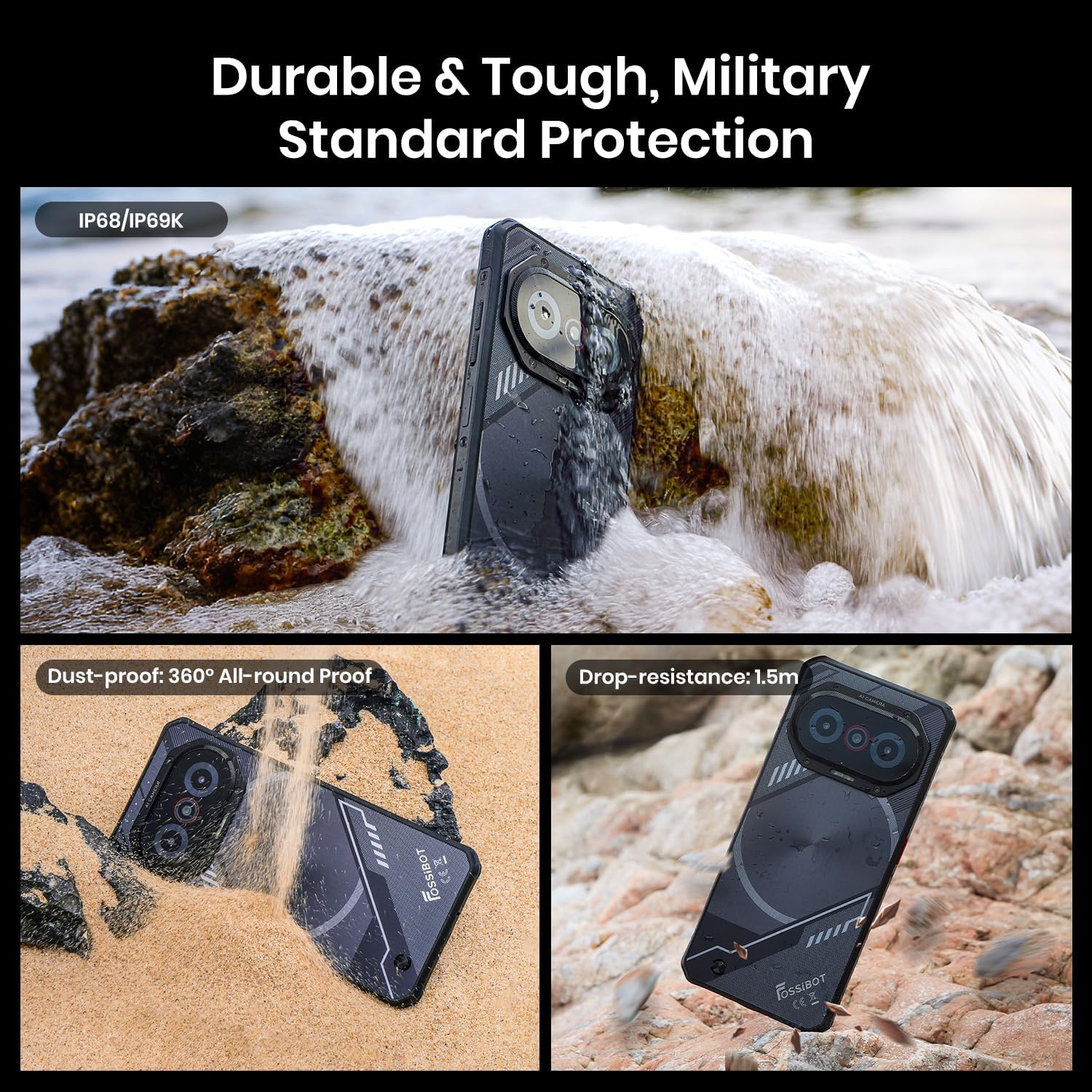
Figure 6: The FOSSIBOT F114's IP68/IP69K and MIL-STD-810H certifications for durability.
4.5 Charging & Battery
Equipped with a 5000 mAh battery, the F114 provides extended usage. The included 18W fast charging plug allows for rapid recharging, reaching 80% in approximately 80 minutes.
4.6 Connectivity & Navigation
The F114 supports NFC for convenient mobile payments and device pairing. For navigation, it integrates GPS, GLONASS, Galileo, and BeiDou systems, ensuring accurate positioning. Security features include fingerprint and face unlock for quick and secure access.
4.7 Rhythm Light System
The FOSSIBOT F114 features a unique 'Breathing Light System with Glare Mode' on its rear camera module. This system provides visual cues for various functions:
- Charging Status: Lights indicate charging progress (Red for 0-20%, Yellow cycle for 21-80%, Dark Blue when fully charged).
- Notifications: Alerts for new messages, calls, and other notifications.
- Alarms & Timers: Visual reminders for set alarms or active timers.
- Music Rhythm: Lights synchronize with music playback, offering a dynamic visual experience.

Figure 7: The Breathing Light System indicating various states like charging, notifications, and music.
5. Maintenance & Care
To ensure the longevity and optimal performance of your FOSSIBOT F114, follow these maintenance guidelines:
- Cleaning: Use a soft, damp cloth to clean the phone's surface. Avoid harsh chemicals or abrasive materials.
- Water Resistance: While the phone is waterproof, ensure all ports (USB, SIM tray) are securely closed before exposing it to water. Do not intentionally submerge the phone in corrosive liquids.
- Temperature: Avoid exposing the phone to extreme temperatures (hot or cold) as this can affect battery life and internal components.
- Charging: Use only the original charger and cable provided to prevent damage and ensure efficient charging.
- Software Updates: Regularly check for and install system updates to ensure your phone has the latest features and security patches.
6. Troubleshooting
If you encounter any issues with your FOSSIBOT F114, try the following common troubleshooting steps:
- Phone Not Turning On: Ensure the battery is charged. Connect the charger and wait a few minutes before attempting to power on again.
- Screen Unresponsive: Try restarting the phone by holding down the Power button for an extended period (usually 10-15 seconds).
- App Crashing/Freezing: Close the problematic app and reopen it. If the issue persists, clear the app's cache and data in Settings > Apps.
- Poor Network Signal: Check if your SIM card is properly inserted. Move to an area with better network coverage.
- Battery Draining Quickly: Reduce screen brightness, close unused apps running in the background, and disable unnecessary features like Wi-Fi, Bluetooth, or GPS when not in use.
- Overheating: Avoid using the phone while charging or during prolonged heavy usage (e.g., gaming). Close background apps.
If these steps do not resolve the issue, please contact FOSSIBOT customer support for further assistance.
7. Specifications
| Feature | Specification |
|---|---|
| Model Name | fossibot f114 |
| Operating System | Android 15 |
| CPU Model | UNISOC Tiger T615 Octa-core |
| CPU Speed | 1.8 GHz |
| Screen Size | 6.67 Inches |
| Resolution | 720 x 1600 |
| Refresh Rate | 90 Hz (Max 120Hz) |
| RAM Memory Installed Size | 8 GB (16GB virtual) |
| Memory Storage Capacity | 128 GB (Expandable up to 2TB) |
| Battery Capacity | 5000 Milliamp Hours |
| Charging | 18W Fast Charging |
| Connectivity Technologies | Bluetooth, NFC, USB, Wi-Fi |
| Water/Dust Resistance | IP68/IP69K |
| Durability Certification | MIL-STD-810H |
| Color | Black |
| Item Weight | 0.018 ounces |
| Package Dimensions | 8.11 x 7.05 x 1.95 inches |
| Date First Available | July 22, 2025 |
8. Warranty and Support
Your FOSSIBOT F114 Rugged Phone comes with a standard manufacturer's warranty. Please refer to the warranty card included in your package for specific terms and conditions. For technical support, troubleshooting assistance, or warranty claims, please visit the official FOSSIBOT website or contact their customer service department.

