
1. Introduction
This manual provides detailed instructions for the setup, operation, maintenance, and troubleshooting of your IQUNIX EV63 Hall Effect Magnetic Gaming Keyboard. Please read this manual thoroughly to ensure optimal performance and longevity of your device.
The IQUNIX EV63 is a 60% Hall Effect magnetic gaming keyboard designed for high-performance gaming. It features rapid trigger technology, adjustable actuation, ultra-low latency, and a durable aluminum and forged carbon construction.
2. What's in the Box
Upon unboxing your IQUNIX EV63 keyboard, please verify that all the following items are included:
- EV63 Hall Effect Magnetic Keyboard
- USB Cable
- Keycap Puller
- Dust Brush
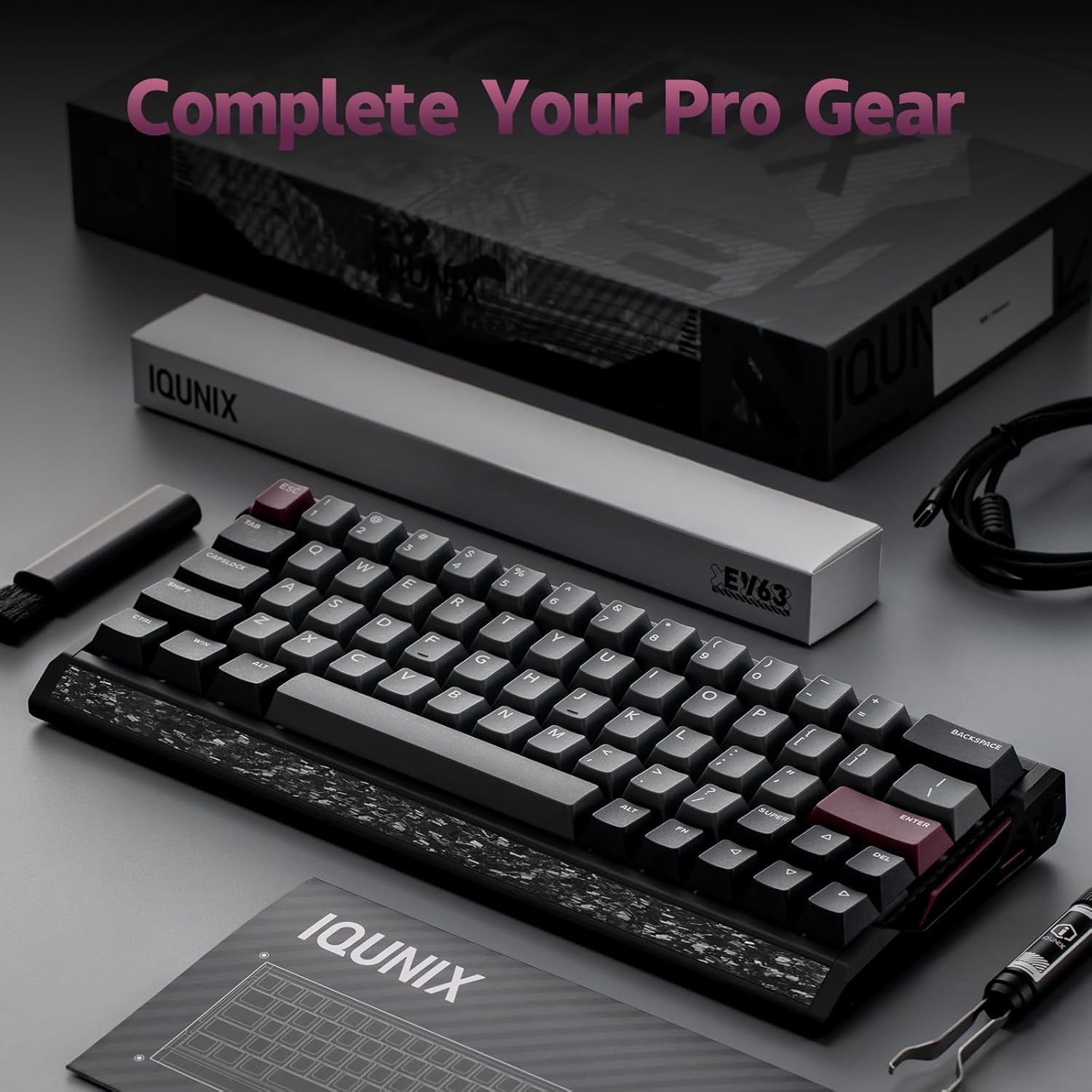
Image: The IQUNIX EV63 keyboard with its accessories, including a USB cable, keycap puller, and dust brush.
3. Setup
3.1. Connectivity
Connect the keyboard to your computer using the provided USB-C cable. The keyboard is compatible with Laptop, PC, and Tablet devices running Windows operating systems.
3.2. Initial Calibration
It is recommended to perform an initial key calibration upon first use or after changing switches to ensure optimal performance. This process helps the keyboard adapt to its environment and ensures precise key registration.
Video: This video demonstrates how to tune the EV63's performance settings, including initial calibration, using the IQUNIX software.
3.3. Software Installation
To unlock the full customization potential of your EV63 keyboard, download and install the official IQUNIX software from the manufacturer's website. This software allows for key remapping, lighting adjustments, performance tuning, and access to professional presets.
4. Operating the Keyboard
4.1. Key Features
- Rapid Trigger (RT): Experience near-instant response with 0.01mm rapid trigger and no dead zones. This feature dynamically adjusts actuation and reset points to your exact motion, allowing for quicker key presses and releases without fully lifting the finger.
- Adjustable Actuation: Customize the actuation point of each key from 0.1mm to 4.0mm to match your preferred typing or gaming style.
- Ultra-Low Latency: With 0.125ms latency, an 8kHz polling rate, and a 480MHz MCU, every keystroke registers precisely and instantly.
- Magnetic X Pro Switches: These switches offer soft, responsive keystrokes with enhanced stability and reduced latency due to a 30% flux boost and 3rd-gen Hall Effect sensors.
- M.A.T. 2.0 Algorithm: This smart algorithm provides auto-calibrated precision, adapting to your playstyle and eliminating common magnetic switch issues like missed or accidental keypresses.
- Custom EZ Dual Circuit System: Designed to eliminate misfires, ghosting, and accidental presses, ensuring stable and precise control.
- Pro-Tuned Competitive Functions: Supports advanced functions like SOCD (Simultaneous Opposite Cardinal Directions), RS (Rappy Snappy), DKS (Dynamic Keystroke), and TGL (Toggle Keys) for competitive gaming.
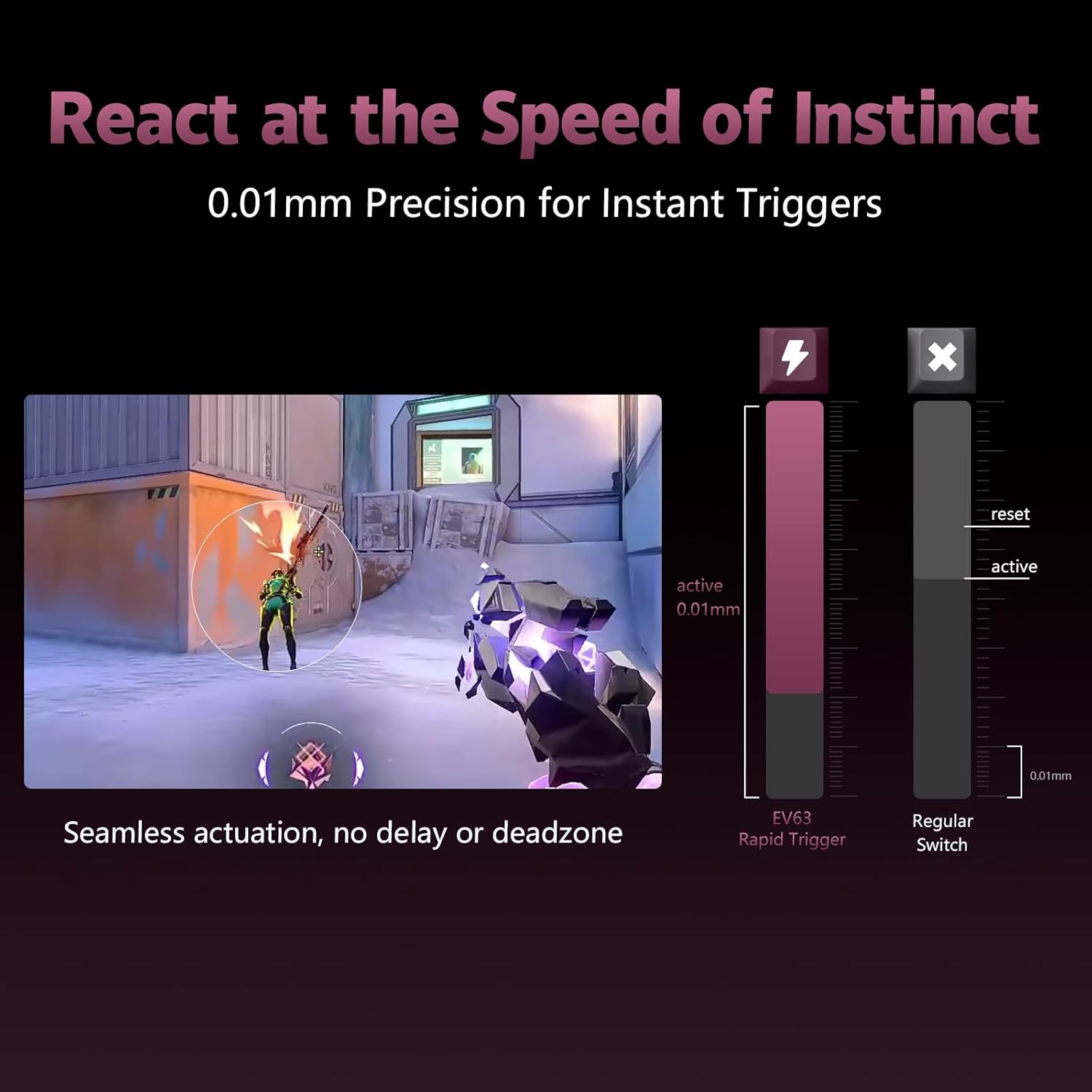
Image: A graphic illustrating the 0.01mm precision of the EV63's Rapid Trigger compared to a standard switch.
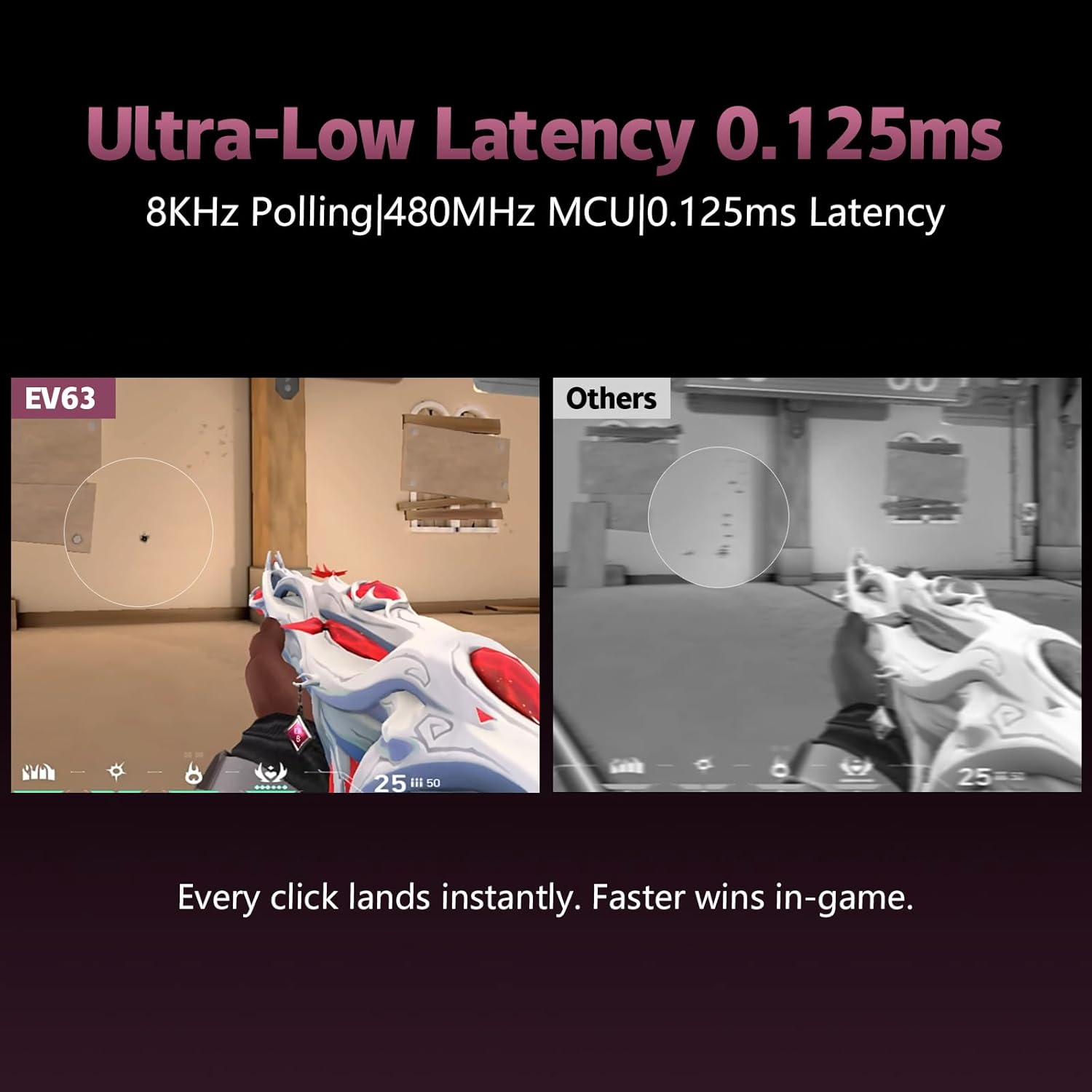
Image: A visual comparison highlighting the EV63's ultra-low latency of 0.125ms during gameplay.
Video: This video showcases the EV63's rapid trigger capabilities and lightning-fast speed for esports, demonstrating its performance advantages.
4.2. RGB Lighting
The EV63 features customizable RGB backlighting. Use the IQUNIX software to select from various lighting effects, colors, and brightness levels to personalize your keyboard's appearance.
4.3. Profile Switching
The IQUNIX software allows for effortless profile switching. You can create and save different profiles for various activities, such as gaming, working, or general use, each with its own keybinds, actuation settings, and lighting configurations.

Image: The IQUNIX software interface demonstrating how to switch between different user profiles for optimized performance in various scenarios.
4.4. Hot-Swappable Switches
The EV63 supports hot-swappable Magnetic X Pro switches, allowing you to easily replace or customize switches without soldering. This provides flexibility for users who prefer different switch types or need to replace a faulty switch.
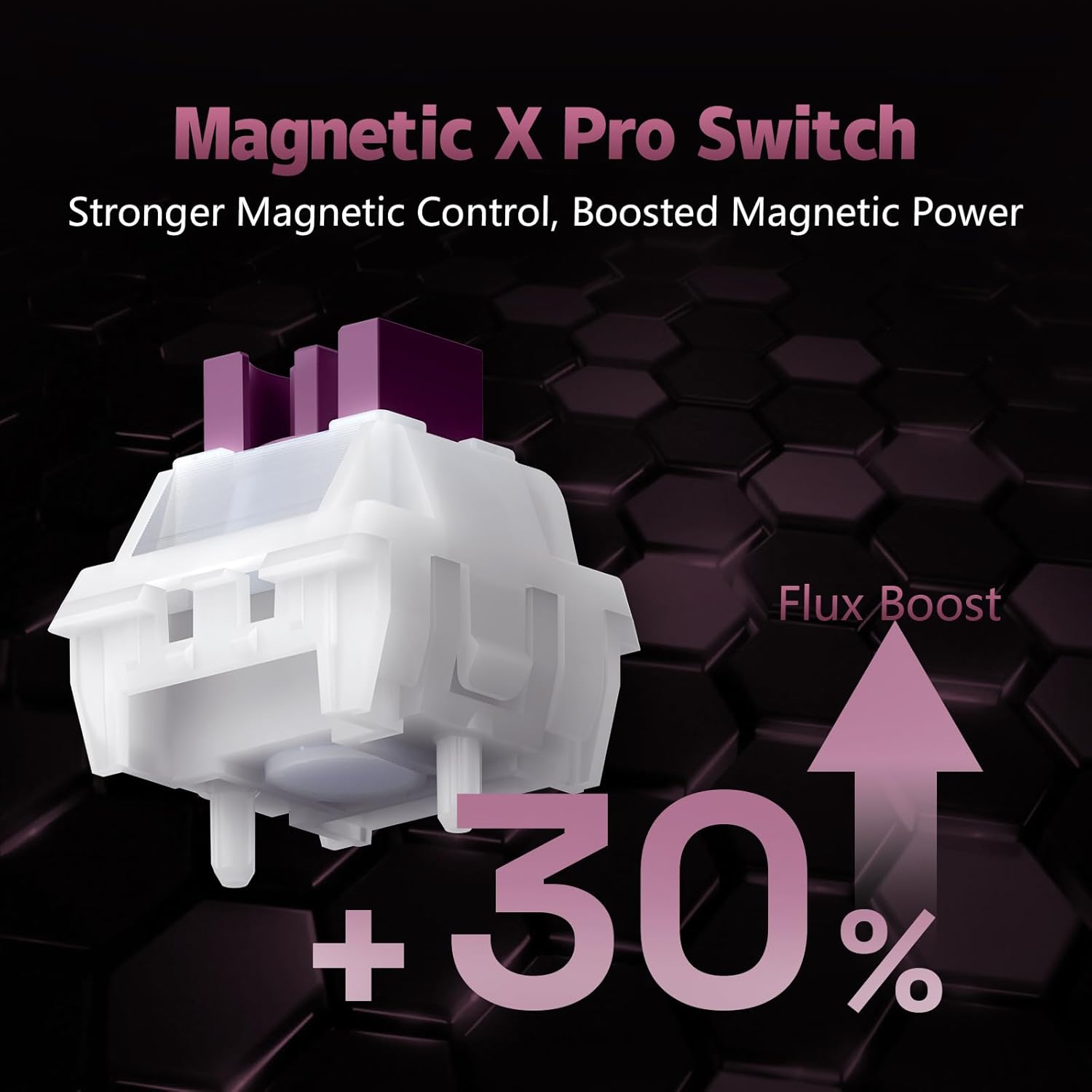
Image: A detailed view of the Magnetic X Pro Switch, emphasizing its magnetic components.
Video: This video provides an audio demonstration of the typing sound produced by the EV63 Hall Effect keyboard, showcasing its acoustic profile.
5. Maintenance
5.1. Cleaning
Regular cleaning helps maintain the keyboard's performance and appearance. Use the provided dust brush to remove dust and debris from between the keycaps. For deeper cleaning, carefully remove the keycaps using the keycap puller and clean the switches and plate with a soft, dry cloth. Avoid using harsh chemicals or abrasive materials.
5.2. General Care
Store the keyboard in a dry environment away from extreme temperatures and direct sunlight. Avoid spilling liquids on the keyboard. If a spill occurs, immediately disconnect the keyboard and allow it to dry completely before reconnecting.
6. Troubleshooting
6.1. Key Not Registering
If a key is not registering, ensure the switch is properly seated. If the issue persists, try recalibrating the keys using the IQUNIX software. For hot-swappable switches, consider replacing the switch with a spare to determine if the switch itself is faulty.
6.2. Accidental Presses or Ghosting
The EV63's Custom EZ Dual Circuit System and M.A.T. 2.0 Algorithm are designed to prevent these issues. If you experience accidental presses, adjust the actuation point in the IQUNIX software to a higher value (e.g., 1.5mm or 2.0mm) to require a deeper press for activation. Ensure the Rapid Trigger settings are configured appropriately for your playstyle.
6.3. RGB Lighting Issues
If the RGB lighting is not functioning correctly, check the settings within the IQUNIX software. Ensure the keyboard's firmware is up to date. If the problem persists, try resetting the keyboard to its factory default settings.
7. Specifications
| Feature | Detail |
|---|---|
| Brand | IQUNIX |
| Model Number | EV63 |
| Keyboard Layout | 60% Gaming Keyboard (QWERTY) |
| Number of Keys | 64 |
| Connectivity Technology | USB-C |
| Switch Type | Linear Hall Effect Magnetic X Pro Switches |
| Actuation Point | Adjustable (0.1mm - 4.0mm) |
| Rapid Trigger | 0.01mm Precision |
| Latency | 0.125ms |
| Polling Rate | 8kHz |
| Enclosure Material | Aircraft-Grade CNC Aluminum, Forged Carbon Fiber |
| Keyboard Backlighting | RGB |
| Product Dimensions | 11.86"L x 4.96"W x 1.52"H |
| Item Weight | 2.65 Pounds |
| Compatible Devices | Laptop, PC, Tablet (Windows OS) |

Image: The forged carbon fiber element of the EV63, known for its lightweight strength and unique marbled texture.

Image: The CNC-milled aircraft-grade aluminum frame of the EV63, providing stability and a premium finish.
8. Warranty & Support
8.1. Warranty Information
The IQUNIX EV63 Hall Effect Magnetic Gaming Keyboard comes with a 1-year limited warranty from the date of purchase. This warranty covers manufacturing defects and malfunctions under normal use. Please retain your proof of purchase for warranty claims.
8.2. Customer Support
For technical assistance, troubleshooting, or warranty inquiries, please visit the official IQUNIX website or contact their customer support team. Ensure you have your product model and purchase details ready when seeking support.