
1. Introduction
Welcome to the instruction manual for your new Dell DB16255 AI Powered Laptop. This document provides essential information to help you set up, operate, maintain, and troubleshoot your device. Please read this manual thoroughly to ensure optimal performance and longevity of your laptop.
The Dell DB16255 is equipped with an AMD R7-350 AI Processor, 16GB LPDDR5X RAM, and a 1TB SSD, designed for efficient performance. It features a 16.0-inch FHD+ AG NT 300nits WVA/IPS Display with ComfortView, providing a clear and comfortable viewing experience. The laptop comes with Windows 11 and Office Home & Student 2024 pre-installed.
2. What's in the Box
Upon unboxing your Dell DB16255 laptop, ensure all the following items are present:
- Dell DB16255 Laptop
- Power Cable
- Documents (User Manual, Warranty Information)
3. Product Overview
The Dell DB16255 laptop is designed for productivity and entertainment, integrating advanced components for a seamless user experience.
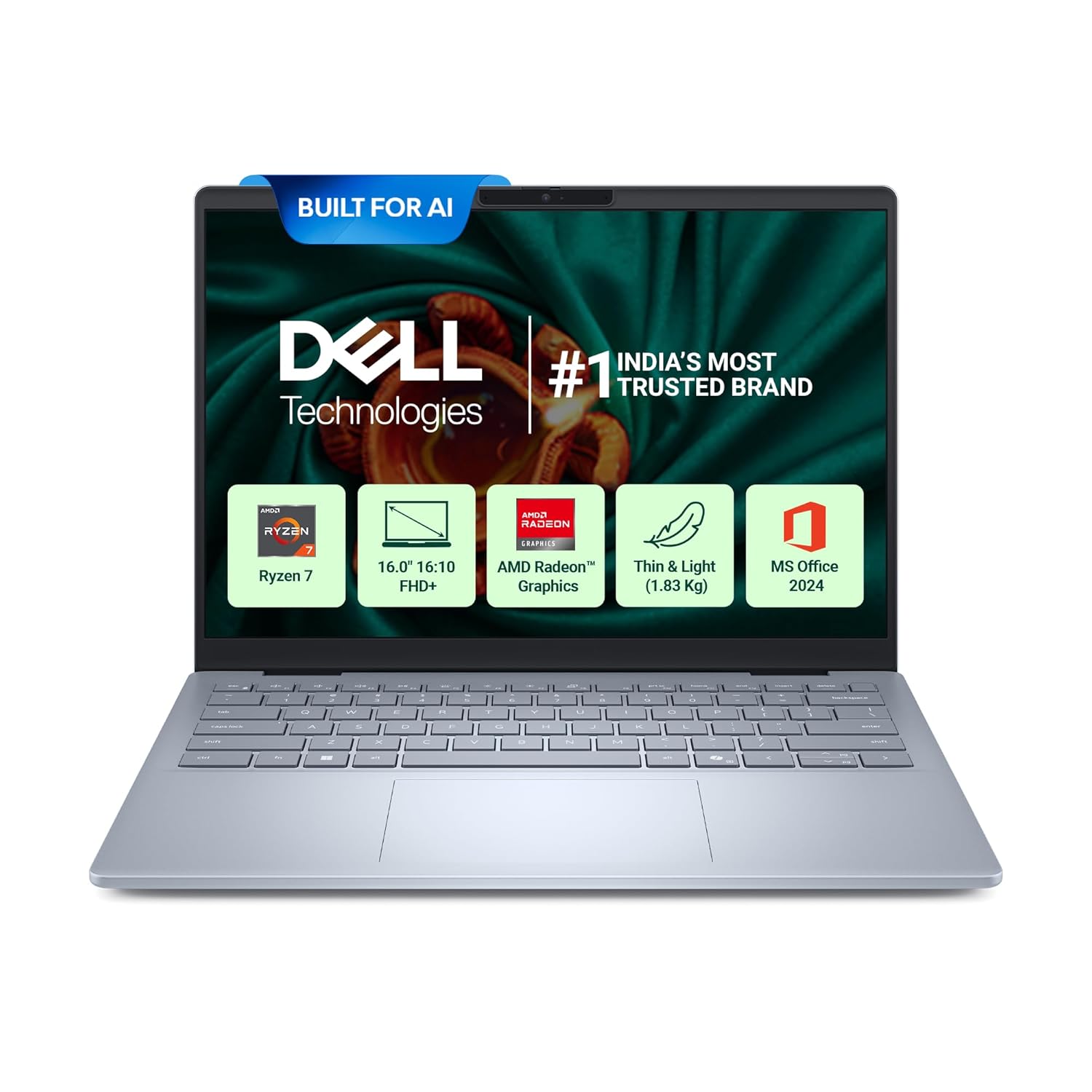
Figure 3.1: Front view of the Dell DB16255 Laptop.
Key Features:
- Processor: AMD R7-350 AI (16MB, Up to 5.00GHz, 8 Cores)
- Memory: 16GB LPDDR5X, 7500MT/s
- Storage: 1TB SSD
- Display: 16.0" 16:10 FHD+ AG NT 300nits WVA/IPS Display with ComfortView
- Graphics: AMD Radeon Graphics
- Operating System: Windows 11 Home
- Software: Office Home & Student 2024 pre-installed
- Keyboard: Backlit Keyboard with Fingerprint Reader
- Weight: 1.83 Kg

Figure 3.2: Overview of Dell DB16255 key specifications.
Ports and Connectors:
The laptop provides various ports for connectivity:
- 2x USB 3.2 Gen 2 Type-C (with DisplayPort and Power Delivery support)
- 1x USB 3.2 Gen 1 Type-A
- 1x HDMI 1.4*
- 1x Global Headset Jack

Figure 3.3: Port layout of the Dell DB16255 Laptop.
Security Features:
The Dell DB16255 includes a Hardware TPM 2.0 security chip to protect your data and verify system integrity.

Figure 3.4: Hardware TPM 2.0 security chip details.
4. Setup
4.1 Initial Power-On
- Connect Power: Plug the 65W Type-C adapter into a power outlet and then into one of the USB 3.2 Gen 2 Type-C ports on your laptop. The battery will begin charging.
- Open Laptop: Carefully open the laptop lid.
- Power On: Press the power button, typically located on the top-right of the keyboard, which also integrates the fingerprint reader.
4.2 Windows 11 First-Time Setup
Follow the on-screen instructions to complete the Windows 11 setup process. This will include:
- Selecting your region and keyboard layout.
- Connecting to a Wi-Fi network (MediaTek Wi-Fi 7 MT7925, 802.11be MU-MIMO 2x2).
- Signing in with or creating a Microsoft account.
- Setting up a PIN or password.
- Configuring privacy settings.
4.3 Office Home & Student 2024 Activation
Your laptop comes with Office Home & Student 2024 pre-installed. Follow the prompts upon first launch of any Office application (Word, Excel, PowerPoint) to activate your license using your Microsoft account.
5. Operating Your Laptop
5.1 Keyboard and Touchpad
The laptop features a backlit keyboard for comfortable typing in various lighting conditions. The integrated fingerprint reader allows for secure and quick login.
5.2 Connecting External Devices
- USB Devices: Connect USB drives, external keyboards, or mice to the USB 3.2 Gen 1 Type-A port or the USB 3.2 Gen 2 Type-C ports.
- External Display: Use the HDMI 1.4 port or a USB-C to DisplayPort adapter (via the USB 3.2 Gen 2 Type-C port) to connect an external monitor.
- Audio: Plug headphones or external speakers into the Global Headset Jack.
- Bluetooth: Utilize the integrated Bluetooth wireless card for connecting wireless peripherals.
5.3 Display Features
The 16.0-inch FHD+ IPS display includes Dell ComfortView technology, which reduces harmful blue light emissions to minimize eye strain during prolonged use.

Figure 5.1: Dell ComfortView feature.
5.4 AI Powered Experiences
Leverage the AI capabilities of your laptop with features like Copilot+ and Cocreator to enhance creative projects and boost productivity.

Figure 5.2: AI experiences on the Dell DB16255.
6. Maintenance
6.1 General Care and Cleaning
- Keep your laptop in a clean, dry environment.
- Use a soft, lint-free cloth to clean the screen and exterior. Avoid harsh chemicals.
- Ensure vents are clear of dust and obstructions to maintain proper airflow.
6.2 Battery Care
- Avoid fully discharging the battery frequently.
- Store the laptop in a cool, dry place if not used for extended periods.
- Use only the provided Dell power adapter.
6.3 Software Updates
Regularly check for and install Windows updates and Dell driver updates to ensure system stability and security.
7. Troubleshooting
This section addresses common issues you might encounter with your Dell DB16255 laptop.
7.1 Power Issues
- Laptop not turning on: Ensure the power adapter is securely connected to both the laptop and a working power outlet. Check the power indicator light.
- Battery not charging: Verify the power adapter is functioning. Try a different power outlet.
7.2 Display Issues
- No display: Connect an external monitor to check if the issue is with the laptop's internal display. Restart the laptop.
- Flickering screen: Update graphics drivers. Adjust display refresh rate in Windows settings.
7.3 Connectivity Issues
- Wi-Fi not connecting: Ensure Wi-Fi is enabled. Restart your router and laptop. Check network settings in Windows.
- Bluetooth device not pairing: Ensure Bluetooth is enabled on both devices. Place devices close to each other.
For more detailed troubleshooting or persistent issues, please refer to the Dell support website or contact customer service.
8. Specifications
| Feature | Specification |
|---|---|
| Brand | Dell |
| Model Number | DB16255 |
| Operating System | Windows 11 Home |
| CPU Model | AMD Ryzen 7 R7-350 AI |
| CPU Speed | Up to 5 GHz |
| RAM Memory Installed Size | 16 GB LPDDR5X |
| Memory Speed | 7500 MT/s |
| Memory Storage Capacity | 1 TB SSD |
| Screen Size | 16 Inches |
| Display Type | FHD+ AG NT 300nits WVA/IPS with ComfortView |
| Maximum Display Resolution | 1920 x 1080 |
| Graphics Coprocessor | AMD Radeon Graphics |
| Keyboard | Backlit Keyboard with Fingerprint Reader |
| Total USB Ports | 3 (2x USB 3.2 Gen 2 Type-C, 1x USB 3.2 Gen 1 Type-A) |
| Total HDMI Port | 1 (HDMI 1.4*) |
| Item Weight | 1830 Grams (1.83 Kg) |
| Colour | Ice Blue |
| Battery | 4-Cell, 64WHr |
| Wireless Connectivity | MediaTek Wi-Fi 7 MT7925 (802.11be MU-MIMO 2x2), Bluetooth |
9. Warranty and Support
9.1 Warranty Information
Your Dell DB16255 laptop comes with a 1 Year Warranty. Please refer to the warranty documents included in the box for full terms and conditions.
9.2 Customer Support
For technical assistance, warranty claims, or further inquiries, please contact Dell customer support. You can find contact details and support resources on the official Dell India website.
Manufacturer Contact Information: Dell India Pvt. Ltd.
Importer Contact Information: Dell India Pvt. Ltd.


