
Introduction
The FIFINE AmpliTank TANK6 is a versatile dynamic microphone designed for high-quality audio capture in various applications, including streaming, recording, broadcasting, and content creation. Featuring both USB and XLR connectivity, it offers flexibility for both direct computer use and professional audio setups. This manual provides essential information for setting up, operating, and maintaining your TANK6 microphone.
What's in the Box
Upon unboxing your FIFINE AmpliTank TANK6 microphone, you should find the following components:
- Dynamic Microphone x1
- USB Cable x1
- 3/8'' to 5/8'' adapter x1
- User's Manual x1

Setup
Mounting the Microphone
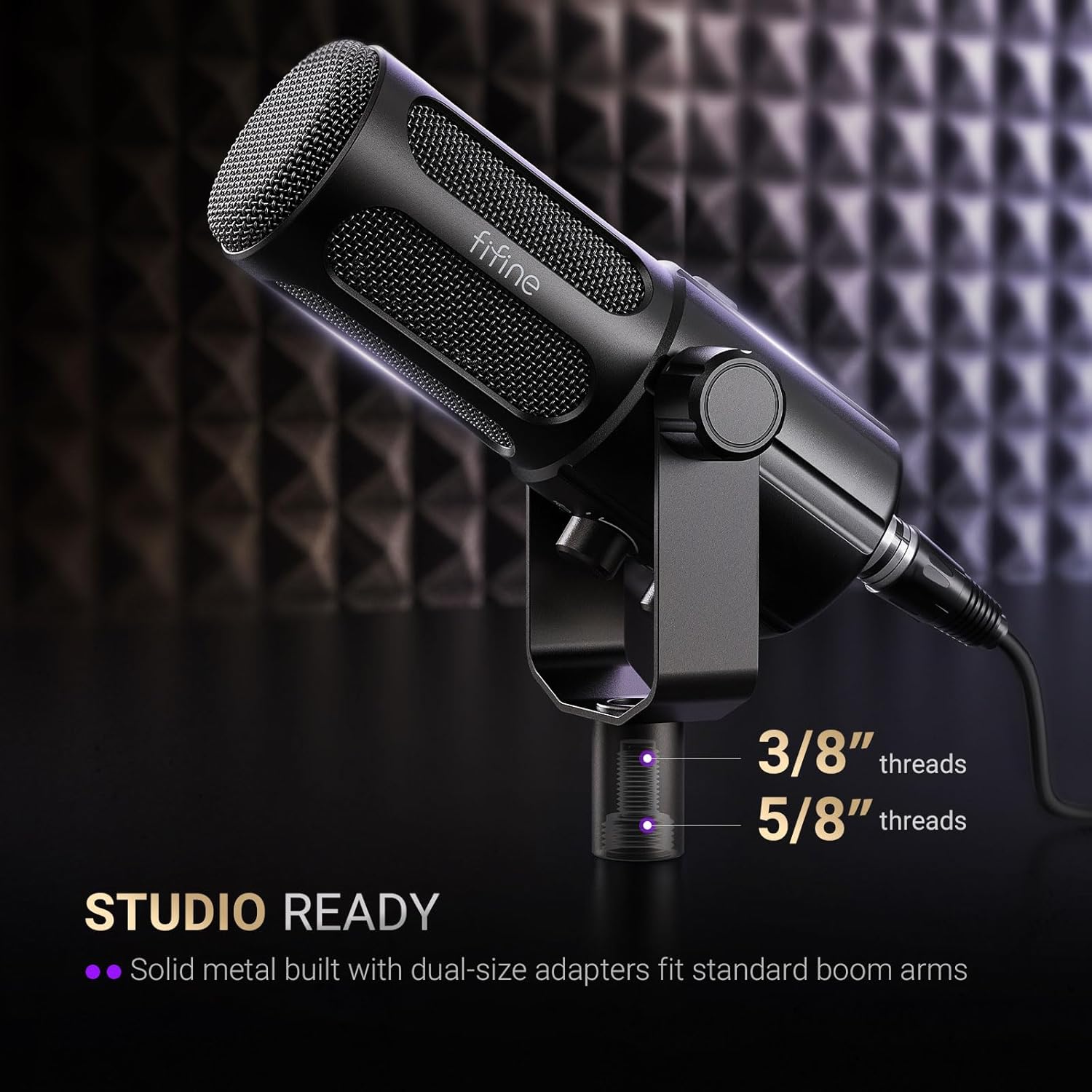
The TANK6 microphone is designed for flexible mounting. It features dual-size threads (3/8'' and 5/8'') to fit standard boom arms or desk stands. Use the included 3/8'' to 5/8'' adapter if necessary to ensure compatibility with your preferred mounting solution.
Connecting the Microphone
The TANK6 offers dual connectivity options: USB and XLR.
- USB Connection: For quick and easy daily use, connect the microphone directly to your computer (Laptop, PC) using the provided USB cable. This plug-and-play functionality simplifies your workflow, requiring no additional drivers.
- XLR Connection: For studio-grade audio and integration with professional interfaces or mixers, use an XLR cable (not included) to connect the microphone. This balanced XLR connection transmits a clean signal, minimizing background hiss and ensuring pure, crisp audio.

Operating
Controls and Features
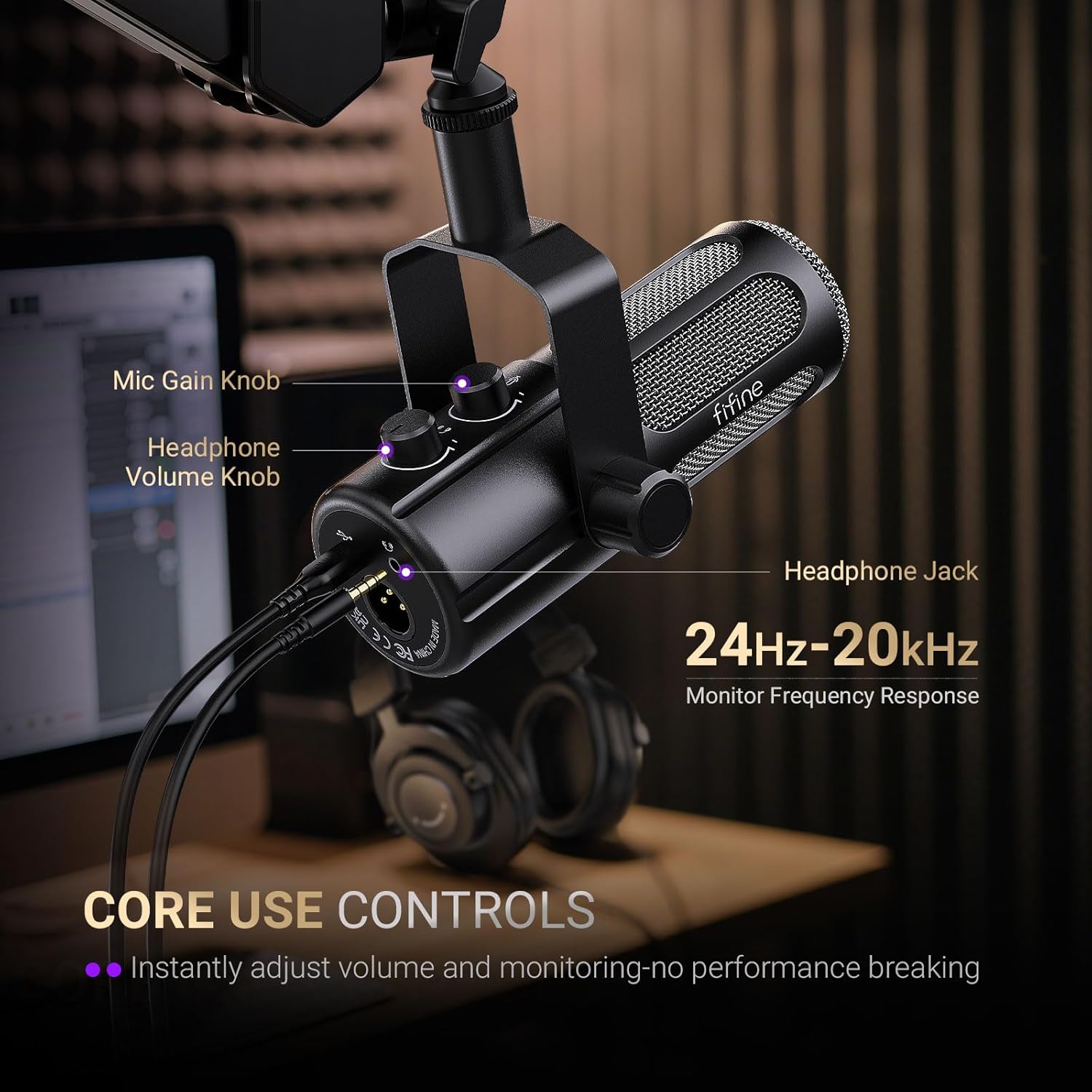
The TANK6 microphone features convenient on-board controls for easy management:
- Mute Button: A simple control on the front of the microphone allows you to instantly mute and unmute, providing instant privacy during live sessions or recordings.
- Gain Knob: Adjust the microphone's input sensitivity directly with the gain knob to achieve your desired audio level.
- Headphone Output Volume Knob: Control the volume of your headphone monitoring directly from the microphone.
- Headphone Jack: The built-in headphone jack allows for direct, real-time monitoring of your audio, eliminating the need to fumbling through software settings.

Polar Pattern
The TANK6 features a Unidirectional (Cardioid) polar pattern. This means it primarily picks up sound from directly in front of the microphone, effectively minimizing background noise from the sides and rear. This focused capture is ideal for vocal applications, ensuring your voice remains clear and centered.

Product Overview Video
Maintenance
To ensure the longevity and optimal performance of your FIFINE AmpliTank TANK6 microphone, follow these maintenance guidelines:
- Cleaning: Gently wipe the microphone's metal body with a soft, dry cloth. Avoid using harsh chemicals or abrasive materials that could damage the finish or internal components.
- Storage: When not in use, store the microphone in a clean, dry place away from extreme temperatures, humidity, and dust.
- Handling: The microphone features an all-metal frame, providing durability. However, avoid dropping or subjecting it to strong impacts, which could affect its performance.
Troubleshooting
If you encounter issues with your FIFINE AmpliTank TANK6 microphone, consider the following common troubleshooting steps:
- No Sound (USB): Ensure the USB cable is securely connected to both the microphone and your computer. Check your computer's sound settings to confirm the TANK6 is selected as the input device.
- No Sound (XLR): Verify that the XLR cable is properly connected to the microphone and your audio interface/mixer. Ensure your audio interface has phantom power enabled if required by your setup (though dynamic microphones typically do not require it, check your interface settings). Confirm the input gain on your interface is set appropriately.
- Distorted Audio: Reduce the microphone's gain knob and/or the input gain on your audio interface/computer settings. Ensure you are not speaking too close to the microphone, which can cause clipping.
- Background Noise: Ensure the microphone's unidirectional polar pattern is correctly oriented towards the sound source. Minimize ambient noise in your recording environment.
- Headphone Monitoring Issues: Check the headphone volume knob on the microphone. Ensure your headphones are properly plugged into the 3.5mm jack.
If problems persist, please refer to the support information provided in this manual.
Specifications
| Feature | Specification |
|---|---|
| Brand | FIFINE |
| Model Name | TANK6 |
| Microphone Form Factor | Large Diaphragm |
| Polar Pattern | Unidirectional |
| Connectivity Technology | USB, XLR |
| Connector Type | USB, XLR |
| Frequency Response | 50Hz - 18 KHz |
| Impedance | 300 Ohms |
| Signal-to-Noise Ratio | 70 dB |
| Material | Metal |
| Item Weight | 2.64 pounds |
| Compatible Devices | Laptop, Personal Computer |
| Special Features | Headphone Monitoring, Mute Function, USB/XLR Connection, Volume Control |
Warranty and Support
For warranty information, technical support, or any inquiries regarding your FIFINE AmpliTank TANK6 microphone, please visit the official FIFINE store or contact their customer service directly.


