
Fanttik A10 APEX
Fanttik A10 Apex User Manual
Model: A10 APEX
Product Overview
The Fanttik A10 Apex is a versatile 3-in-1 digital measurement tool, integrating a digital tape measure, a laser distance measurer, and a green cross-line laser. Designed for precision and ease of use, it is suitable for a wide range of applications from home renovation to professional tasks.

The Fanttik A10 Apex, a versatile 3-in-1 digital laser tape measure, is depicted here with its laser beam active and the physical tape extended, illustrating its dual measurement capabilities.

This image visually represents the three core functionalities of the Fanttik A10 Apex: a 9.8-foot digital tape for close measurements, a 165-foot laser for long distances, and a 33-foot cross-line laser for precise alignment.
What's in the Box
- Fanttik A10 Apex Digital Laser Tape Measure with Level x 1
- Charging Cable x 1
- Storage Bag x 1
- User Manual x 1
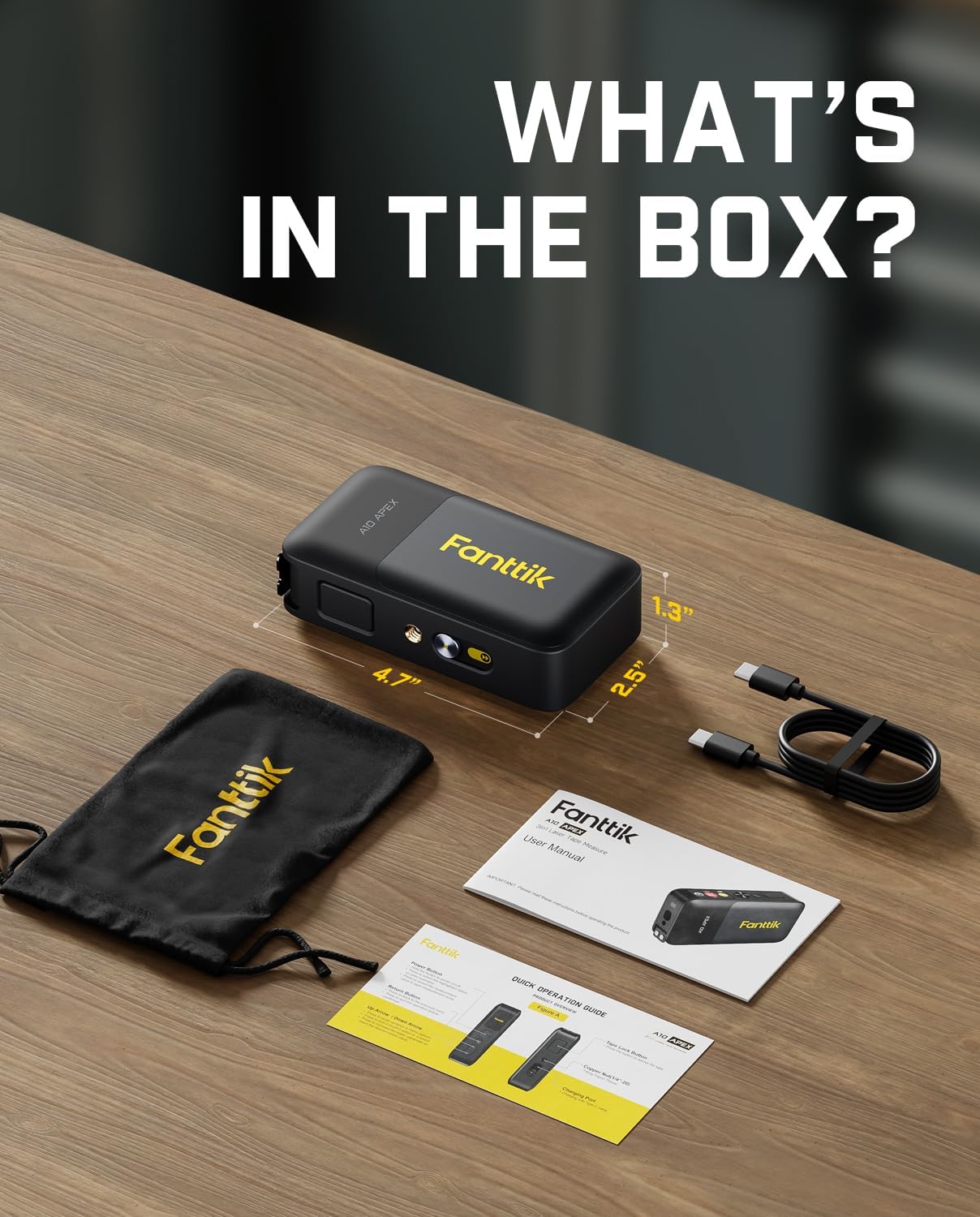
An unboxing view displaying all included accessories: the Fanttik A10 Apex unit, a charging cable, a storage bag, and the user manual.
Key Features
HD IPS Color Display
The A10 Apex features a 1.47-inch IPS color screen with 500nit adjustable brightness and 172×320 resolution. This display shows tape and laser measurements simultaneously, ensuring clear visibility even in bright outdoor light, significantly improving efficiency compared to low-brightness LCDs.

A detailed view of the device's 1.47-inch HD IPS color display, demonstrating its ability to show clear, real-time measurements simultaneously, even in bright conditions.
High-Precision Measurement Technology
Equipped with advanced measurement technology, the A10 Apex provides high accuracy for professional tasks. It delivers laser distance accuracy of ±1/8 inch, digital tape accuracy of ±1/16 inch, and dual-axis electronic angle accuracy of ±1°. This precision helps eliminate manual reading errors, ensuring more reliable measurements.

An internal diagram highlighting the advanced measurement technology, showing the laser distance accuracy of ±1/8 inch and digital tape accuracy of ±1/16 inch.
Versatile Measurement Modes and Units
The device supports 6 units (Ft/Ft+in/in/M/CM/mm), 3 modes (distance/area/volume), and 3 reference points (front/rear/screw hole). Its tripod-compatible design ensures stable projection for precise measurements in corners, ceilings, and complex scenarios, offering flexible operation.

The device is shown mounted on a tripod, illustrating its compatibility and the flexibility of selecting from 6 measurement units (m, cm, mm, ft, in, 0'0") and 3 reference points (rear-based, screw hole-based, front-based).
Long-Lasting Battery & Data Storage
With a long-lasting battery providing over 5,000 uses per charge and a hidden Type-C port for convenient charging, the A10 Apex keeps you powered through demanding projects. It also features 30 built-in data storage slots for quick access to past measurements.
Detailed views of the device's design, highlighting the integrated tripod thread for stable measurements and the hidden, sealed Type-C charging port for durability.
Setup
Initial Charging
Before first use, fully charge the Fanttik A10 Apex using the provided Type-C charging cable. Connect the cable to the hidden Type-C port on the device and to a compatible USB power adapter (not included). The battery indicator on the display will show charging progress.
Power On/Off
To power on the device, press and hold the main measurement button until the display illuminates. To power off, press and hold the main measurement button again, or the device will automatically shut down after a period of inactivity to conserve battery.
Operating Instructions
Navigating the Interface
The A10 Apex features an intuitive interface controlled by a central measurement button, arrow buttons, and a return button. Use the arrow buttons to navigate through menus and options, and the main measurement button to confirm selections or initiate measurements. The return button allows you to go back to the previous screen.
Measurement Modes
The device offers three primary measurement modes:
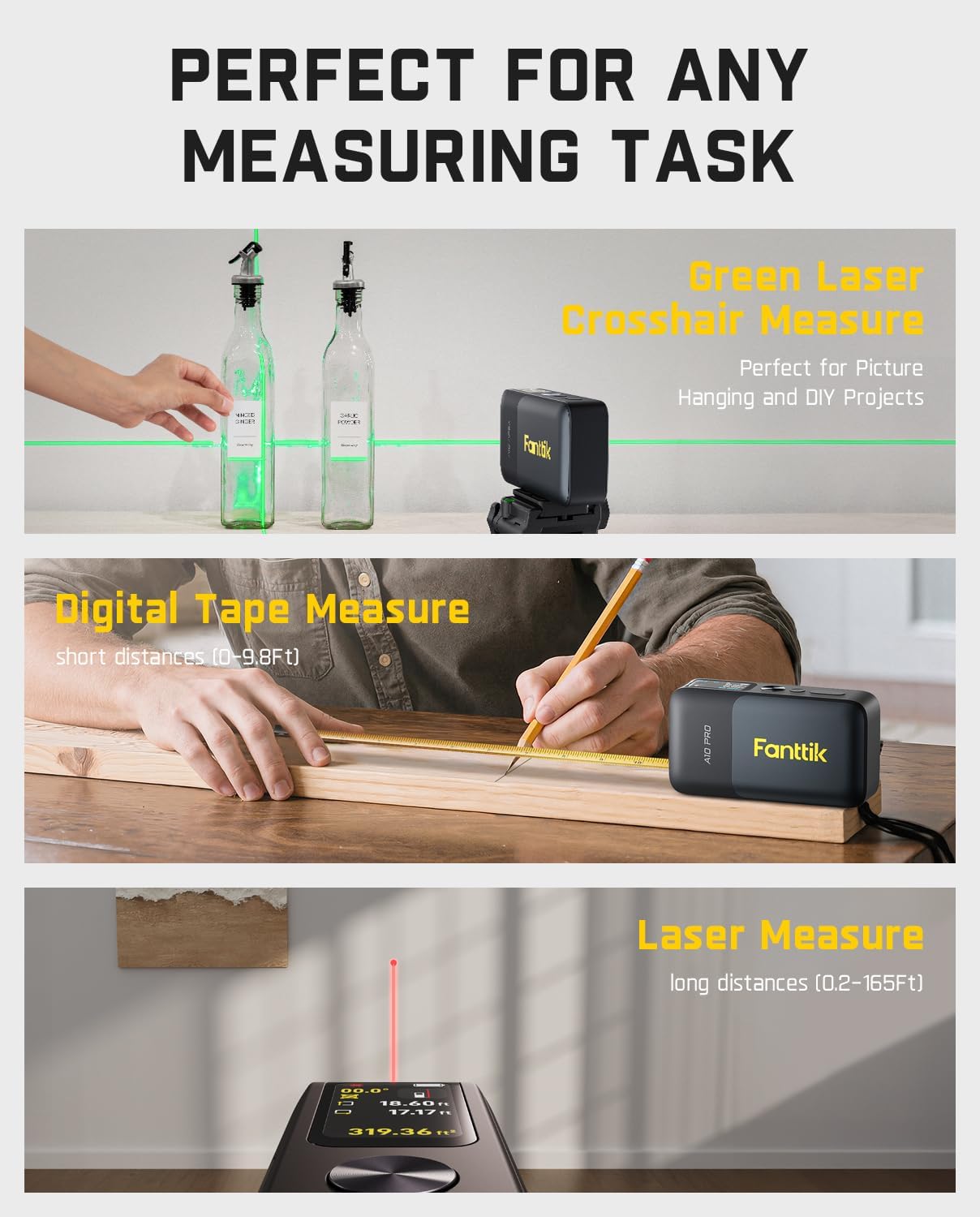
- Digital Tape Measure: For short-distance measurements up to 9.8 feet. Simply pull out the physical tape, and the digital display will show the precise measurement.
- Laser Distance Measurement: For long-distance measurements up to 165 feet. Point the laser at the target and press the main measurement button to get an instant reading. This mode also supports area and volume calculations.
- Green Cross-Line Laser: For precise leveling and alignment over 32 feet. Activate the cross-line laser to project horizontal and vertical lines onto a surface, ideal for hanging pictures or tiling.

A composite image demonstrating the versatility of the A10 Apex across various tasks: using the green laser for picture hanging, the digital tape for short distances, and the laser for long-distance measurements.
Settings and Customization
Access the settings menu to customize various aspects of your A10 Apex.
Changing Units
Navigate to the 'Units' option in the settings menu to cycle through available measurement units: Feet (Ft), Feet+Inches (Ft+in), Inches (in), Meters (M), Centimeters (CM), and Millimeters (mm). Select your preferred unit for all measurements.
Reference Points
The device allows you to set three different reference points for laser measurements: front-based (from the front of the device), rear-based (from the back of the device), and screw hole-based (from the tripod mounting point). Select the appropriate reference point based on your measurement needs.
Brightness Adjustment
Adjust the screen brightness from the settings menu to optimize visibility in different lighting conditions, from dim indoor environments to bright outdoor sunlight.
Language Selection
The device supports multiple languages. You can change the display language through the settings menu to your preferred option.
Maintenance
- Cleaning: Use a soft, dry cloth to clean the device, especially the display and laser lens. Do not use abrasive cleaners or solvents.
- Storage: Store the device in its provided storage bag in a cool, dry place when not in use. Avoid extreme temperatures and direct sunlight.
- Battery Care: To prolong battery life, avoid fully discharging the device frequently. Recharge it regularly, even if not in constant use.
- Tape Measure Care: Ensure the physical tape retracts smoothly. Keep the tape clean and free from debris to maintain accuracy.
Troubleshooting
| Problem | Possible Cause | Solution |
|---|---|---|
| Device does not power on | Low battery; Device malfunction | Charge the device fully. If issue persists, contact customer support. |
| Inaccurate laser measurements | Obstruction of laser; Incorrect reference point; Unstable surface | Ensure clear path for laser. Check and adjust reference point. Use a stable surface or tripod. |
| Display is dim or unreadable | Low brightness setting; Strong ambient light | Adjust screen brightness in settings. Move to a shaded area if using outdoors. |
| Tape measure does not retract smoothly | Debris in mechanism; Tape twisted | Gently clean the tape and retraction mechanism. Ensure tape is not twisted when retracting. |
Specifications
| Feature | Detail |
|---|---|
| Brand | Fanttik |
| Model | A10 APEX |
| Measuring Range (Laser) | 165 ft (50.3 meters) |
| Measuring Range (Tape) | 9.8 ft |
| Cross-Line Laser Range | 32 ft |
| Laser Distance Accuracy | ±1/8 inch |
| Digital Tape Accuracy | ±1/16 inch |
| Dual-Axis Electronic Angle Accuracy | ±1° |
| Display Type | 1.47-inch HD IPS Color Display |
| Battery Type | Lithium-Ion Polymer |
| Charging Port | Type-C |
| Data Storage | 30 sets |
| Color | Black |
Warranty and Support
Fanttik products are designed and manufactured to the highest quality standards. For information regarding product warranty, returns, or technical support, please refer to the warranty card included in your product packaging or visit the official Fanttik website. Our customer service team is available to assist you with any questions or concerns.
For further assistance, please contact Fanttik Customer Support through the contact information provided on our official website or your purchase platform.
Related documentsA10 APEX


Ask a question about this manual
Ask about setup, troubleshooting, compatibility, parts, safety, or missing instructions. Manuals+ will review the question and use this page’s manual context to help answer it.