
1. Setup
1.1 Multi-Platform Compatibility
The AOC GC310 PC Controller offers broad compatibility across various platforms, including PC, Switch, Switch 2, iOS, Android, Windows, and Steam Deck. It supports three primary connection methods: Bluetooth, 2.4G wireless via dongle, and wired USB connection. Please note that this controller is not compatible with Xbox series or PS5 consoles.
1.2 Connection Methods
- Bluetooth Connection: For devices with built-in Bluetooth, activate Bluetooth on your device and put the controller into pairing mode via the interactive screen. Select the controller from your device's Bluetooth list to connect.
- 2.4G Wireless Connection: Insert the provided 2.4G USB dongle into your PC or compatible device. The controller will automatically connect to the dongle for a stable wireless experience.
- Wired USB Connection: Connect the controller directly to your device using a USB-C cable for a low-latency, plug-and-play experience.
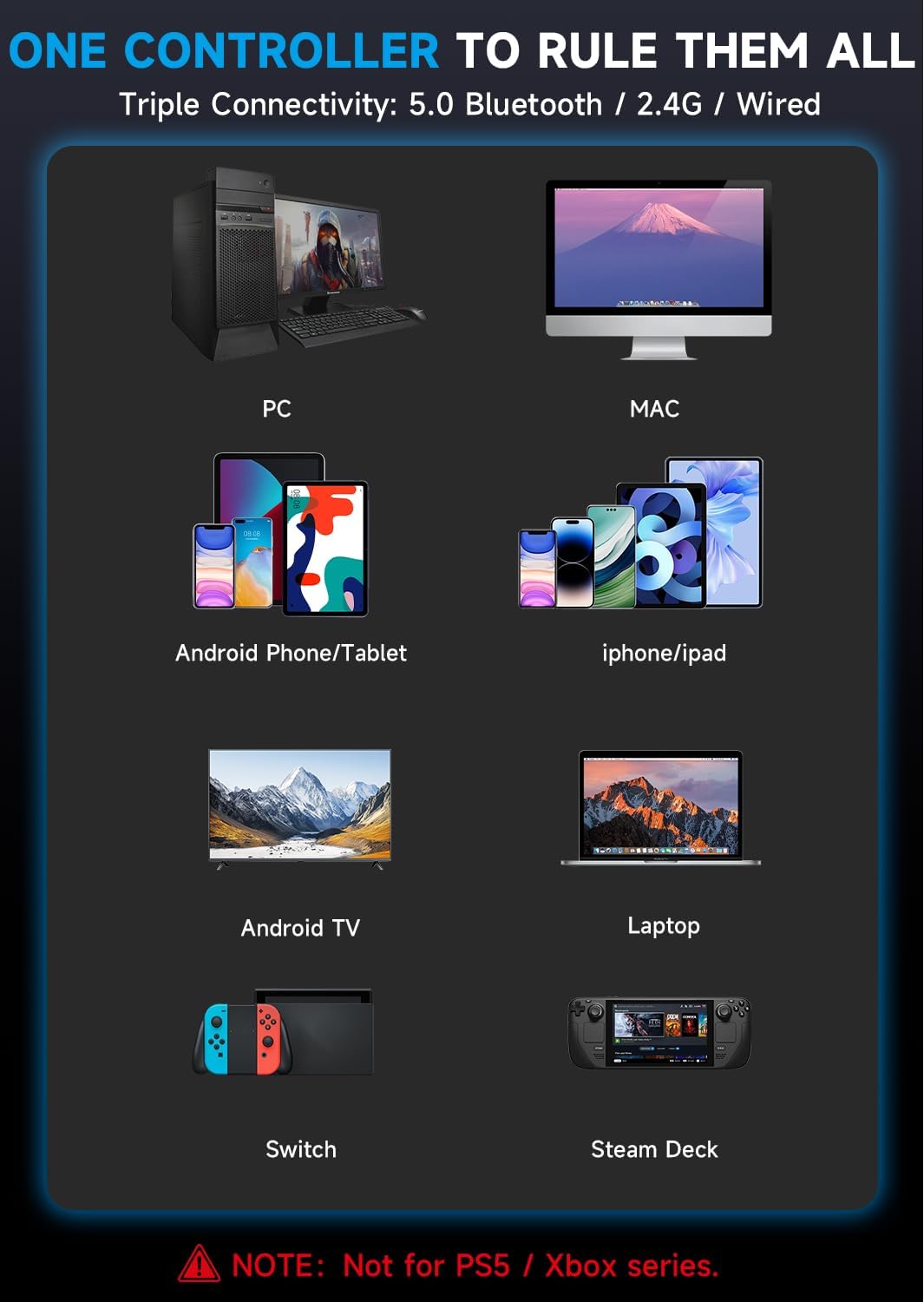
Image: The AOC GC310 controller displaying its compatibility across various platforms including PC, Mac, Android, iPhone, Android TV, Laptop, Switch, and Steam Deck.
2.2 Hall Effect Joysticks and Triggers
Experience precision with Hall Effect joysticks that prevent stick drift. The dual Hall Effect triggers offer adjustable travel distances (7mm for racing, 3mm for shooters) for optimal control in different game genres.

Image: The AOC GC310 controller highlighting its linear Hall Effect triggers, demonstrating adjustable travel distances suitable for both FPS and racing games.
2.3 Customizable Features
- Vibration Adjustment: Adjust vibration levels (0, 30, 70, 100) directly from the interactive screen to enhance haptics for various game types.
- RGB Lighting: Choose from 10 RGB colors and modes (Gradient, Breathing, Multicolor, Off) to personalize your controller's appearance.
- Turbo Mode: Configure turbo settings (Semi-Auto, Auto) for rapid button presses, ideal for FPS, fighting, arcade, and platformer games.
- Programmable Buttons: Utilize 4 programmable buttons (M1, N1, M2, N2) that support macro functions. Create and save up to 4 configurations tailored to different games for complex combos or ultimate moves.
- 6-Axis Gyroscope: The built-in 6-axis gyroscope allows for precise tilt, turn, and aim control in compatible games.
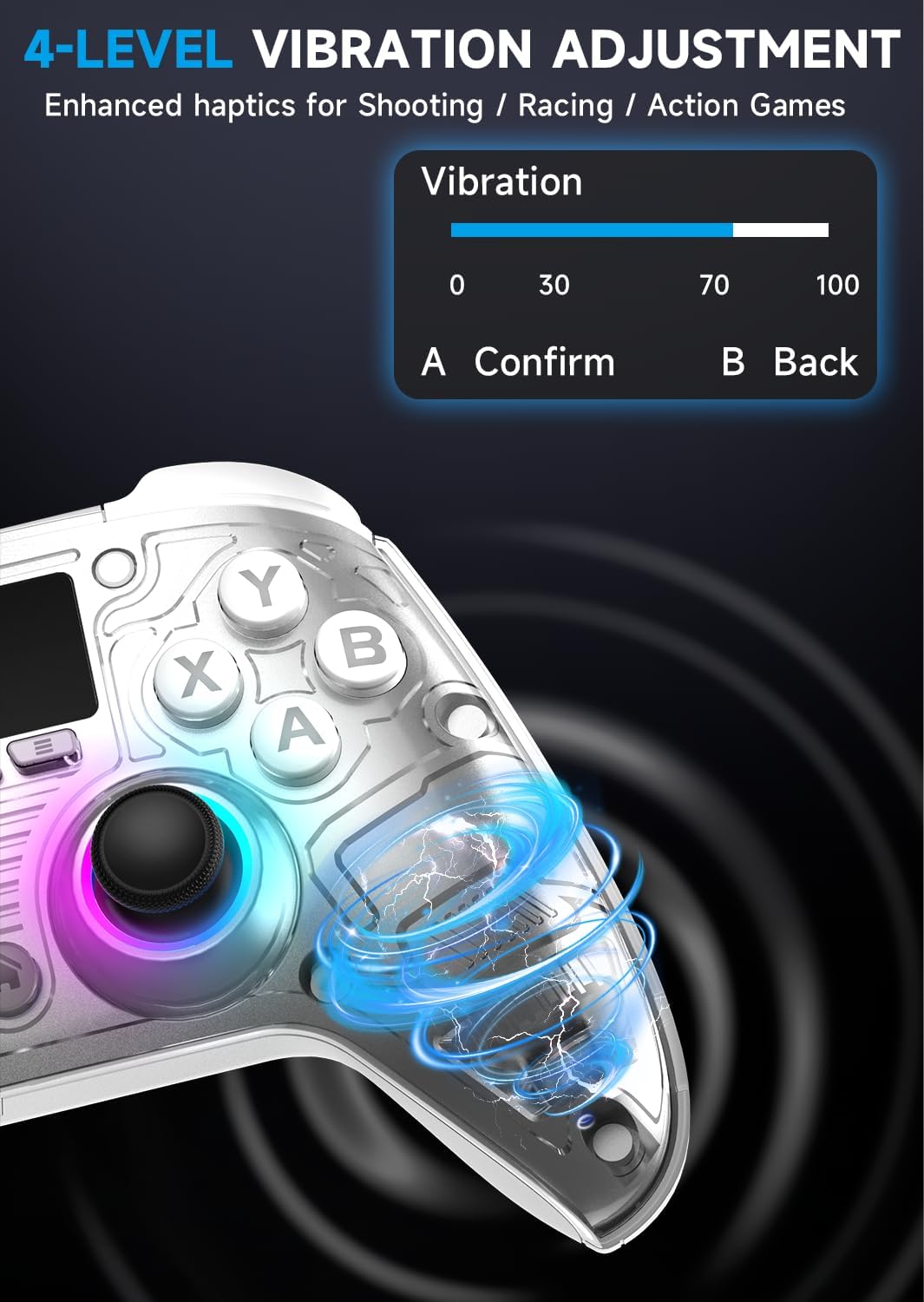
Image: The AOC GC310 controller's interactive screen displaying the 4-level vibration adjustment settings, ranging from 0 to 100.

Image: The AOC GC310 controller illustrating its 10 RGB color options, including Gradient, Breathing, and Multicolor modes.

Image: The AOC GC310 controller in use, demonstrating its 6-axis gyroscope for accurate tilt, turn, and aim control in games.
3. Maintenance
3.1 Battery and Charging
The controller is equipped with a 1000mAh lithium battery, providing up to 15 hours of gameplay on a single charge. You can continue playing while the controller is charging via its USB-C port.

Image: The AOC GC310 controller emphasizing its powerful 1000mAh lithium battery, offering extended gameplay duration.
3.2 General Care
To ensure the longevity of your controller, store it in a dry place away from extreme temperatures. Clean the surface with a soft, dry cloth. Avoid using harsh chemicals or abrasive materials.
4. Troubleshooting
4.1 Compatibility Issues
The AOC GC310 controller is not compatible with Xbox series or PS5 consoles. For other platforms, ensure your device's software is up to date.
4.2 Assistance
If you encounter any issues or require assistance with setup and guidance, please contact customer support for detailed help.
5. Specifications
| Feature | Detail |
|---|---|
| Model Name | GC310 |
| Package Dimensions | 7.72 x 5.16 x 2.91 inches |
| Item Weight | 15.8 ounces |
| Batteries | 1 A batteries required (included) |
| Connectivity Technology | Bluetooth, USB (2.4G Wireless) |
| Compatible Devices | PC, Switch, Switch 2, iOS, Android, Windows, Steam Deck |
| Controller Type | Gamepad |
6. Support
For any product inquiries, technical support, or assistance with your AOC GC310 Wireless PC Controller, please refer to the contact information provided in your product packaging or visit the official AOC support website. Our team is ready to provide guidance and solutions.


