
Introduction
Thank you for choosing the Euker 105 Pints High-Capacity Dehumidifier. This manual provides essential information for the safe operation, installation, maintenance, and troubleshooting of your new appliance. Please read it thoroughly before use and retain it for future reference.
This dehumidifier is designed for efficient moisture removal in large spaces up to 8000 sq. ft., such as basements, warehouses, and commercial environments. Its robust design includes a built-in pump for continuous drainage and a portable 4-wheel design for easy relocation.
Important Safety Instructions
To reduce the risk of fire, electric shock, or injury when using your dehumidifier, follow these basic precautions:
- Read all instructions before using the appliance.
- Ensure the power supply matches the rating label on the unit.
- Do not operate the unit with a damaged cord or plug.
- Always unplug the dehumidifier before cleaning or servicing.
- Do not block air inlets or outlets.
- Keep the unit on a level surface to prevent water leakage.
- This appliance is not intended for use by persons (including children) with reduced physical, sensory or mental capabilities, or lack of experience and knowledge, unless they have been given supervision or instruction concerning use of the appliance by a person responsible for their safety.
Setup
1. Unpacking
Carefully remove the dehumidifier from its packaging. Inspect the unit for any shipping damage. Retain the packaging for future storage or transport.
2. Placement
Place the dehumidifier on a firm, level surface in the area where moisture removal is desired. Ensure there is at least 12 inches (30 cm) of space around the unit for proper airflow. The 4-wheel design allows for easy movement; lock the wheels once positioned.
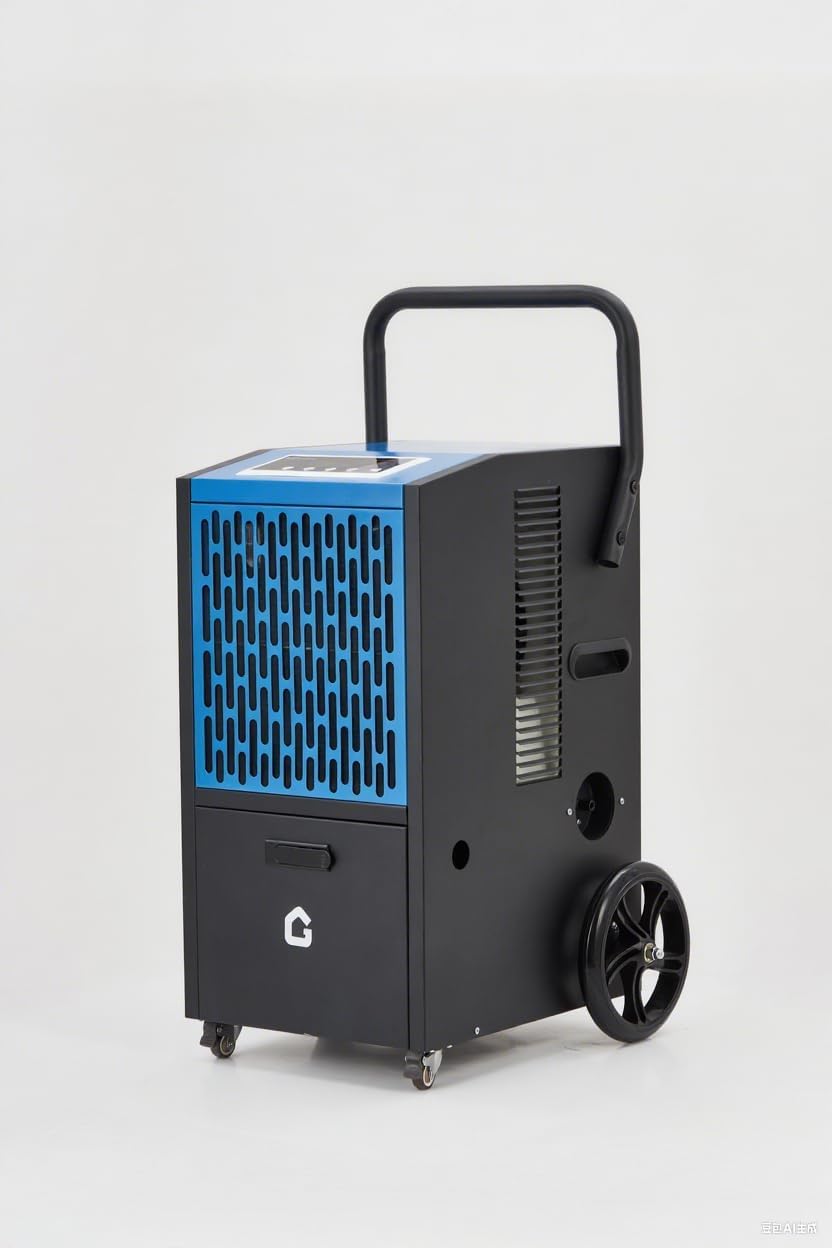
Image: The Euker 105 Pints High-Capacity Dehumidifier, showcasing its robust design with wheels and handle for portability.
3. Drainage Options
This dehumidifier offers two primary drainage methods:
- Built-in Pump Drainage: The unit features a powerful 520W built-in pump capable of lifting water up to 2 meters (6.5 feet). Connect the provided 16.4 ft drainage pipe to the pump outlet and direct the other end to a suitable drain or sink. This allows for continuous operation without manual bucket emptying.
- Continuous Gravity Drainage: For situations where a lower drain is available, the unit can also be set up for continuous gravity drainage. Connect a standard garden hose (not included) to the gravity drain port and direct it to a floor drain.
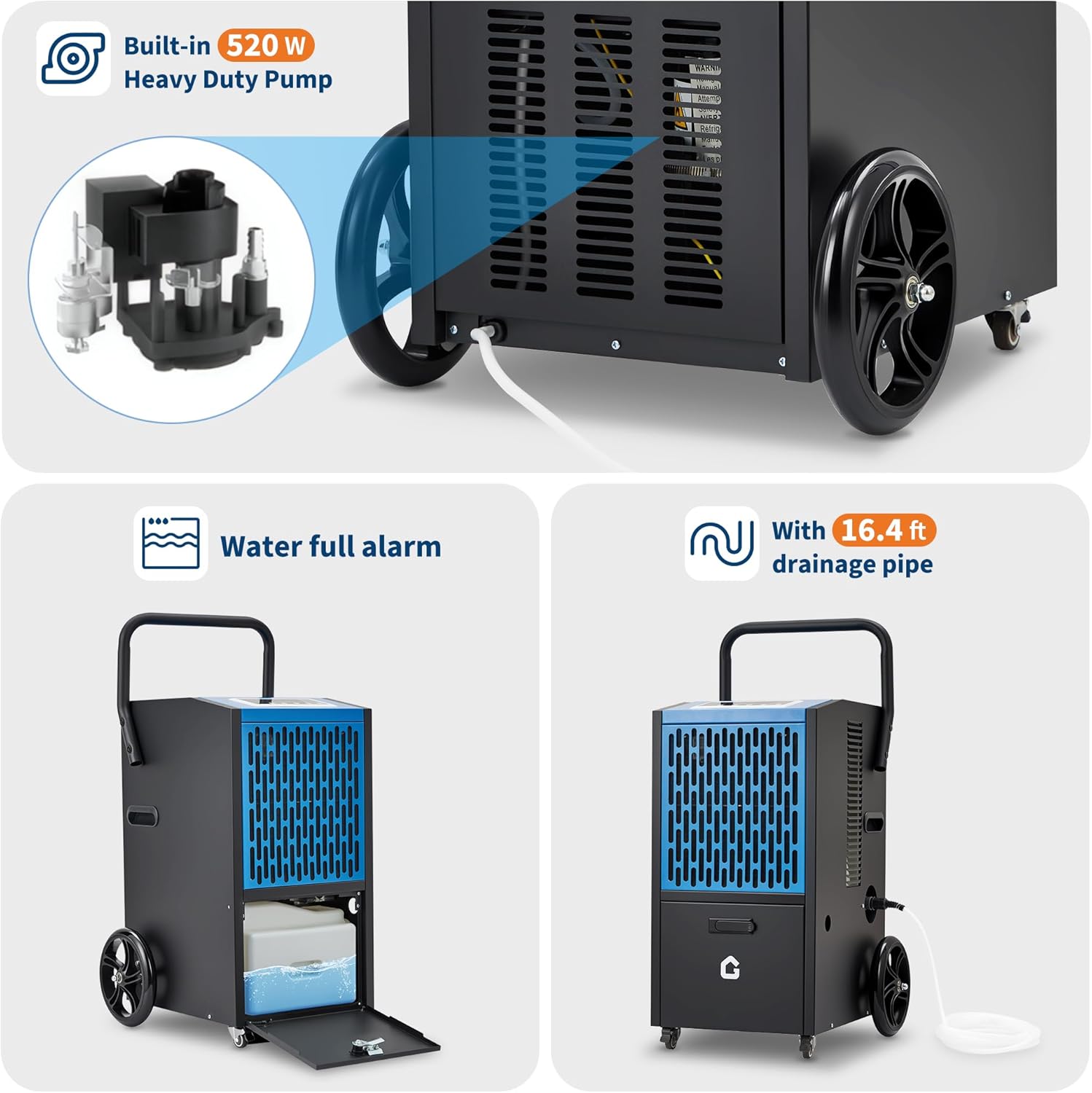
Image: Illustration of the built-in 520W heavy-duty pump and the 16.4 ft drainage pipe connection. Also shows the water full alarm feature and the internal water collection area.
Operating Instructions
The Euker dehumidifier features an intuitive LED control panel for easy operation.

Image: Close-up of the dehumidifier's LED control panel, highlighting buttons for fan speed, humidity adjustment (Up/Down), Timer, and Stand-by. Adjacent icons illustrate key functions like dehumidification capacity, 24H timer, auto-defrost, humidity setting range (20%-90%), and memory function.
1. Power On/Off
Press the STAND-BY button to turn the unit on or off.
2. Setting Desired Humidity
Use the UP and DOWN buttons to adjust the desired humidity level. The range is typically 20% to 90% Relative Humidity (RH). The unit will operate until the set humidity is reached, then cycle off, restarting when humidity rises.
3. Timer Function
Press the TIMER button to set a delayed start or stop time (up to 24 hours). This allows for scheduled operation.
4. Fan Speed
Adjust the fan speed using the FAN SPEED button. Higher fan speed results in faster dehumidification but may produce more noise. The unit operates at <54 dB in DOE mode.
5. Auto-Defrost
The dehumidifier is equipped with an automatic defrost function. If frost builds up on the evaporator coils, the unit will temporarily stop dehumidifying and run the fan to melt the frost. This ensures efficient operation in cooler environments.
6. Memory Function
The unit features a memory function (ON/OFF) that retains your last settings in case of a power interruption.
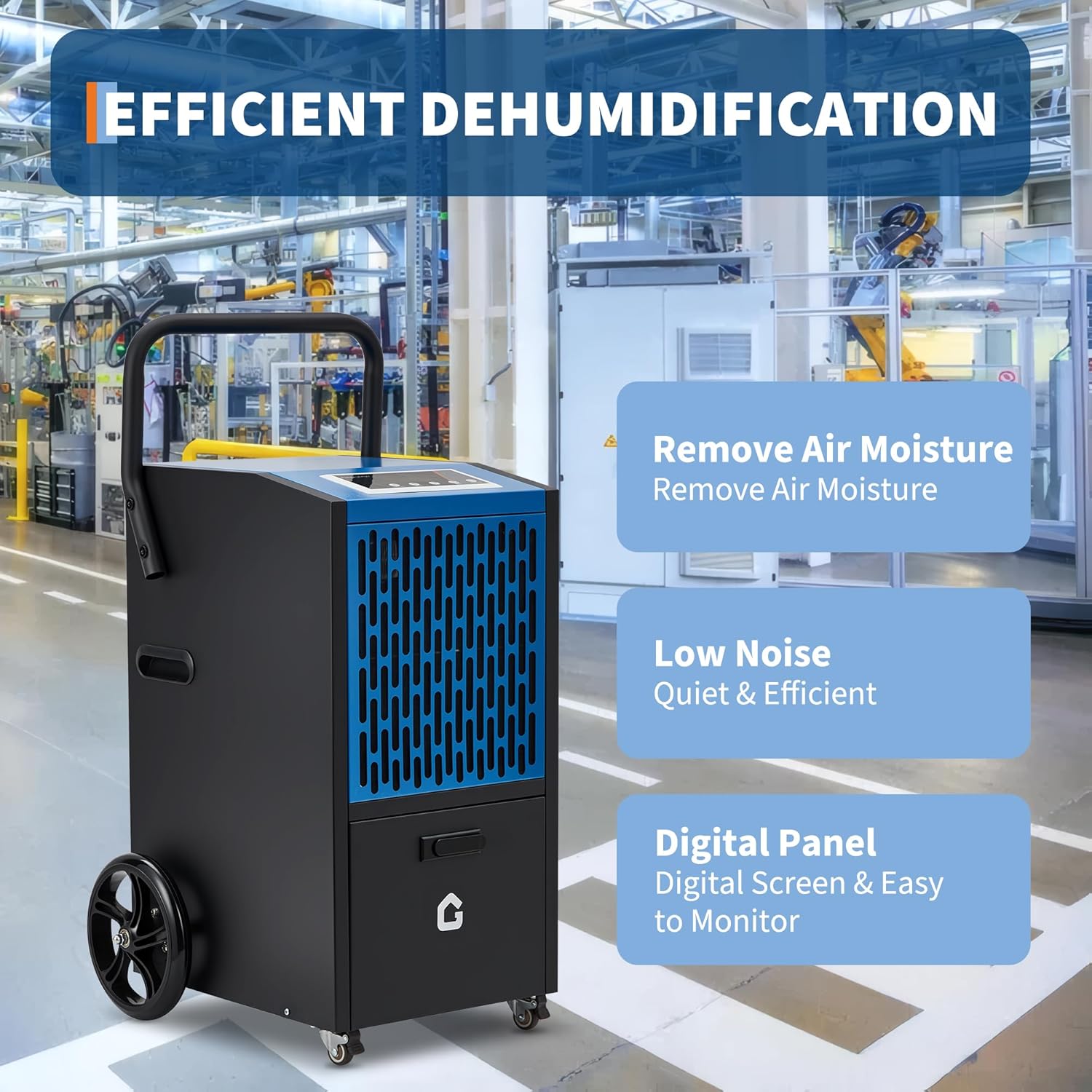
Image: Visual representation of the dehumidifier's core benefits: effective air moisture removal, quiet operation (low noise), and a user-friendly digital control panel for easy monitoring.
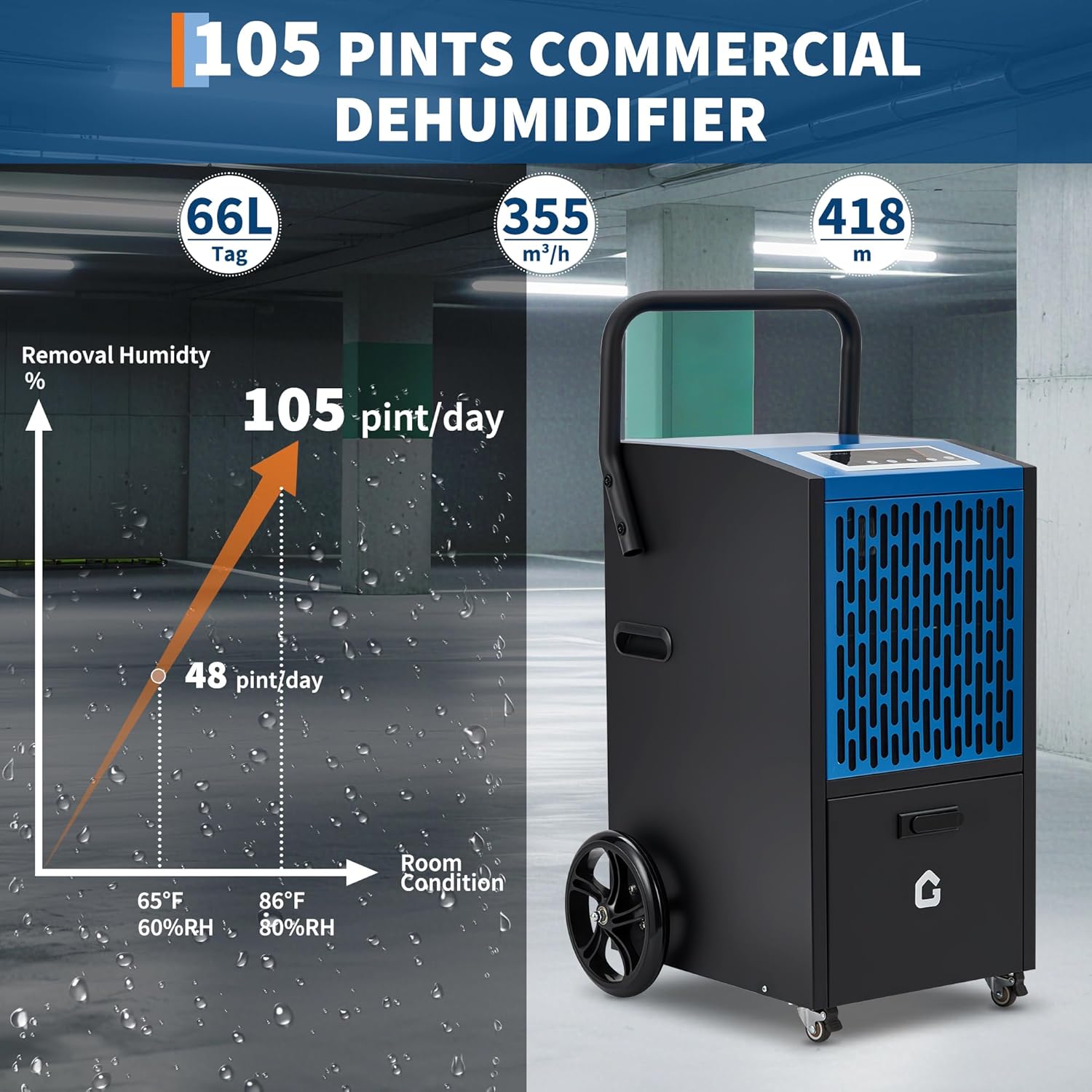
Image: A graph illustrating the dehumidification capacity, showing 48 pints/day at 65°F/60%RH and 105 pints/day at 86°F/80%RH, demonstrating the unit's high performance under varying conditions.
Maintenance
Regular maintenance ensures optimal performance and extends the lifespan of your dehumidifier.
1. Cleaning the Air Filter
The air filter should be cleaned every two weeks or more frequently depending on usage and air quality. A dirty filter restricts airflow and reduces efficiency.
- Turn off the unit and unplug it from the power outlet.
- Locate and remove the air filter (refer to the diagram in the product manual for exact location).
- Wash the filter with warm, soapy water. Rinse thoroughly and allow it to air dry completely before reinstalling. Do not use a dishwasher.
- Reinsert the dry filter into the unit.
2. Cleaning the Unit Exterior
Wipe the exterior of the dehumidifier with a soft, damp cloth. Do not use harsh chemicals, abrasives, or solvents, as these can damage the surface.
3. Storage
If storing the unit for an extended period, ensure it is clean and dry. Drain all water from the internal pump and reservoir. Coil the power cord neatly and store the unit in a cool, dry place, preferably in its original packaging.
Troubleshooting
Before contacting customer service, please refer to the following troubleshooting guide for common issues:
| Problem | Possible Cause | Solution |
|---|---|---|
| Unit does not turn on. | No power; power cord loose; fuse blown; water tank full. | Check power connection; plug in firmly; replace fuse; empty water tank (if applicable). |
| Dehumidifier not collecting water. | Humidity setting too high; room temperature too low; air filter clogged; unit too small for space. | Lower humidity setting; ensure room temp is above 41°F (5°C); clean air filter; consider unit capacity. |
| Unit is noisy. | Unit not on level surface; air filter clogged; internal component loose. | Place on level surface; clean air filter; contact customer support if noise persists. |
| Water leakage. | Drain hose not properly connected; unit not level; internal blockage. | Ensure drain hose is secure; place unit on level surface; check for blockages in drain line. |
Specifications
| Feature | Detail |
|---|---|
| Brand | Euker |
| Model Name | ADEW20LY |
| Dehumidification Capacity | 105 Pints/Day (DOE) |
| Coverage Area | Up to 8000 Sq.Ft |
| Product Dimensions | 18"D x 19"W x 26"H |
| Item Weight | 80.5 Pounds |
| Special Feature | Automatic Defrost, Built-in Pump, Timer, Child Lock |
| Drainage | Built-in 520W Pump (2m lift), Continuous Gravity Drain |
| Noise Level | <54 dB (DOE mode) |
| Humidity Setting Range | 20% - 90% RH |
| Included Components | Drain Hose |
| UPC | 199641017512 |

Image: A collage of images demonstrating the Euker dehumidifier's versatility, showing its use in basements, gymnasiums, warehouses, building construction sites, garages, and greenhouses.
Warranty and Support
Euker products are manufactured to high-quality standards. For specific warranty details, please refer to the warranty card included with your product or visit the official Euker website. Keep your purchase receipt as proof of purchase.
For technical assistance, troubleshooting beyond this manual, or to inquire about replacement parts, please contact Euker Customer Support. Contact information can typically be found on the product packaging or the official brand website.
You may also find additional support resources by visiting the Euker Store on Amazon.