
Introduction
Thank you for choosing the Intempo Aria Vivo Noise Cancelling Headphones. This manual provides essential information for the proper setup, operation, and maintenance of your device. Please read it thoroughly before use.
The Intempo Aria Vivo headphones feature advanced Active Noise Cancellation (ANC) technology, wireless Bluetooth connectivity, and a long-lasting battery for an immersive audio experience.
Package Contents
Before you begin, please ensure all items are present in the package:
- 1 x Intempo Aria Vivo Noise Cancelling Headphones
- 1 x Type-C Charging Cable
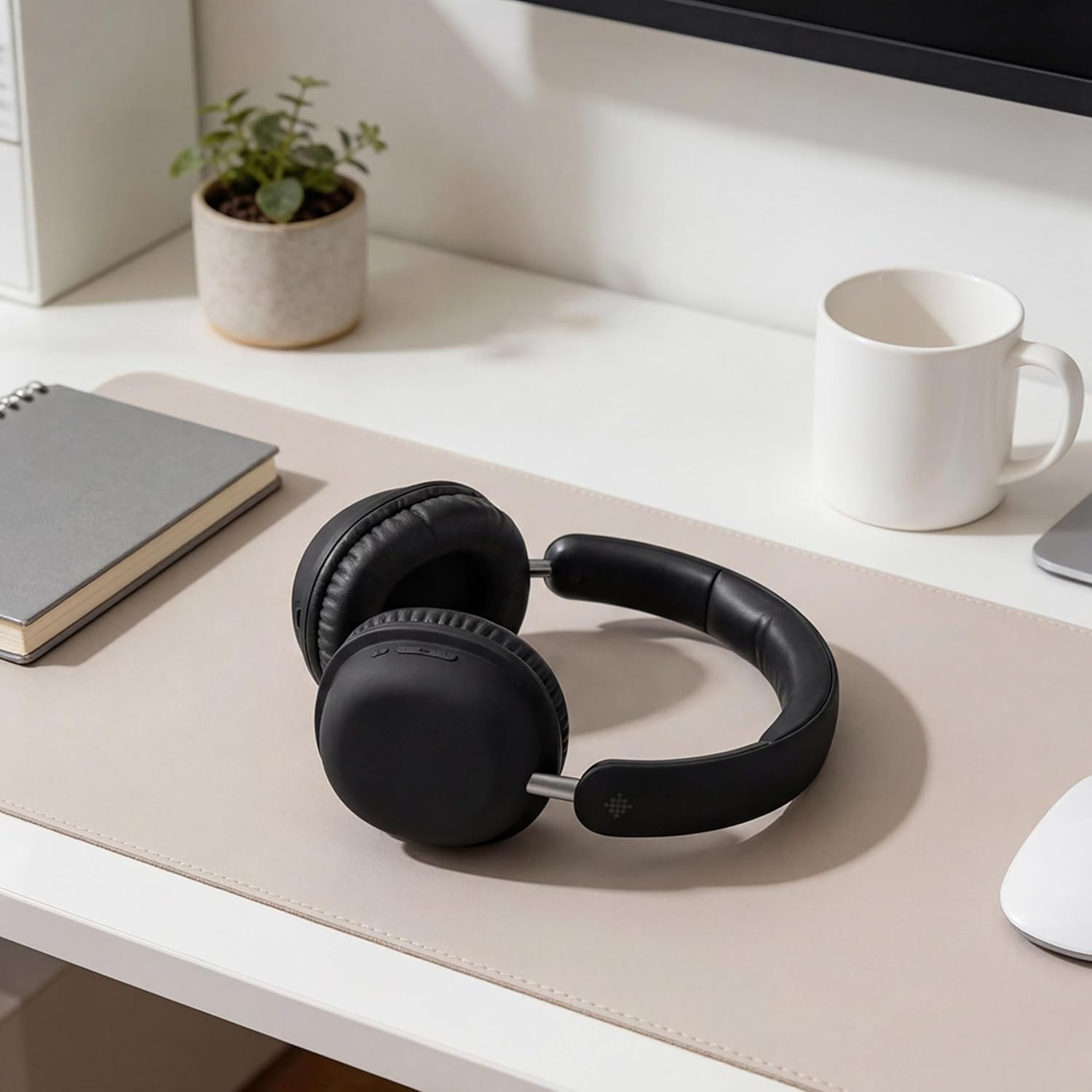
Image: The Intempo Aria Vivo headphones and included Type-C charging cable.
Setup
1. Charging the Headphones
Before first use, fully charge your headphones. Connect the supplied Type-C charging cable to the charging port on the headphones and the other end to a compatible USB power source (e.g., computer USB port, USB wall adapter).
- Charging Time: Approximately 2.5 hours for a full charge.
- The LED indicator will show charging status (e.g., red for charging, blue for fully charged). Refer to the LED indicator section for details.
2. Powering On/Off
- To Power On: Press and hold the Power button for approximately 3 seconds until the LED indicator flashes.
- To Power Off: Press and hold the Power button for approximately 3 seconds until the LED indicator turns off.
3. Bluetooth Pairing
To connect your headphones to a device:
- Ensure the headphones are powered off.
- Press and hold the Power button for approximately 5-7 seconds until the LED indicator flashes red and blue alternately. This indicates pairing mode.
- On your device (smartphone, tablet, computer), enable Bluetooth and search for available devices.
- Select "Intempo Aria Vivo" from the list of found devices.
- Once connected, the LED indicator on the headphones will flash blue slowly or remain solid blue.
- The headphones will automatically attempt to reconnect to the last paired device when powered on.

Image: A close-up view of the headphone earcup, highlighting the control buttons for power, volume, and ANC.
Operating the Headphones
Wearing the Headphones
Adjust the headband to fit comfortably over your head. The earcups are designed to pivot, allowing for a snug and comfortable fit over your ears. Ensure the earcups fully cover your ears for optimal sound and noise cancellation performance.

Image: A woman running in a park, wearing the Intempo Aria Vivo headphones, demonstrating their comfortable fit during activity.

Image: A man walking confidently on a city street, wearing the Intempo Aria Vivo headphones, showcasing their use in urban environments.
Active Noise Cancellation (ANC)
The Intempo Aria Vivo headphones feature Active Noise Cancellation to reduce ambient noise. This function is ideal for travel, busy offices, or any environment where you wish to minimize distractions.
- To Activate ANC: Press the dedicated ANC button (refer to the diagram in the setup section for button location). The ANC indicator light will illuminate.
- To Deactivate ANC: Press the ANC button again. The ANC indicator light will turn off.

Image: A graphic representation of Active Noise Cancellation, showing sound waves being effectively blocked by the headphones.

Image: A person sitting comfortably on an airplane, wearing the Intempo Aria Vivo headphones, demonstrating their use for quiet listening during travel.
Music Playback and Call Controls
The headphones are equipped with button controls for managing audio and calls:
- Play/Pause: Single press the Multi-function button.
- Next Track: Press and hold the Volume Up button.
- Previous Track: Press and hold the Volume Down button.
- Volume Up: Short press the Volume Up button.
- Volume Down: Short press the Volume Down button.
- Answer/End Call: Single press the Multi-function button.
- Reject Call: Press and hold the Multi-function button.
Maintenance
Cleaning
Wipe the headphones with a soft, dry cloth. Do not use abrasive cleaners, alcohol, or chemical solvents. Avoid getting moisture into any openings.
Storage
When not in use, store the headphones in a cool, dry place, away from direct sunlight and extreme temperatures. Avoid placing heavy objects on top of the headphones.

Image: The Intempo Aria Vivo headphones placed on a nightstand, illustrating proper storage when not in use.
Battery Care
To prolong battery life, avoid fully discharging the headphones frequently. Charge them regularly, even if not used for extended periods. The headphones offer up to 50 hours of playtime, varying by volume level and audio time.

Image: A graphic highlighting the impressive 50-hour playtime capability of the Intempo Aria Vivo headphones.
Troubleshooting
If you encounter issues with your headphones, please refer to the following common solutions:
- No Power: Ensure the headphones are fully charged. Connect them to a power source using the Type-C cable.
- Cannot Pair with Device:
- Ensure Bluetooth is enabled on your device.
- Make sure the headphones are in pairing mode (LED flashing red and blue).
- Move the headphones closer to your device.
- Forget the device from your phone's Bluetooth settings and try pairing again.
- Restart both the headphones and your device.
- No Sound:
- Check the volume levels on both the headphones and your connected device.
- Ensure the headphones are properly paired and connected.
- Try playing audio from a different application or source.
- ANC Not Working Effectively:
- Ensure the ANC function is activated (ANC indicator light is on).
- Verify that the earcups are properly seated over your ears, creating a good seal.
- ANC is most effective against low-frequency, constant noise. It may not completely eliminate high-frequency sounds or voices.
Specifications
| Model Name | ARIA VIVO |
| Model Number | EE8060 |
| Bluetooth Version | 5.0 |
| Wireless Technology | Bluetooth |
| Form Factor | Circum-Auricular (Over-Ear) |
| Active Noise Cancellation (ANC) | Yes |
| Battery Life | Up to 50 hours (varies by volume and usage) |
| Charging Time | Approximately 2.5 hours |
| Charging Port | Type-C |
| Control Type | Push Button |
| Material | ABS+TPE |
| Compatible Devices | Android (and other Bluetooth-enabled devices) |
| Color | Black |
Warranty and Support
Warranty Information
This product comes with no explicit guarantee information provided in the product specifications. Please refer to your retailer's return policy or local consumer protection laws for details regarding product defects or issues.
Customer Support
For further assistance or inquiries not covered in this manual, please contact the retailer where you purchased the product or visit the official Intempo website for support resources.


