Introduction
Thank you for choosing the MZYDM A28 Bone Conduction Open-Ear Headphones. These headphones are designed to provide a unique audio experience by transmitting sound through your cheekbones, allowing you to remain aware of your surroundings while enjoying music or calls. This manual provides essential information for the proper setup, operation, and maintenance of your device.
What's in the Box
- MZYDM A28 Bone Conduction Headphones
- USB-C Charging Cable
- Earplugs
- User Manual

Image: Contents of the MZYDM A28 package, including headphones, charging cable, and earplugs.
Product Overview and Features
The MZYDM A28 headphones offer a comfortable and secure fit for various activities, ensuring you stay connected and aware.
- Open-Ear Comfort: Lightweight design (29g) sits outside the ear, preventing discomfort during extended use.
- Bone Conduction Technology: Delivers audio through cheekbones, keeping ear canals open to ambient sounds.
- Bluetooth 5.4: Provides stable, fast, and universal connectivity with reduced latency and increased battery life.
- IPX6 Water Resistance: Sweat and splash-proof, suitable for workouts and light rain. Not designed for swimming or submersion.
- Extended Playtime: Up to 15 hours of music and call time on a single charge.
- High Sound Quality: Equipped with 15mm speaker driver units for enhanced clarity and rich audio.
- Built-in Microphone: Ensures crystal-clear call quality.
- Multi-Point Connection: Allows connection to multiple devices simultaneously.

Image: Open-ear comfort and key features of the MZYDM A28 headphones.
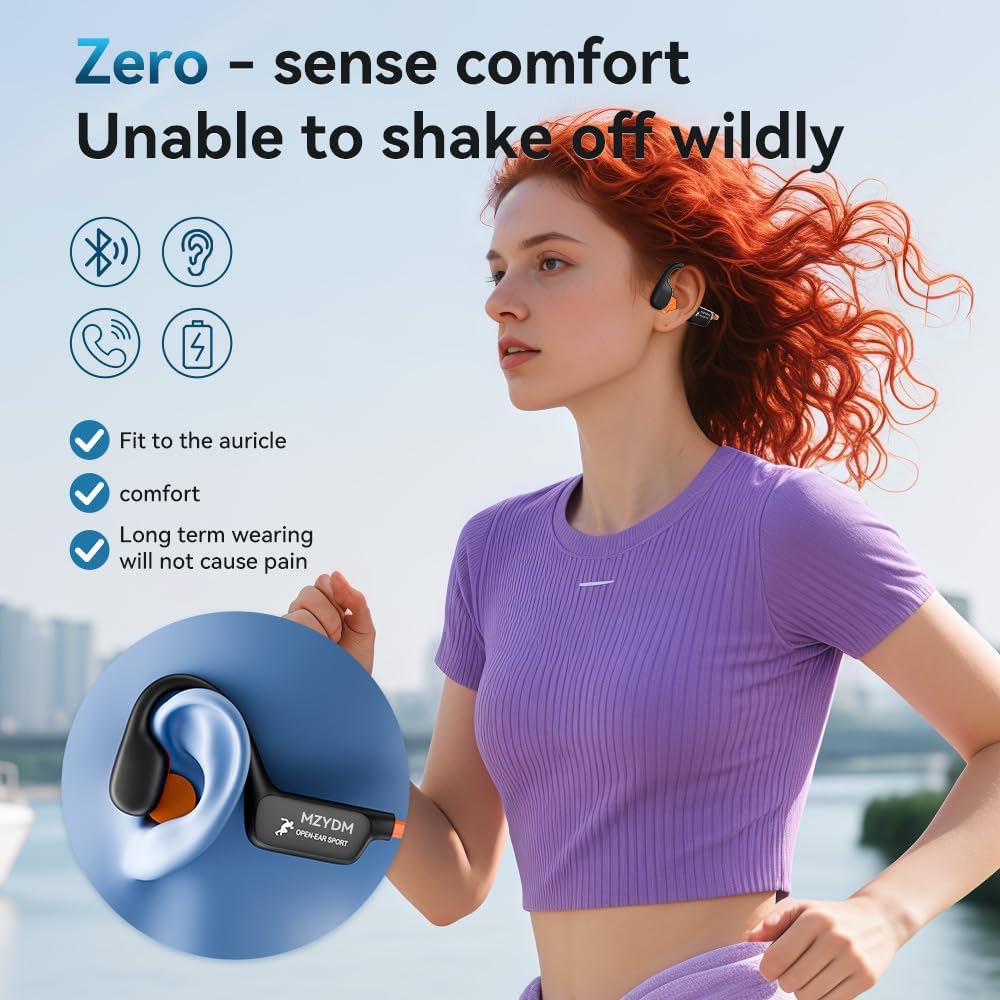
Image: Secure and comfortable fit of the MZYDM A28 headphones during activity.
Setup
1. Charging the Headphones
Before first use, fully charge your headphones. The headphones feature a USB-C charging port.
- Locate the USB-C charging port on the control module.
- Connect the provided USB-C charging cable to the port.
- Connect the other end of the cable to a compatible USB power source (e.g., computer, wall adapter).
- The LED indicator will show charging status and turn off when fully charged.

Image: Diagram illustrating the USB-C charging port and control buttons.
2. Bluetooth Pairing
To connect your headphones to a device:
- Ensure the headphones are charged and powered off.
- Press and hold the power button (often combined with volume up) for approximately 5 seconds until the LED indicator flashes blue and red, indicating pairing mode.
- On your device (smartphone, tablet, etc.), go to Bluetooth settings and turn Bluetooth on.
- Search for available devices and select "i8pro" (or similar model name) from the list.
- Once connected, the LED indicator will show a solid blue light or flash blue slowly.

Image: Bluetooth pairing process shown on a smartphone.
Operating Instructions
Wearing the Headphones
Place the headphones with the band resting behind your neck and the transducers resting on your cheekbones, just in front of your ears. Adjust for a comfortable and secure fit.
Controls
The headphones feature intuitive button controls for easy management of audio and calls:
- Power On/Off: Long press the multi-function button (often volume up) for 5 seconds.
- Play/Pause: Single click the multi-function button.
- Volume Up/Down: Short press the '+' or '-' buttons.
- Next Track: Double click the '+' button.
- Previous Track: Double click the '-' button.
- Answer/End Call: Single click the multi-function button.
- Reject Call: Long press the multi-function button.
- Activate Voice Assistant: Triple click the multi-function button.
Image: Detailed diagram of headphone controls and their functions.
Official Product Video
Video: An overview of the MZYDM Bone Conduction Open Ear Headphones, demonstrating their features and use.
Maintenance
Cleaning
Wipe the headphones with a soft, damp cloth. Do not use harsh chemicals or abrasive materials. Ensure the charging port cover is securely closed before cleaning or exposure to moisture.
Water Resistance
The MZYDM A28 headphones are IPX6 rated, meaning they are resistant to high-pressure water jets from any direction. This makes them suitable for sweaty workouts and light rain. However, they are not designed for swimming, showering, or submersion in water.

Image: Demonstrating the IPX6 water resistance of the MZYDM A28 headphones during exercise.
Troubleshooting
- No Power: Ensure the headphones are fully charged.
- Cannot Pair: Make sure the headphones are in pairing mode (flashing blue/red LED). Turn off and on your device's Bluetooth, then try pairing again. Ensure no other devices are actively connected to the headphones.
- No Sound: Check the volume levels on both the headphones and your connected device. Ensure the headphones are correctly placed on your cheekbones.
- Poor Sound Quality: Ensure the headphones are within Bluetooth range (up to 15 meters) of your device. Avoid obstacles that may interfere with the signal.
Specifications
| Feature | Specification |
|---|---|
| Model Name | A28 |
| Brand | MZYDM |
| Connectivity Technology | Wireless (Bluetooth) |
| Bluetooth Version | 5.4 |
| Bluetooth Range | 15 Meters |
| Battery Life | 15 Hours |
| Water Resistance Level | IPX6 |
| Ear Placement | Open Ear |
| Form Factor | Open Ear |
| Item Weight | 5.3 ounces (approx. 150g) |
| Control Type | Button Control |
| Included Components | Bone Conduction Headphones, Eartip |
Warranty and Support
MZYDM products are manufactured to high quality standards. For warranty information or technical support, please refer to the contact details provided with your purchase documentation or visit the official MZYDM website.