
1. Introduction
Thank you for choosing the ERRBBIC Solar Charger Power Bank 20000mAh, Model PS31H. This device is designed to provide reliable portable power for your electronic devices, especially in outdoor environments. It features a high-capacity battery, multiple charging outputs including wireless charging and built-in cables, and an integrated LED flashlight. This manual provides essential information for the safe and efficient use of your power bank.

Image 1.1: The ERRBBIC Solar Charger Power Bank with its included carabiner, designed for outdoor enthusiasts.
2. Product Overview
2.1 Key Features
- High Capacity: 20000mAh internal rechargeable battery.
- Multiple Charging Options: Built-in Type-C, Lightning, and USB-A output cables.
- External Ports: Two USB-A output ports and one PD Type-C input/output port.
- Wireless Charging: 5W Qi wireless charging capability.
- Fast Charging: 15W PD fast charging via USB-A and USB-C ports.
- Solar Charging: Integrated solar panel (5.5V/300mA) for emergency recharging.
- Emergency LED Flashlight: Dual LED flashlight with Steady, Flashing, and SOS modes.
- Durable Design: Waterproof, dustproof, and drop-proof construction with 8-fold protection.
2.2 Component Identification
Familiarize yourself with the various parts of your ERRBBIC Solar Charger Power Bank:

Image 2.1: Detailed product layout illustrating all ports, indicators, and features of the power bank.
- Wireless Charging Area
- Type-C Output Cable
- Lightning Output Cable
- USB Input Cable
- Wireless Charging Indicator
- Power ON/OFF Switch
- Dual LED Flashlight
- Solar Panel
- Hanging Ring (for carabiner)
- Battery Status Indicator LEDs
- USB Output Port 1
- Type-C Input/Output Port
- USB Output Port 2
- Solar Charging Indicator LED
3. Setup
3.1 Package Contents
Upon unpacking, ensure all items are present:
- 1 x ERRBBIC Solar Charger Power Bank (Model PS31H)
- 1 x User Manual
- 1 x Free Carabiner
3.2 Initial Charging
Before first use, fully charge the power bank using a wall adapter. This ensures the internal battery is calibrated and ready for optimal performance.
- Connect a USB-C cable to the Type-C Input/Output Port (12) on the power bank.
- Connect the other end of the USB-C cable to a compatible USB wall adapter (5V/3A recommended, not included).
- The Battery Status Indicator LEDs (10) will illuminate to show charging progress. All four LEDs will be solid when fully charged.

Image 3.1: The power bank can be charged via a wall adapter or its integrated solar panel.
4. Operating Instructions
4.1 Charging the Power Bank
The power bank can be recharged using two methods:
- Wall Adapter Charging: For fastest charging, use the Type-C Input/Output Port (12) with a 5V/3A wall adapter.
- Solar Charging: Place the solar panel (8) in direct sunlight. The Solar Charging Indicator LED (14) will light up when solar charging is active. Solar charging is primarily for emergency use and supplemental power, as it is slower than wall charging.
4.2 Charging External Devices
The power bank supports charging up to 6 devices simultaneously.

Image 4.1: The power bank can charge up to six devices concurrently, eliminating the need for multiple cables.
4.2.1 Using Built-in Cables
Connect your device directly using the integrated Type-C (2), Lightning (3), or USB-A (4) output cables.
4.2.2 Using External USB Ports
Connect your device's charging cable to USB Output Port 1 (11), USB Output Port 2 (13), or the Type-C Input/Output Port (12).
4.2.3 Wireless Charging
Place your Qi-compatible device on the Wireless Charging Area (1). The Wireless Charging Indicator (5) will illuminate when wireless charging is active.

Image 4.2: The power bank supports 15W PD fast charging, capable of charging an iPhone 15 to 65% in approximately 30 minutes.
4.3 Flashlight Operation
The power bank features a dual LED flashlight (7) with multiple modes:
- Activate: Press and hold the Power ON/OFF Switch (6) for 3 seconds to turn on the flashlight in Steady mode.
- Cycle Modes: Short press the Power ON/OFF Switch (6) to cycle through Flashing and SOS modes.
- Deactivate: Press and hold the Power ON/OFF Switch (6) for 3 seconds again to turn off the flashlight.

Image 4.3: The integrated LED flashlight offers multiple modes for various outdoor and emergency situations.
5. Maintenance
5.1 Cleaning and Storage
- Wipe the device with a soft, dry cloth. Avoid harsh chemicals or abrasive materials.
- Store the power bank in a cool, dry place away from direct sunlight and extreme temperatures.
- For long-term storage, charge the power bank to approximately 50-75% every 3 months to preserve battery health.
5.2 Durability Features
The ERRBBIC Solar Charger Power Bank is designed for rugged use:
- Waterproof: Resistant to water splashes and rain. Do not submerge.
- Dustproof: Protected against dust ingress.
- Drop-proof: Constructed to withstand accidental drops from up to 5 feet.

Image 5.1: The power bank's robust design provides anti-fall, waterproof, and dustproof protection for outdoor use.
6. Troubleshooting
| Problem | Possible Cause | Solution |
|---|---|---|
| Power bank not charging | Cable connection issue, faulty adapter, power bank depleted. | Ensure cables are securely connected. Try a different USB-C cable and wall adapter. Allow sufficient time for charging. |
| Device not charging from power bank | Power bank low on charge, incorrect cable, device incompatibility, power bank not activated. | Check power bank battery level. Ensure correct cable is used. Press the Power ON/OFF Switch (6) to activate output. Ensure device is Qi-compatible for wireless charging. |
| Slow charging | Using a low-power adapter, multiple devices charging, solar charging in low light. | Use a 15W PD compatible wall adapter for fastest input. Reduce the number of devices charging simultaneously. Ensure solar panel is in direct, strong sunlight. |
| Flashlight not working | Power bank depleted, incorrect operation. | Recharge the power bank. Press and hold the Power ON/OFF Switch (6) for 3 seconds to activate. |
7. Specifications
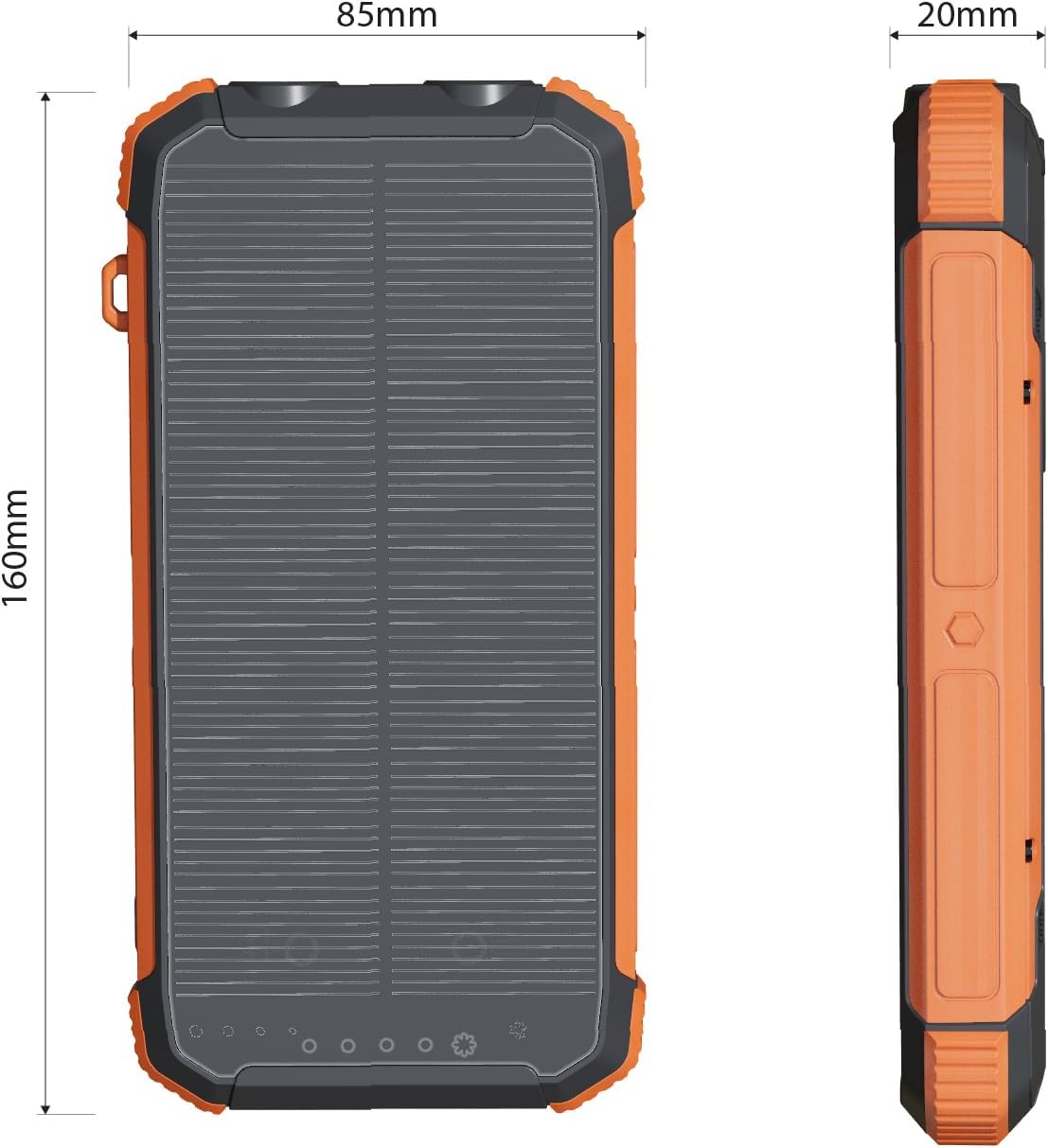
Image 7.1: Physical dimensions of the ERRBBIC Solar Charger Power Bank.
| Feature | Detail |
|---|---|
| Model Number | PS31H |
| Battery Capacity | 20000mAh (Internal rechargeable lithium polymer battery) |
| Product Dimensions | 6.3 x 3.35 x 0.79 inches (160 x 85 x 20 mm) |
| Item Weight | 12 ounces (340 grams) |
| USB-C Input/Output | 15W PD Max |
| USB-A Output | 15W Max |
| Lightning Output | 10W Max |
| Wireless Charging Output | 5W Max |
| Solar Panel Output | 5.5V/300mA |
| Flashlight Modes | Steady, Flashing, SOS |
| Protection Features | Overcharge, Overcurrent, Over-discharge, Overvoltage, Short circuit, Electromagnetic Field, Temperature, Recovery Protection |
| Durability | Waterproof, Dustproof, Drop-proof (5ft) |
8. Warranty and Support
ERRBBIC provides a one-year after-sales service for this product. If you encounter any issues or have questions regarding your Solar Charger Power Bank, please contact our customer support. We are committed to responding to inquiries within 24 hours.
For support, please refer to the contact information provided on the ERRBBIC official website or your purchase platform.