Introduction
Thank you for choosing the COLAMY Zero Gravity Massage Chair, Model 6610-WH. This manual provides essential information for the safe and efficient use of your new massage chair. Please read it thoroughly before assembly and operation, and retain it for future reference.
This chair features 4-zone massage, dual lumbar heat, airbag compression, 360° swivel, built-in Bluetooth speakers, and a USB charging port, designed to provide a comprehensive relaxation experience.
Important Safety Information
Please observe the following safety precautions to prevent injury or damage to the product:
- Do not exceed the maximum weight capacity of 265 pounds (120 kg).
- This product is designed for adult use only.
- Always operate the chair according to the instructions provided in this manual.
- Ensure all connections are secure before use.
- Keep children and pets away from the chair's moving parts.
- Unplug the chair from the power outlet when not in use or before cleaning.
Setup and Assembly
The COLAMY Zero Gravity Massage Chair requires minimal assembly. All necessary tools and an installation instruction manual are included with the product. Follow these steps for proper setup:
- Unpack Components: Carefully remove all parts from the packaging. Verify that all components (Main Body A, Head Cushion B, Center Connecting Support C, Five-foot Support D, Remote Control E, Power Cord F) are present.
- Attach Base: Put the chair upside down on the floor. Insert Center Connecting Support C into the groove on the bottom of Main Body A. Connect Five-foot Support D. Ensure the first side of Center Connecting Support C fits to the fixing device.
- Install Head Cushion: Thread Head Cushion B through the holding strap on the backrest. Adjust its position until it is secure. Note: Flip the head cushion over the back of the chair when using the massage function for optimal experience.
- Connect Remote and Power: Insert Remote Control E into the remote control terminal on Main Body A and tighten the screw cap. Insert Power Cord F into the power port, and then plug it into a suitable electrical outlet.
- Initial Test: Turn on the power switch located near the power port. Using Remote Control E, test the massage functions and recline positions to ensure proper operation.
Video: Product Installation Guide. This video demonstrates the step-by-step assembly process for the massage chair, including attaching the base, headrest, and connecting power and remote control.

Image: Main Chair View. This image displays the overall design of the COLAMY Zero Gravity Massage Chair, highlighting its integrated remote control, Bluetooth speaker icons, and heat/massage zones.
Operating Instructions
Your COLAMY massage chair offers a variety of features for a personalized relaxation experience. Use the wired remote control to access all functions.
Remote Control Functions:

Image: Remote Control. This image displays the detailed layout of the remote control, illustrating buttons for power, massage modes, intensity adjustments, heat, and recline positions.
- Power Button: Turns the chair on or off.
- Automatic Programs: Select from six specialized modes:
- Energizing (Neck & Buttocks)
- Shoulder & Neck (Neck & Shoulders)
- Waist & Hip (Waist & Hip)
- Sleep (Back & Waist)
- Fatigue Recovery (Neck & Shoulders)
- Leisure (Swinging back and forth while fully massaging)
- Massage Zones: Target specific areas including neck, upper back, lower back, and waist.
- Dual Lumbar Heat: Activate heating pads in the lumbar area for soothing warmth.
- Airbag Compression: Engage airbags around the hips and waist for gentle compression.
- Zero Gravity Recline: Adjust the chair to three positions: Legrest Rise, Zero Gravity, or Legrest Down. This feature helps reduce spinal pressure and improve blood flow.
- Adjustable Shoulder Massage: Customize the shoulder massage position (3-position: Low/Medium/High).
- Kneading/Tapping/Knock Massage: Select different massage techniques and adjust intensity.
Bluetooth Speakers:
The chair includes built-in Bluetooth speakers located near the headrest. To connect:
- Ensure the chair is powered on.
- Activate Bluetooth on your mobile device.
- Search for "COLAMY" or a similar device name in your device's Bluetooth settings.
- Pair your device. Once connected, you can stream audio directly through the chair's speakers.
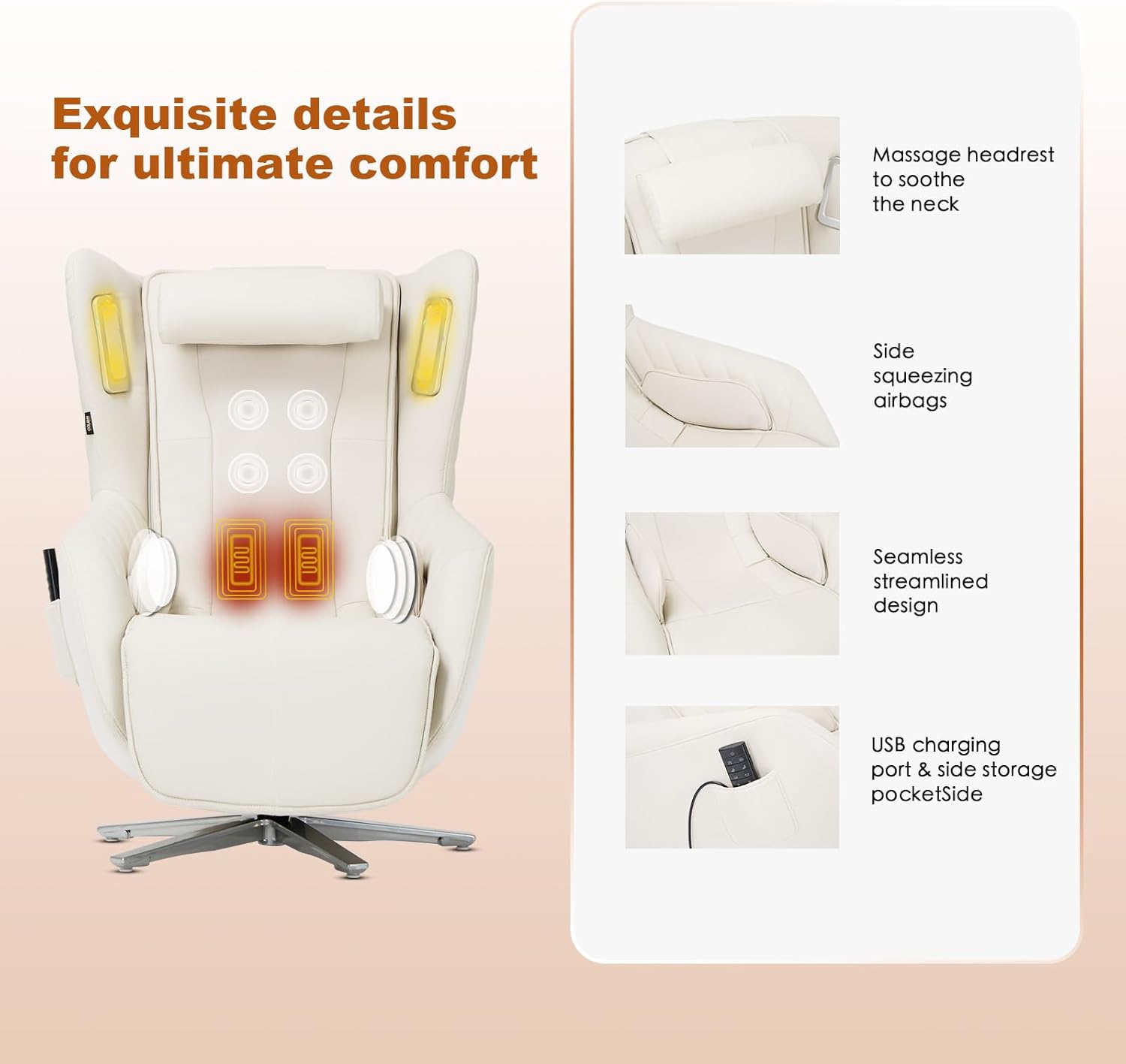
Image: Bluetooth and USB Features. This image highlights the integrated Bluetooth speakers and the convenient USB charging port on the side of the chair.
USB Charging Port:
A USB charging port is located on the side of the chair for convenient device charging during your massage session. Simply plug your USB cable into the port to power your devices.
Video: Zero-Gravity Massage Chair Display. This video showcases the various features and recline positions of the massage chair, including the zero-gravity function and remote control operation.
Maintenance and Care
Proper maintenance ensures the longevity and optimal performance of your massage chair.
- Cleaning: Wipe clean with a soft, damp cloth. Avoid harsh chemicals or abrasive cleaners, as they may damage the PU leather.
- Storage: When not in use for extended periods, store the chair in a cool, dry place away from direct sunlight.
- Inspection: Regularly inspect the power cord and remote control for any signs of damage. If damage is found, discontinue use and contact customer support.
- Moving the Chair: When moving the chair, ensure it is unplugged and lift it carefully to avoid damage to the base or internal components.
Troubleshooting Guide
If you encounter any issues with your massage chair, refer to the following common problems and solutions:
| Problem | Possible Cause | Solution |
|---|---|---|
| Chair does not power on. | Power cord not properly connected; power switch off; power outlet malfunction. | Ensure power cord is securely plugged into both the chair and a working outlet. Check if the power switch on the chair is in the "ON" position. Test the outlet with another device. |
| Massage function not working. | Remote control not connected; specific massage mode not selected. | Verify the remote control is securely connected. Select an automatic program or a specific massage function using the remote. |
| Recline function not responding. | Obstruction under the legrest; remote control issue. | Check for any obstructions preventing movement. Ensure the remote control is functioning correctly and the appropriate recline buttons are pressed. |
| Bluetooth speakers not connecting. | Bluetooth not enabled on device; chair not in pairing mode; incorrect device selected. | Ensure Bluetooth is active on your device and the chair is powered on. Search for "COLAMY" in your device's Bluetooth settings and attempt to pair again. |
If the problem persists after attempting these solutions, please contact COLAMY customer support for further assistance.
Product Specifications
| Feature | Detail |
|---|---|
| Brand | COLAMY |
| Model Name | 6610-WH |
| Color | 6610-white |
| Product Dimensions (D x W x H) | 45.7"D x 28.2"W x 40.9"H |
| Item Weight | 113 pounds (51.25 kg) |
| Weight Capacity | Up to 265 pounds (120 kg) |
| Material | PU Leather, High-Density Foam |
| Special Features | 4-Zone Massage, Dual Lumbar Heat, Airbag Compression, 360° Swivel, Built-in Bluetooth Speakers, USB Charging Port, Zero Gravity Recline (3 positions) |
| Assembly Required | Yes (User manual and tools included) |
| Indoor/Outdoor Usage | Indoor |
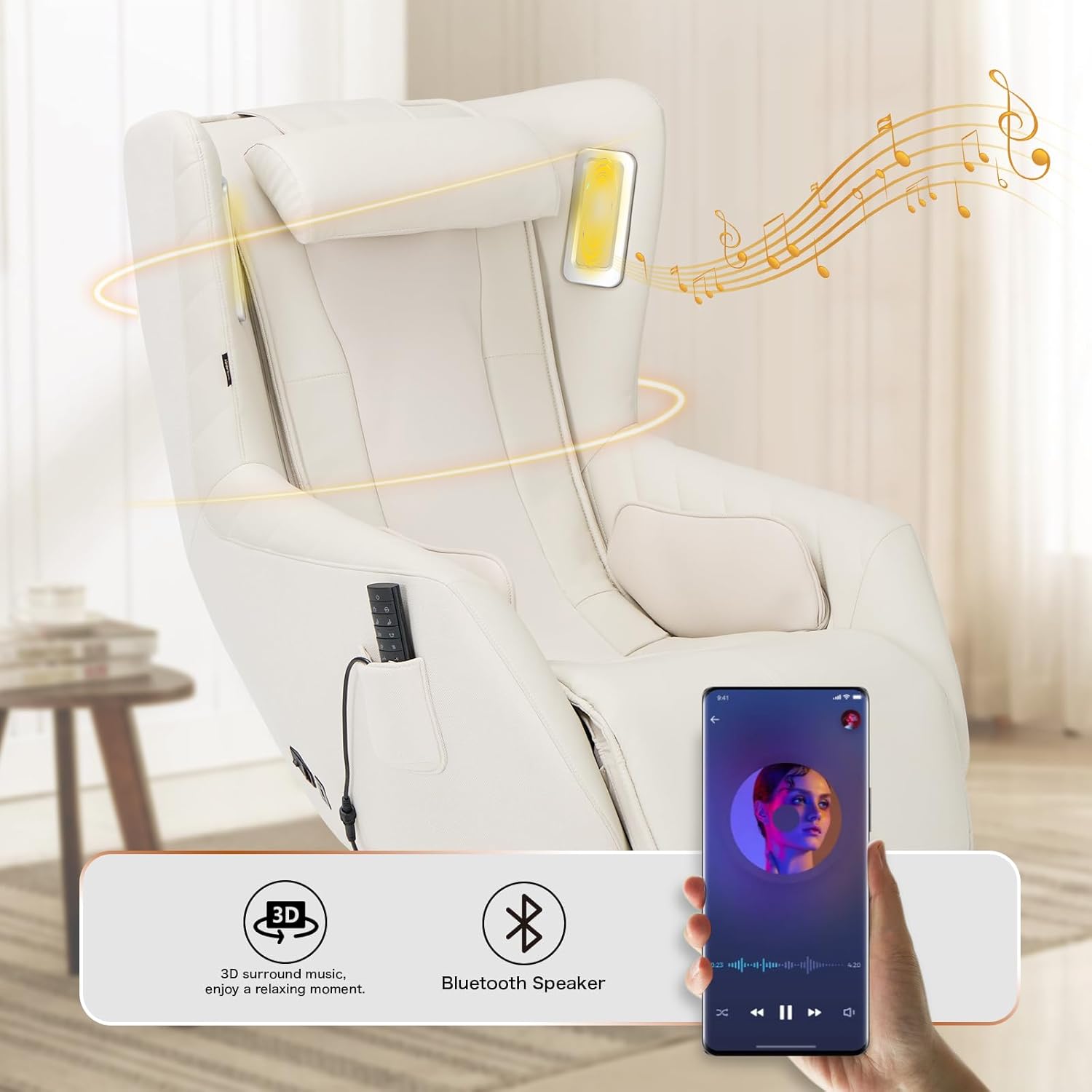
Image: Chair Dimensions. This image provides a side view of the massage chair, illustrating its overall dimensions and design.
Warranty and Customer Support
COLAMY offers protection plans for your massage chair. For specific warranty details, please refer to your purchase documentation or contact the retailer.
For any questions, technical support, or warranty claims, please contact COLAMY Customer Support. Contact information can typically be found on the product packaging or the retailer's website.
You may also find helpful information and support resources by visiting the COLAMY Store on Amazon.


