
1. Product Overview
The EasyAcc 18L/Day Compressor Dehumidifier is designed to efficiently remove excess moisture from indoor environments, improving air quality and preventing issues such as mold, mildew, and musty odors. This unit is suitable for spaces up to 35 square meters, offering various operating modes and user-friendly features.

Figure 1: Front view of the EasyAcc 18L/Day Dehumidifier, highlighting its capacity and coverage area.
2. Safety Instructions
Please read all safety instructions carefully before operating the dehumidifier to ensure safe and proper use. Keep this manual for future reference.
- Ensure the power supply matches the voltage specified on the rating label.
- Do not operate the unit with a damaged cord or plug.
- Keep the dehumidifier upright during transport and operation.
- Do not block air inlets or outlets.
- Keep children and pets away from the unit during operation.
- Unplug the unit before cleaning or performing any maintenance.
3. Setup
- Unpacking: Carefully remove the dehumidifier from its packaging. Retain packaging materials for future storage or transport.
- Placement: Place the unit on a flat, stable surface. Ensure there is at least 20 cm (8 inches) of space around the air inlets and outlets for proper airflow.
- Power Connection: Plug the power cord into a grounded electrical outlet.
- Drainage Setup:
- Manual Drainage (Water Tank): The unit comes with a 2-liter removable water tank. Ensure the tank is correctly seated in the unit. The dehumidifier will automatically shut off when the tank is full.
- Continuous Drainage (Drain Hose): For continuous operation without emptying the tank, attach the included drain hose to the continuous drainage port. Ensure the hose is sloped downwards to allow water to drain by gravity into a suitable receptacle or drain.

Figure 2: Illustration of automatic and manual drainage options, including the drain hose connection.
4. Operating Instructions
The dehumidifier features a digital LED display and control panel for easy operation.

Figure 3: Close-up of the smart control panel and digital display screen.
Control Panel Functions:
- Power Button: Turns the unit ON/OFF.
- Mode Control: Cycles through operating modes: Automatic, Continuous, and Night Mode.
- Humidity / Timer Buttons (+/-): Adjusts desired humidity level or sets the timer.
- Timer Control: Activates the 24-hour timer function to schedule ON/OFF times.
- Speed Control / Child Lock: Adjusts fan speed. Press and hold for Child Lock activation/deactivation.
Operating Modes:
- Automatic Mode: The unit will operate to maintain a preset humidity level, adjusting fan speed as needed.
- Continuous Mode: The unit runs continuously, ideal for rapid dehumidification or laundry drying.
- Night Mode: Operates at a lower fan speed for quieter performance, suitable for bedrooms.
Laundry Drying Function:
In Continuous Mode, the dehumidifier can assist in drying laundry faster by removing moisture from the air around clothes. Position the unit near the drying clothes for optimal results.
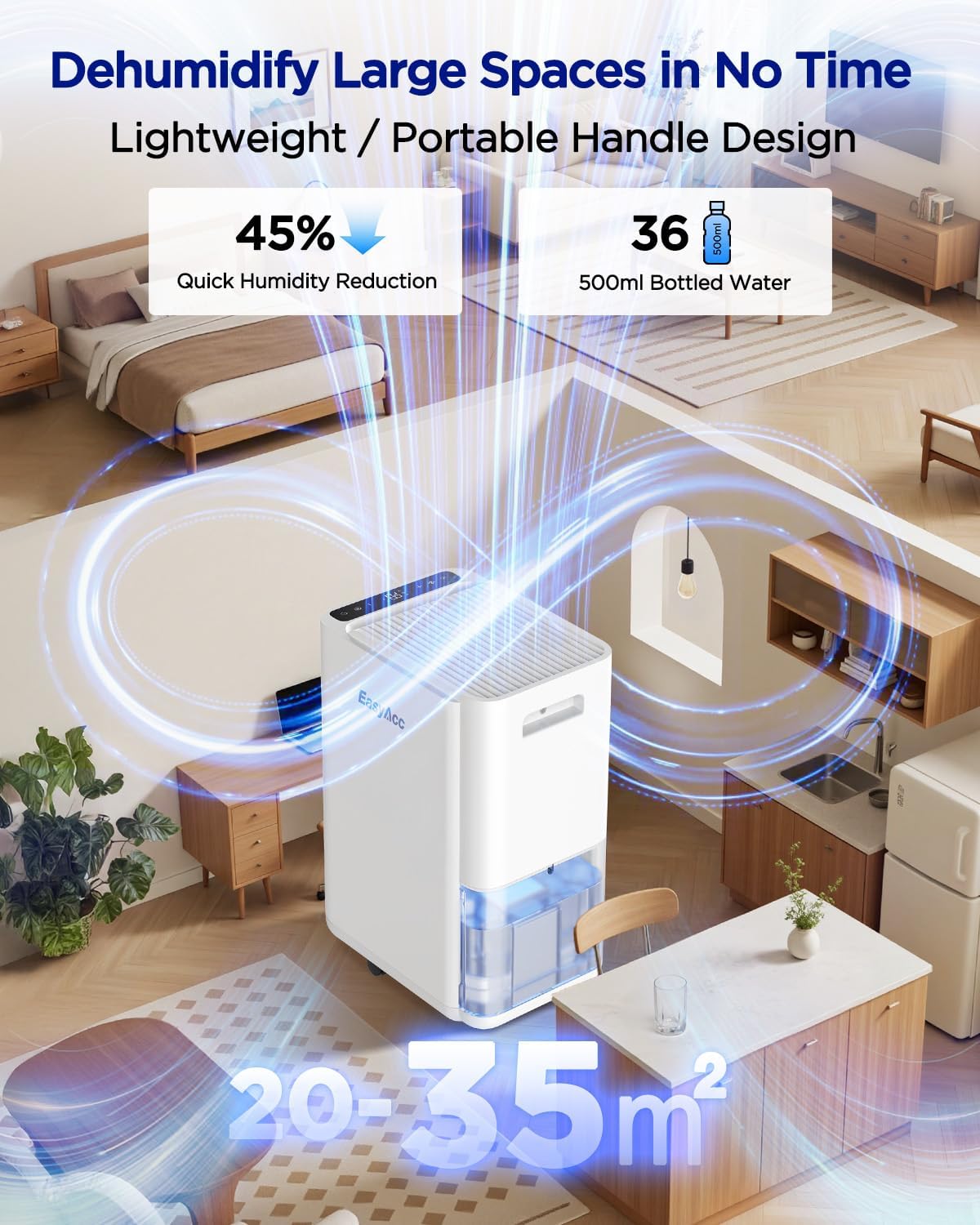
Figure 4: The dehumidifier effectively reduces humidity in various large spaces, from 20 to 35 square meters.
5. Maintenance
Regular maintenance ensures optimal performance and extends the lifespan of your dehumidifier.
Cleaning the Air Filter:
- Turn off and unplug the dehumidifier.
- Remove the air filter from the back or side of the unit.
- Clean the filter with a vacuum cleaner or wash it with warm, soapy water. Rinse thoroughly.
- Allow the filter to air dry completely before reinstalling.
- Clean the filter every two weeks or more frequently if used in a dusty environment.
Emptying the Water Tank:
When the water tank is full, the unit will automatically shut off and an indicator light may illuminate. Carefully remove the tank, empty the collected water, and reinsert it securely. Ensure the tank is properly seated to resume operation.
External Cleaning:
Wipe the exterior of the unit with a soft, damp cloth. Do not use harsh chemicals or abrasive cleaners.
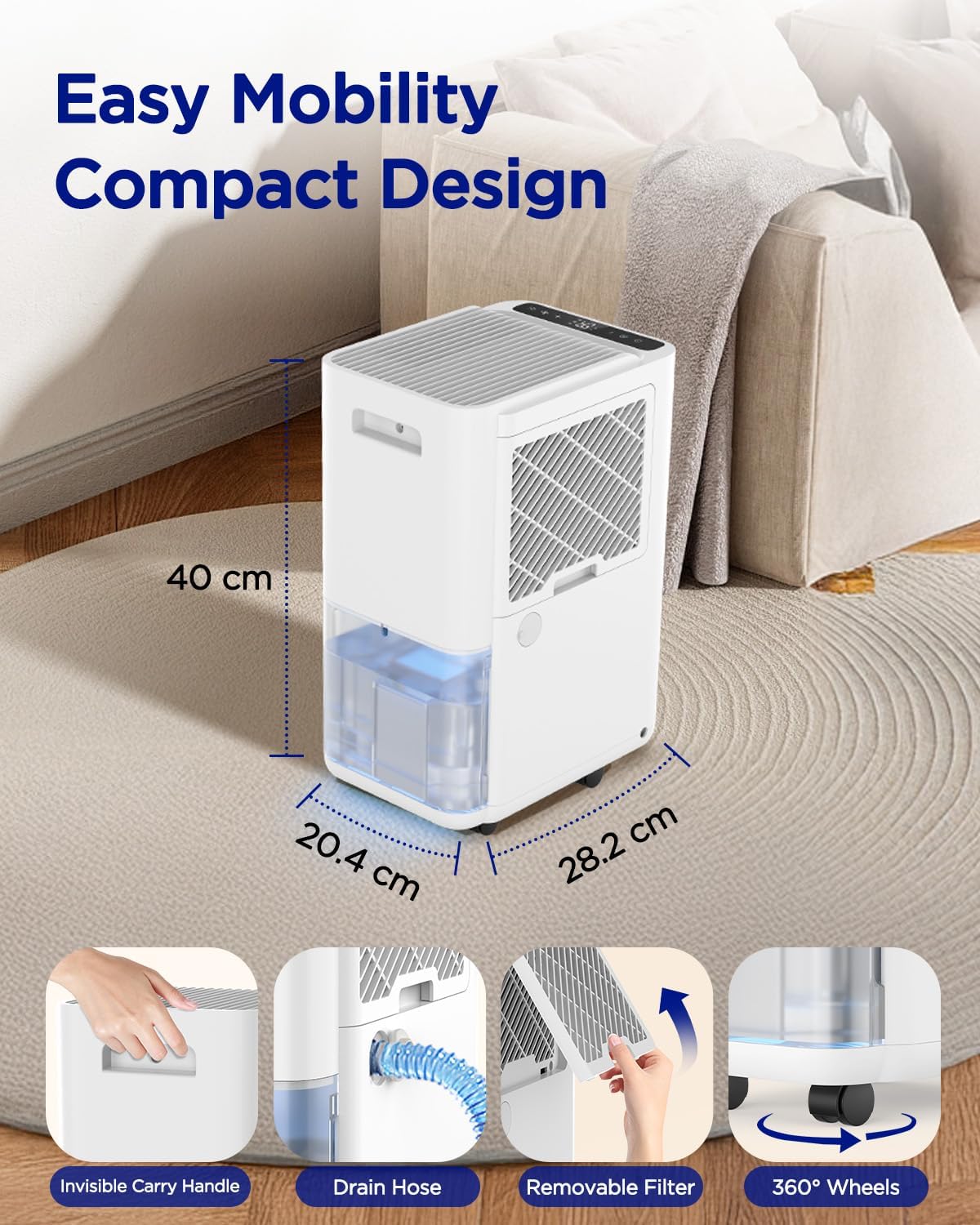
Figure 5: Features like the removable filter and drain hose simplify maintenance and mobility.
6. Troubleshooting
Refer to this section for common issues and their solutions.
| Problem | Possible Cause | Solution |
|---|---|---|
| Unit does not turn on | No power; Water tank full or incorrectly seated; Child lock active | Check power connection; Empty and re-seat water tank; Deactivate child lock |
| No water collected | Humidity level too low; Room temperature too low; Air filter clogged | Adjust desired humidity; Ensure room temp is above 5°C; Clean air filter |
| Unit is noisy | Unit not on a level surface; Air filter clogged | Place on a flat surface; Clean air filter |
| Poor dehumidification | Doors/windows open; Room size too large; Air filter clogged | Close doors/windows; Ensure unit is suitable for room size; Clean air filter |
7. Specifications
| Feature | Specification |
|---|---|
| Brand | EasyAcc |
| Model Number | ARION-RCS18(Y)-N7-1-01 |
| Dehumidification Capacity | 18 Liters/Day |
| Coverage Area | Up to 35 m² |
| Water Tank Volume | 2 Liters |
| Power | 360 Watts |
| Product Dimensions (L x W x H) | 26.7 x 20.4 x 43.2 cm |
| Item Weight | 9.8 Kilograms |
| Material | Acrylonitrile Butadiene Styrene (ABS) |
| Special Features | Digital display, Automatic shut-off, Adjustable humidity control, Removable tank, Continuous drainage |
8. Warranty and Support
EasyAcc provides a 5-year availability for spare parts for this product. For technical support, warranty claims, or further assistance, please contact EasyAcc customer service through their official website or the retailer where the product was purchased. Please have your model number (ARION-RCS18(Y)-N7-1-01) and proof of purchase ready.

