
AIPER Scuba S1 2025
Aiper Scuba S1 Robotic Pool Cleaner User Manual
Model: Scuba S1 2025
1. Introduction
Thank you for choosing the Aiper Scuba S1 Robotic Pool Cleaner. This manual provides essential information for the safe and efficient operation, maintenance, and troubleshooting of your device. The Scuba S1 is designed to provide a thorough and convenient pool cleaning experience, featuring advanced navigation, powerful filtration, and extended battery life.

The Aiper Scuba S1 Robotic Pool Cleaner, shown alongside a smartphone illustrating its app control capabilities.
2. Product Components
The Aiper Scuba S1 comes with the following main components:
- Aiper Scuba S1 Robotic Pool Cleaner Unit
- Charging Adapter
- Standard 180-micron Filter Basket (pre-installed)
- Extra 3-micron Ultra-fine Filter (for enhanced clarity)
- Pool Pole Hook (for easy retrieval)

Illustration of the dual filtration system, highlighting the standard and ultra-fine filter options.
3. Setup Guide
Follow these steps to prepare your Aiper Scuba S1 for its first use:
- Unpacking: Carefully remove all components from the packaging.
- Charging: Connect the charging adapter to the cleaner and a power outlet. Ensure the charging port is dry before connecting. A full charge typically takes approximately 4 hours. The indicator light will change to confirm charging status.
- Filter Installation: The standard 180-micron filter is pre-installed. For capturing the finest debris, you may opt to install the included 3-micron ultra-fine filter inside the main filter basket.
- App Download (Optional but Recommended): Download the Aiper app from your device's app store. This allows for smart control and OTA updates.
4. Operating Instructions
The Aiper Scuba S1 is designed for ease of use. Ensure your pool water chemistry is balanced before operation for optimal cleaning results.
4.1 Placing the Cleaner in the Pool
Gently submerge the cleaner into the pool. It will slowly sink to the bottom as air escapes. Ensure it is fully submerged before starting a cleaning cycle.
4.2 Cleaning Modes
The Scuba S1 offers multiple cleaning modes to suit your needs:
- Auto Mode: Cleans both the pool floor and walls.
- Floor Only Mode: Focuses cleaning on the pool floor.
- Wall Only Mode: Specifically cleans the pool walls and waterline.
- ECO Mode: A periodic cleaning mode where the robot stays submerged and cleans every few days until the battery is depleted or the filter is full.
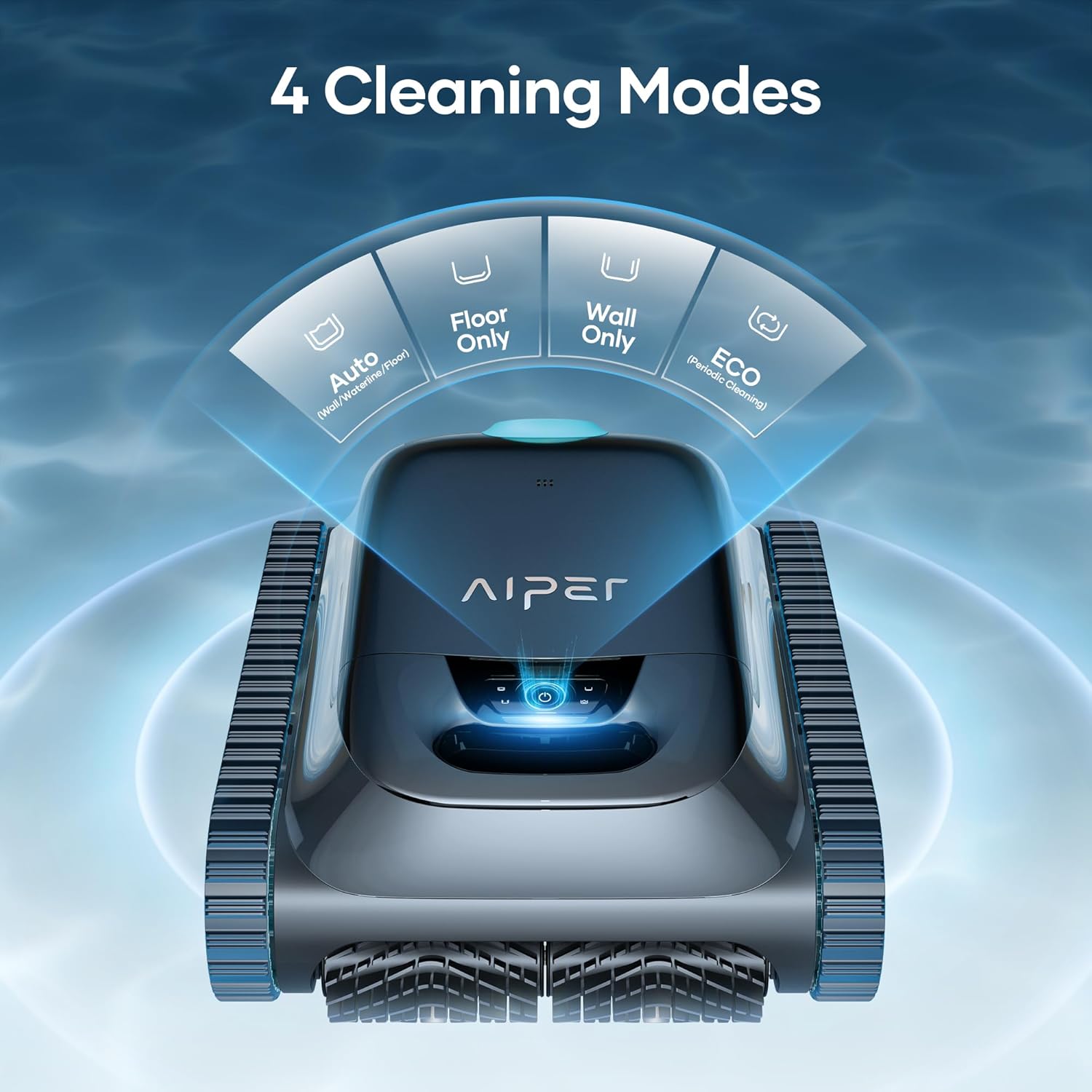
The four distinct cleaning modes available for the Aiper Scuba S1.
4.3 Smart Navigation (WavePath 2.0)
The cleaner utilizes WavePath Navigation 2.0, an intelligent system that optimizes cleaning routes for comprehensive coverage of your pool surface. This ensures systematic cleaning without missing areas.

Visual representation of the efficient WavePath 2.0 navigation system.
4.4 Wall & Waterline Cleaning
The Aiper Scuba S1 is capable of climbing pool walls and scrubbing the waterline, ensuring a complete clean beyond just the floor.

The Scuba S1 performing wall and waterline cleaning.
4.5 App Control & OTA Updates
For ultimate convenience, control your Scuba S1 via the Aiper app. The app allows you to select cleaning modes, monitor battery life, view cleaning logs, and receive Over-the-Air (OTA) updates for continuous improvements and new features.

The Aiper app provides comprehensive control and monitoring features.
4.6 Battery Life
The Scuba S1 features an extended 180-minute battery life, allowing for deep and thorough cleaning sessions without frequent recharging, ideal for larger pools.

The extended battery life of the Aiper Scuba S1.
5. Maintenance
Regular maintenance ensures the longevity and optimal performance of your Aiper Scuba S1.
5.1 Cleaning the Filter Basket
After each cleaning cycle, it is crucial to clean the filter basket to maintain suction power and filtration efficiency. The Scuba S1 is equipped with a dual filtration system, including a standard 180-micron filter and an extra replaceable 3-micron ultra-fine filter.
- Remove the cleaner from the pool using the provided pool pole hook.
- Open the cleaner's lid to access the filter basket.
- Remove the filter basket.
- Empty large debris from the 180-micron filter.
- If using, remove the 3-micron ultra-fine filter and rinse it thoroughly under a hose until all debris is removed.
- Rinse the 180-micron filter basket.
- Reassemble the filters and place the basket back into the cleaner.

Detailed view of the MicroMesh Ultra-Fine Filter system.
5.2 General Care
- After each use, rinse the exterior of the cleaner with fresh water to remove any pool chemicals or debris.
- Store the cleaner in a cool, dry place away from direct sunlight when not in use.
- Periodically inspect the caterpillar treads for wear and tear. The robust design with caterpillar treads provides superior mobility and helps avoid getting stuck on obstacles like corners, drains, or uneven surfaces.

The durable caterpillar treads ensure superior mobility and prevent the cleaner from getting stuck.
6. Troubleshooting
If you encounter issues with your Aiper Scuba S1, refer to the following common problems and solutions:
| Problem | Possible Cause | Solution |
|---|---|---|
| Cleaner not turning on or charging. | Charging adapter not properly connected; battery fully depleted. | Ensure secure connection of the charging adapter. Allow sufficient time for charging (up to 4 hours). |
| Poor cleaning performance. | Clogged filter basket; low battery; improper cleaning mode selected. | Clean the filter basket thoroughly. Ensure the cleaner is fully charged. Select the appropriate cleaning mode for your pool's needs. |
| Cleaner gets stuck or doesn't cover entire pool. | Obstacles in the pool; pool shape complexity. | Remove large obstacles from the pool. The WavePath 2.0 navigation is designed to adapt to various pool shapes, but extreme features may require manual repositioning. |
| App connectivity issues. | Bluetooth/Wi-Fi interference; app not updated. | Ensure your smartphone's Bluetooth is enabled and close to the cleaner. Restart the app or the cleaner. Check for app updates. |
| Debris falls out when retrieving cleaner. | Overfilled filter basket; rapid retrieval. | Empty the filter more frequently. Retrieve the cleaner slowly and steadily from the pool. |
7. Specifications
| Feature | Detail |
|---|---|
| Brand | AIPER |
| Model Name | Scuba S1 2025 |
| Item Model Number | X5 Pro 2025 |
| Color | Obsidian |
| Product Dimensions | 15.3 x 8.7 x 17.5 inches |
| Power Source | Battery Powered |
| Special Features | App Support, Dual Filtration System, Extended Battery Life |
| Assembly Required | No |
8. Warranty and Support
The Aiper Scuba S1 Robotic Pool Cleaner comes with a 2-year warranty, providing peace of mind with your purchase. For warranty claims, technical support, or any inquiries, please visit the official Aiper website or contact their customer service directly.
For the latest information, FAQs, and support resources, please visit: www.aiper.com
Related documentsScuba S1 2025


Ask a question about this manual
Ask about setup, troubleshooting, compatibility, parts, safety, or missing instructions. Manuals+ will review the question and use this page’s manual context to help answer it.