
Introduction
This manual provides detailed instructions for the assembly, operation, and maintenance of your SEDETA 71" Executive Desk with File Cabinet. This L-shaped desk is designed for home office environments, offering a spacious workspace and integrated storage solutions. It features a built-in power outlet with USB ports and is constructed from engineered wood with steel legs for durability.
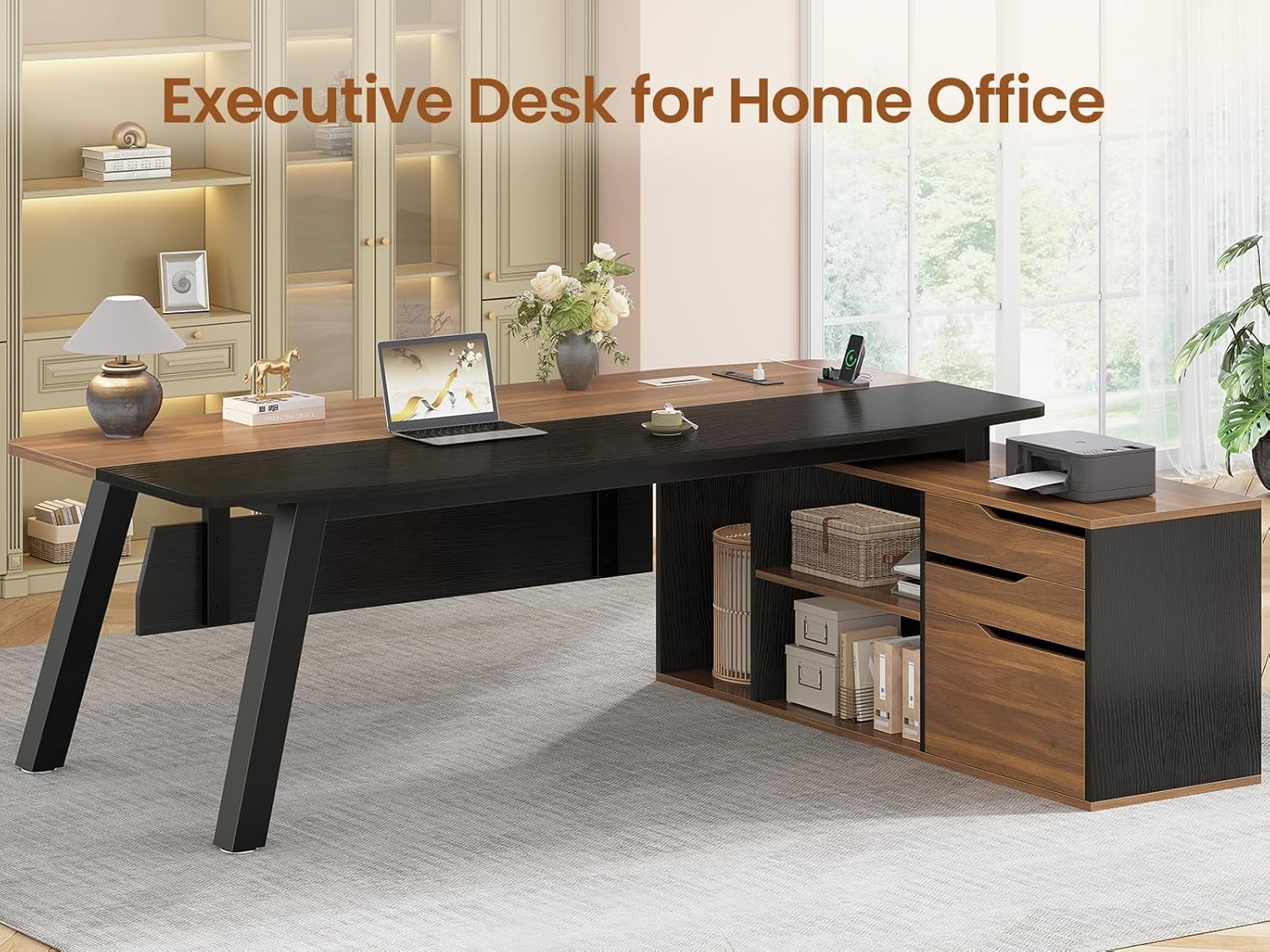
Image: Overall view of the SEDETA 71" Executive Desk with File Cabinet in a home office environment.
Safety Information
Please read all safety warnings before assembly and use.
- Always assemble this desk with at least two people to ensure stability and safety.
- The desk's weight and size may pose stability issues if not properly assembled.
- Consider anchoring the desk to a wall or floor for enhanced stability, especially if heavy equipment will be placed on it.
- Always follow the provided instructions carefully to avoid any safety hazards.
- Ensure all electrical connections for the built-in charging station are secure and meet local electrical codes. Do not overload the power outlets.
Setup and Assembly
The SEDETA Executive Desk requires assembly. Clear and detailed instructions, along with numbered parts, are included to facilitate the process. It is recommended to have at least two people for assembly due to the size and weight of the components.
Preparation:
- Unpack all components and verify against the parts list provided in the separate assembly guide.
- Ensure you have adequate space for assembly.
- Gather necessary tools (if not included, typically a screwdriver and possibly a hammer).
Assembly Steps:
- Follow the step-by-step instructions provided in the separate assembly manual.
- Attach the steel legs to the main desktop sections.
- Assemble the file cabinet and storage unit.
- Connect the desktop sections and the storage unit to form the L-shape.
- Install the drawers and adjustable shelves.
- Integrate the power outlet and cable management system.
- Adjust the leg pads to ensure the desk is stable and level on uneven floors.

Image: Product dimensions for the SEDETA Executive Desk, including desktop, file cabinet, and drawers.

Image: Top-down view illustrating the spacious desktop area with key dimensions for the SEDETA Executive Desk.
Video: Overview of the SEDETA 71" Executive Desk with File Cabinet, showcasing its features and design.
Operating Instructions
Spacious Workspace:
The large 70.9” x 31.5” desktop provides ample space for multiple monitors, laptops, and other work essentials. The 29.9-inch height offers comfortable legroom for extended use.
Built-in Charging Station:
The integrated charging station includes 4 AC outlets (125V/12A) and 2 USB ports (5V/2A). To use, plug the desk's power cord into a wall outlet. Use the on/off switch to control power to the outlets and USB ports, ensuring safe electricity use.

Image: Detail of the built-in power outlet and cable management system on the SEDETA Executive Desk.
Storage Solutions:
- Drawers: The desk includes two storage drawers and one file drawer. The file drawer is designed to accommodate letter, A4, and legal-sized files.
- Adjustable Shelves: The storage cabinet features adjustable shelves, allowing you to customize the height to fit various items such as books, office supplies, or decorative objects.
- CPU Stand/Printer Cabinet: A dedicated space is provided for a CPU tower or a printer, keeping your workspace organized.

Image: Detailed view of the three storage drawers, including the file drawer configured for various document sizes.

Image: The multifunctional storage cabinet, showing dedicated space for a CPU tower and adjustable open shelves.
Video: Demonstration of the large office desk with its drawers and shelves, highlighting storage capacity.
Maintenance
- Cleaning: Wipe surfaces with a damp cloth for general cleaning. For a polished finish, follow with a dry cloth. Avoid abrasive cleaners or harsh chemicals that may damage the wood finish.
- Spills: Immediately wipe up any spills to prevent staining or damage to the engineered wood.
- Inspection: Periodically check all screws and fasteners to ensure they are tight. Re-tighten as necessary to maintain stability.
- Environmental Conditions: Avoid placing the desk in direct sunlight or near heat sources to prevent warping or discoloration. Maintain a stable room temperature and humidity.
Troubleshooting
Desk Wobbles:
- Ensure all assembly screws are securely tightened.
- Adjust the leg pads at the bottom of the steel legs to level the desk on uneven surfaces.
- Verify that the desk is placed on a flat, stable floor.
Drawers Do Not Slide Smoothly:
- Check that the drawer slides are correctly installed and aligned.
- Ensure no objects are obstructing the drawer's path.
- Lightly lubricate drawer slides with a silicone-based lubricant if necessary.
Power Outlets Not Working:
- Verify the desk's main power cord is securely plugged into a functional wall outlet.
- Ensure the on/off switch on the charging station is in the "on" position.
- Check if the wall outlet is receiving power by testing it with another device.
- Avoid overloading the power strip; ensure total wattage of connected devices does not exceed the strip's rating.
Specifications
| Brand | SEDETA |
| Model Number | 4429_3 |
| Shape | L-Shape |
| Desk Design | Executive Desk |
| Product Dimensions (D x W x H) | 53.1"D x 70.9"W x 29.9"H |
| Color | Walnut |
| Material | Engineered Wood (FSC Certified) |
| Base Material | Steel (2" wide, heavily coated) |
| Finish Type | Powder Coated |
| Special Features | Built-In USB Outlet, Scratch Resistant, Adjustable Leg Pads, Privacy Baffle, Rounded Edge Design |
| Power Outlet | 4 AC Outlets (125V/12A), 2 USB Ports (5V/2A), On/Off Switch, 6.5-Foot Power Cord |
| Storage Options | 2 Storage Drawers, 1 File Drawer (Letter/A4/Legal), Adjustable Shelves, CPU Stand/Printer Cabinet |
| Item Weight | 106 Pounds |
| Assembly Required | Yes |

Image: Details showcasing the desk grommet for cable management, the engineered wood texture, and the rounded edge design for safety and aesthetics.
Warranty Information
This product is covered by a standard manufacturer's warranty against defects in materials and workmanship. For specific warranty terms and conditions, please refer to the documentation included with your purchase or contact SEDETA customer support.
If your desk arrives damaged, scratched, or with missing parts, please contact customer support for a free replacement or partial refund.
Customer Support
For assistance with assembly, parts replacement, or any other inquiries regarding your SEDETA Executive Desk, please contact our customer support team.
Contact information can typically be found on the packaging, in the separate assembly guide, or on the official SEDETA website.