
1. Introduction
This user manual provides detailed instructions for the installation, operation, and maintenance of your new PHEZEN Car Radio. Designed specifically for Honda Ridgeline models from 2006 to 2014, this car stereo features a 9.7-inch IPS touch screen with advanced functionalities including Wireless Carplay & Android Auto, GPS navigation, Bluetooth connectivity, and support for a backup camera.
Please read this manual thoroughly before installation and use to ensure proper function and to maximize your experience with the device.

Figure 1.1: PHEZEN Car Radio main unit installed in a vehicle dashboard.
2. What's in the Box
Upon opening the package, please verify that all the following components are included:
- 1 x Car Stereo Main Unit
- 1 x Power Cable
- 1 x GPS Antenna
- 2 x USB Cables
- 1 x RCA Cable
- 1 x Backup Camera
- 1 x User Manual (this document)

Figure 2.1: Included components of the PHEZEN Car Radio package.
3. Specifications
| Feature | Detail |
|---|---|
| Model Compatibility | Honda Ridgeline 2006-2014 |
| Operating System | Android 13, iOS (via CarPlay) |
| Memory | 2GB RAM + 32GB ROM |
| Display Size | 9.7 Inches |
| Display Resolution | 1024*600 IPS Touch Screen |
| Connectivity | Bluetooth, Wi-Fi, USB |
| Special Features | Wireless Carplay & Android Auto, GPS Navigation, FM Radio, Steering Wheel Control, Backup Camera Support |
| Backup Camera | 170° wide angle, IP68 waterproof, night vision |
| Item Weight | 2 pounds |
| Package Dimensions | 2 x 2 x 2 inches |

Figure 3.1: IPS Touchscreen clarity comparison.
4. Setup and Installation
The PHEZEN Car Radio is designed for a direct fit in Honda Ridgeline 2006-2014 models. Professional installation is recommended. Ensure the car stereo size is suitable for your car model before proceeding.
4.1 Installation Method
The unit supports both 9-inch and 10-inch outer frames for compatibility. Follow the steps below for installation:
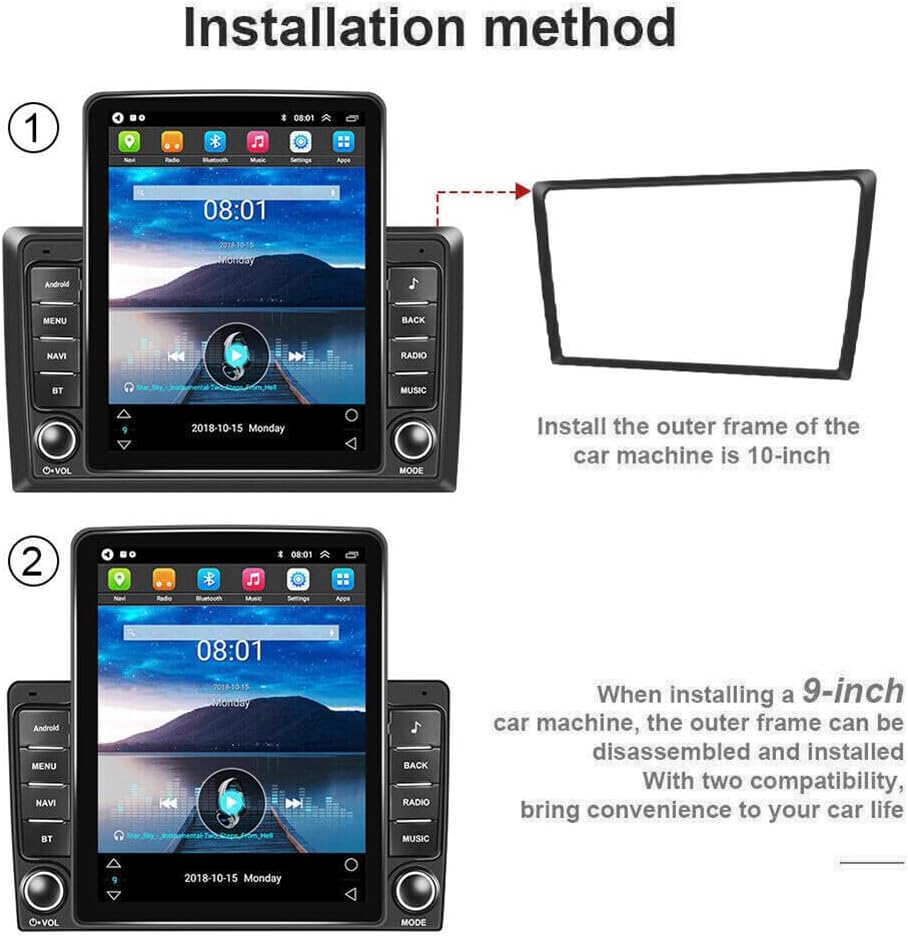
Figure 4.1: Installation method for a 10-inch outer frame.

Figure 4.2: Installation method for a 9-inch car machine with dual compatibility.
For detailed wiring and connection instructions, refer to the included wiring diagram and consult a professional if unsure.
5. Operating Instructions
5.1 Wireless CarPlay & Android Auto
This car stereo supports both iOS CarPlay and Android Auto for seamless smartphone integration. Connect your phone via Bluetooth and Wi-Fi to mirror your phone's content on the large screen. Use voice commands (Siri or Google Assistant) for calls, navigation, music, and app management.

Figure 5.1: Wireless Carplay & Android Auto interface.
Connecting Your Car Radio (Bluetooth & ZLINK)
Watch this video for a step-by-step guide on connecting your car radio via Bluetooth and ZLINK for CarPlay/Android Auto functionality. If the connection is not successful, manual WiFi connection may be required.
Video 5.1: How to connect your car radio via Bluetooth and ZLINK.
5.2 GPS Navigation & WiFi Connectivity
The unit features a dual navigation system, supporting both offline and online maps. This ensures reliable navigation even in areas with limited mobile signal. When connected to WiFi, you can access various online functions directly on the stereo screen.
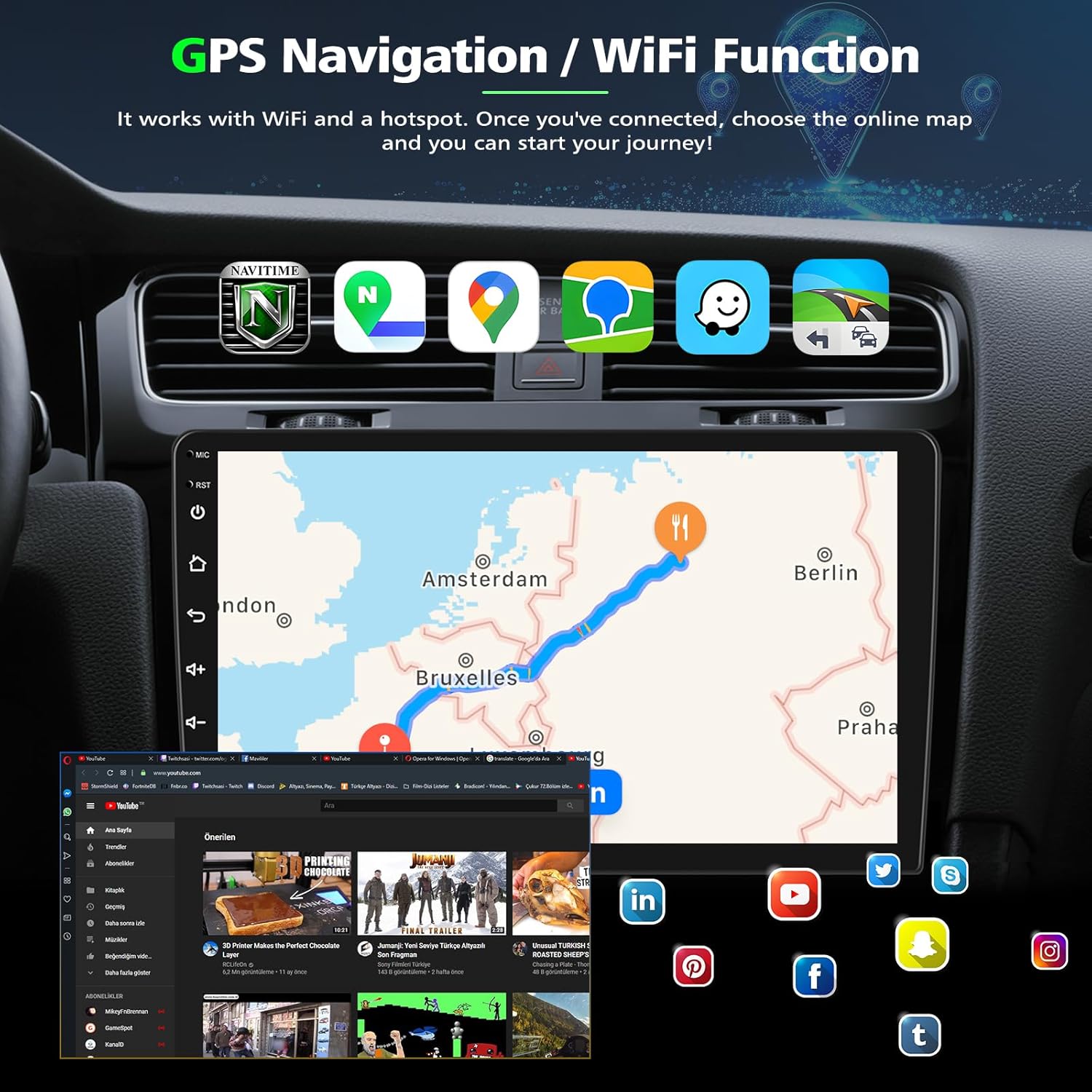
Figure 5.2: GPS Navigation and WiFi Functionality.
5.3 Steering Wheel Control & Backup Camera
The car radio is compatible with your vehicle's steering wheel controls for convenient operation. It also supports a reversing camera, displaying the rear view for safe parking. The included camera features a 170° wide-angle lens, IP68 waterproof rating, and night vision for optimal visibility.

Figure 5.3: Reverse Display and Steering Wheel Control.
5.4 Built-in Bluetooth & FM Radio
Enjoy hands-free calling and music playback via Bluetooth. The unit includes a built-in microphone and supports external microphones for clear communication. The integrated FM radio function allows you to tune into your favorite stations.

Figure 5.4: Bluetooth, FM/RDS Radio, Split Screen, and Voice Control.
5.5 High Definition Display
The 9.7-inch IPS touch screen provides a sensitive and clear display with a resolution of 1024*600, ensuring a high-definition visual experience for all functions.

Figure 5.5: High Definition 1080P Display.
6. Maintenance
To ensure the longevity and optimal performance of your PHEZEN Car Radio, follow these maintenance guidelines:
- Cleaning: Use a soft, dry cloth to clean the screen and exterior. Avoid abrasive cleaners or solvents.
- Software Updates: Periodically check for software updates to ensure the system runs efficiently and has the latest features. Updates can typically be found on the manufacturer's website or through the device's settings when connected to Wi-Fi.
- Temperature: Avoid exposing the unit to extreme temperatures, both hot and cold, as this can affect performance and lifespan.
- Power: Ensure the vehicle's electrical system is stable. Fluctuations can potentially damage the unit.
7. Troubleshooting
If you encounter issues with your car radio, please refer to the following common troubleshooting steps:
- No Power: Check all power connections and fuses. Ensure the vehicle's ignition is on.
- No Sound: Verify volume settings, check speaker connections, and ensure the correct audio source is selected.
- Touch Screen Unresponsive: Try restarting the unit. If the issue persists, a factory reset might be necessary (refer to Android Settings for this option).
- Bluetooth/CarPlay/Android Auto Connection Issues: Ensure Bluetooth and Wi-Fi are enabled on both the car radio and your smartphone. Delete previous pairings and try reconnecting. For ZLINK, ensure your phone's hotspot is active and the car radio is connected to it.
- GPS Signal Loss: Ensure the GPS antenna is properly installed and has a clear view of the sky.
- Backup Camera Not Displaying: Check the camera's power and video connections. Ensure the vehicle is in reverse gear.
For further assistance, please contact the seller directly. You can typically find their contact information on the product page or your purchase history.
8. Warranty and Support
The PHEZEN Car Radio comes with a specified warranty period. Please refer to your purchase documentation or the product listing for specific warranty terms and conditions.
For any questions regarding installation or use, you can click the store name on the product page: UZZO-PHEZEN, then select 'Ask' to send a message to the seller. They aim to reply within 24 hours to help you solve any problems.