
1. Safety Information
Always read and understand all safety warnings, instructions, illustrations, and specifications provided with this power tool. Failure to follow all instructions listed below may result in electric shock, fire, and/or serious injury.
General Power Tool Safety
- Keep work area clean and well lit. Cluttered or dark areas invite accidents.
- Do not operate power tools in explosive atmospheres, such as in the presence of flammable liquids, gases, or dust. Power tools create sparks which may ignite the dust or fumes.
- Keep children and bystanders away while operating a power tool. Distractions can cause you to lose control.
Battery Tool Use and Care
- Recharge only with the charger specified by the manufacturer. A charger that is suitable for one type of battery pack may create a risk of fire when used with another battery pack.
- Use power tools only with specifically designated battery packs. Use of any other battery packs may create a risk of injury and fire.
- When battery pack is not in use, keep it away from other metal objects, like paper clips, coins, keys, nails, screws or other small metal objects, that can make a connection from one terminal to another. Shorting the battery terminals together may cause burns or a fire.
- Under abusive conditions, liquid may be ejected from the battery; avoid contact. If contact accidentally occurs, flush with water. If liquid contacts eyes, additionally seek medical help. Liquid ejected from the battery may cause irritation or burns.
2. Product Overview
The Protmex 1/2" Cordless Impact Wrench (Model A0302) is a powerful and versatile tool designed for various fastening and loosening tasks. Featuring a brushless motor and high-capacity lithium-ion batteries, it delivers reliable performance for both professional and DIY applications.
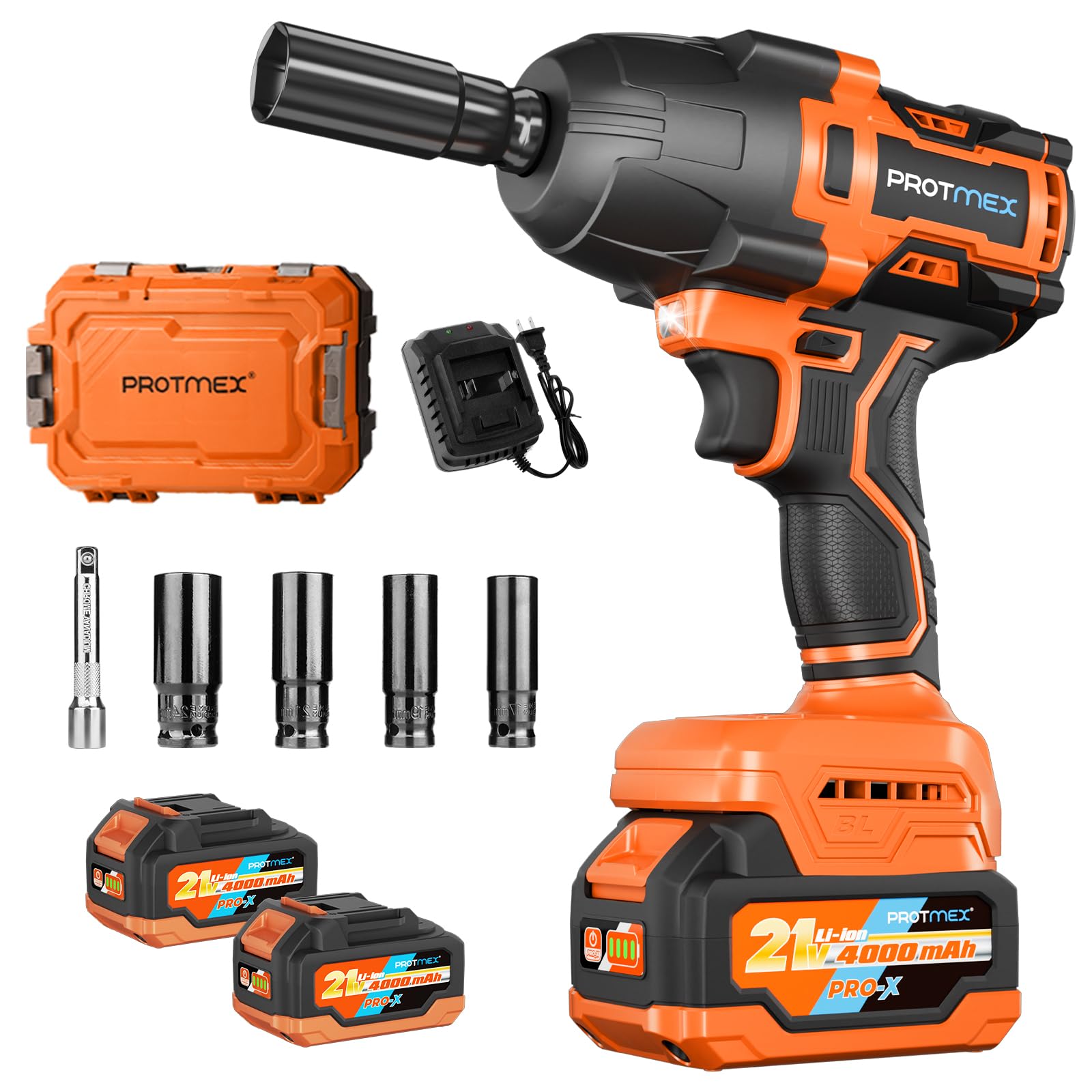
Figure 2.1: Protmex 1/2" Cordless Impact Wrench
Key Features:
- High Torque Output: Delivers up to 1200 N.m (900 Ft-lbs) of torque for demanding tasks.
- Efficient Brushless Motor: Provides longer run time, quieter operation, and spark-free performance compared to traditional motors.
- Dual 4.0Ah Batteries: Includes two 21V, 4.0Ah lithium-ion battery packs for extended working periods and a fast charger for quick turnaround.
- Variable Speed Control: Features a variable speed trigger and 3 adjustable speed modes (0-2500 RPM, 0-2900 RPM, 0-3500 RPM) for precise control.
- Two-Way Brake Stop: In reverse mode, the brake stop device activates to reduce speed and torque once a nut or bolt is loose, preventing it from flying off.
- Integrated LED Light: Illuminates the work area for improved visibility in dark or confined spaces.
- Versatile Applications: Ideal for car tire removal/repair, agricultural machinery, construction, furniture assembly, and various DIY projects.
3. Components and Package Contents
The Protmex 1/2" Cordless Impact Wrench comes with a comprehensive set of accessories to get you started immediately.
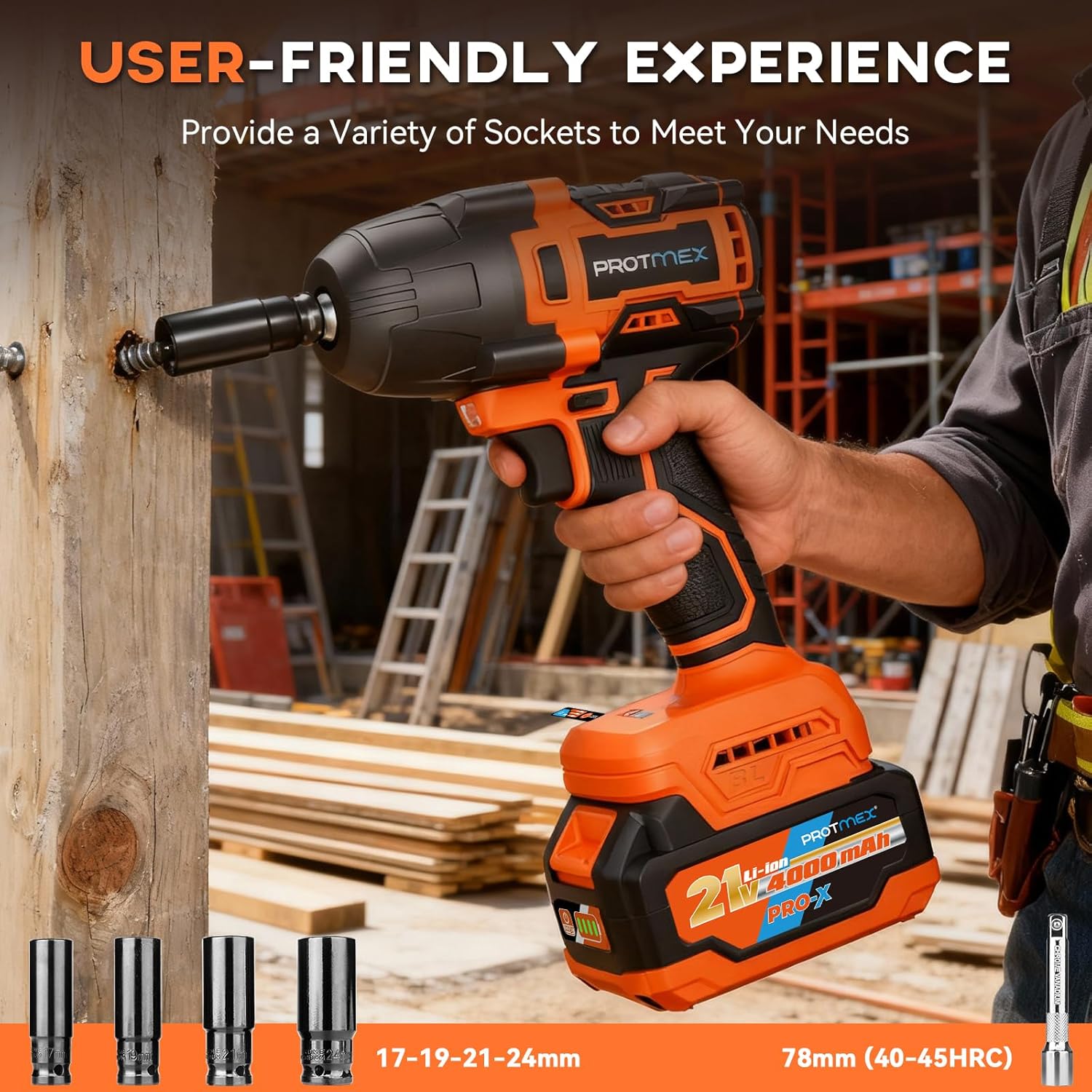
Figure 3.1: Package Contents Overview
Package Contents:
- 1 x Protmex 1/2" Cordless Impact Wrench
- 2 x 4.0Ah Lithium-Ion Battery Packs (21V)
- 1 x Fast Charger
- 4 x Impact Sockets (17mm, 19mm, 21mm, 24mm)
- 1 x Extension Rod
- 1 x Hard Carrying Case
4. Setup
4.1 Battery Installation and Charging
Before first use, ensure the battery packs are fully charged.
- To charge the battery, slide the battery pack into the fast charger until it clicks into place.
- Plug the charger into a standard power outlet. The indicator light on the charger will show the charging status.
- Charging typically takes one to two hours for a full charge.
- To install a charged battery pack onto the impact wrench, align the battery with the base of the tool and slide it in until it clicks securely.
- To remove the battery, press the battery release button and slide the battery pack off.

Figure 4.1: 4.0Ah Lithium-Ion Battery Pack
4.2 Socket and Extension Rod Installation
The 1/2" square drive allows for easy attachment of impact sockets and the extension rod.
- Select the appropriate impact socket (17mm, 19mm, 21mm, or 24mm) or the extension rod for your task.
- Push the chosen accessory firmly onto the 1/2" square drive anvil of the impact wrench until it locks into place.
- To remove, pull the accessory off the anvil.
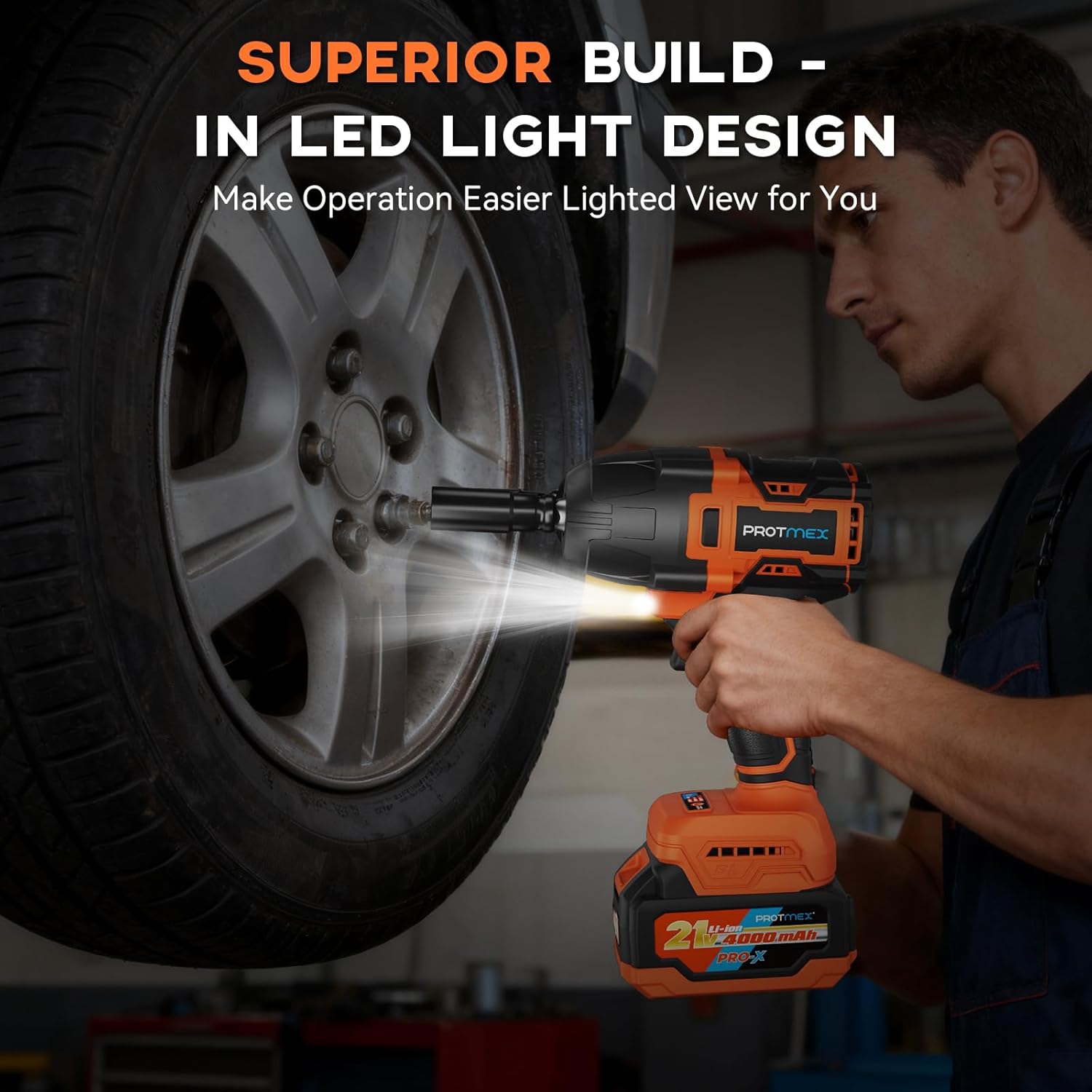
Figure 4.2: Socket and Extension Rod Usage
5. Operating Instructions
5.1 Power On/Off and Variable Speed Trigger
The tool is activated by pressing the trigger switch. The speed of the tool is controlled by the amount of pressure applied to the trigger.
- To start the tool, press the trigger switch.
- To increase speed, increase pressure on the trigger.
- To decrease speed, decrease pressure on the trigger.
- To stop the tool, release the trigger switch.
5.2 Forward/Reverse Control and Speed Modes
The direction of rotation and speed settings are controlled by switches located on the tool.

Figure 5.1: 3-Speed Forward Mode Settings
- Forward Mode: Push the direction selector switch to the left for forward rotation (tightening). In forward mode, you can select between 3 speed settings: Low (0-2500 RPM), Medium (0-2900 RPM), and High (0-3500 RPM).
- Reverse Mode: Push the direction selector switch to the right for reverse rotation (loosening). In reverse mode, the tool operates with a single speed setting.
- Locking Protection: When the direction selector switch is in the center position, the trigger is locked, preventing accidental operation.

Figure 5.2: Forward & Reverse Switch
5.3 Brake Stop Device (Reverse Mode)
The brake stop device is a safety feature designed to prevent nuts or bolts from falling off after being loosened.
- When operating in reverse mode, once the nut or bolt is loose, the brake stop device will activate.
- This reduces the speed and torque of the tool, allowing you to safely remove the loosened fastener by hand without it flying into nowhere.

Figure 5.3: Reverse Mode Auto-Stop
5.4 LED Work Light
The built-in LED light automatically illuminates the work area when the trigger is pressed, enhancing visibility in low-light conditions.
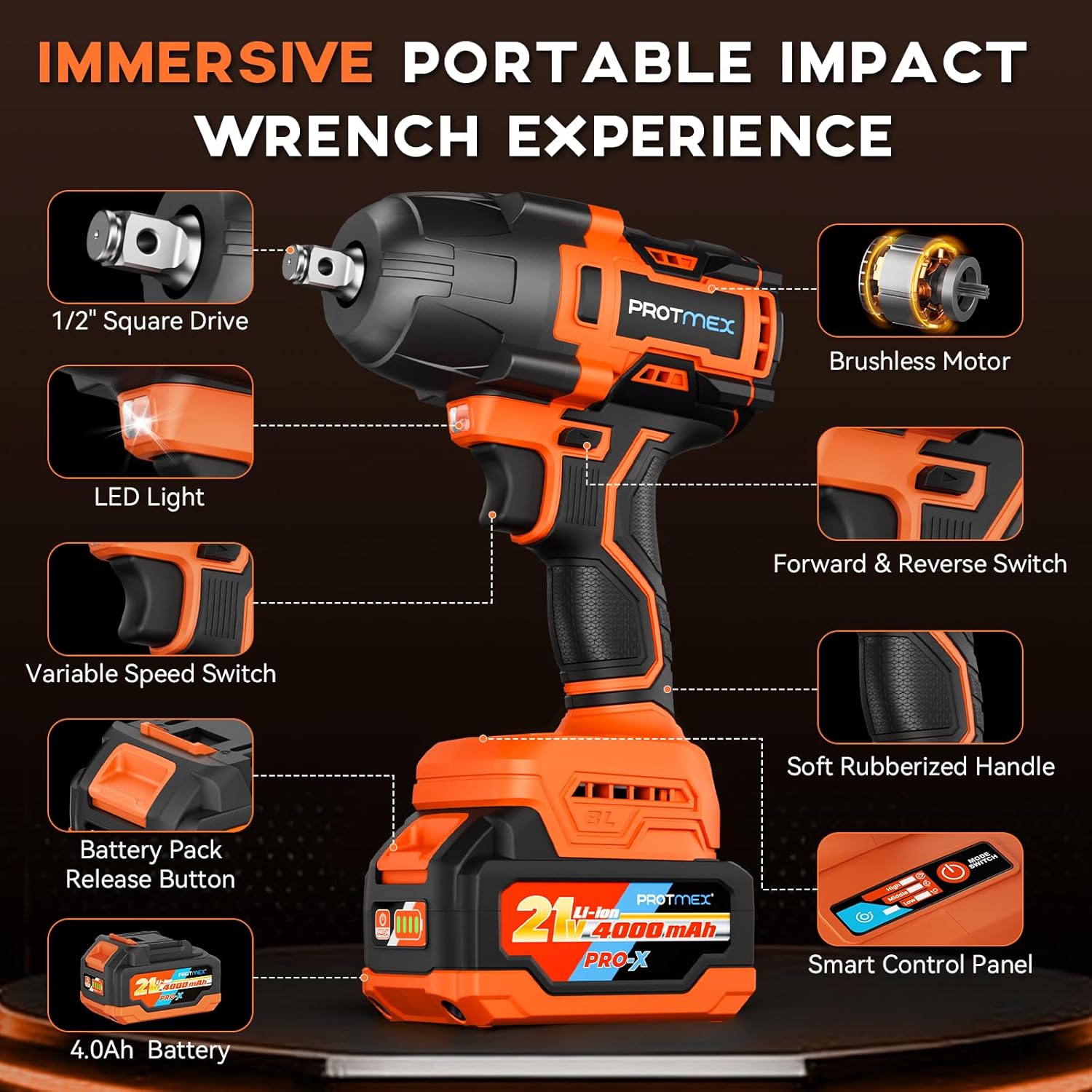
Figure 5.4: LED Work Light
5.5 Product Videos
Video 5.1: Demonstration of the 1200N.m 1/2" Power Impact Wrench in various applications.
Video 5.2: Overview of the 1200N.m Cordless Impact Wrench features and use.
6. Maintenance
Regular maintenance ensures the longevity and optimal performance of your Protmex impact wrench.
6.1 Cleaning
- Keep the ventilation slots of the tool clean to prevent overheating.
- Wipe the tool with a soft, damp cloth. Do not use harsh chemicals or abrasive cleaners.
- Ensure the battery terminals are clean and free from debris.
6.2 Battery Care and Storage
- Store battery packs in a cool, dry place away from direct sunlight and extreme temperatures.
- For long-term storage, charge batteries to approximately 50% capacity.
- Avoid fully discharging lithium-ion batteries as this can reduce their lifespan.
6.3 Brushless Motor
The brushless motor in your Protmex impact wrench requires minimal maintenance compared to brushed motors. It is designed for efficiency, durability, and does not require carbon brush replacement.
7. Troubleshooting
If you encounter issues with your Protmex impact wrench, refer to the following common troubleshooting steps:
- Tool does not start: Ensure the battery pack is fully charged and properly installed. Check that the forward/reverse selector switch is not in the center (locked) position.
- Reduced power/torque: The battery may be low on charge. Recharge the battery. Ensure the correct speed mode is selected for the task.
- Socket not attaching securely: Verify that the socket or extension rod is the correct 1/2" size and is pushed firmly onto the anvil until it clicks.
- Overheating: Allow the tool to cool down if it becomes excessively hot during prolonged use. Ensure ventilation slots are clear.
If problems persist after attempting these steps, please contact customer support.
8. Specifications
| Feature | Specification |
|---|---|
| Brand | Protmex |
| Model Number | A0302 |
| Item Torque | 1200 Newton Meters (900 Ft-lbs) |
| Chuck Size | 1/2 inch |
| Battery Voltage | 21V |
| Battery Capacity | 4.0Ah Lithium Ion (2 included) |
| Speed Modes (Forward) | Low: 0-2500 RPM, Medium: 0-2900 RPM, High: 0-3500 RPM |
| Impacts Per Minute (IPM) | Up to 3500 IPM |
| Motor Type | Brushless |
| Item Weight | 12.47 pounds |
| Product Dimensions | 8.66 x 2.95 x 6.89 inches |
| Included Sockets | 17mm, 19mm, 21mm, 24mm |
9. Warranty and Support
For warranty information or technical support, please refer to the documentation included in your product packaging or contact Protmex customer service directly. Keep your purchase receipt as proof of purchase.