
Introduction
The TreasLin VSDinside HSV293S Stream Controller is a versatile macro keypad designed to streamline workflows for content creators, gamers, and professionals. Equipped with 15 customizable keys, it allows for one-touch execution of various actions across multiple applications and platforms. This manual provides essential information for setting up, operating, and maintaining your device.
Setup Instructions
Follow these steps to get your HSV293S Stream Controller ready for use:
- Connect the Device: Connect the HSV293S Stream Controller to your PC or Mac using the provided USB-C cable. The device is plug-and-play, but software installation is required for full functionality.
- Download Software: Download and install the VSD Craft software from the official TreasLin website. The manual included in the packaging will provide specific instructions or a link for the download.
- Software Installation: Follow the on-screen prompts to complete the software installation. The software is compatible with PC (Windows 10 64-bit+) and macOS (Catalina 10.15+).
- Explore the Marketplace: Once installed, open the VSD Craft software. You can explore the integrated VSDinside marketplace to find and download plugins, icons, and profiles tailored to your needs.
- Customize Keys: Use the drag-and-drop interface within the VSD Craft software to assign actions and shortcuts to the 15 customizable keys.

Image: Visual guide for setting up the HSV293S, showing steps for software download, marketplace exploration, and key customization.
Operating Instructions
The HSV293S Stream Controller is designed for intuitive and efficient operation:
- One-Touch Actions: Assign a wide range of actions to each key, including launching macros, text input, file/website access, media control, OBS scene switching, social media posts, audio adjustments, mic muting, and light control. A single press can trigger multiple actions simultaneously.
- Customizable Icons: Personalize the visual appearance of each key by assigning custom icons. The VSDinside marketplace offers a variety of free and premium icon packs.
- Profile Management: Create and switch between different profiles for various applications or tasks, maximizing the utility of your 15 keys.
- Wide Software Compatibility: The device integrates seamlessly with popular software such as OBS Studio, Streamlabs, Twitch, YouTube, Twitter, Discord, Spotify (Premium account required), Voicemod, Excel, Word, and Photoshop.

Image: Screenshot of the VSD Craft software interface, demonstrating the drag-and-drop functionality for assigning actions to keys.

Image: Overview of the VSDinside marketplace, showcasing available plugins and customization options for the Stream Controller.
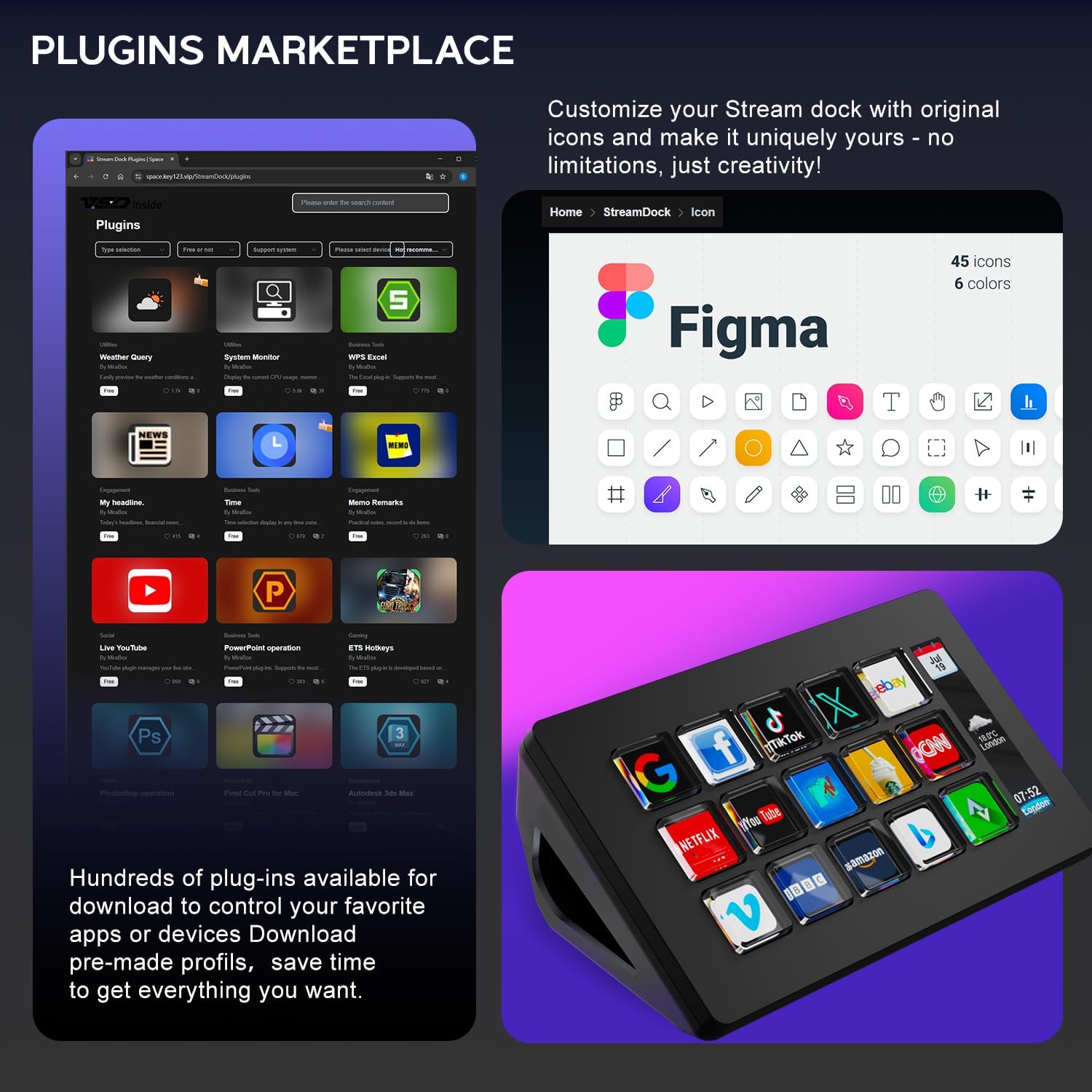
Image: Examples of different customized key layouts for various functions like web browsing, Windows/macOS console, productivity tools, music control, GIF animations, and OBS live control.
Troubleshooting
If you encounter any issues during the use of your TreasLin VSDinside HSV293S Stream Controller, please refer to the following:
- Connection Problems: Ensure the USB-C cable is securely connected to both the device and your computer. Try a different USB port or cable if issues persist.
- Software Not Responding: Close and restart the VSD Craft software. Ensure your operating system and software drivers are up to date.
- Key Functionality: Double-check the assigned actions for the problematic keys within the VSD Craft software. Ensure all necessary plugins are installed and enabled.
- Spotify Integration: Note that Spotify integration requires an active Spotify Premium account.
Specifications
| Feature | Detail |
|---|---|
| Model | HSV293S |
| Keys | 15 Customizable Macro Keys |
| Connectivity | USB-C |
| Compatibility | PC (Windows 10 64-bit+), macOS (Catalina 10.15+) |
| Color | White |
| Item Weight | 10.6 ounces |
| Package Dimensions | 6.5 x 4.8 x 2.76 inches |
| Manufacturer | Shenzhen An Rui Xin Technology Co.,Ltd. |
Warranty and Support
TreasLin provides dedicated technical support for the HSV293S Stream Controller. If you encounter any issues or require assistance, please contact our engineering team for prompt support. Refer to the product packaging or official website for contact details.