1. Product Overview
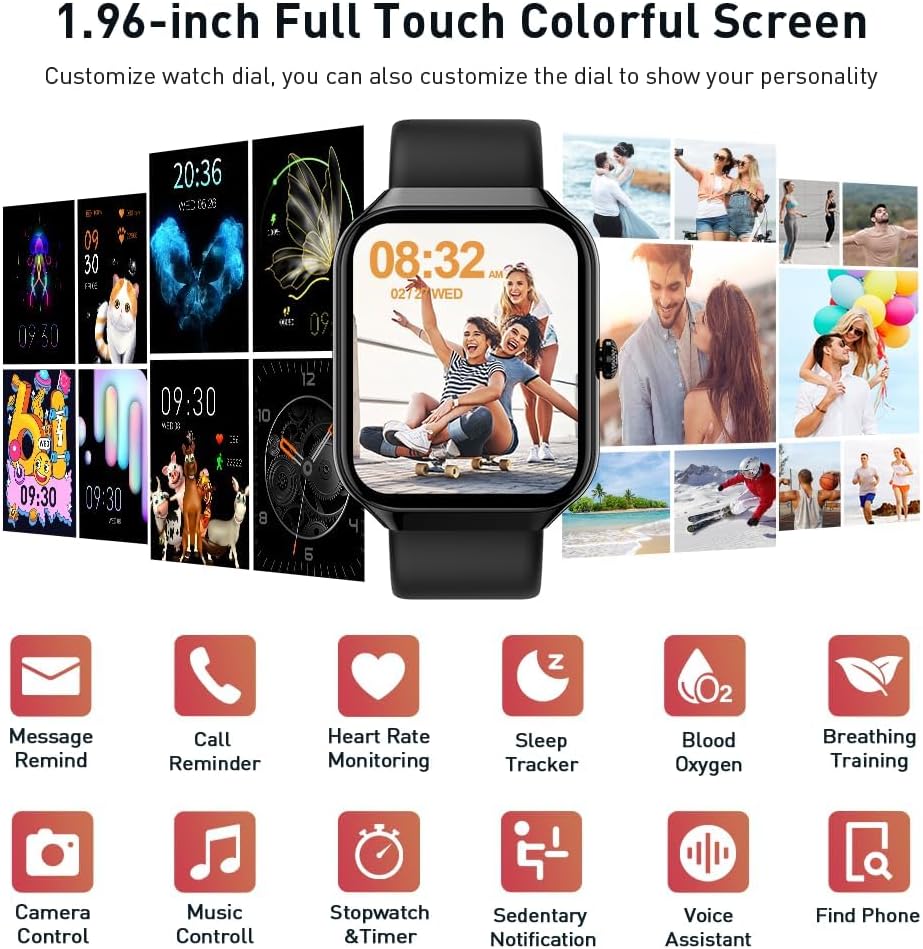
The Motast P99 Smart Watch is a versatile fitness tracker and smartwatch designed for men and women, featuring a 1.96-inch HD touch screen, Bluetooth call functionality, and extensive health monitoring capabilities. It supports over 110 sports modes and is IP68 waterproof, making it suitable for various activities.
2. Setup Guide
- Initial Charging: Before first use, please charge the smartwatch completely. Connect the magnetic charging cable to the charging points on the back of the watch and plug the USB end into a power source.
- App Download: Download the corresponding application (e.g., "GloryFit" as mentioned in product features) to your smartphone. Scan the QR code in the included manual or search for the app in your phone's app store.
- Bluetooth Connection: Enable Bluetooth on your smartphone. Open the downloaded app and follow the on-screen instructions to pair your Motast P99 Smart Watch via Bluetooth. The watch should sync automatically once detected.
- Watch Face Customization: Once connected, you can customize your watch face through the app. Choose from over 200 available watch faces or upload your own photo from your phone gallery.

3. Operating Instructions
3.1 Basic Navigation
- Swipe Up/Down: Scroll through menus and notifications.
- Swipe Left/Right: Access quick functions or different data screens.
- Tap: Select an item or confirm an action.
- Side Button: Press to return to the home screen or wake the device.
3.2 Bluetooth Call & Notifications
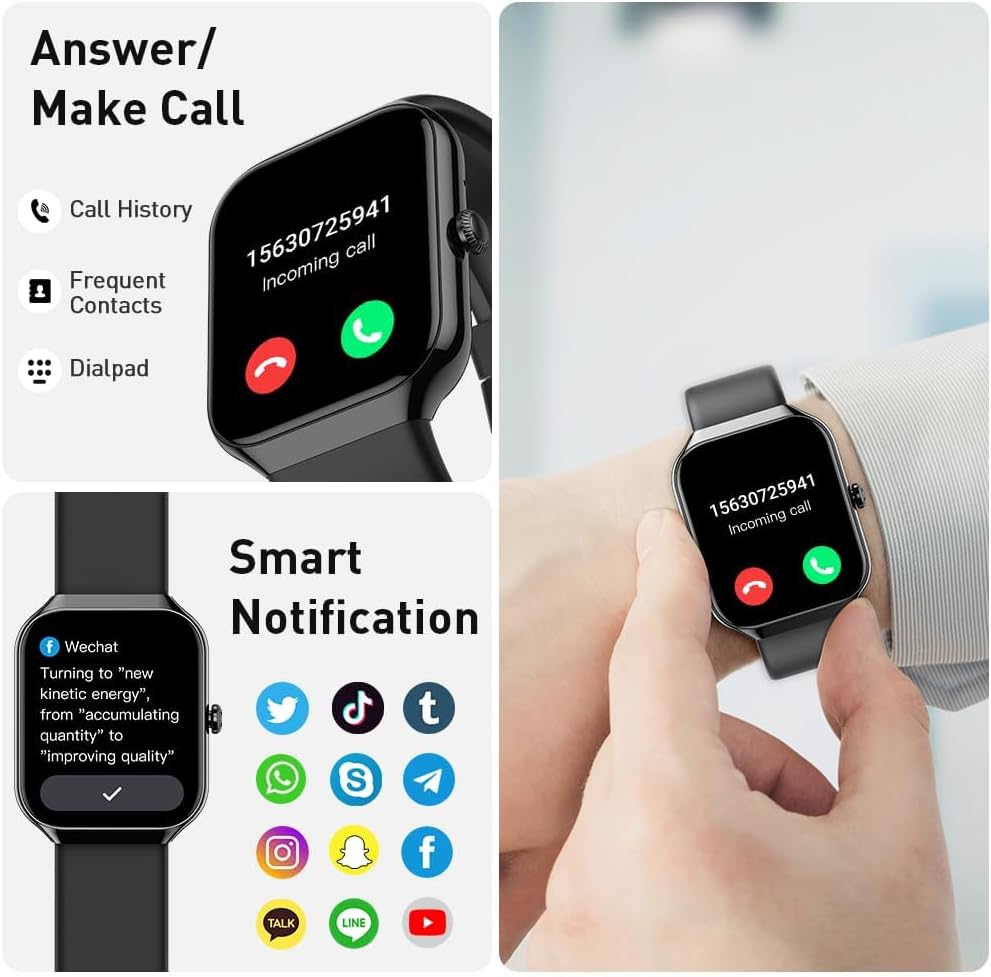
With Bluetooth 5.3, the watch offers stable connectivity for calls and notifications.
- Answering Calls: Use the built-in microphone and HD speaker to answer calls directly from your wrist.
- Notifications: Receive message notifications from apps like Facebook, Messenger, Instagram, Gmail, Whatsapp, and Twitter. Simply raise your wrist to view them.
3.3 Health Monitoring
The P99 Smart Watch provides continuous health tracking:
- Heart Rate Monitor: Real-time 24-hour heart rate monitoring.
- Sleep Tracker: Monitors deep sleep, light sleep, and awake times, providing detailed analysis through the "GloryFit" app.
- Blood Oxygen: Measures blood oxygen levels.
- Breathing Exercise: Guided breathing exercises for relaxation.
- Period Tracking: Track menstrual cycles and estimate ovulation dates.

3.4 Activity & Sports Modes
Track your daily activities and workouts with precision:
- Daily Activity: Automatically records steps, distance, calories burned, and active minutes.
- 110+ Sports Modes: Supports a wide range of indoor and outdoor activities including walking, cycling, hiking, yoga, swimming, and more.
- GPS Tracking: Connects to your cellphone's GPS to track workout routes and physical status during exercise.

3.5 Practical Functions
The smartwatch integrates several useful tools:
- Remote Camera: Control your phone's camera remotely.
- Music Control: Play, pause, and skip tracks on your phone.
- Weather Forecast: Get real-time weather updates.
- Sedentary Reminder: Alerts you to move after periods of inactivity.
- Stopwatch & Timer: For precise timing during activities.
- Alarm Clock: Set alarms directly from your wrist.
- Find Phone: Locate your paired smartphone.
- Calculator: Basic calculations on the go.
- Voice Assistant: Interact with your phone's voice assistant.
4. Maintenance
- Cleaning: Regularly wipe the watch screen and strap with a soft, dry cloth to remove sweat, dirt, and oils. For stubborn stains, use a slightly damp cloth and dry thoroughly.
- Water Resistance: The Motast P99 Smart Watch is IP68 waterproof. This means it can withstand splashes, rain, and can be worn while washing hands or during light swimming. Note: Do not use in showers, saunas, or expose to hot water, as steam and high temperatures can compromise the water seal.
- Charging: Use only the provided magnetic charging cable. Ensure the charging pins are clean and dry before connecting to prevent corrosion.
- Storage: Store the watch in a cool, dry place away from direct sunlight and extreme temperatures when not in use for extended periods.

5. Troubleshooting
- Watch Not Turning On: Ensure the watch is fully charged. Connect it to the charger for at least 30 minutes.
- Connectivity Issues (Bluetooth):
- Ensure Bluetooth is enabled on your phone and the watch is within range.
- Restart both your phone and the smartwatch.
- Unpair the device from your phone's Bluetooth settings and re-pair through the app.
- Ensure the "GloryFit" app has necessary permissions (location, notifications) enabled on your phone.
- Inaccurate Health Data: Ensure the watch is worn snugly on your wrist, not too tight or too loose. Clean the sensors on the back of the watch.
- Notifications Not Appearing:
- Check app notification settings within the "GloryFit" app.
- Verify that your phone's notification settings allow the app to send alerts.
- Ensure "Do Not Disturb" mode is not active on either the watch or your phone.
- Short Battery Life:
- Reduce screen brightness.
- Disable continuous heart rate monitoring if not needed 24/7.
- Limit the number of apps sending notifications to the watch.
6. Specifications
| Feature | Description |
|---|---|
| Model Number | P99 |
| Display | 1.96-inch TFT HD Color Display (320*386 resolution), 4-level brightness adjustable |
| Connectivity | Bluetooth 5.3 |
| Battery Life | 5-7 days (daily use), 30 days (standby mode) |
| Charging Time | 1.5-2 hours |
| Water Resistance | IP68 (suitable for hand washing, rain; not for showers/saunas) |
| Compatibility | Android 6.0+ and iOS 10.0+ |
| Health Features | 24/7 Heart Rate, Sleep Monitoring, Blood Oxygen, Breathing Exercise, Period Tracking |
| Activity Tracking | 110+ Sports Modes, Steps, Distance, Calories, Active Minutes, GPS Tracking (via smartphone) |
| Other Functions | Bluetooth Call, Message Notifications, Remote Camera, Music Control, Weather, Sedentary Reminder, Stopwatch, Find Phone, Alarm Clock, Calculator, Voice Assistant |
| Item Weight | 3.03 ounces |
| Package Dimensions | 6.5 x 3.7 x 0.75 inches |
6.1 What's in the Box
- P99 Smart Watch x1
- Charging Cable x1
- Instruction Manual x1

7. Warranty and Support
For any product-related inquiries, technical support, or warranty claims, please refer to the contact information provided in the packaging or on the official Motast website. Keep your purchase receipt as proof of purchase.


