1. Setup
1.1 Package Contents
Verify that all items are present in the package:
- Motast P99 Smart Watch
- Charging Cable
- User Manual

Image: Contents of the Motast P99 Smart Watch package.
1.2 Charging the Smart Watch
Before first use, fully charge the smart watch. Connect the magnetic charging cable to the charging contacts on the back of the watch and plug the USB end into a power adapter (not included) or a computer's USB port.
- Charging time: Approximately 2 hours.
- Battery capacity: 300 mAh.
- Expected battery life: Up to 7 days of normal use, 30 days standby.

Image: The Motast P99 Smart Watch being charged via its magnetic cable.
1.3 Pairing with Your Smartphone
To access all features, pair the watch with your smartphone via the dedicated companion application. The app is compatible with both iOS and Android devices.
- Download the companion app from your phone's app store (search for 'Motast' or refer to the QR code in the included quick start guide).
- Ensure Bluetooth is enabled on your smartphone.
- Open the app and follow the on-screen instructions to add your device.
- Select 'P99' from the list of available devices to establish the connection.
2. Operating the Smart Watch
2.1 Basic Navigation
The Motast P99 Smart Watch features a 1.96-inch HD touch screen and a side button for navigation.
- Swipe Up/Down: Scroll through menus and notifications.
- Swipe Left/Right: Access quick functions or widgets.
- Tap: Select an item or confirm an action.
- Side Button: Press to return to the home screen or wake the device.
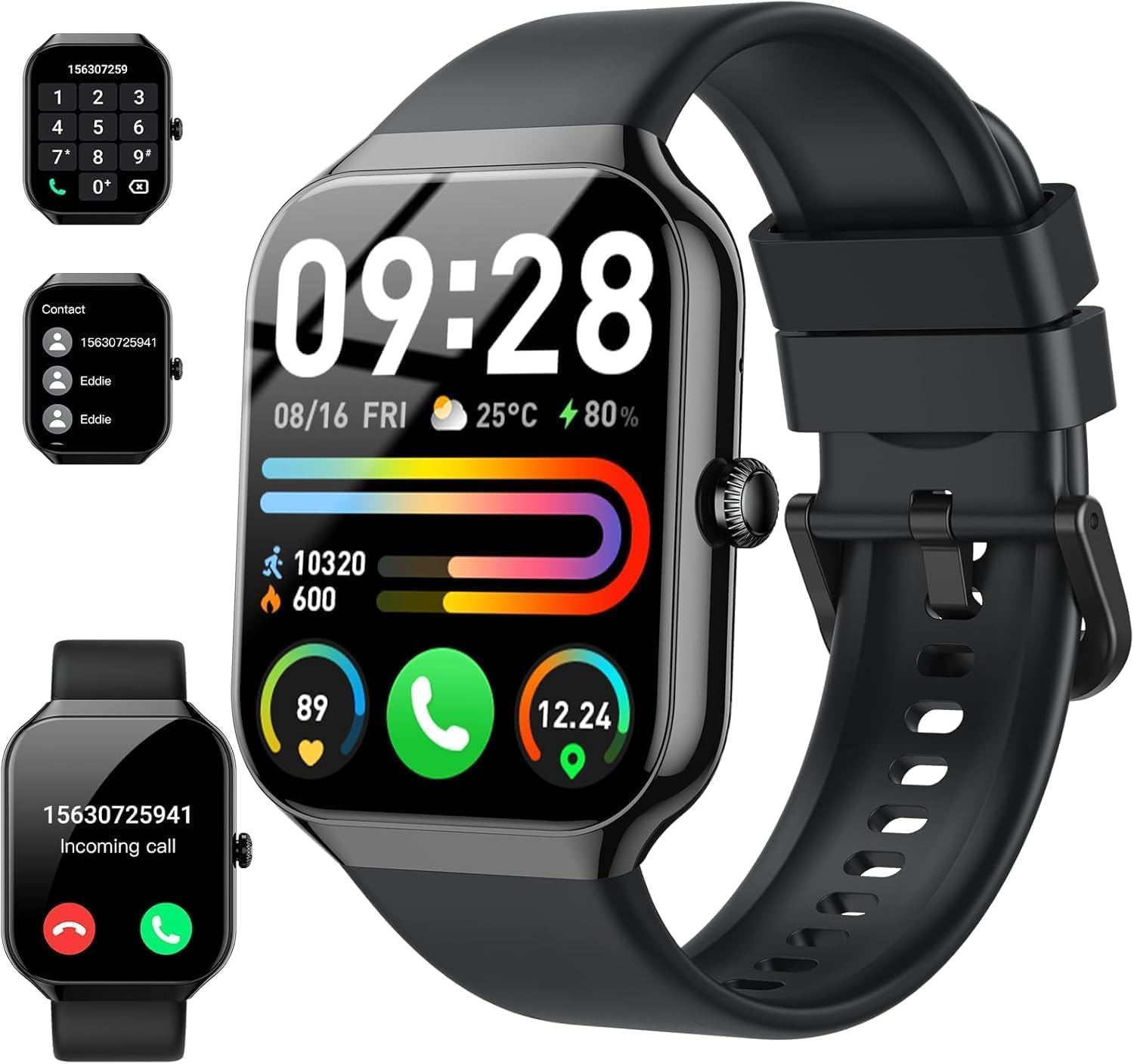
Image: Main display of the Motast P99 Smart Watch showing various information.
2.2 Call Functions
The watch supports Bluetooth calling, allowing you to answer and make calls directly from your wrist when connected to your smartphone.
- Answering Calls: When an incoming call is received, tap the green phone icon on the watch screen.
- Making Calls: Access the dial pad or contact list on the watch to initiate a call.
- Call History: View recent calls directly on the watch.

Image: Call management features on the Motast P99 Smart Watch.
2.3 Smart Notifications
Receive notifications from various applications directly on your watch. Ensure notification permissions are enabled in the companion app and your phone settings.
- Supported apps include Facebook, WhatsApp, SMS, and more.

Image: Smartwatch displaying a message notification.
2.4 Activity Tracking and Health Monitoring
The watch tracks various health metrics and activities throughout the day.
- Heart Rate Monitoring: Continuously monitors your heart rate.
- Sleep Tracking: Records sleep patterns and quality.
- Blood Oxygen (SpO2): Measures blood oxygen levels.
- Pedometer: Counts steps taken and estimates distance.
- Calorie Tracking: Estimates calories burned based on activity.
- Menstrual Health Tracking: Provides tracking for menstrual cycles (requires setup in the app).
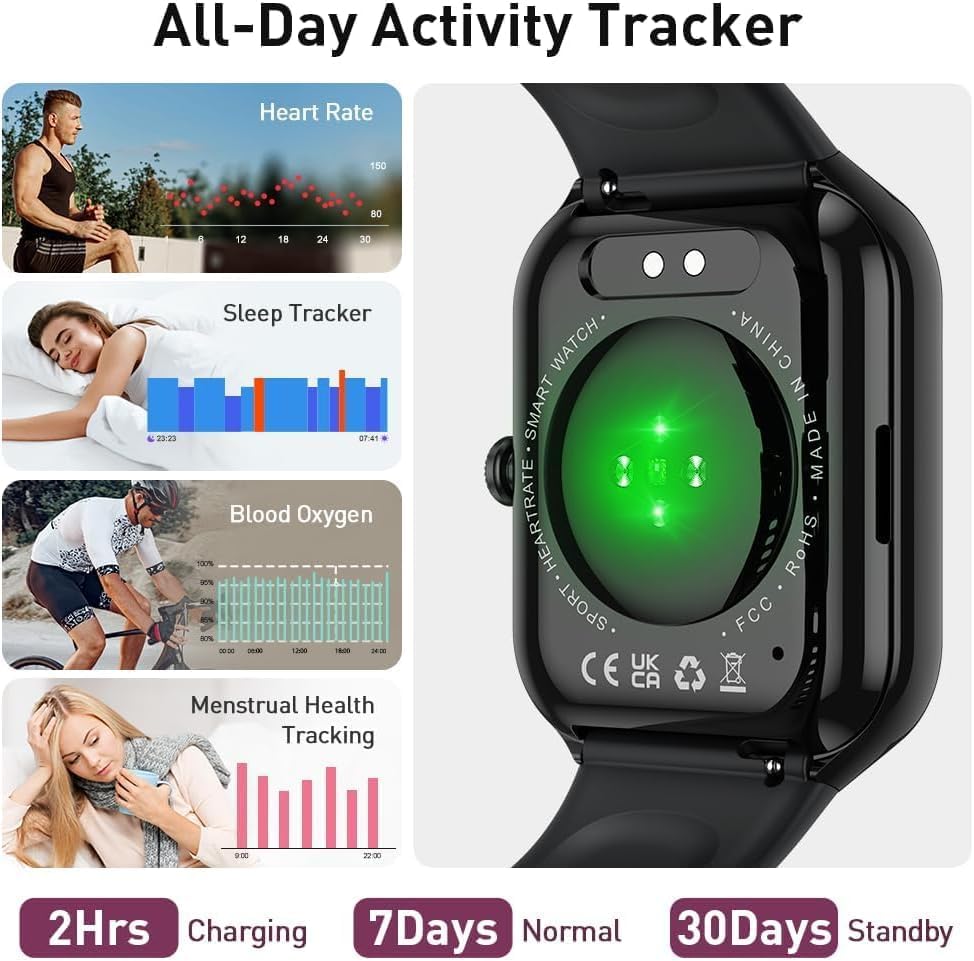
Image: Overview of health tracking features on the Motast P99 Smart Watch.
2.5 Sport Modes
The watch offers over 110 sport modes to track specific activities. Select the appropriate mode before starting your workout for accurate data recording.
- Modes include outdoor run, cycling, skipping, and many more.
- The companion app can utilize your phone's GPS for route tracking during outdoor activities.
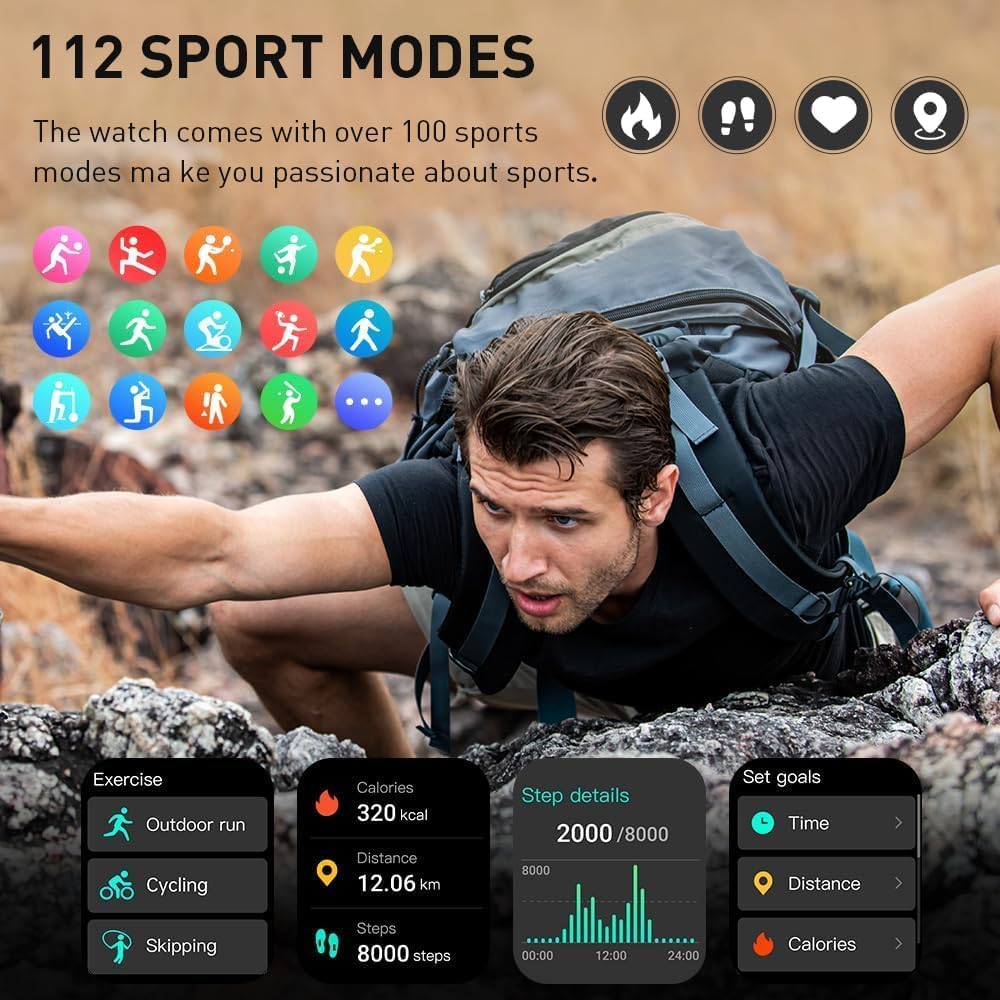
Image: Display of 112 sport modes available on the Motast P99 Smart Watch.
2.6 Additional Features
- Music Control: Control music playback on your smartphone (play, pause, skip tracks).
- Camera Control: Use the watch as a remote shutter for your phone's camera.
- Customizable Watch Faces: Choose from a variety of pre-installed watch faces or create your own using the app.
- Alarm: Set alarms directly from the watch.
- Weather: View current weather conditions and forecasts.
- Stopwatch & Timer: Basic timing functions.
- Brightness Adjustment: Adjust screen brightness for optimal viewing.
- Voice Assistant: Activate your phone's voice assistant through the watch.
- Calculator: Basic calculator function.
- Find Phone: Locate your paired smartphone by making it ring.
- Sedentary Reminder: Receive alerts to move after periods of inactivity.
3. Maintenance
3.1 Cleaning the Watch
Regular cleaning helps maintain the watch's appearance and functionality.
- Wipe the screen and strap with a soft, damp cloth.
- Avoid using harsh chemicals or abrasive materials.
- Ensure the charging contacts are clean and dry before charging.
3.2 Water Resistance (IP68)
The Motast P99 Smart Watch is IP68 waterproof, meaning it is resistant to dust and can withstand immersion in water up to 1.5 meters for 30 minutes.
- Suitable for daily use, hand washing, rain, and swimming in shallow water.
- Not suitable for hot showers, saunas, or diving.
- Avoid exposure to hot water or steam, as this can compromise the seal.

Image: The Motast P99 Smart Watch demonstrating its IP68 water resistance.
3.3 Battery Care
- Avoid fully discharging the battery frequently.
- Charge the watch using the provided cable.
- Store the watch in a cool, dry place if not used for extended periods.
4. Troubleshooting
4.1 Watch Not Turning On
- Ensure the watch is fully charged. Connect it to the charger for at least 10 minutes.
- Press and hold the side button for 10-15 seconds to attempt a forced restart.
4.2 Unable to Pair with Smartphone
- Make sure Bluetooth is enabled on your phone and the watch is within range.
- Restart both your phone and the watch.
- Ensure the companion app has necessary permissions (location, Bluetooth).
- If previously paired, try unpairing the device from your phone's Bluetooth settings and then re-pairing through the app.
4.3 Inaccurate Activity Tracking
- Ensure the watch is worn snugly on your wrist, about one finger's width above the wrist bone.
- Calibrate step tracking in the app if available.
- For GPS-dependent activities, ensure your phone's GPS is active and the watch is connected to the app.
4.4 Notifications Not Appearing
- Check notification settings in the companion app to ensure desired apps are enabled.
- Verify that your phone's notification settings allow the companion app to display alerts.
- Ensure the watch is connected to your phone via Bluetooth.
4.5 Resetting the Watch
If issues persist, a factory reset may resolve them. This will erase all data on the watch and restore it to its original settings.
- Navigate to 'Settings' on the watch.
- Look for 'System' or 'Reset' options.
- Confirm the factory reset.
5. Specifications
| Feature | Detail |
|---|---|
| Model Number | P99 |
| Screen Size | 1.96 Inches |
| Display Type | OLED |
| Connectivity Technology | Bluetooth |
| Compatible Devices | Smartphone (iOS and Android) |
| Battery Capacity | 300 mAh |
| Charging Time | Approx. 2 hours |
| Water Resistance | IP68 |
| Item Weight | 3.2 ounces |
| Package Dimensions | 6.5 x 3.78 x 0.75 inches |
| GPS | Built-in GPS (Note: Shared GPS implies it uses phone's GPS) |
6. Warranty & Support
6.1 Product Warranty
Motast products are covered by a limited warranty against manufacturing defects. Please refer to the warranty card included in your package or contact the seller for specific warranty terms and conditions.
6.2 Customer Support
For technical assistance, troubleshooting, or warranty claims, please contact your retailer or the manufacturer directly. Contact information can typically be found on the product packaging or the official Motast website.
When contacting support, please have your product model (P99) and purchase information readily available.


