
AEOCKY RHEA-001, LEO-Lite

AEOCKY Dehumidifier User Manual
Models: RHEA-001 and LEO-Lite
Most Efficient Energy Star 2025 Max 80 Pint/D Dehumidifier (RHEA-001) and Energy Star 2025 Max 74 Pint/D Dehumidifier (LEO-Lite) Bundle
1. Product Overview
This manual provides detailed instructions for the AEOCKY RHEA-001 and LEO-Lite dehumidifiers. These models are designed to efficiently remove excess moisture from your environment, improving air quality and comfort in basements, bedrooms, homes, and bathrooms.

Image: The AEOCKY RHEA-001 (left) and LEO-Lite (right) dehumidifiers, showcasing their compact, white design with integrated control panels.
The RHEA-001 model offers a dehumidification capacity of up to 80 pints per day, suitable for larger spaces up to 4500 sq.ft. The LEO-Lite model provides up to 74 pints per day, also designed for efficient moisture removal in various home environments.
Key Features
- Energy Star 2025 Certified: Both models meet stringent energy efficiency standards, ensuring lower electricity consumption.
- High-Performance Compressor: Equipped with Rotor Compressor Pro+ for efficient and quiet operation.
- Smart Humidity Control: Features AI Intelligent Humidity Control and millisecond-level dynamic detection for precise humidity management.
- Automatic Defrost Sensor: Intelligently detects coil frost and adjusts operation to prevent ice buildup.
- Multiple Drainage Options: Includes a 1.45-gallon water tank, continuous drain hose connection, and a garden hose adapter for flexible drainage.
- Washable Nylon Filter: Easy to clean and maintain for optimal performance.
- Portability: Features 360° swivel casters and a hidden handle for easy movement.
2. Setup and Installation
2.1 Unpacking
- Carefully remove the dehumidifier from its packaging.
- Remove all packing materials, including any tape or protective inserts.
- Inspect the unit for any shipping damage. If damaged, do not operate and contact customer support.
2.2 Placement
- Place the dehumidifier on a level, stable surface.
- Ensure there is at least 8 inches (20 cm) of space around the unit for proper airflow.
- Do not block the air inlet or outlet.
- Avoid placing the unit near heat sources or in direct sunlight.
2.3 Drainage Options
Your AEOCKY dehumidifier offers three drainage methods:
- Water Tank (Manual Emptying): The unit collects water in its internal 1.45-gallon tank. When the tank is full, the unit will automatically shut off and indicate that it needs to be emptied.
- Continuous Drainage (Drain Hose): For continuous operation without manual emptying, connect the included drain hose to the drainage port on the back of the unit. Route the hose to a floor drain or suitable receptacle. Ensure the hose is sloped downwards to allow gravity drainage.
- Continuous Drainage (Garden Hose Adapter): For longer drainage distances, use the provided garden hose adapter. Attach the adapter to the drainage port, then connect a standard 5/8-inch garden hose (not included). Ensure the garden hose is also sloped for gravity drainage.

Image: Illustration of the three drainage options: using the internal water tank, connecting a drain hose for continuous drainage, or using a garden hose with an adapter for extended drainage.
2.4 Power Connection
- Plug the power cord into a grounded electrical outlet.
- Ensure the voltage matches the specifications of the unit.
- The unit features a power-off memory function, allowing it to resume operation automatically after a power restoration, making it compatible with smart sockets.
3. Operating Instructions
3.1 Control Panel
The control panel is located on the top of the unit and features various buttons and a digital display for easy operation.

Image: The control panel of the LEO-Lite model, illustrating the display and buttons for Comfort Mode, Constant Humidity Mode, Continuous Mode, Sleep Mode, and Intelligent Auto Defrost.
3.2 Operating Modes
- Comfort Mode: One-touch AI control automatically adjusts humidity to a comfortable range for human body.
- Constant Humidity Mode: Allows you to set a specific target humidity level (typically 40%-80% RH). The unit will operate to maintain this level.
- Continuous Mode: The unit will continuously dehumidify regardless of the ambient humidity level. This is ideal for very damp environments.
- Sleep Mode: Operates with minimal light and noise for undisturbed rest.
3.3 Setting Humidity
In Constant Humidity Mode, use the up/down arrows on the control panel to set your desired humidity percentage. The unit's intelligent system will then work to maintain this level, with millisecond-level dynamic detection and a proprietary humidity compensation algorithm ensuring accuracy.

Image: An illustration highlighting the smart features driven by the Aeocky Smart Chip, including intelligent compressor protection, auto defrost, smart humidity adjustment, high-precision humidity detection, and smart plug compatibility.
4. Maintenance
4.1 Emptying the Water Tank
When the water tank is full, the unit will stop operating and an indicator light will illuminate. To empty:
- Gently pull out the water tank from the front of the unit.
- Carefully carry the tank to a sink or drain.
- Pour out the collected water.
- Return the empty tank to its position in the unit. Ensure it is securely seated to resume operation.
The unit also features a full tank ambient light, providing illumination when emptying at night.
4.2 Cleaning the Air Filter
The dehumidifier is equipped with a washable nylon filter. Regular cleaning of the filter is essential for maintaining optimal performance and air quality.
- Turn off and unplug the unit before cleaning.
- Locate and remove the air filter (typically at the back or side of the unit).
- Rinse the filter under running water to remove dust and debris. For heavy buildup, a mild detergent can be used.
- Allow the filter to air dry completely before reinstalling it. Do not use a dryer or direct heat.
- Reinstall the dry filter into the unit.
It is recommended to clean the filter every two weeks or more frequently depending on usage and air quality.

Image: A visual representation of additional features, including the gravity drain, washable nylon filter, 360° swivel casters, garden hose adapter, hidden handle, and the full tank ambient light.
4.3 General Cleaning
- Wipe the exterior of the unit with a soft, damp cloth.
- Do not use harsh chemicals, abrasives, or solvents.
- Ensure the unit is unplugged before cleaning.
5. Troubleshooting
If your dehumidifier is not operating as expected, please refer to the following common issues before contacting customer support:
- Unit does not turn on:
- Check if the power cord is securely plugged into a working outlet.
- Ensure the water tank is properly seated and not full.
- Verify that the circuit breaker has not tripped.
- No water collected or low dehumidification:
- Check if the air filter is clean and not obstructed.
- Ensure the room temperature and humidity are within the unit's operating range.
- Verify that windows and doors are closed to prevent outside moisture from entering.
- Check if the unit is set to the correct humidity level (if in Constant Humidity Mode).
- Unit is noisy:
- Ensure the unit is placed on a level surface.
- Check for any obstructions around the air inlet or outlet.
- Normal operating noise from the compressor and fan is expected.
- Frost on coils:
- The unit has an Intelligent Auto Defrost feature. If frost persists, ensure the room temperature is not too low for operation.
For issues not covered here, or if troubleshooting steps do not resolve the problem, please contact AEOCKY customer support.
6. Specifications
Below are the detailed specifications for the AEOCKY RHEA-001 and LEO-Lite dehumidifiers:

Image: A comparative table detailing the specifications of the LEO-Lite and RHEA-001 models, including dehumidification capacity, applicable area, coil configuration, compressor type, water tank volume, dimensions, and weight.
| Feature | LEO-Lite | RHEA-001 |
|---|---|---|
| Dehumidification Capacity | Max 74 Pint/Day | Max 80 Pint/Day |
| Max Applicable Area | 4500 sq.ft. | 4500 sq.ft. |
| Coil System | 3E+2C Config | 3E+3C Config |
| Compressor Type | Rotor Compressor PRO+ | Rotor Compressor PRO+ |
| Water Tank Volume | 1.45 Gallons | 1.45 Gallons |
| Dimensions (W x D x H) | 14.4" x 8.6" x 23.3" | 14.4" x 8.6" x 24.1" |
| Weight | 32 lb | 32 lb |
| Color | White | White |
| Operation Mode | Automatic | Automatic |
| Special Feature | Energy Efficient Operation, Innovative Design, Smart Humidity Sensing | Energy Efficient Operation, Innovative Design, Smart Humidity Sensing |
7. Warranty and Support
AEOCKY is committed to providing high-quality products and customer satisfaction. Your dehumidifier is covered by a comprehensive warranty:
- 3-Year Coverage for the Unit: This covers the overall dehumidifier unit from manufacturing defects.
- 5-Year Coverage for the Compressor: The compressor, a core component, is covered for an extended period.
This warranty exceeds typical market standards, reflecting AEOCKY's confidence in the durability and quality of its products, which undergo rigorous testing including drop tests, stacking tests, vibration tests, and 50,000-hour endurance tests.
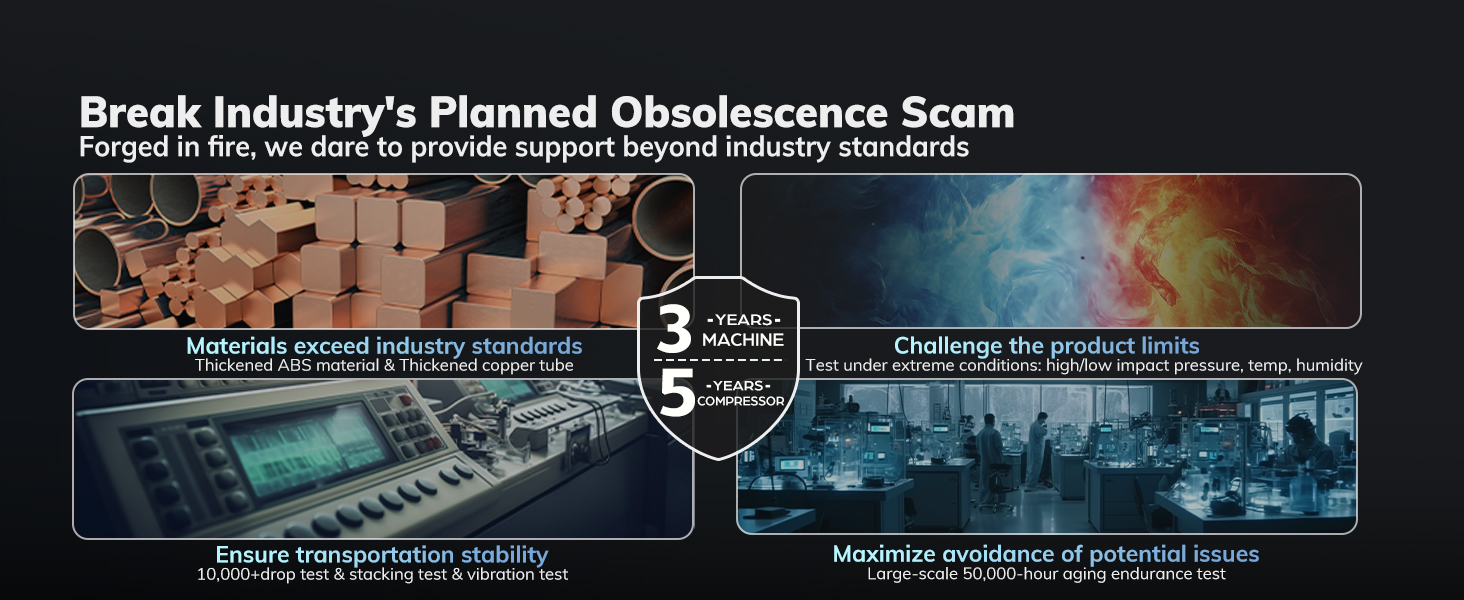
Image: An infographic illustrating AEOCKY's quality assurance processes, including material standards, product testing, and the 3-year unit and 5-year compressor warranty.
Customer Support
For warranty claims, technical assistance, or any questions regarding your AEOCKY dehumidifier, please contact our customer support team. Refer to your product packaging or the AEOCKY official website for the most current contact information.
Please have your model number (RHEA-001 or LEO-Lite) and purchase date available when contacting support.
Related documentsRHEA-001, LEO-Lite


Ask a question about this manual
Ask about setup, troubleshooting, compatibility, parts, safety, or missing instructions. Manuals+ will review the question and use this page’s manual context to help answer it.