
Introduction
This manual provides detailed instructions for the setup, operation, and maintenance of your Bewinner 4G 5G LTE Mobile Hotspot. Please read this manual thoroughly before using the device to ensure optimal performance and safety.

Image: The Bewinner Portable WiFi Hotspot, a compact device displaying its 4G/5G capability and network status indicators.
The Bewinner Mobile Hotspot is designed to provide high-speed internet access on the go. It supports LTE CAT4 standard, offering speeds up to 300Mbps, depending on network strength. It features a built-in 3650mAh battery for extended use and can connect up to 10 devices simultaneously. This portable router is ideal for various applications, including business, entertainment, and outdoor activities.

Image: The Bewinner Mobile Hotspot shown in diverse usage environments, highlighting its versatility for business, leisure, and outdoor internet access.
Package Contents
Verify that all items are present in the package:
- 1 x Portable WiFi Hotspot
- 1 x Supply Cord (USB-C charging cable)
- 1 x User Manual (this document)
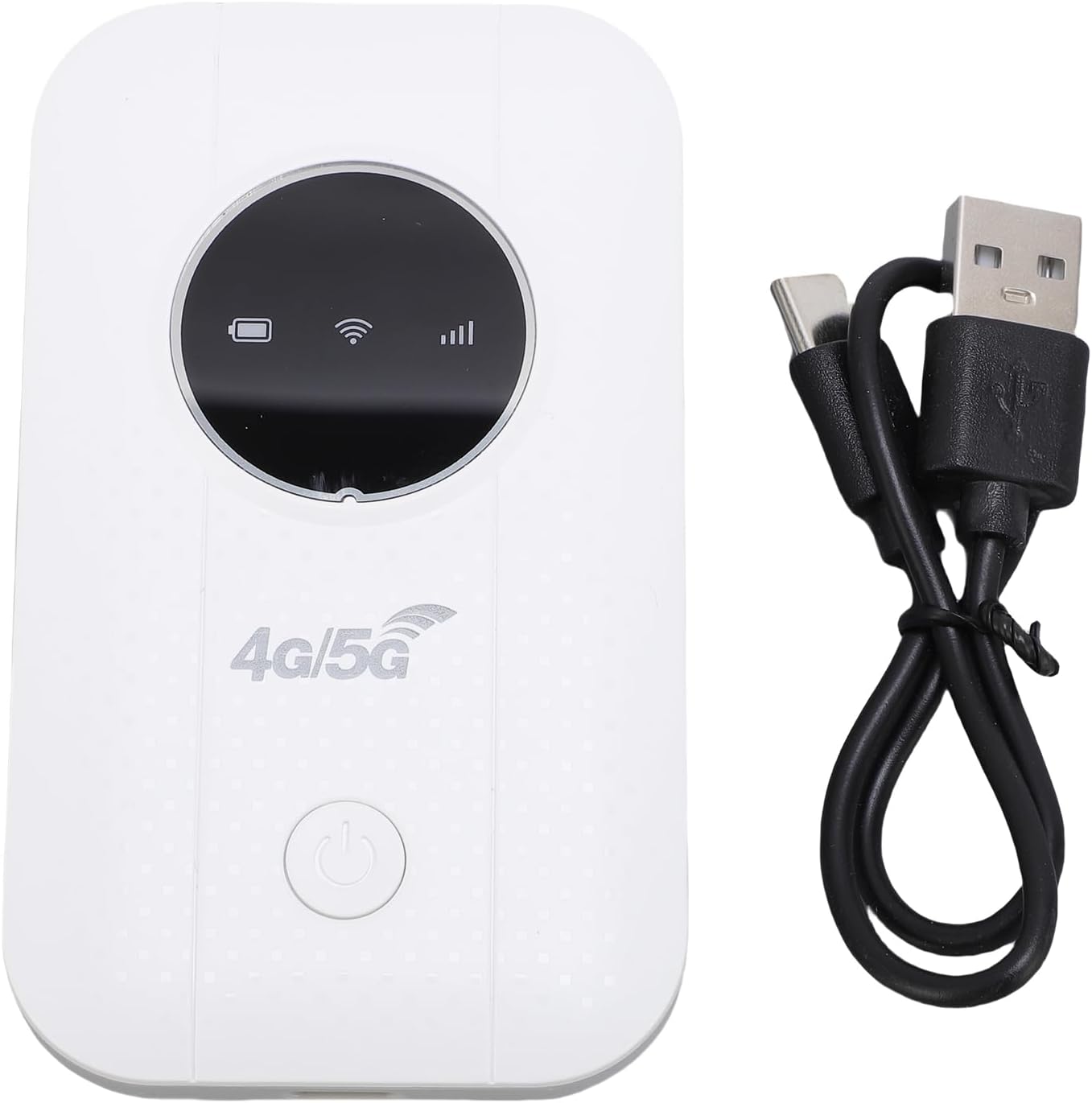
Image: The Bewinner Mobile Hotspot device shown alongside its USB-C charging cable.
Setup
- Insert SIM Card:
Open the back cover of the hotspot device. Locate the SIM card slot. Insert a compatible 4G or 5G SIM card (not included) into the slot. Ensure the SIM card is correctly oriented as indicated on the device. Close the back cover securely.

Image: The Bewinner Mobile Hotspot with its back cover and battery removed, revealing the SIM card slot.
- Charge the Device:
Connect the provided USB-C supply cord to the hotspot's charging port and the other end to a USB power source (e.g., computer USB port, power bank, car charger). The device has a built-in 3650mAh Li battery. Ensure the device is sufficiently charged before first use.

Image: A close-up view of the USB-C charging port located on the Bewinner Mobile Hotspot.
- Power On:
Press and hold the power button located on the device until the indicators light up. The device will automatically detect the SIM card and attempt to connect to the network.
Operating Instructions
- Connect to WiFi:
Once the hotspot is powered on and connected to the mobile network, it will broadcast a WiFi signal. On your smartphone, tablet, or laptop, search for available WiFi networks. Select the network name (SSID) corresponding to your Bewinner Hotspot. The default SSID and password are usually found on a sticker inside the battery compartment or on the device packaging.
- Enter Password:
Enter the WiFi password (WPA/WPA2 encryption) when prompted. The device supports WPA/WPA2 encryption to prevent unauthorized access.
- Multiple Device Connection:
The hotspot can connect up to 10 devices simultaneously, including smartphones, tablets, laptops, and other WiFi-enabled devices.

Image: An illustration demonstrating the Bewinner Mobile Hotspot's ability to connect up to 10 devices, including various computing and mobile devices.
- Network Coverage:
The hotspot provides portable internet for various scenarios such as travel, business trips, camping, and RV use. Its signal can cover a typical indoor environment.

Image: The Bewinner Mobile Hotspot depicted within a house model, illustrating its WiFi signal coverage throughout an indoor space.
Maintenance
- Keep the device clean and dry. Avoid exposure to extreme temperatures, humidity, or direct sunlight.
- Do not attempt to disassemble or repair the device yourself. Refer to qualified service personnel for any repairs.
- When operating for extended periods, ensure adequate ventilation to prevent overheating.
- Regularly check for firmware updates to ensure optimal performance and security.
Troubleshooting
| Problem | Possible Solution |
|---|---|
| No internet connection |
|
| Cannot connect to WiFi |
|
| Slow internet speed |
|
| Device overheating |
|
Specifications
| Feature | Detail |
|---|---|
| Model Number | Bewinnerr1tqs5gnib |
| Network Frequency | LTE: B1/B3/B5/B40, WCDMA: B1/B3 |
| Wireless Standard | 802.11 b/g/n (LTE CAT4) |
| Max Transfer Speed | Up to 300Mbps |
| SIM Card Slot | 1 x SIM Card (not included) |
| Battery Type | Built-in 3650mAh Li Battery |
| Battery Life | More than 10 hours continuous use |
| Connected Devices | Up to 10 devices |
| Charging Port | USB-C |
| Item Weight | 4.4 ounces |
| Package Dimensions | 4.33 x 2.76 x 1.18 inches |

Image: The Bewinner Mobile Hotspot highlighting its long-lasting 3650mAh battery, capable of over 10 hours of continuous use.
Warranty and Support
For warranty information and technical support, please refer to the documentation provided with your purchase or contact Bewinner customer service through their official channels. Keep your purchase receipt for warranty claims.
Manufacturer: Bewinner
Item Model Number: Bewinnerr1tqs5gnib