
Introduction
This manual provides detailed instructions for the safe and effective use of your Cheerble Wicked Ball Duo2 Automatic Cat Toy. Please read this manual thoroughly before operating the device and retain it for future reference.
Package Contents
Upon opening the package, please verify that all components are present and in good condition. If any items are missing or damaged, please contact customer support.
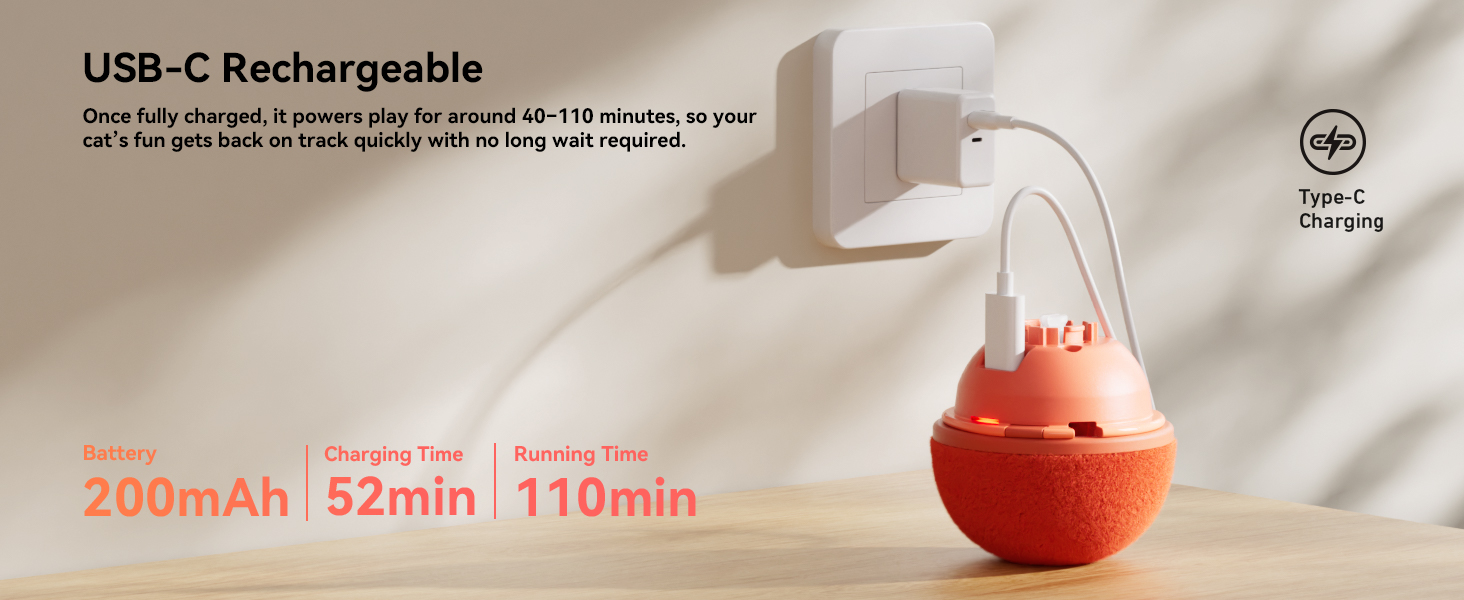
Image: Contents of the Wicked Ball Duo2 package. This includes the Wicked Ball Duo2 Core, Rolling Ball Shells, Tail, Spinning Top Shells, Storage Bag, USB Type-C Charging Cable, and User Manual.
- Wicked Ball Duo2 Core
- Rolling Ball Shells
- Tail
- Spinning Top Shells
- Storage Bag
- USB Type-C Charging Cable
- User Manual (this document)
Setup and Charging
Before initial use, ensure the device is fully charged and assembled correctly.
1. Initial Inspection
Before use, check that the surface of your Cheerble cat toy is in good condition. If any damage is observed, please contact customer support for a replacement.
2. Charging the Device
The Wicked Ball Duo2 is equipped with a rechargeable battery. Use the provided USB-C cable and a compatible charger to fully charge the device before its first use.
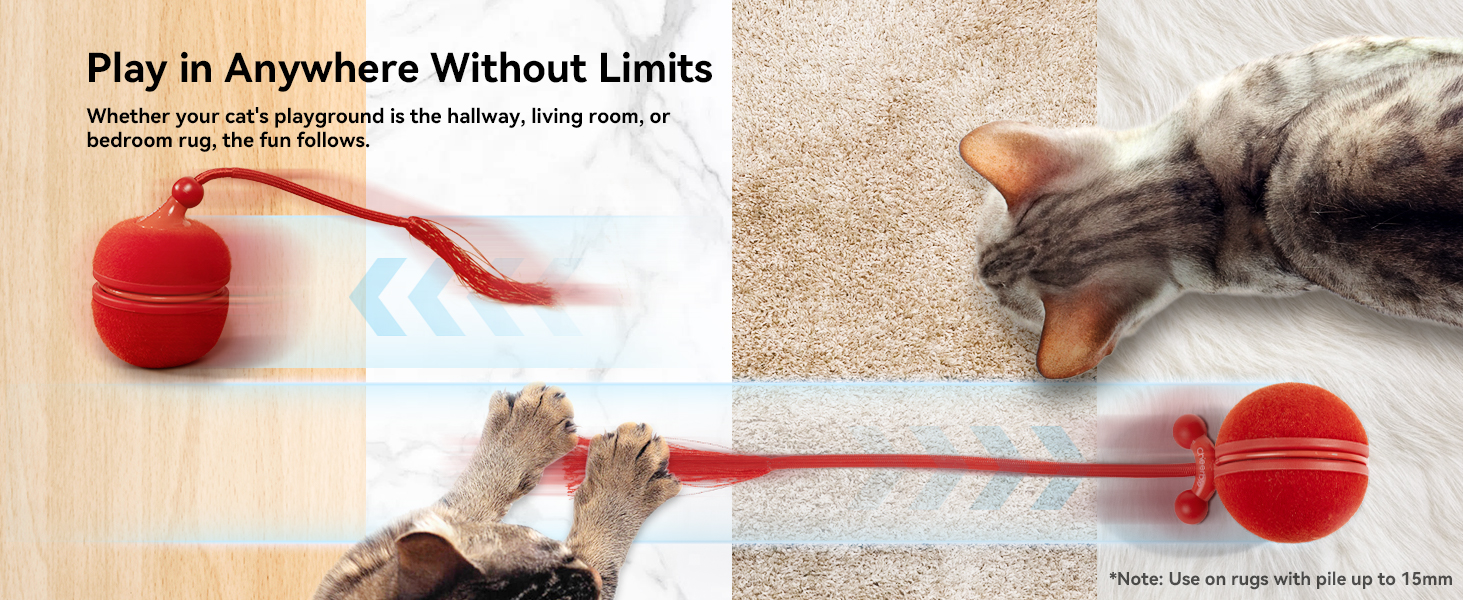
Image: The Wicked Ball Duo2 core being charged via a USB-C cable plugged into a wall adapter. A full charge provides approximately 40-110 minutes of play time and takes about 52 minutes.
- Battery Capacity: 200mAh
- Charging Time: Approximately 52 minutes
- Running Time: Approximately 40-110 minutes per full charge
3. Assembling the Shells
The Wicked Ball Duo2 features interchangeable shells for different play experiences: Rolling Ball and Spinning Top.
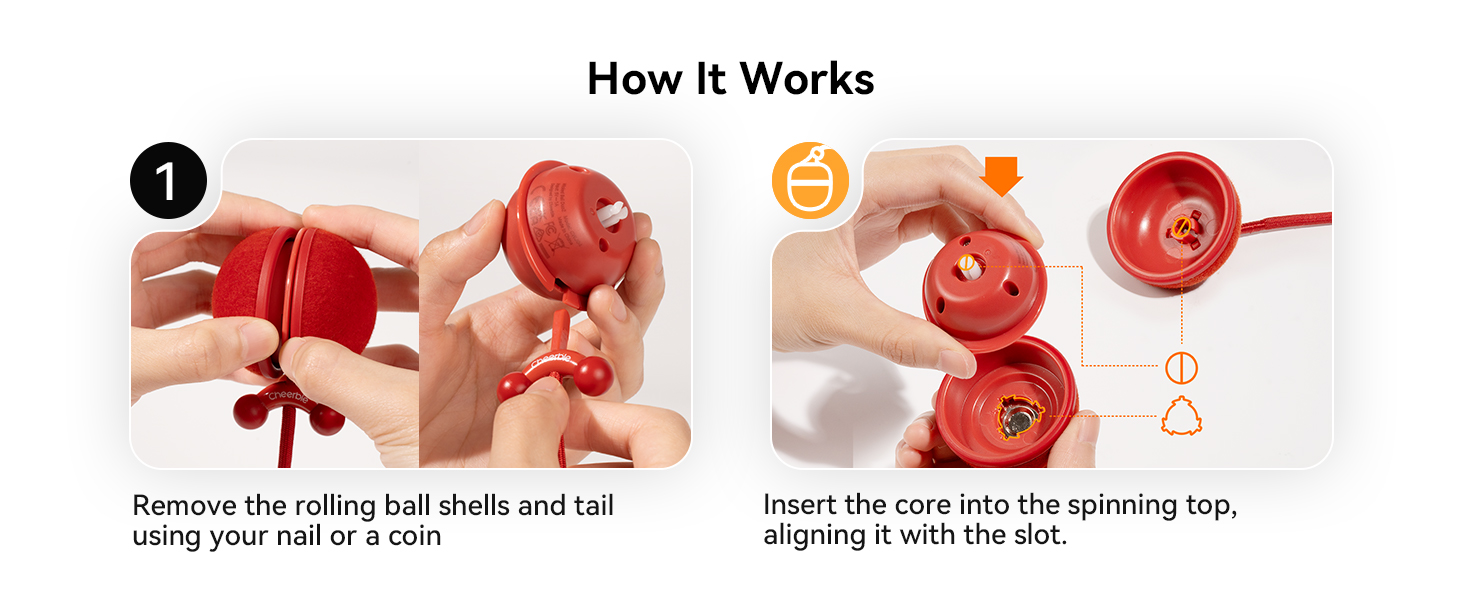
Image: Step 1 of assembly. Remove the rolling ball shells and tail using a coin or fingernail. Then, insert the core into the spinning top shell, aligning it with the slot.
- To change shells, gently remove the current shells and tail using a fingernail or a coin.
- Insert the Wicked Ball Duo2 core into your desired shell (Rolling Ball or Spinning Top), ensuring it aligns with the internal slot.
- Attach the tail vertically to secure the shell.
- Ensure the core is properly installed in either shell before use.
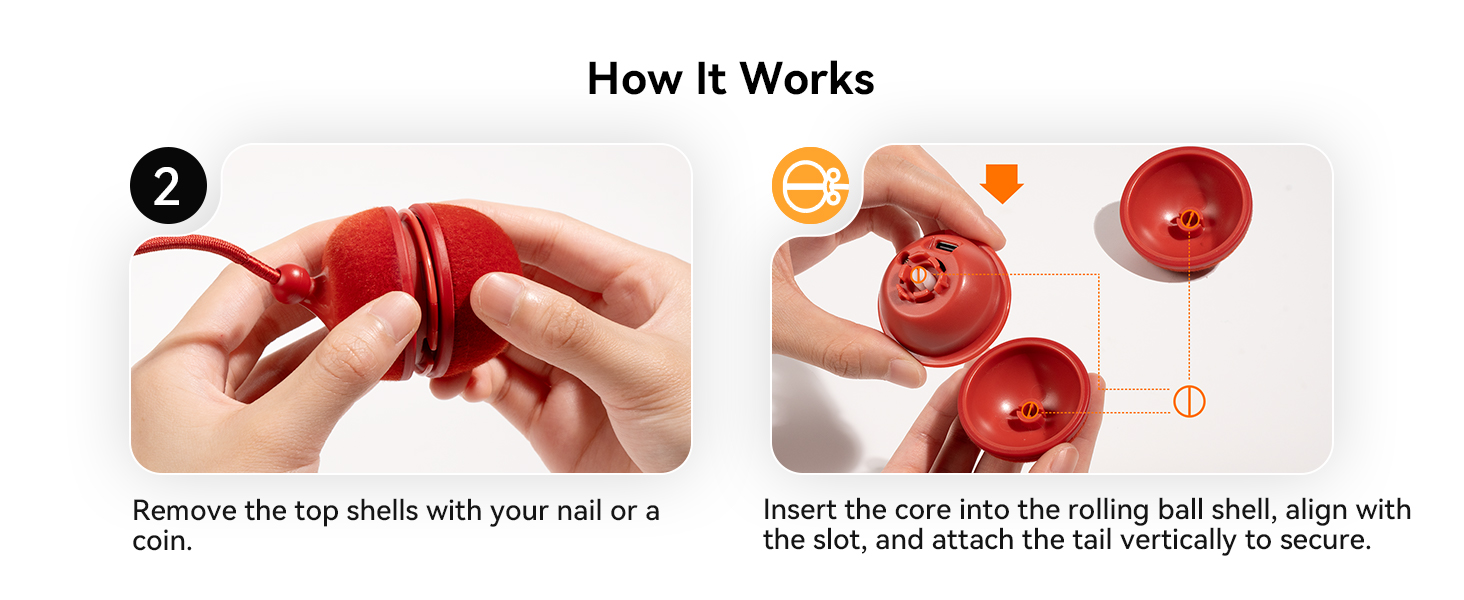
Image: Step 2 of assembly. Remove the top shells with a coin or fingernail. Insert the core into the rolling ball shell, align with the slot, and attach the tail vertically to secure.
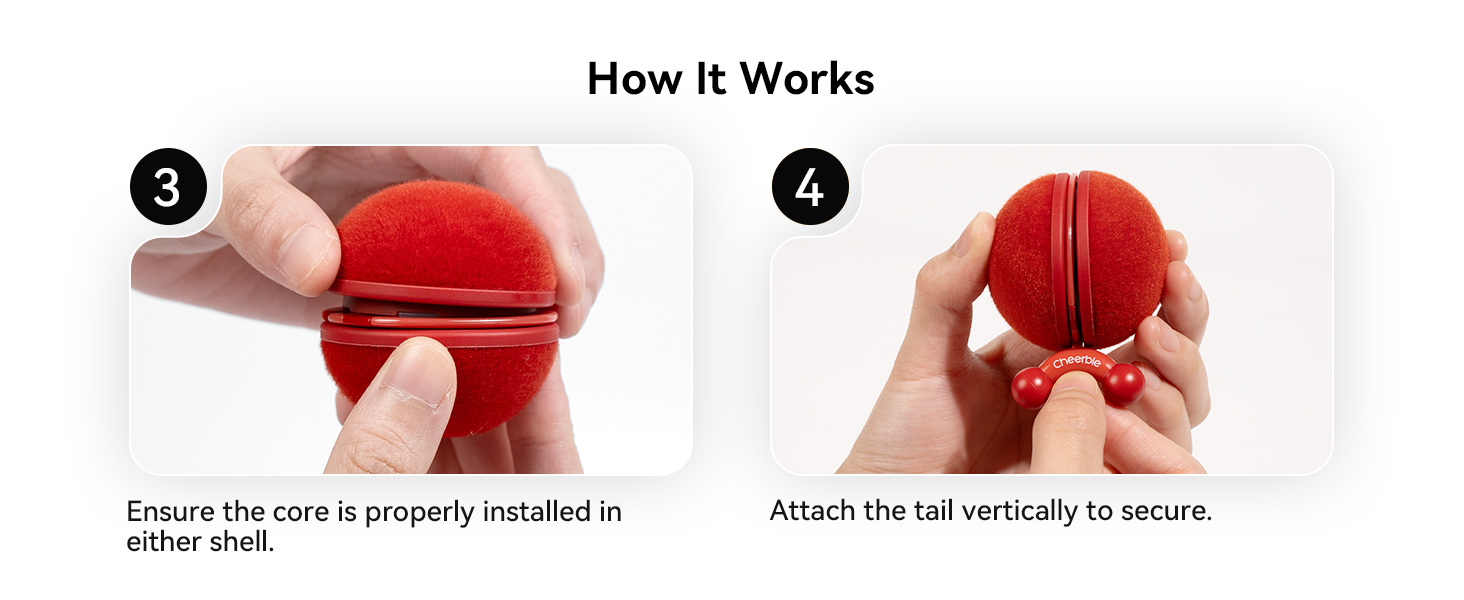
Image: Steps 3 and 4 of assembly. Ensure the core is properly installed in either shell and attach the tail vertically to secure it.
Operating Instructions
Learn how to power on, select modes, and activate your Wicked Ball Duo2.
1. Power On/Off and Mode Selection
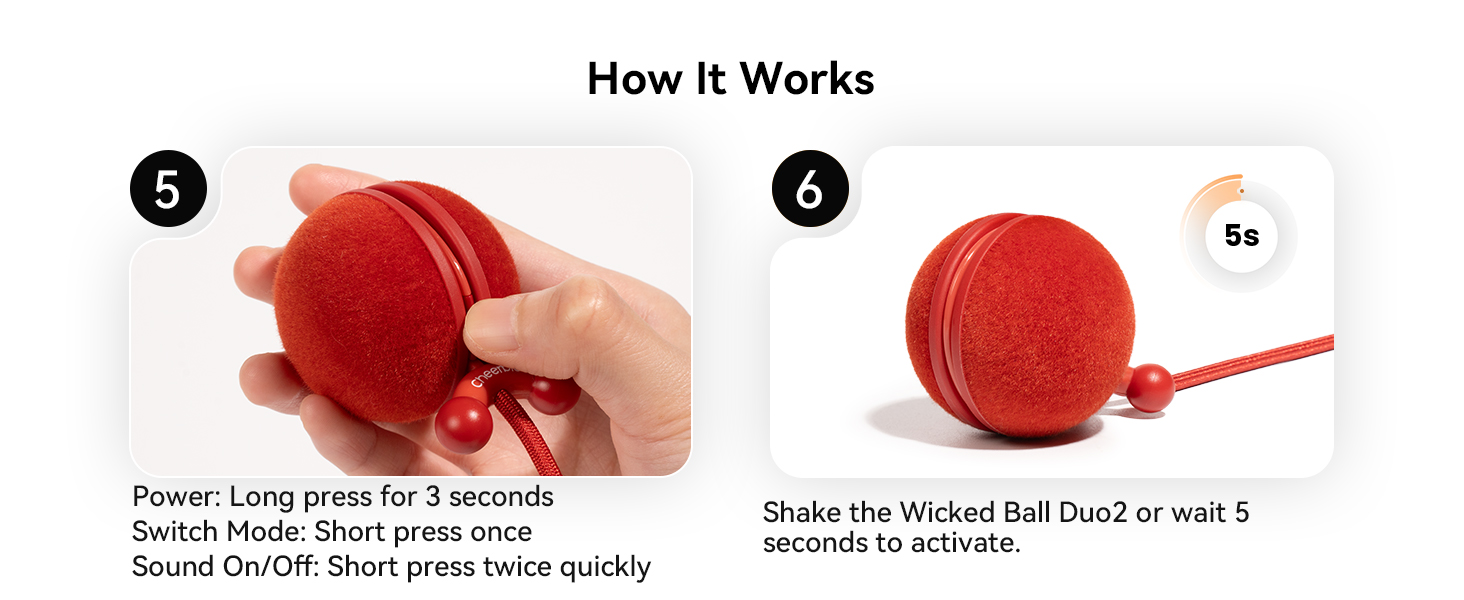
Image: Controls for the Wicked Ball Duo2. Power on/off by pressing and holding for 3 seconds. Switch modes with a single short press. Turn sound on/off with two quick short presses.
- Power On/Off: Press and hold the button for 3 seconds.
- Switch Mode: Short press the button once to cycle through the available modes.
- Sound On/Off: Short press the button twice quickly to toggle chirping sounds.

Image: Step 6 of operation. After powering on and selecting a mode, shake the Wicked Ball Duo2 or wait 5 seconds to activate it.
2. Play Modes
The Wicked Ball Duo2 offers three interactive modes, each with distinct movement patterns and noise levels, suitable for different cat personalities.
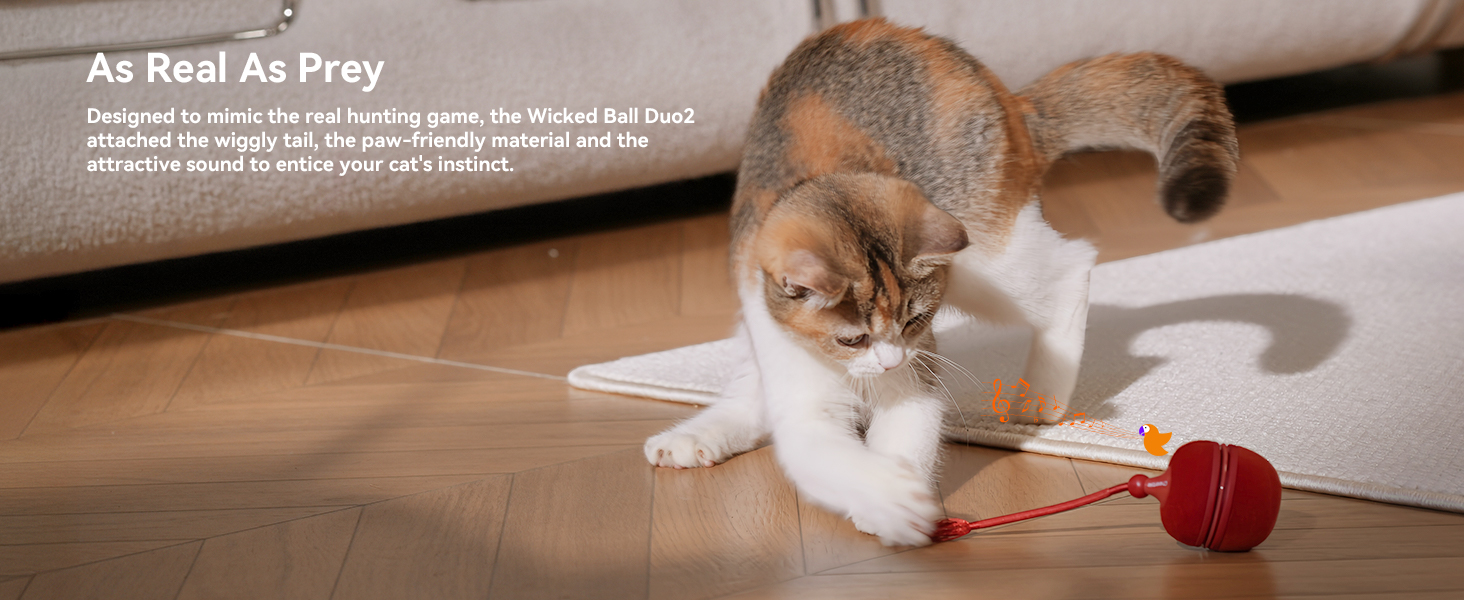
Image: Performance chart for play modes. Gentle Mode (purple light) offers soft movement, ideal for timid cats. Standard Mode (blue light) provides random movements for curious or confident cats. Active Mode (green light) is a high-activity level designed for energetic cats.
- Gentle Mode (Purple Light): Gentle and soft movement, ideal for beginners or timid cats. Rolls slowly and shifts briskly, or spins and moves slowly.
- Standard Mode (Blue Light): Random movements that invite more interaction, great for curious or confident cats. Shifts steadily and rolls smoothly, or spins and moves smoothly.
- Active Mode (Green Light): High activity level, designed for energetic, adventurous cats. Shifts sharply and rolls wildly, or spins and moves wildly.
Tip: To introduce the Wicked Ball Duo2 to your cat, start with Gentle Mode.
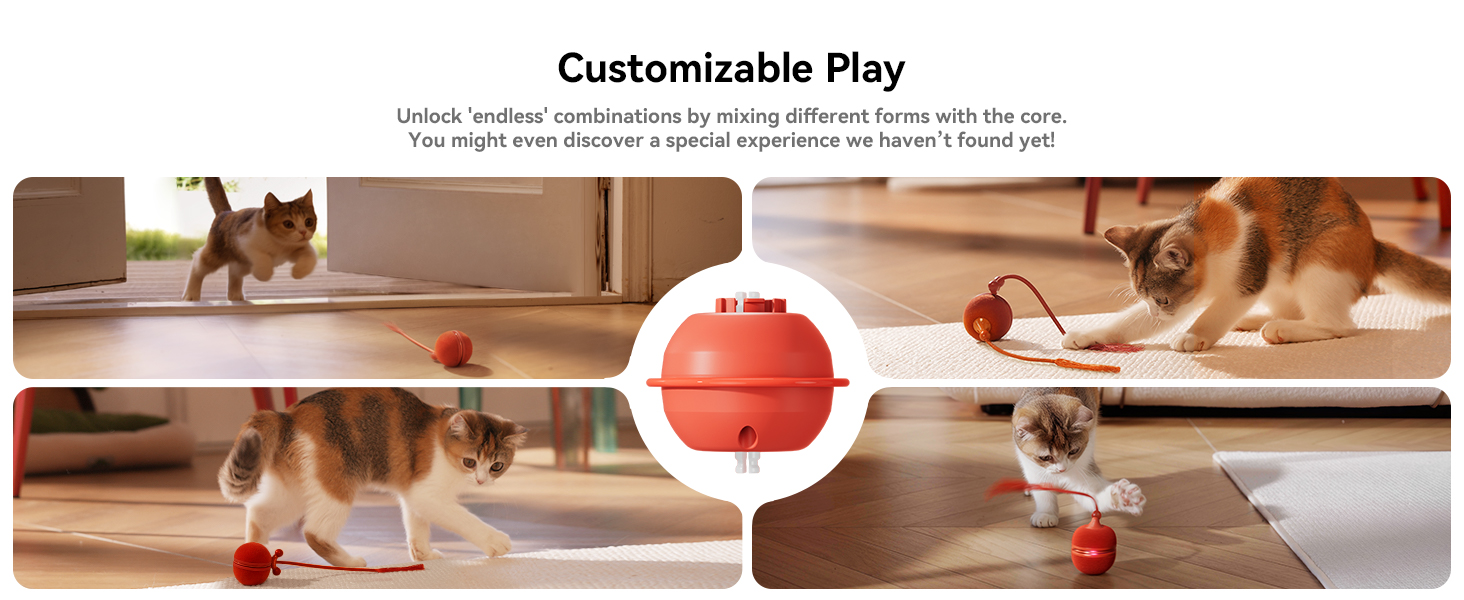
Image: Cats interacting with the Wicked Ball Duo2 in various configurations and modes, demonstrating the versatility of the toy.
3. Play Environment
The Wicked Ball Duo2 is designed for indoor use and performs well on various surfaces.
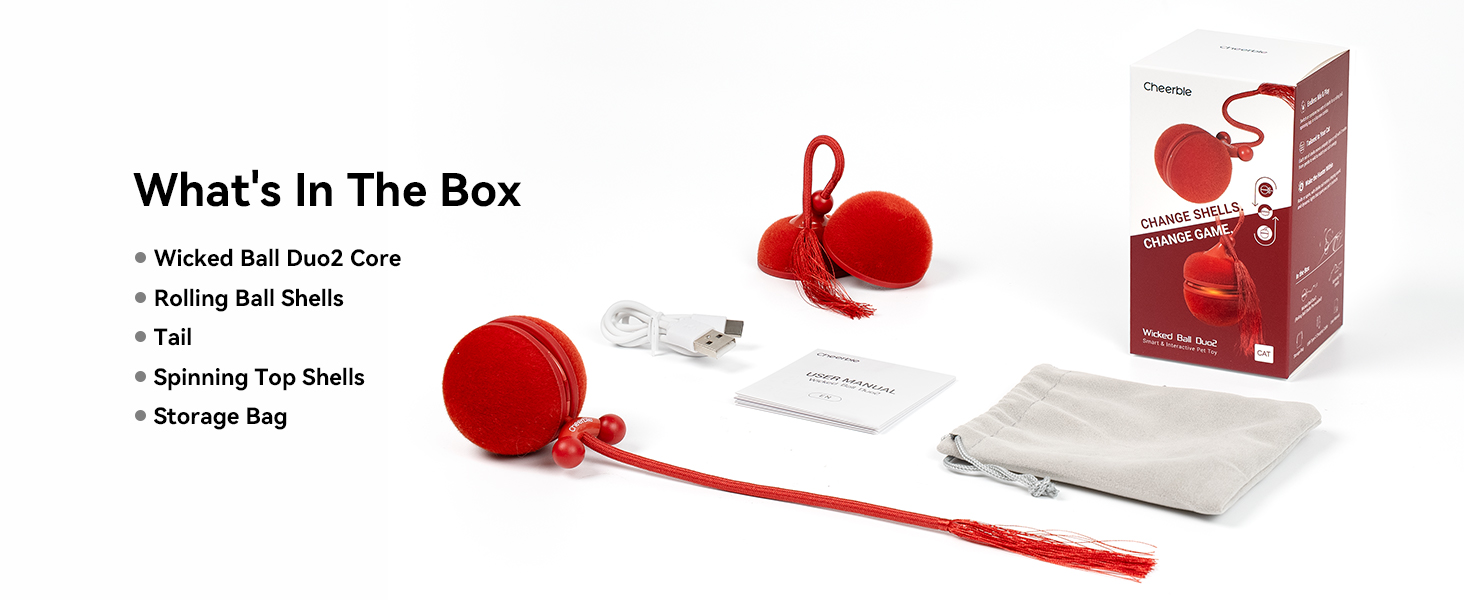
Image: The Wicked Ball Duo2 operating on different indoor surfaces including hardwood, marble, and thin carpet. Note: For rugs with pile up to 15mm, use Active Mode in Rolling Ball Shell.
- Works seamlessly on hardwood, tile, and thin carpet.
- For rugs with pile up to 15mm, it is recommended to use Active Mode in the Rolling Ball Shell for optimal performance.
4. Play-Rest Balance
The toy is programmed to encourage a healthy play-rest cycle for your cat.
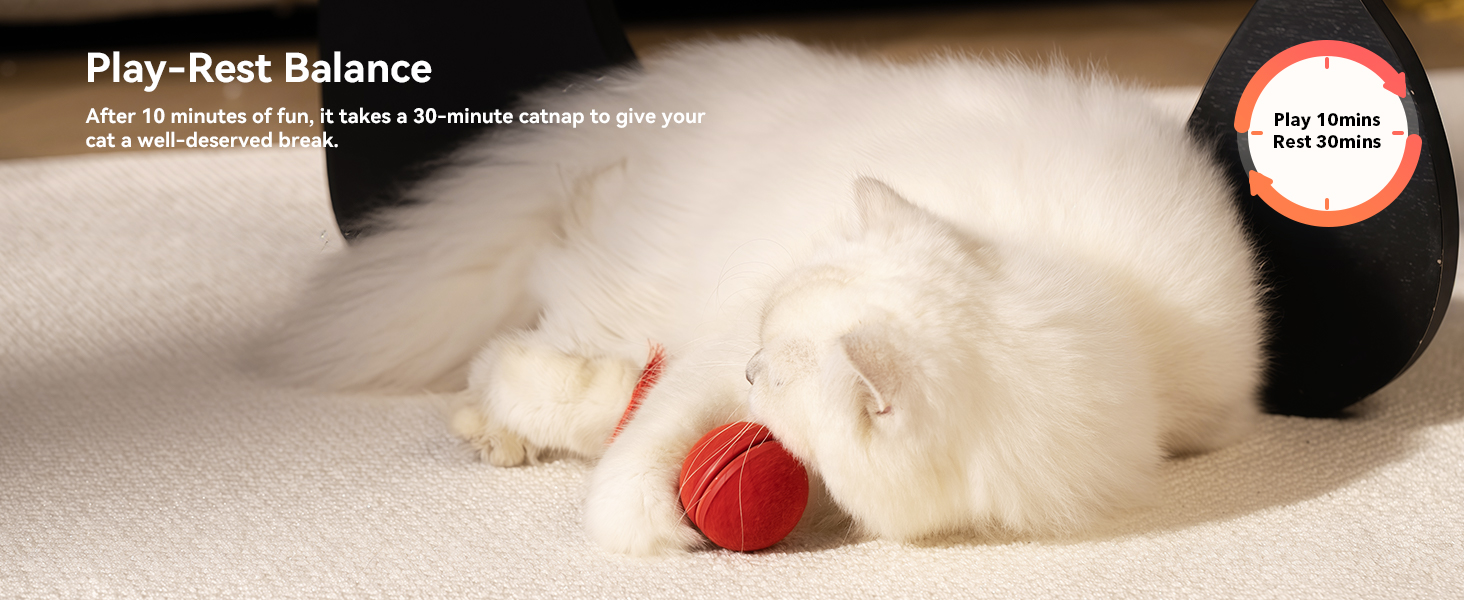
Image: The Wicked Ball Duo2 promotes a play-rest balance: 10 minutes of active play followed by a 30-minute rest period.
- After 10 minutes of continuous play, the toy will enter a 30-minute rest period. This helps prevent overstimulation and encourages natural feline behavior.
Maintenance
Proper maintenance ensures the longevity and optimal performance of your Wicked Ball Duo2.
Cleaning
If the cat toy moves slowly or stops moving, it may be due to hair tangled around the internal mechanisms. Regularly clean any hair or debris from the product to maintain smooth operation.
- Gently remove any tangled hair or debris from the toy's moving parts.
- Wipe the exterior surfaces with a soft, dry cloth. Do not immerse the toy in water.
Troubleshooting
If you encounter issues with your Wicked Ball Duo2, refer to the following common solutions.
| Problem | Possible Cause | Solution |
|---|---|---|
| Toy moves slowly or stops | Hair or debris tangled in the mechanism. | Clean any tangled hair from the product. Ensure the toy is fully charged. |
| Toy does not turn on | Low battery or incorrect power-on procedure. | Charge the toy fully. Press and hold the power button for 3 seconds. |
| Toy is not interactive enough for my cat | Incorrect mode selected for cat's personality. | Try switching to a more active mode (Standard or Active). Ensure sound is enabled. |
If the problem persists, please contact Cheerble customer support for further assistance.
Specifications
| Feature | Detail |
|---|---|
| Model Name | CWJ04 |
| ASIN | B0FJ2HNHFV |
| Item Weight | 5.3 ounces (150 grams) |
| Product Dimensions (LxWxH) | 2.1 x 1.48 x 2.6 inches (5.33 x 3.76 x 6.6 cm) |
| Battery Type | 1 Nonstandard Battery (included) |
| Material | Acrylonitrile Butadiene Styrene, Polycarbonate, Synthetic Fiber, Thermoplastic Polyurethane |
| Color | Red (as per current product variant) |
| Target Audience | Cats, house-cats |
| Included Components | Spinning Top Shells, Storage Bag, USB Type-C Charging Cable, User Manual, Wicked Ball Duo 2 Core, Rolling Ball Shells, Tail |
Warranty and Support
Cheerble provides support for your Wicked Ball Duo2.
- Warranty: The product comes with a 12-month manufacturer's warranty.
- Customer Support: For any issues, replacements, or further assistance, please contact Cheerble customer support. Refer to the packaging or the official Cheerble website for contact details.


