
1. Introduction
This manual provides detailed instructions for the proper use and maintenance of your LEKATO LWM02 Wireless Microphone system. The LWM02 is designed to deliver clear, high-fidelity audio for various applications, including video recording, vlogging, live streaming, and interviews, across multiple devices such as smartphones, cameras, and DSLRs.

Image 1.1: Overview of the LEKATO LWM02 Wireless Microphone system, including transmitters, receiver, and charging case.
2. Package Contents
Verify that all items listed below are included in your package:
- 2 x Wireless Microphone Transmitters
- 1 x Type-C Receiver
- 1 x iOS Lightning Adapter
- 1 x Camera Receiver (3.5mm)
- 1 x Charging Case
- 1 x Type-C Charging Cable
- 1 x TRS Audio Cable (3.5mm)
- 2 x Magnetic Attachments
- 2 x Clip-On Attachments
- 1 x User Manual

Image 2.1: Visual representation of all items included in the LEKATO LWM02 Wireless Microphone package.
3. Product Components
The LEKATO LWM02 system consists of two transmitters and a versatile receiver unit, along with various adapters for broad compatibility.
3.1. Transmitter (TX)
- Microphone: Omnidirectional pickup for 360° sound capture.
- Power/Function Button: Controls power, noise cancellation, and voice changer modes.
- Indicator Lights: Display pairing status and battery level.
- Magnetic/Clip Attachment: For secure placement on clothing.
3.2. Receiver (RX)
- Type-C Connector: For direct connection to Android devices and iPhone 15 series.
- Lightning Adapter: For connection to older iPhone models with Lightning ports.
- 3.5mm Camera Receiver: For connection to DSLRs, mirrorless cameras, and PCs.
- Indicator Lights: Display connection status and battery level.
4. Setup Guide
The LEKATO LWM02 offers plug-and-play functionality with various devices. Ensure both transmitters and the receiver are sufficiently charged before use.
4.1. Charging
Place the transmitters into the charging case. Connect the charging case to a power source using the provided Type-C charging cable. The indicator lights on the case will show charging status. A full charge provides up to 6 hours of continuous use for each transmitter and 30 hours total usage with the charging case.
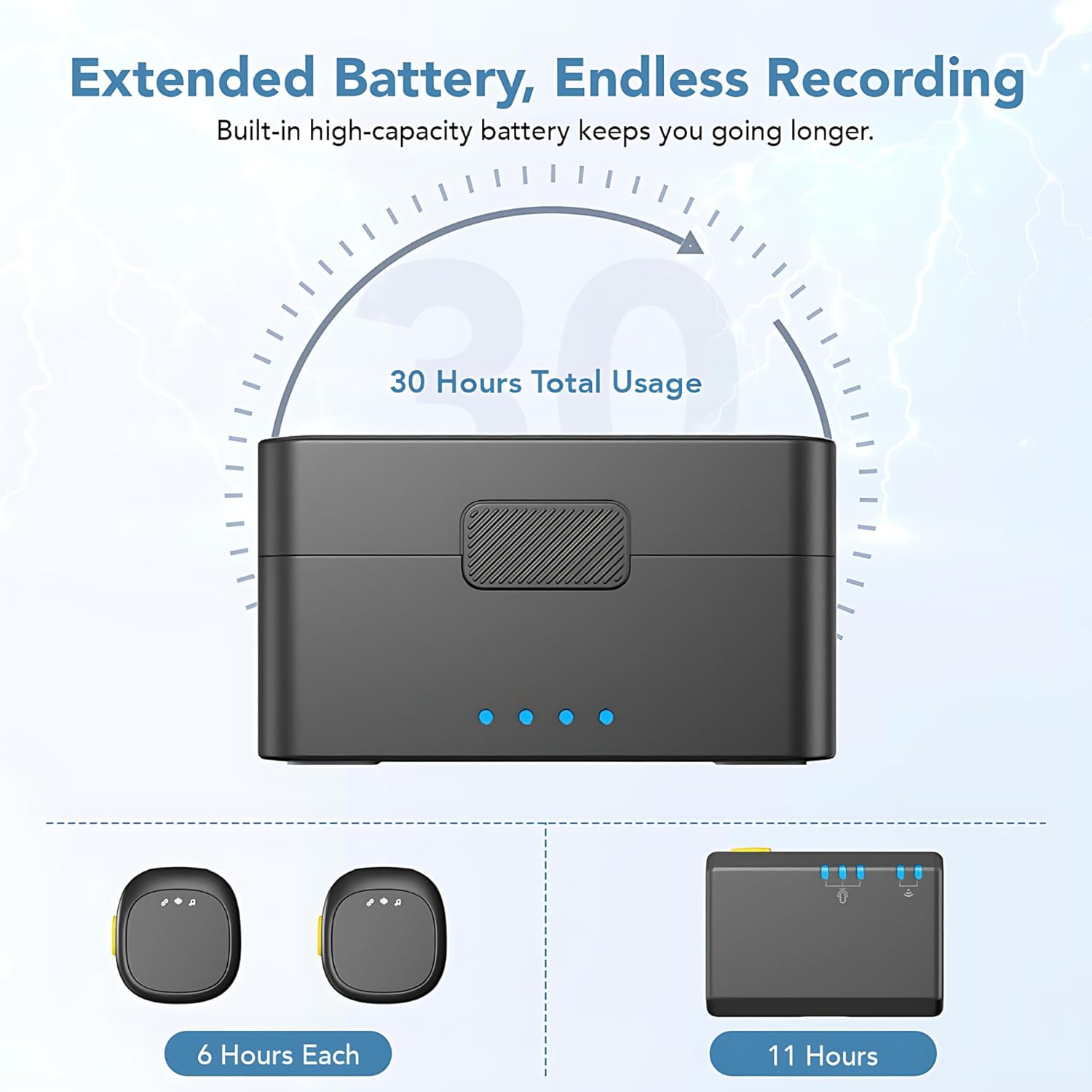
Image 4.1: The charging case provides extended battery life for the transmitters, offering up to 30 hours of total usage.
4.2. Connecting to Devices
The LWM02 system is universally compatible with iOS, Android, and DSLR cameras.
- For Android (Type-C) & iPhone 15 Series: Directly plug the Type-C receiver into your device's USB-C port.
- For iPhone (Lightning Port): Attach the Lightning adapter to the Type-C receiver, then plug it into your iPhone's Lightning port.
- For DSLR Cameras/PCs: Connect the 3.5mm camera receiver to your camera's microphone input using the TRS audio cable.
No additional apps or complex setup procedures are required. The system is designed for immediate use upon connection.

Image 4.2: The LEKATO LWM02 offers multiple receiver options for broad compatibility with smartphones, tablets, and cameras.

Image 4.3: The 3.5mm receiver connected to a DSLR camera, enabling high-quality audio capture for professional video recording.
5. Operating Instructions
5.1. Power On/Off and Pairing
- Power On: Remove the transmitters from the charging case. They will automatically power on.
- Connect Receiver: Plug the appropriate receiver (Type-C, Lightning, or 3.5mm) into your recording device.
- Automatic Pairing: The transmitters and receiver will automatically pair. Indicator lights will show a solid blue when successfully connected.
- Power Off: Place the transmitters back into the charging case to power them off and begin charging.
5.2. Noise Cancellation
The LWM02 features intelligent noise cancellation to minimize background distractions.
- Activate Noise Cancellation: Briefly press the power button on the transmitter once. The indicator light may change or flash to confirm activation.
- Deactivate Noise Cancellation: Briefly press the power button on the transmitter once again.
It is recommended to activate noise cancellation in noisy environments to ensure clear voice capture.

Image 5.1: The microphone's smart noise control feature, activated by a single button press, filters out ambient noise for clearer audio.
5.3. Voice Changer Modes
The LWM02 includes three built-in AI sound effects for creative recordings.
- Cycle Modes: Double-press the power button on the transmitter to cycle through the voice changer modes: Deep Male Voice, Charming Goddess Voice, and Original Sound.

Image 5.2: The LEKATO LWM02 offers three AI voice changer modes: Deep Male Voice, Charming Goddess Voice, and Original Sound, accessible with a single tap.
5.4. Placement and Usage
Attach the transmitter securely to your clothing using either the magnetic attachment or the clip-on attachment. Position the microphone approximately 6-8 inches from your mouth for optimal sound capture. The omnidirectional pickup ensures sound is captured from all directions.
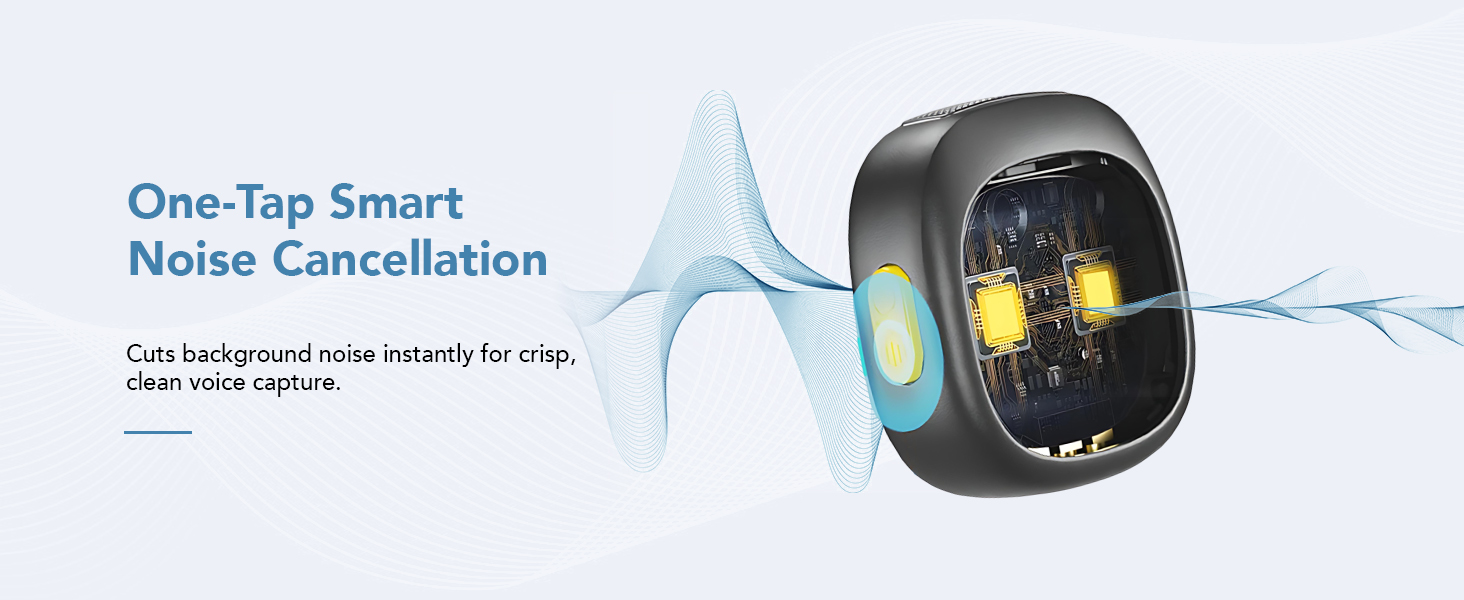
Image 5.3: Demonstrates the versatile magnetic and clip-on attachment options for securing the microphone to clothing.
6. Features Overview
- 2.4GHz Wireless Connection: Ensures stable and real-time audio transmission up to 40 meters (131 feet).
- Omnidirectional Sound Pickup: Captures rich, clear sound from all directions.
- Intelligent Noise Cancellation: Minimizes background noise for clean audio.
- 3 AI Voice Changer Modes: Offers creative sound effects for recordings.
- Extended Battery Life: Up to 6 hours per transmitter, with a total of 30 hours using the charging case.
- Universal Compatibility: Supports iOS, Android, and DSLR cameras with included adapters.
- Lightweight & Magnetic Clip Design: Easy to attach and comfortable to wear.

Image 6.1: Illustrates the 40-meter (131 feet) long-distance transmission range, ensuring seamless audio connectivity.

Image 6.2: Highlights the perfect sound pickup capability, delivering true-to-life audio clarity in various environments.
7. Troubleshooting
If you encounter issues with your LEKATO LWM02, refer to the following common problems and solutions:
| Problem | Possible Cause | Solution |
|---|---|---|
| No sound or low volume |
|
|
| Noise cancellation not working |
|
|
| Intermittent connection or dropouts |
|
|
| Voice changer not activating |
|
|
8. Specifications
| Feature | Detail |
|---|---|
| Model | LWM02 |
| Compatible Devices | Android smartphones (Type-C), Camera, DSLR, Personal Computer, Tablet, Laptop, iPhone (Lightning port), iPad |
| Color | Black |
| Polar Pattern | Omnidirectional |
| Item Weight | 100 Grams |
| Impedance | 2.2 Kiloohms |
| Microphone Form Factor | Lavalier |
| Dimensions (L x W x H) | 12 x 7 x 3.5 Centimeters |
| Power Source | Battery Powered (Lithium Ion) |
| Signal-to-Noise Ratio | 110 dB |
| Number of Channels | 2 |
| Frequency Response | 49 KHz |
| Special Features | Battery Indicator Light, Clip, Echo Control, Mute Function, Noise Cancellation |
| Connectivity Technology | USB, Wireless (2.4GHz) |
| Material | Polycarbonate |
9. Care and Maintenance
- Cleaning: Use a soft, dry cloth to clean the microphone and receiver. Avoid using liquids or abrasive cleaners.
- Storage: Store the microphone system in its charging case when not in use to protect it from dust and damage. Store in a cool, dry place.
- Battery Care: For optimal battery life, avoid fully discharging the batteries frequently. Charge regularly, even if not in constant use.
- Avoid Extreme Conditions: Do not expose the device to extreme temperatures, direct sunlight, or high humidity.
10. Contact and Support
For further assistance or warranty inquiries, please contact the respective support channels:
- Packer: Tenx Commerce
Customer Care: Tel / WhatsApp: +91 9354596117 - Importer: Grasp Internet
Customer Care: Tel / WhatsApp: +91 9315983114