
1. Introduction and Overview
Start your day smoothly and stylishly with the KIENZLE Square Luminous Alarm Clock. This clock combines an elegant design with thoughtful functions: a three-level wake-up light naturally prepares you to get up shortly before the alarm sounds. At night, a dimmable night light with a 30-minute automatic shut-off creates a relaxing atmosphere. The intelligent brightness adjustment automatically adapts the display to ambient light, allowing it to be read perfectly both day and night. Thanks to its compact dimensions and elegant fabric cover, this daylight alarm clock integrates discreetly and elegantly into any bedroom. Wake up gently every morning with the elegant KIENZLE Square Luminous Alarm Clock.
Key Features:
- Modern LED alarm clock with elegant and functional design.
- Dimmable ambient light without preset levels.
- Pleasant three-level wake-up light function (starts 2 minutes before the alarm).
- Smart automatic display brightness adjustment - adapts to ambient light.
- Elegant fabric screen cover.
- Night light mode with automatic shut-off after 30 minutes.
- Compact size.
- Displays time and alarm time or date.
- Power supply: power adapter (included) or 3 AA batteries (LR6/1.5 V) (not included).
2. Package Contents
Your Kienzle 15364 Square Luminous Alarm Clock package includes:
- 1x Kienzle Square Luminous Alarm Clock
- 1x Power Adapter
- 1x Instruction Manual
3. Setup
Powering the Device:
The alarm clock can be powered in two ways:
- Using the included Power Adapter: Connect the power adapter to the DC 5V port on the back of the alarm clock and plug it into a wall outlet. This is the recommended method for continuous operation and full functionality, including the wake-up light.
- Using 3 AA Batteries (not included): Open the battery compartment on the back of the alarm clock and insert 3 AA (LR6/1.5 V) batteries, ensuring correct polarity. Battery power is suitable for backup during power outages or for portable use, though some functions like the wake-up light may be limited or unavailable.

Image: Rear view of the Kienzle alarm clock, highlighting the battery compartment. This shows where to insert the 3 AA batteries for backup power.

Image: Rear view of the Kienzle alarm clock, indicating the DC 5V power input port for connecting the included power adapter.
Initial Time Setting:
Upon first power-up or after a power reset, the display may show a default time or require setting. Refer to the detailed instructions in the included manual for specific button functions to set the current time and date.
4. Operating Instructions
Setting the Alarm:
The alarm clock allows you to set a wake-up alarm. The wake-up light function will begin 2 minutes before the set alarm time, gradually increasing in brightness to simulate a natural sunrise.
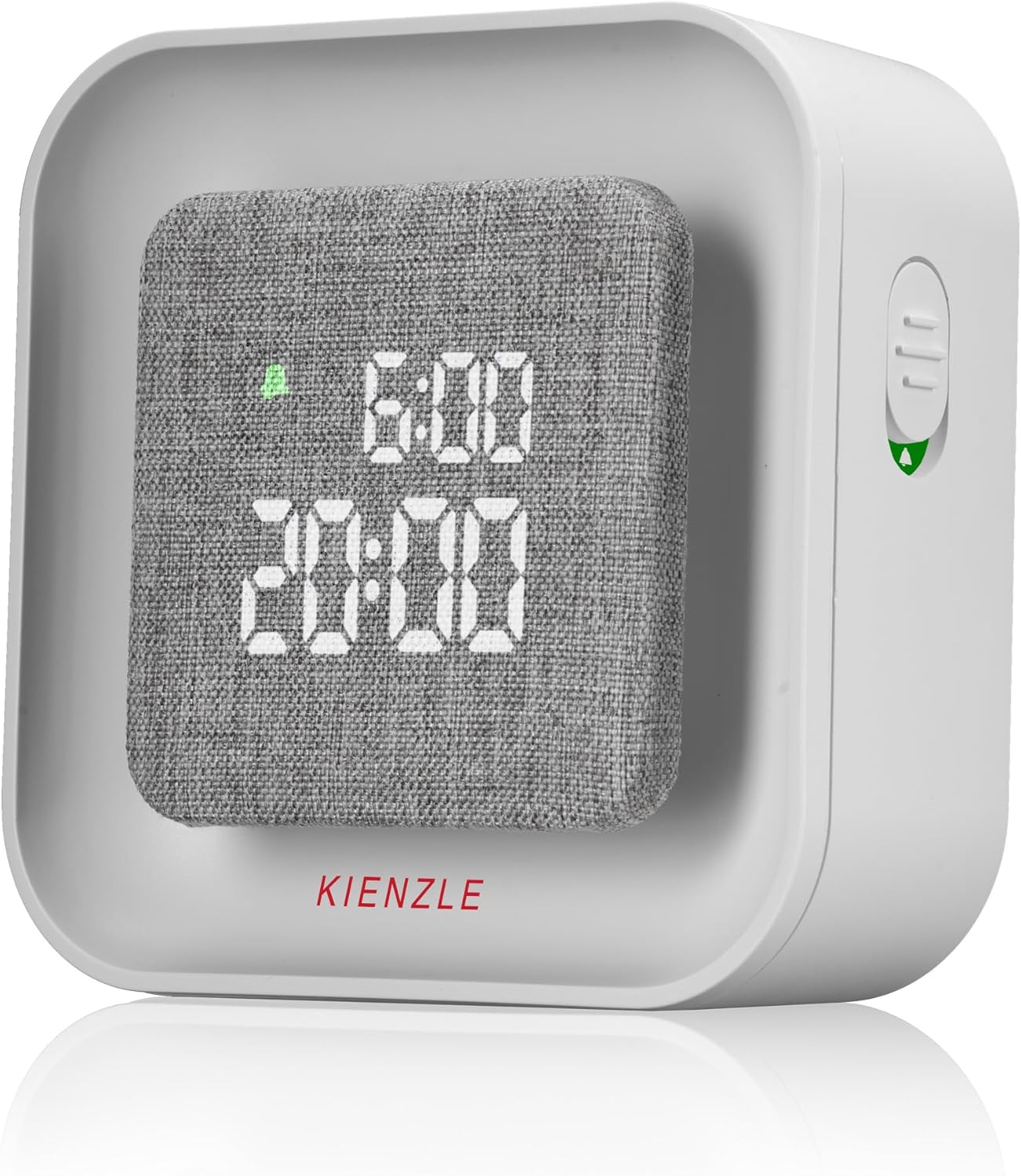
Image: The Kienzle alarm clock showing the digital time display with the surrounding light panel illuminated, demonstrating the wake-up light feature.
Night Light Mode:
Activate the night light mode for a relaxing ambiance. This feature includes an automatic shut-off after 30 minutes, ideal for falling asleep. The ambient light is dimmable without preset levels, allowing you to customize the brightness to your preference.

Image: The Kienzle alarm clock with its light panel emitting a soft, warm glow, illustrating the night light function for a calming bedroom environment.
Display Brightness Adjustment:
The alarm clock features smart automatic brightness adjustment, adapting the display's illumination to the ambient light. This ensures the time is perfectly readable in any lighting condition, from bright daylight to complete darkness.
Displaying Time and Date:
The clock can display both the current time and the set alarm time, or the current date, depending on your preference and settings. Consult the full manual for instructions on switching between display modes.
General Operation Video:
Video: A demonstration of the alarm clock's general usage, including setting time, alarm, and adjusting light features. This video provides a visual guide to the device's functionalities.
Video: A video demonstrating the light features of a similar alarm clock, including color changes and brightness adjustments. This can help users understand the visual effects of the Kienzle alarm clock's lighting.
5. Maintenance
To ensure the longevity and optimal performance of your Kienzle Square Luminous Alarm Clock, follow these simple maintenance guidelines:
- Cleaning: Use a soft, dry cloth to clean the surface of the alarm clock. Avoid using abrasive cleaners, solvents, or chemical sprays, as these can damage the finish or electronic components.
- Placement: Place the alarm clock on a stable, flat surface away from direct sunlight, excessive heat, moisture, or strong magnetic fields.
- Battery Replacement: If using batteries, replace all three AA batteries simultaneously when the display dims or functions become erratic. Ensure correct polarity when inserting new batteries.
- Storage: If storing the alarm clock for an extended period, remove the batteries to prevent leakage and potential damage.
6. Troubleshooting
If you encounter any issues with your Kienzle Square Luminous Alarm Clock, please refer to the following common troubleshooting steps:
- No Display/Power: Ensure the power adapter is securely plugged into both the alarm clock and a working wall outlet. If using batteries, check if they are inserted correctly and have sufficient charge. Try replacing the batteries or using the power adapter.
- Alarm Not Sounding: Verify that the alarm time is set correctly and the alarm function is activated. Check the alarm volume settings.
- Wake-up Light Not Working: Ensure the alarm clock is connected to the power adapter, as the wake-up light function may be limited or unavailable when running on battery power. Check the wake-up light settings.
- Incorrect Time Display: Reset the time and date according to the instructions in the manual.
- Buttons Unresponsive: Disconnect the power and remove batteries for a few minutes, then reconnect to perform a soft reset.
If the problem persists after trying these steps, please contact Kienzle customer support for further assistance.
7. Specifications
| Feature | Detail |
|---|---|
| Brand | Kienzle |
| Model Number | 15364 |
| Material (Screen Cover) | Fabric |
| Material (Base) | Plastic |
| Color | White |
| Light Source Type | LED |
| Lamp Type | Wake-up Light |
| Switch Type | Touch |
| Power Source | Electric Cord and Batteries |
| Number of Bulbs | 2 |
| Mounting Type | Desktop |
| Style | Modern |
| Indoor/Outdoor Use | Indoor |
| Dimensions (Approx.) | 10cm x 10cm x 4cm |

Image: A visual representation of the Kienzle alarm clock's dimensions, showing its compact size of approximately 10cm x 10cm x 4cm.
8. Warranty and Support
Kienzle products are designed for reliability and performance. For information regarding warranty coverage, technical support, or service inquiries, please refer to the contact details provided in the packaging or visit the official Kienzle website. Keep your purchase receipt as proof of purchase for any warranty claims.

