
Introduction
Welcome to your new Pamray S15 Marble 58-inch Computer Desk. This manual provides essential information for safe assembly, proper use, and maintenance of your desk. Please read all instructions carefully before beginning assembly and retain this manual for future reference.
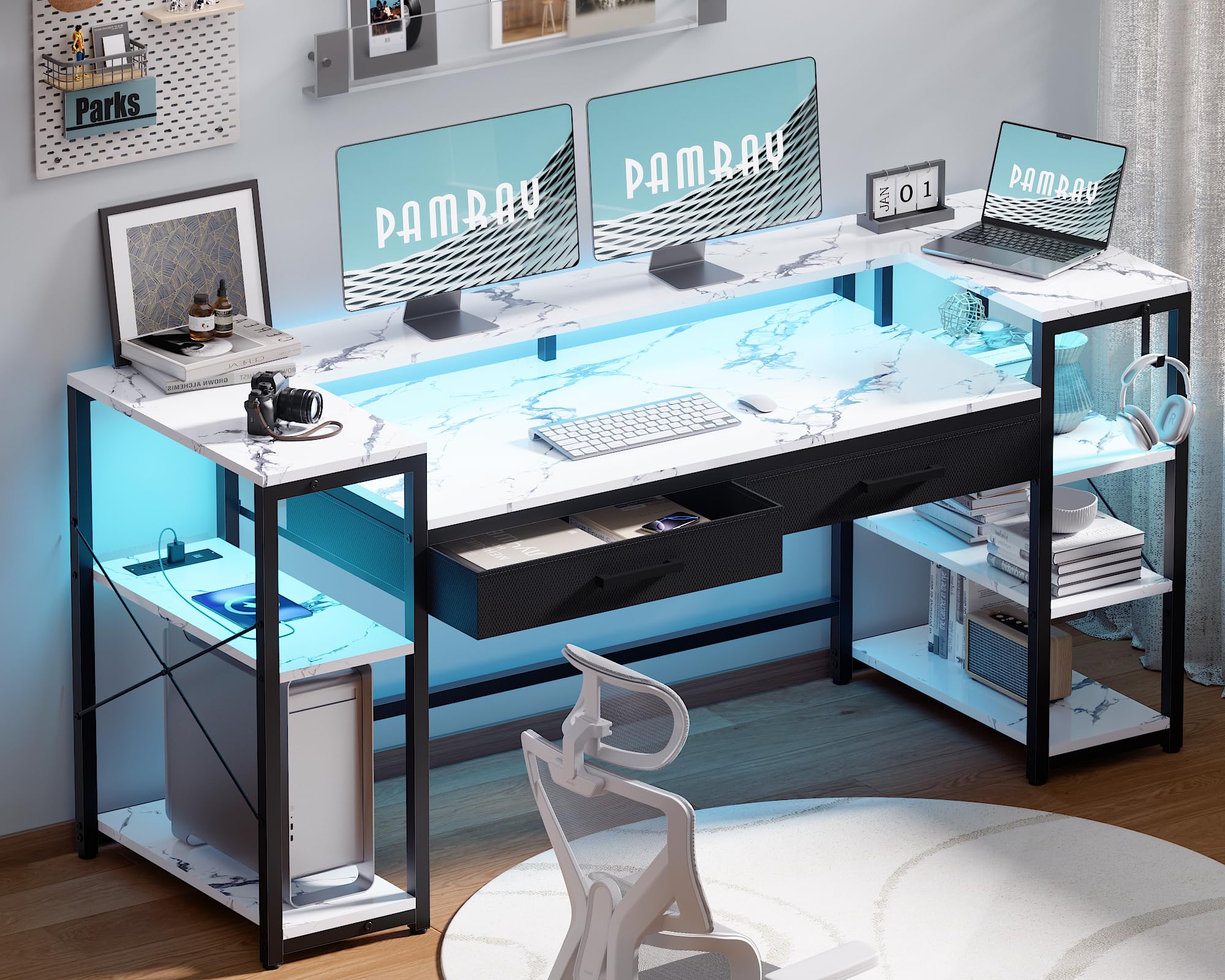
Image: Fully assembled Pamray S15 Marble 58-inch Computer Desk, showcasing its design and features.
Safety Information
To ensure safe operation and prevent damage, please observe the following safety guidelines:
- Ensure the desk is properly assembled with the provided "X"-shaped braces and adjustable leg pads for stability.
- Do not exceed the maximum weight recommendation of 200 pounds to avoid tipping or structural damage.
- Keep all small parts and hardware away from children during assembly to prevent choking hazards.
- Use only the tools and hardware provided or recommended by the manufacturer.
- Avoid placing hot items directly on the desk surface without adequate protection.
- Do not attempt to modify the desk's electrical components.
Package Contents
Before beginning assembly, verify that all components and hardware listed below are present and undamaged.
Component List
- Desktop Panel
- Monitor Stand
- Metal Frame Components (legs, crossbars, "X"-braces)
- Two Drawers (non-woven fabric)
- Two Open Side Shelves (adjustable)
- Built-in Power Outlets and USB Ports Unit
- LED Light Strip
- Adjustable Leg Pads
Hardware List
All necessary screws, bolts, and an Allen key are included in the accessory box.
Assembly Instructions
Before You Begin
- Unpack all components and verify against the parts list.
- Clear a spacious, clean area for assembly.
- It is recommended to have two people for assembly to ensure ease and safety.
- All necessary tools are included in the package.
- For detailed visual guidance, scan the Transparency QR code on the packaging for assembly videos.
Step-by-Step Assembly
Step 1: Assemble the Frame
Attach the metal frame components according to the diagrams. Ensure all screws are finger-tightened initially. The frame includes "X"-shaped braces for enhanced stability.
Step 2: Install Shelves and Drawers
Insert the two non-woven fabric drawers into their designated slots. The two open side shelves are adjustable and can be positioned on either the left or right side of the desk to suit your storage needs.

Image: Illustration of the desk's open storage shelves and a dedicated space for a PC tower.

Image: Diagram showing the reversible configuration options for the side shelves.

Image: Close-up view of the non-woven fabric drawers, suitable for storing various items.
Step 3: Attach Monitor Stand
Secure the U-shaped monitor stand to the desktop. This stand is designed to elevate and support two monitors or laptops, optimizing your desktop space.

Image: The U-shaped monitor stand integrated into the desk, designed to maximize workspace.
Step 4: Connect Power Outlets and LED Lights
Integrate the built-in power outlets and USB ports into their designated slot on the desktop. Connect the LED light strip as instructed in the separate LED light manual (if provided) or by following the embedded wiring paths.
Step 5: Final Tightening and Adjustment
Once all components are in place, fully tighten all screws using the provided Allen key. Adjust the leg pads on the bottom of the desk to ensure it is stable and level on your floor surface.
Operating Instructions
Using the Power Outlets and USB Ports
The desk is equipped with a power strip featuring 3 AC outlets (125V/12A) and 2 USB ports (5V/2A). Plug your electronic devices into these ports for convenient power access and charging. Ensure the desk's main power cord is connected to a functional wall outlet.
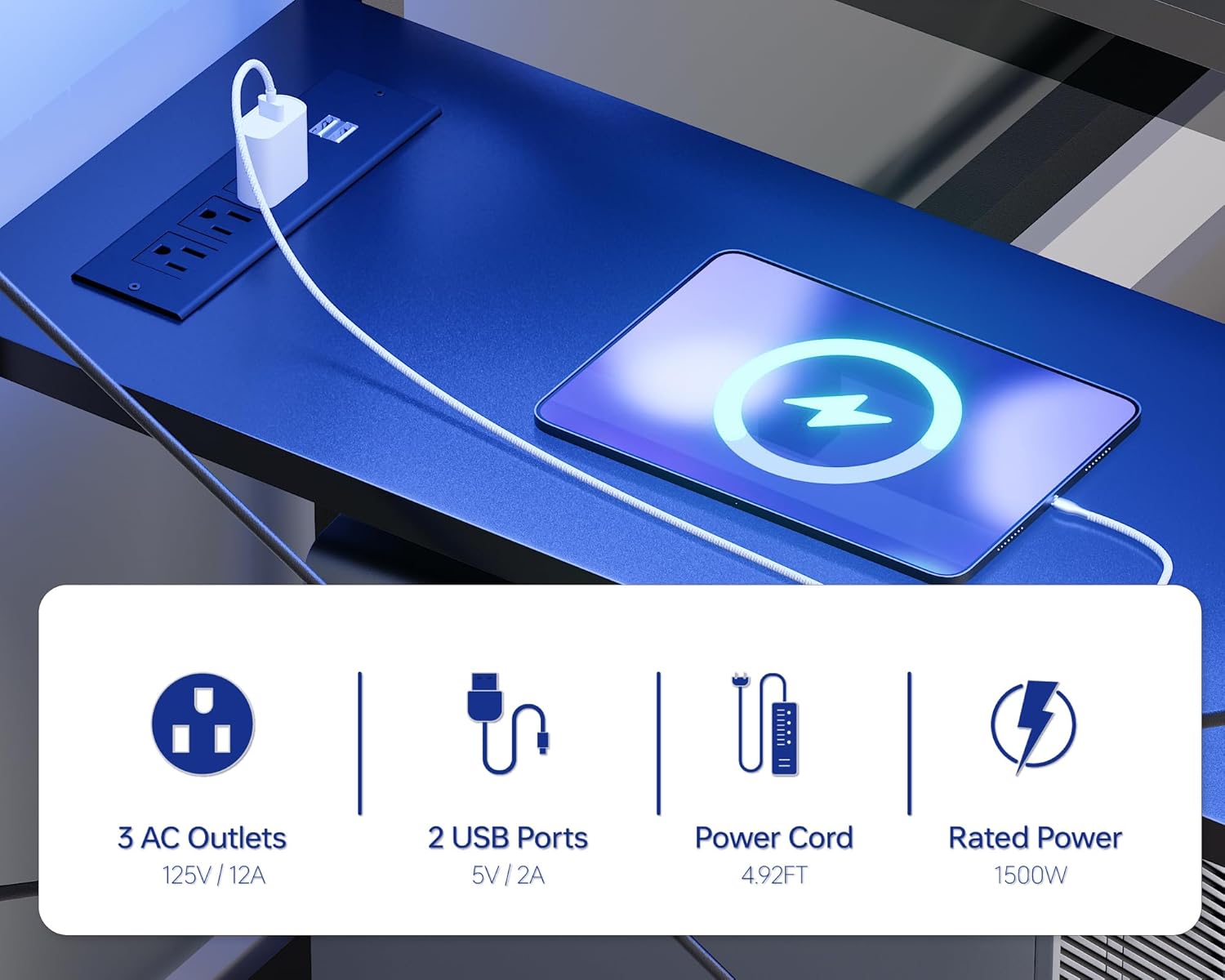
Image: Close-up of the integrated power outlets and USB ports on the desk surface.
Controlling the LED Lights
The integrated LED light strip offers 213 dynamic modes and over 10,000 color options. Control the lights remotely via a dedicated smartphone application. Adjust brightness, color hues, and lighting modes to create your desired ambiance or enhance focus.

Image: The desk illuminated by RGB LED lights, with an illustration of the smartphone app control interface.
Maintenance
Proper maintenance will extend the life and appearance of your desk.
- Wipe the desk surface with a soft, damp cloth. Avoid using harsh chemicals or abrasive cleaners, which can damage the finish.
- Regularly check and tighten all screws and fasteners to maintain the desk's structural integrity and stability.
- Keep liquids away from electrical components, including the power outlets and LED light strip, to prevent electrical hazards.
- For the non-woven fabric drawers, spot clean with a mild detergent if necessary. Do not machine wash.
Troubleshooting
If you encounter any issues with your Pamray S15 Computer Desk, refer to the following common solutions:
- Desk is unstable or wobbly: Ensure all assembly screws are fully tightened. Adjust the leg pads on the bottom of the desk to level it on uneven floor surfaces.
- LED lights not working: Check if the LED strip's power cable is securely connected to the power source and that the main desk power cord is plugged into a functional wall outlet. Verify the smartphone app connection and settings.
- Power outlets not providing power: Confirm that the desk's main power cord is securely plugged into a functional wall outlet. Test the outlet with another device to ensure it is working correctly.
- Missing or damaged parts: If you find any parts missing or damaged upon unpacking, please contact customer support immediately for assistance.
Specifications
Detailed specifications for the Pamray S15 Marble 58-inch Computer Desk:
| Feature | Detail |
|---|---|
| Brand | Pamray |
| Model Number | S15 |
| Color | Marble |
| Product Dimensions (D x W x H) | 18.9" x 58.27" x 36.38" |
| Material Type | FSC-Certified Wood and Metal |
| Maximum Weight Recommendation | 200 Pounds |
| Number of Drawers | 2 (non-woven fabric) |
| Number of Shelves | 2 (open side shelves, adjustable) |
| Power Outlets | 3 AC Outlets (125V/12A) |
| USB Ports | 2 USB Ports (5V/2A) |
| LED Lights | Integrated, 213 modes, 10,000+ color options, App control |
| Assembly Required | Yes |
| Assembly Tools Included | Yes |

Image: Technical drawing illustrating the precise dimensions of the desk components.
Warranty and Support
Warranty Information
Please refer to your original purchase documentation or the retailer's website for specific warranty details regarding your Pamray S15 Computer Desk. It is important to retain your proof of purchase for any warranty claims.
Customer Support
For assistance with assembly, missing parts, troubleshooting, or any other inquiries, please contact Pamray customer support through the retailer where the product was purchased. You may also visit the official Pamray store on Amazon for more information: Pamray Store.