
1. Product Overview
The Higoom CLB-3530 is a versatile 4-in-1 cordless handheld vacuum cleaner designed for efficient cleaning in various environments, including homes and vehicles. It features powerful suction, a lightweight design, and multiple attachments for diverse cleaning tasks, including blowing and inflation functions.
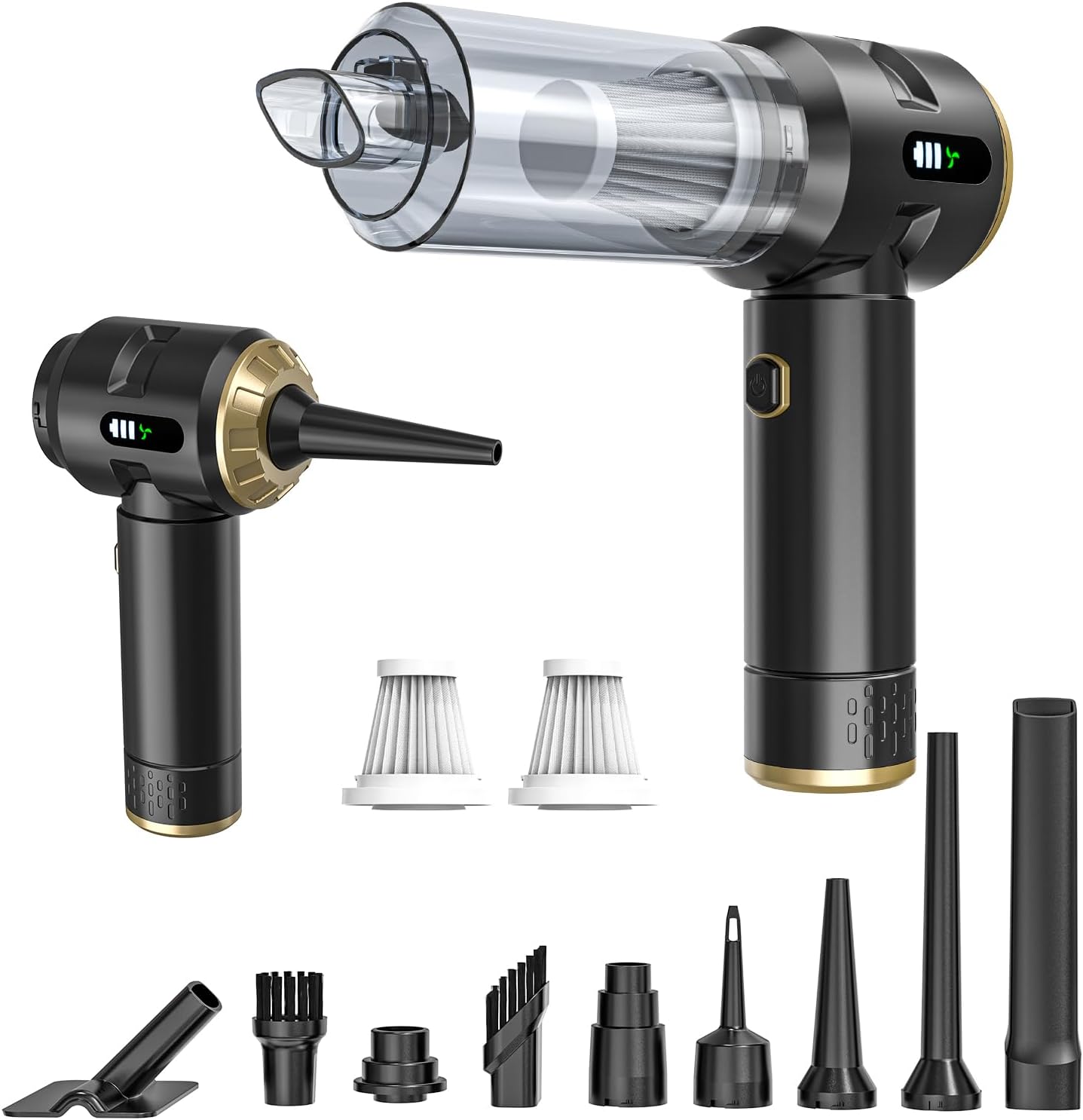
Image: Higoom CLB-3530 Cordless Handheld Vacuum Cleaner, showcasing its compact design and powerful suction for deep cleaning.
2. Product Features
- High-Performance Suction: Equipped with a high-speed brushless motor, delivering up to 22,000Pa suction power. Features noise reduction technology, maintaining operational noise below 78dB.
- Versatile 4-in-1 System: Includes a crevice tool, dusting brush, floor brush, and air-blower attachment. Offers inflation for items like pool floats and extraction for compressing storage bags.
- Extended Battery Operation: Powered by a 7500mAh rechargeable battery, providing approximately 40 minutes of continuous runtime. Charges via a Type-C cable within 3-5 hours.
- Clear Mode Display: An integrated digital screen displays the current operating mode for easy adjustment.
- Convenient Upkeep: Features a reusable HEPA filter that can be rinsed directly with water. Ensure complete drying before reuse. A spare HEPA filter is included.

Image: Illustration of the 4-in-1 functionality of the Higoom CLB-3530, showing its use for in-car cleaning, blowing air, inflation, and indoor cleaning.
3. Package Contents
Upon unpacking, verify that all components are present:
- Higoom CLB-3530 Handheld Vacuum Cleaner Unit
- Crevice Tool
- Dusting Brush
- Floor Brush
- Air-Blower Attachment
- Type-C Charging Cable
- Reusable HEPA Filter (pre-installed)
- Spare HEPA Filter
- Storage Bag
4. Setup
4.1 Charging the Device
Before first use, fully charge the vacuum cleaner. Connect the provided Type-C charging cable to the charging port on the device and plug the other end into a suitable USB power adapter (not included). The digital screen will indicate charging status with a red light, which turns green when fully charged. Full charging typically takes 3-5 hours.
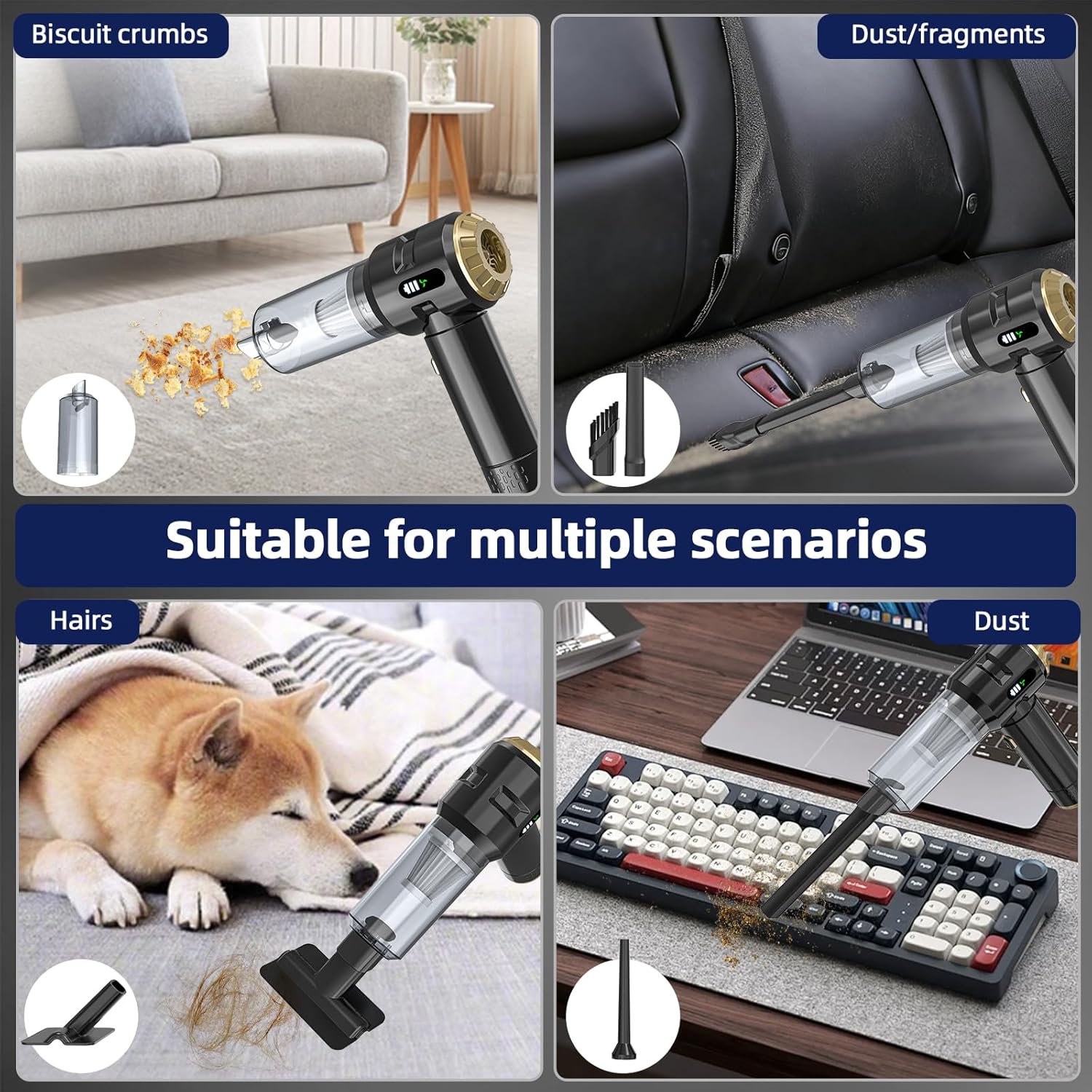
Image: The Higoom CLB-3530 connected to a Type-C charging cable, showing the charging indicator lights.
4.2 Attaching Accessories
To attach a suction accessory (crevice tool, dusting brush, floor brush), simply push it firmly onto the front nozzle of the vacuum cleaner until it clicks into place. For the air-blower attachment, remove the front nozzle and attach the blower accessory to the rear air outlet of the device.
Video: Demonstrates how to attach and detach various accessories to the Higoom handheld vacuum cleaner for different cleaning and blowing functions.
5. Operating Instructions
5.1 Powering On/Off and Mode Selection
Press and hold the power button for a few seconds to turn the device on. The digital screen will illuminate, showing the current power mode. Short press the power button to cycle through the available power modes (1st, 2nd, 3rd gear). To turn off the device, press and hold the power button again for a few seconds.
5.2 Vacuuming
Attach the desired suction tool (crevice tool for tight spaces, dusting brush for delicate surfaces, floor brush for larger areas). Turn on the vacuum and select the appropriate power mode. Move the vacuum over the surface to be cleaned, ensuring the nozzle makes contact to effectively pick up dust and debris.

Image: The Higoom CLB-3530 being used to vacuum a car seat, demonstrating its effectiveness in automotive interiors.
5.3 Blowing/Inflation
Attach the air-blower accessory to the rear air outlet. Turn on the device and select the desired power mode. Use the blower function to clear dust from keyboards, vents, or to inflate small items. The extraction function can be used to compress storage bags.
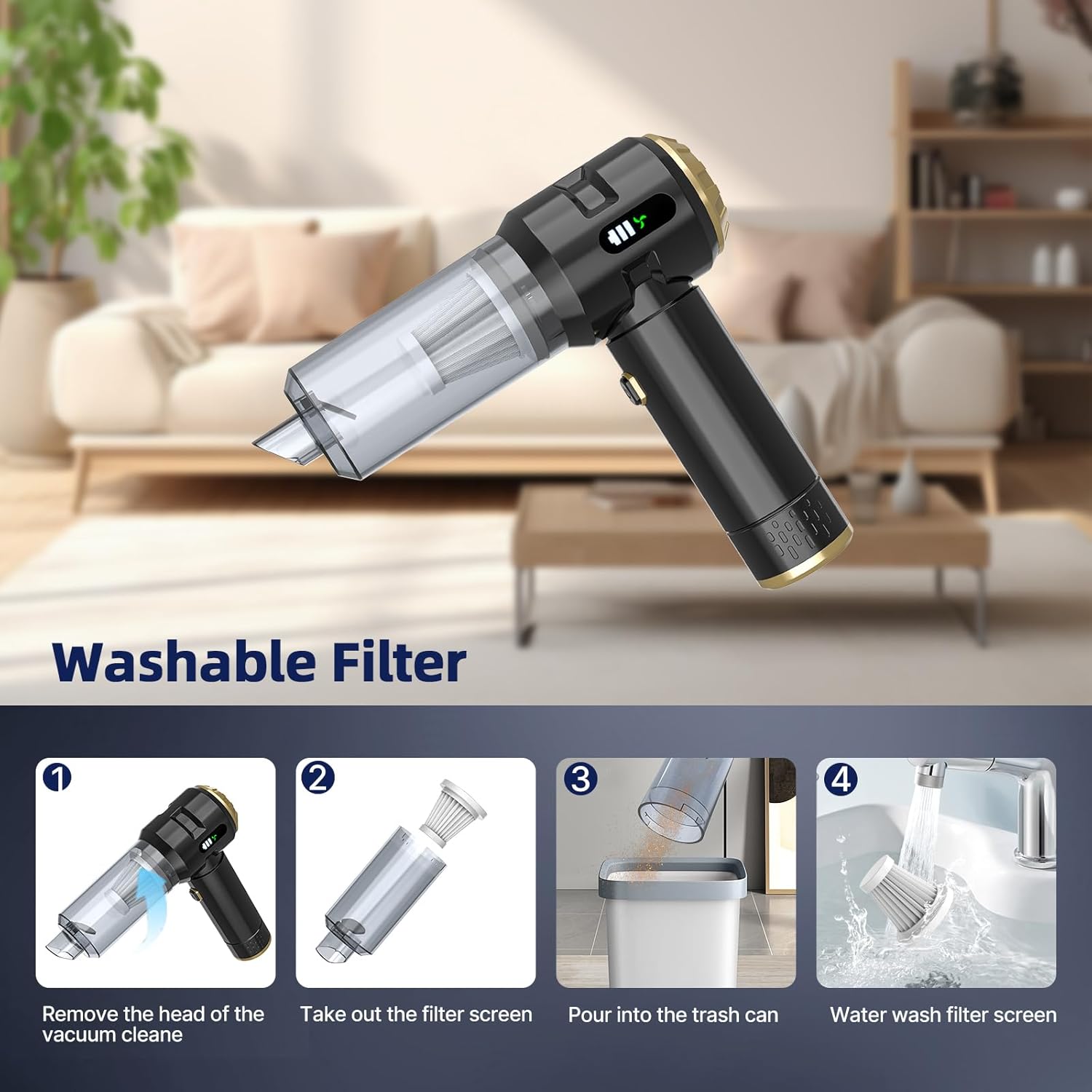
Image: A hand holding the Higoom CLB-3530 with a crevice tool attachment, cleaning a sofa cushion.
6. Maintenance
6.1 Emptying the Dust Cup
After use, twist the head of the vacuum cleaner counter-clockwise to detach the dust cup. Carefully remove the HEPA filter and empty the collected debris into a trash can.

Image: A hand demonstrating the removal of the vacuum head by twisting it.
6.2 Cleaning the HEPA Filter
The HEPA filter is reusable and washable. Rinse the filter under running water until it is clean. Ensure the filter is completely dry before reinserting it into the dust cup and reattaching the dust cup to the vacuum cleaner. This maintains optimal suction performance and extends filter longevity.

Image: A HEPA filter being rinsed under running water in a sink.
7. Troubleshooting
If the vacuum cleaner is not operating as expected, consider the following:
- No Power: Ensure the device is fully charged. Check the charging cable and adapter for damage.
- Weak Suction: Verify that the dust cup is not full and the HEPA filter is clean and properly installed. Check for any blockages in the nozzle or attachments.
- Unusual Noise: Turn off the device immediately. Check for any foreign objects lodged in the motor area or attachments.
For persistent issues not resolved by these steps, contact customer support.
8. Specifications
| Feature | Specification |
|---|---|
| Brand | Higoom |
| Model Name | CLB-3530 |
| Special Feature | Cordless |
| Filter Type | HEPA Filter |
| Capacity | 20 Grams |
| Charging Time | 3-5 Hours |
| Battery Life | Up to 40 minutes |
| Form Factor | Handheld |
| Product Dimensions | 9.3"L x 8.3"W x 3.1"H |
| Item Weight | 1.5 pounds |
| Power Source | Battery Powered (1 AAA battery included) |
9. Warranty and Support
Specific warranty information is not provided in the product details. For warranty claims, technical support, or further assistance, please refer to the contact information provided with your purchase or visit the official Higoom website.