
1. Introduction
Thank you for choosing the COLAMY LumiDesk All-in-1 Electric Standing Desk. This manual provides essential information for the safe assembly, operation, and maintenance of your new desk. Please read it thoroughly before use and retain it for future reference.
2. Safety Information
- Do not overload the desk. Distribute weight evenly to maintain stability. The maximum weight recommendation is 175 pounds.
- Ensure no obstacles are in the desk's path during height adjustment to prevent damage or injury.
- Keep children and pets away from the desk during operation.
- Only use the desk for its intended purpose as a workstation.
- Regularly check all screws and connections to ensure they are tight and secure.
- Disconnect power before cleaning or performing any maintenance.
3. Product Features
3.1. Premium Desktop & Sturdy Frame
The desk features a whole-piece desktop crafted with FSC-certified MFC and natural veneer, offering a seamless surface with natural wood grain. The robust carbon steel frame ensures stability and durability.

Image: COLAMY LumiDesk in a modern office setting.
3.2. Smooth & Silent Dual Motor Lift System
Equipped with a dual-motor system, the desk provides smooth and stable sit-stand transitions with a whisper-quiet operation (below 50dB). It supports up to 175 lbs with a lifting speed of 1.4 inches per second.

Image: Graphic illustrating the quiet operation of the dual-motor lift system.
3.3. Integrated Cable Management & Power Outlet
Maintain a clutter-free workspace with the built-in power outlet, magnetic rear cable tray, and desktop grommet. These features help keep wires organized and out of sight.

Image: Close-up of the integrated cable management tray and power outlet.
3.4. Spacious Pull-Out Drawer for Storage
A large 25x12 inch pull-out drawer is integrated for convenient storage of office supplies, documents, and personal items, helping to maintain a minimalist desktop.

Image: View of the spacious pull-out drawer.
3.5. Ergonomic Footrest for Flexible Posture
The built-in footrest supports your legs in various positions, whether sitting, standing, lounging, or cross-legged, reducing pressure and enhancing comfort.
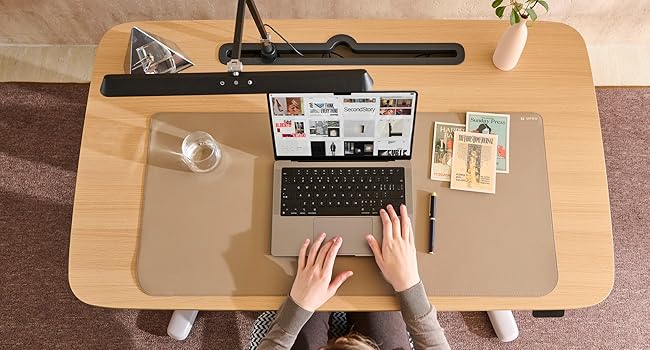
Image: Close-up of the ergonomic footrest.
4. Assembly Instructions
The COLAMY LumiDesk is designed for simplified assembly, often taking less than 10 minutes for a solo installation. All necessary assembly tools are included.
Video: This video demonstrates the quick and easy assembly process of the COLAMY LumiDesk, highlighting its frustration-free setup.
- Unpack all components and verify against the parts list in the included manual.
- Attach the desk legs to the desktop using the provided screws and tools.
- Connect the motor cables to the control box as indicated.
- Secure any covers or cable management components.
- Plug the desk into a power outlet.
5. Operating Instructions
5.1. Height Adjustment
Use the manual controller located on the front right of the desk to adjust the height. Pull up to raise the desk and push down to lower it. The display screen will show the current height.

Image: Close-up of the manual controller for height adjustment.
5.2. Memory Presets
The controller allows you to save up to two height presets (e.g., one for sitting, one for standing). To set a preset:
- Adjust the desk to your desired height.
- Double-click the settings button (Button 2) on the right side of the controller.
- Navigate to the cloud icon and select either Preset 1 or Preset 2 to save the current height.
To activate a preset, double-press the controller up or down to move to your saved standing or sitting position.
5.3. Sit-Stand Reminder
The desk features a customizable timer to remind you to switch between sitting and standing. Access this feature through the controller settings. When active, the screen displays a progress bar, and the controller vibrates when the timer ends.
5.4. Safety Lock
To prevent accidental adjustments, the controller includes a lock feature. This requires a specific input to unlock, ensuring the desk height remains unchanged, especially useful in households with children.
5.5. Anti-Collision Feature
The LumiDesk is equipped with a gyroscope sensor that automatically stops the desk from lowering further and slightly raises it if it detects any external force or obstruction during adjustment, preventing damage or injury.
Video: This video showcases the user experience of the COLAMY LumiDesk, demonstrating its features like height adjustment, cable management, and ergonomic design.
6. Maintenance
- Cleaning: Wipe the desktop and frame with a soft, damp cloth. Avoid harsh chemicals or abrasive cleaners.
- Inspection: Periodically check all fasteners and connections for tightness. Tighten if necessary.
- Cable Management: Ensure cables are neatly organized within the cable tray and grommet to prevent snagging during height adjustments.
7. Troubleshooting
| Problem | Possible Cause | Solution |
|---|---|---|
| Desk does not move | Power cable disconnected; Controller locked; Overload detected | Check power connection; Unlock controller; Reduce weight on desk |
| Uneven movement | Uneven weight distribution; Loose connections | Distribute weight evenly; Check and tighten connections |
| Desk stops during adjustment | Anti-collision sensor activated; Overload detected | Remove obstruction; Reduce weight on desk |
| Controller display not working | Power issue; Loose cable connection | Check power and cable connections |
If you encounter issues not listed here or if solutions do not resolve the problem, please contact COLAMY customer support.
8. Specifications
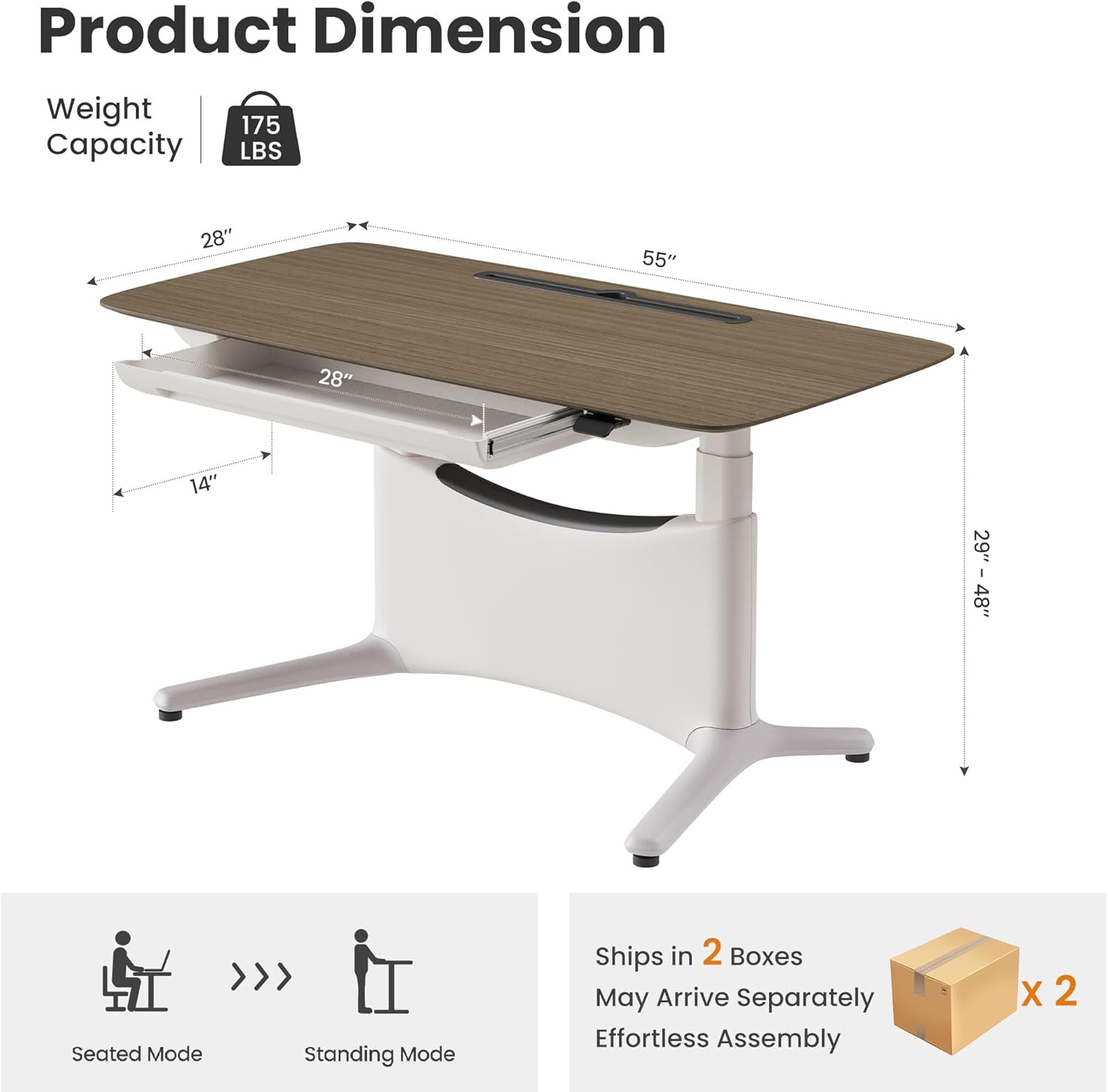
Image: Product dimensions and weight capacity.
| Feature | Detail |
|---|---|
| Brand | COLAMY |
| Model Number | TX-ED01-T-WD-WAL-L-WH-SC |
| Desktop Material | FSC-certified MFC with Natural Veneer |
| Frame Material | Carbon Steel, Aluminum |
| Product Dimensions (D x W x H) | 28"D x 55"W x 48"H |
| Height Adjustment Range | 29 inches to 48 inches |
| Weight Capacity | Up to 175 Pounds |
| Lifting Speed | 1.4 inches/second |
| Noise Level | Less than 50dB |
| Drawer Dimensions | 25" x 12" |
| Special Features | Dual Motor, Height Adjustable, Ergonomic Footrest, Integrated Power Outlet, Cable Management Tray, Memory Presets, Anti-Collision |
| Assembly Time | Under 10 minutes (solo) |
9. Warranty and Support
The COLAMY LumiDesk comes with a 5-year limited warranty for the frame and structure, and a 1-year limited warranty for the motor and electronics. For any assistance, please contact COLAMY customer support.
For further support or inquiries, please visit the COLAMY Store on Amazon.