
1. Introduction
Thank you for choosing the TAGRY H08 Active Noise Reduction Headphones. This manual provides essential information for setting up, operating, and maintaining your headphones to ensure optimal performance and longevity. Please read this manual thoroughly before using the product.
2. Package Contents
Verify that all items are present in your package:
- TAGRY H08 Active Noise Reduction Headphones
- USB Type-C Charging Cable
- 3.5mm AUX Audio Cable
- Travel Pouch
- User Manual (this document)
3. Product Overview
The TAGRY H08 headphones are designed for an immersive audio experience with active noise cancellation. They feature a lightweight, comfortable, and foldable design for portability.

Figure 1: TAGRY H08 Active Noise Reduction Headphones (Blue model shown)
Key Features:
- Active Noise Cancellation (ANC)
- Up to 100 Hours of Playtime
- Punchy Bass & Clear Sound Quality
- Bluetooth 5.0 Wireless Connectivity
- 3.5mm Wired Connection Option
- Lightweight and Comfortable Over-Ear Design
- Foldable and Portable
4. Setup
4.1 Charging the Headphones
Before first use, fully charge your headphones. A full charge takes approximately 1 hour.
- Connect the USB Type-C charging cable to the charging port on the headphone.
- Connect the other end of the USB cable to a compatible USB power source (e.g., wall adapter, computer USB port).
- The LED indicator will show charging status (refer to LED indicator section in Operating Instructions for details).
- Once fully charged, disconnect the charging cable.
4.2 Powering On/Off
- To Power On: Press and hold the Power button for approximately 3 seconds until the LED indicator lights up and you hear a power-on prompt.
- To Power Off: Press and hold the Power button for approximately 3 seconds until the LED indicator turns off and you hear a power-off prompt.
4.3 Bluetooth Pairing (Wireless Connection)
Pair your headphones with your Bluetooth-enabled device for wireless audio.
- Ensure the headphones are powered off.
- Press and hold the Power button for approximately 5-7 seconds until the LED indicator flashes blue and red alternately, indicating pairing mode.
- On your device (smartphone, laptop, etc.), enable Bluetooth and search for available devices.
- Select "TAGRY H08" from the list of found devices.
- Once successfully paired, the LED indicator will flash blue slowly, and you will hear a connection prompt.
Note: The headphones will automatically attempt to reconnect to the last paired device when powered on.
4.4 Wired Connection
For devices without Bluetooth or when battery is low, use the 3.5mm AUX cable.
- Connect one end of the 3.5mm AUX audio cable to the audio input jack on the headphones.
- Connect the other end of the 3.5mm AUX audio cable to the audio output jack of your device.
- The headphones will automatically switch to wired mode.
5. Operating Instructions
5.1 Controls Overview

Figure 2: Headphone controls on the right ear cup.
| Button/Function | Action | Description |
|---|---|---|
| Power Button | Press and Hold (3s) | Power On/Off |
| Power Button | Press and Hold (5-7s) | Enter Bluetooth Pairing Mode |
| Play/Pause Button | Single Press | Play/Pause Music |
| Volume Up (+) | Single Press | Increase Volume |
| Volume Down (-) | Single Press | Decrease Volume |
| Next Track | Press and Hold (+) | Skip to Next Track |
| Previous Track | Press and Hold (-) | Go to Previous Track |
| ANC Button | Single Press | Toggle Active Noise Cancellation On/Off |
5.2 Active Noise Cancellation (ANC)
The ANC feature reduces ambient noise, providing a more focused listening experience. Press the dedicated ANC button to activate or deactivate this function. The LED indicator will confirm its status.
5.3 Call Management
When connected via Bluetooth, you can manage phone calls directly from your headphones:
- Answer/End Call: Single press the Play/Pause button.
- Reject Call: Press and hold the Play/Pause button for 2 seconds.
6. Maintenance
6.1 Cleaning
Regular cleaning helps maintain the headphones' condition and hygiene.
- Use a soft, dry cloth to wipe the exterior surfaces of the headphones.
- For ear cups, gently wipe with a slightly damp cloth and allow to air dry completely before use.
- Avoid using harsh chemicals or abrasive materials.
6.2 Storage
When not in use, store the headphones in the provided travel pouch to protect them from dust and damage. The foldable design allows for compact storage.
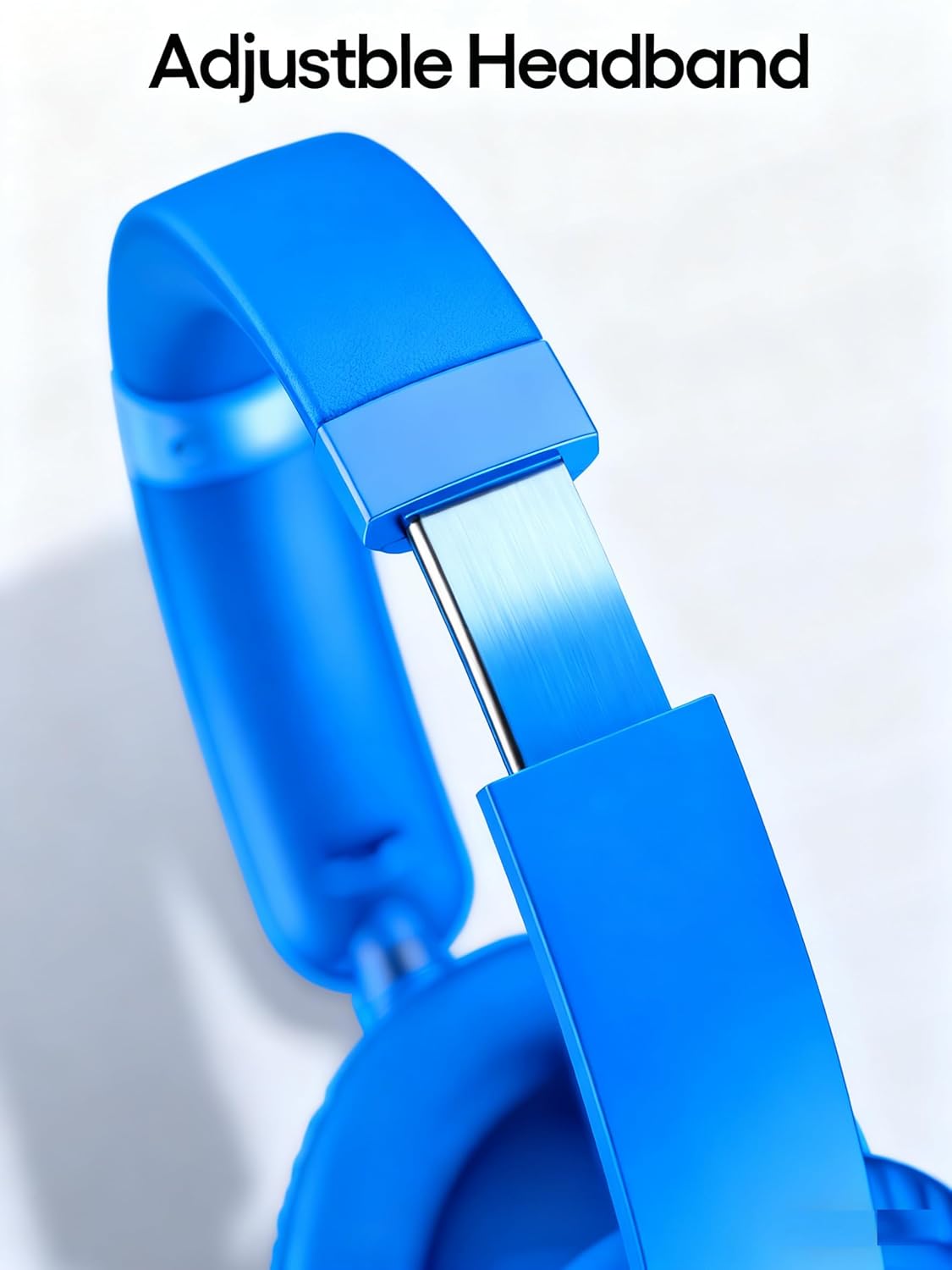
Figure 3: The adjustable headband ensures a comfortable fit for various head sizes.
7. Troubleshooting
If you encounter issues with your headphones, refer to the following common solutions:
- No Power: Ensure the headphones are fully charged. Connect to a power source and check the charging indicator.
- Cannot Pair via Bluetooth:
- Ensure the headphones are in pairing mode (LED flashing blue/red).
- Make sure Bluetooth is enabled on your device.
- Move the headphones closer to your device (within 10 meters).
- Turn off and on both the headphones and your device's Bluetooth.
- Clear previous Bluetooth connections on your device if necessary.
- No Sound (Wireless):
- Check if the headphones are successfully paired.
- Adjust the volume on both the headphones and your connected device.
- Ensure the audio source is playing.
- No Sound (Wired):
- Ensure the 3.5mm AUX cable is securely connected to both the headphones and the audio source.
- Test with a different 3.5mm AUX cable if available.
- Check the volume on your audio source.
- ANC Not Working: Ensure the ANC button is pressed to activate the feature.
8. Specifications
| Feature | Detail |
|---|---|
| Model Name | H08 |
| Brand | TAGRY |
| Connectivity Technology | Wireless (Bluetooth), Wired (3.5mm Jack) |
| Wireless Communication | Bluetooth 5.0 |
| Headphones Jack | 3.5 mm Jack |
| Noise Control | Active Noise Cancellation |
| Battery Life | Up to 100 Hours |
| Charging Time | Approximately 1 Hour |
| Item Weight | 2.89 ounces |
| Material | Faux Leather |
| Form Factor | Over Ear |
| Compatible Devices | Cellphones, Laptops, Tablets, Television |
9. Warranty and Support
For warranty information or technical support, please refer to the "After-sales Support Card" included in your product packaging or contact TAGRY customer service through the official website or your retailer.


