
1. Introduction
This manual provides detailed instructions for the proper use and maintenance of your XIAOWTEK S66 True Wireless Earbuds. Please read this manual thoroughly before using the product to ensure optimal performance and longevity.
2. What's in the Box
Verify that all items are present in your product packaging:
- XIAOWTEK S66 True Wireless Earbuds (Left and Right)
- Charging Case with LED Power Display
- USB Type-C Charging Cable
- Ear Cushions (S/M/L three pairs)
- User Manual (this document)

Image: All components included in the XIAOWTEK S66 True Wireless Earbuds package.
3. Product Overview
The XIAOWTEK S66 True Wireless Earbuds feature an ergonomic design, a charging case with an LED power display, and advanced audio components for a clear sound experience.

Image: The XIAOWTEK S66 True Wireless Earbuds in their charging case, showing the digital battery display.

Image: An exploded diagram illustrating the internal structure and 12mm diaphragm driver of the earbud.
4. Setup
4.1. Charging the Earbuds and Case
Before first use, fully charge the earbuds and charging case. Connect the provided USB Type-C cable to the charging port on the case and a compatible USB power source. The LED display on the case will show the charging status and battery percentage. The earbuds will charge automatically when placed inside the case.
- A full charge provides approximately 6 hours of playback for the earbuds.
- The charging case extends total playback time up to 50 hours.
- A quick 10-minute charge can provide up to 2 hours of playtime.

Image: Battery life indicators for single charge, total with case, and quick charge.

Image: The accurate LED digital display on the charging case, showing battery levels for both earbuds and the case itself.
4.2. Pairing with a Device
The earbuds feature one-step auto-pairing for convenience.
- Initial Pairing: Open the charging case. The earbuds will automatically enter pairing mode.
- On your smartphone, tablet, or computer, enable Bluetooth.
- Search for available Bluetooth devices and select "S66" from the list.
- Once connected, the earbuds will indicate successful pairing (e.g., a voice prompt or LED indicator change).
- Subsequent Pairing: After the initial connection, the earbuds will automatically connect to the last paired device when the case is opened, provided Bluetooth is enabled on the device.
The S66 earbuds utilize Bluetooth 5.4 technology for a stable and fast connection, compatible with iOS, Android, and Windows devices.
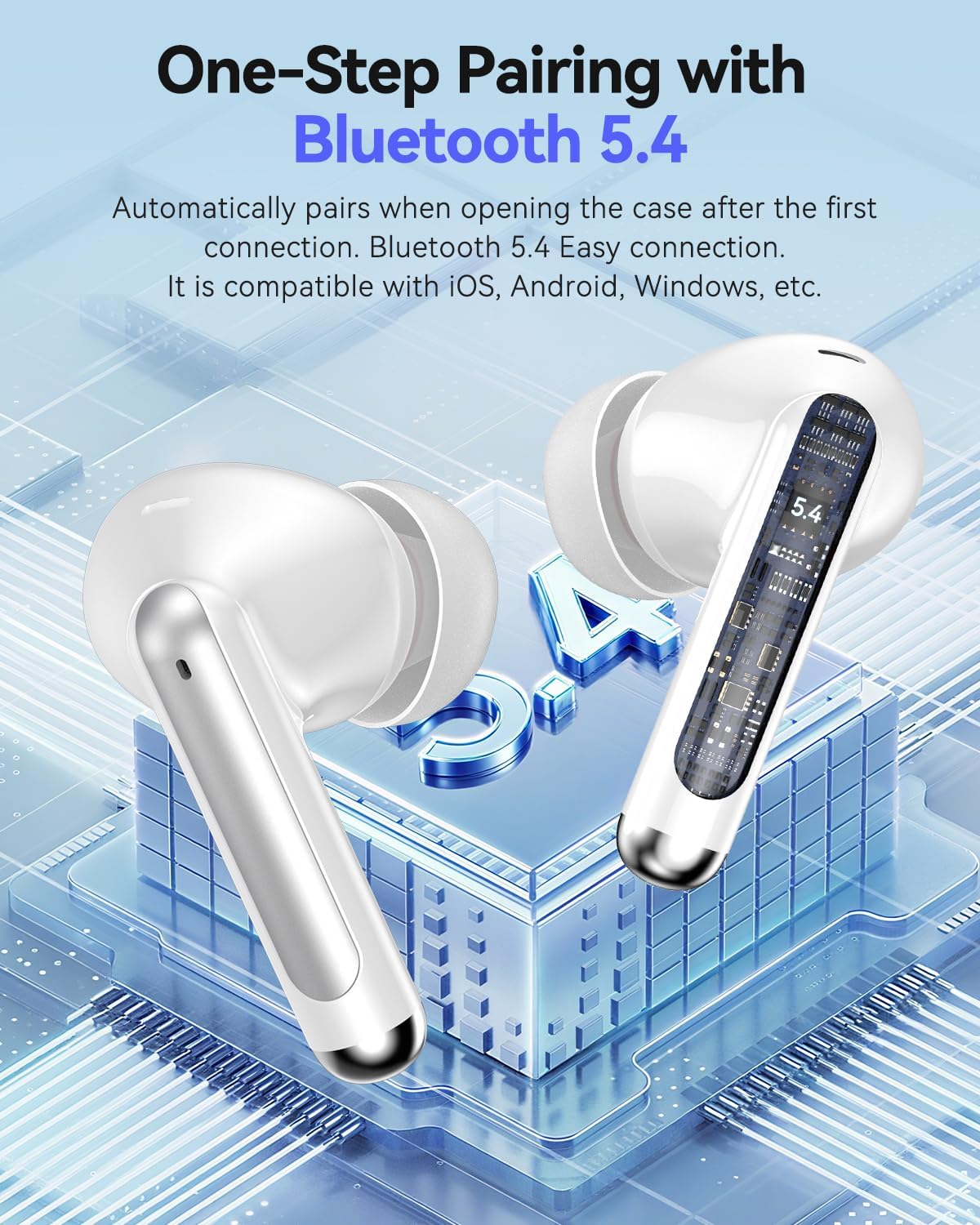
Image: Visual representation of the earbuds highlighting Bluetooth 5.4 connectivity and one-step pairing.
4.3. Wearing the Earbuds
For optimal sound quality and comfort, select the correct size ear cushions and ensure a secure fit.
- Choose the ear cushions (S/M/L) that best fit your ear canal. A snug fit helps with sound isolation and bass response.
- Gently insert each earbud into your ear, twisting slightly until it feels secure and comfortable.
- The ergonomic design is intended for extended wear and stability during activities like sports.

Image: A user wearing the earbuds, illustrating the ergonomic design for a better fit.

Image: A person engaged in physical activity while wearing the earbuds, emphasizing comfort, IPX7 water resistance, and the availability of S/M/L ear caps.
5. Operating Instructions
The XIAOWTEK S66 earbuds feature smart touch controls for various functions.
5.1. Touch Control Functions
| Action | Function |
|---|---|
| Single Tap (L/R) | Play/Pause Music, Answer/End Call |
| Double Tap (L) | Previous Song |
| Double Tap (R) | Next Song |
| Triple Tap (L) | Volume Down |
| Triple Tap (R) | Volume Up |
| Long Press (2 seconds) (L/R) | Reject Call, Activate Voice Assistant |
6. Maintenance
6.1. Cleaning
- Regularly clean the earbuds and charging case with a soft, dry, lint-free cloth.
- Do not use harsh chemicals, cleaning solvents, or strong detergents.
- Remove ear cushions and clean them separately with mild soap and water if necessary, ensuring they are completely dry before reattaching.
- Clean the charging contacts on both the earbuds and the case with a dry cotton swab to ensure proper charging.
6.2. Storage
- When not in use, store the earbuds in their charging case to protect them and keep them charged.
- Store the product in a cool, dry place, away from extreme temperatures and direct sunlight.
6.3. Water Resistance (IPX7)
The earbuds are rated IPX7 waterproof, meaning they can withstand immersion in water up to 1 meter for 30 minutes. This rating applies to the earbuds only, not the charging case. Avoid exposing the charging case to water.
- Do not intentionally submerge the earbuds for extended periods or in depths greater than specified.
- Ensure earbuds are dry before placing them back into the charging case to prevent damage to the case.
7. Troubleshooting
If you encounter issues with your XIAOWTEK S66 earbuds, refer to the following common solutions:
- Earbuds not pairing:
- Ensure both earbuds are charged.
- Turn off Bluetooth on your device, then turn it back on.
- Forget/delete "S66" from your device's Bluetooth list and attempt to pair again.
- Place earbuds back in the case, close it, wait a few seconds, then open it to re-enter pairing mode.
- Only one earbud working:
- Ensure both earbuds are charged.
- Try placing both earbuds back into the charging case, closing the lid, and then taking them out again simultaneously.
- Perform a factory reset (refer to specific instructions if available in the included user manual, or try holding the touch area for an extended period while in the case).
- Poor sound quality or low volume:
- Adjust the volume on both your device and the earbuds.
- Ensure the ear cushions are properly seated in your ear canal for a good seal.
- Clean any debris from the earbud speaker mesh.
- Move closer to your paired device to avoid interference.
- Charging issues:
- Ensure the charging cable is securely connected to both the case and the power source.
- Clean the charging contacts on the earbuds and inside the case.
- Try a different USB Type-C cable or power adapter.
If the issue persists, please contact customer support.
8. Specifications
| Feature | Detail |
|---|---|
| Model Name | S66 |
| Brand | XIAOWTEK |
| Connectivity Technology | Wireless (Bluetooth 5.4) |
| Ear Placement | In-Ear |
| Form Factor | On Ear (referring to the earbud style) |
| Noise Control | Active Noise Cancellation (ANC) |
| Water Resistance Rating | IPX7 (Earbuds only) |
| Battery Life (Single Charge) | Up to 6 hours |
| Total Battery Life (with Charging Case) | Up to 50 hours |
| Quick Charge | 10 mins charge for 2 hours playtime |
| Charging Port | USB Type-C |
| Item Weight | 3.17 ounces |
| Package Dimensions | 3.74 x 3.43 x 1.34 inches |
9. Safety Information
- Do not disassemble or modify the product.
- Keep away from extreme temperatures, direct sunlight, and open flames.
- Avoid dropping or subjecting the product to strong impacts.
- Keep out of reach of children and pets.
- Do not use the earbuds at excessively high volumes for prolonged periods to prevent hearing damage.
- Be aware of your surroundings when using earbuds, especially in traffic or other potentially hazardous situations.
10. Warranty and Support
XIAOWTEK products are designed and manufactured to the highest quality standards. For warranty information and customer support, please refer to the warranty card included in your package or visit the official XIAOWTEK website. Please retain your proof of purchase for warranty claims.


