
Introduction
This manual provides instructions for the assembly, operation, and maintenance of your Yaheetech Foldable Desk with Shelf and Monitor Stand. Please read these instructions carefully before use and retain them for future reference. This desk is designed for home office, living room, or bedroom use, offering a space-saving and ergonomic solution.
Safety Warnings
- Maximum Load Capacity: The total maximum load capacity for the desk is 70 kg (154 lbs). The main tabletop can support up to 60 kg (132 lbs), and the elevated shelf can support up to 10 kg (22 lbs). Do not exceed these limits.
- Do Not Stand on the Desk: For your safety and to prevent damage to the product, do not stand on the desk.
- Pinching Hazard: When folding or unfolding the desk, ensure fingers are kept away from the metal tubes underneath to avoid pinching.
- Ensure all components are securely fastened before use.

Image Description: A diagram illustrating the folding mechanism of the desk, highlighting areas where fingers should be kept clear to prevent pinching during the folding process. Red crosses indicate incorrect hand placement, while green checkmarks show safe handling.
Package Contents
Before assembly, please verify that all components are present and undamaged.
- 1 x Foldable Computer Desk
- 1 x Assembly Manual (English)
- 1 x Accessory Pack (hardware for assembly)
Setup and Assembly
The desk features a simple, foldable design for easy assembly and storage. Recommended tools for assembly include an Allen key and a screwdriver, which are typically included in the accessory pack.
Assembly Instructions:
- Carefully unpack all components and lay them out on a clean, soft surface to prevent scratches.
- Unfold the X-shaped metal frame. Ensure the legs are fully extended and locked into position.
- Attach the particle board tabletop to the metal frame using the provided hardware. Follow the diagrams in the included assembly manual for specific screw placement.
- Secure the elevated shelf to the main tabletop structure. This shelf is designed to raise your monitor to an ergonomic height.
- Once assembled, gently shake the desk to ensure all connections are stable and secure.

Image Description: A visual representation demonstrating the transition of the desk from a compact, folded state to its fully assembled, ready-to-use configuration, emphasizing the ease of setup.
Operating Instructions
Ergonomic Design:
The elevated shelf is designed to raise your monitor to a comfortable eye level, promoting an ergonomic posture and reducing strain on your neck and back during extended use. The spacious tabletop provides ample room for work, while the open bottom design allows for free leg movement.

Image Description: A diagram comparing incorrect and correct sitting postures at a desk. The correct posture shows a user with a monitor elevated by the desk's shelf, demonstrating reduced neck and back strain.
Folding and Storage:
When not in use, the desk can be easily folded flat for compact storage. This space-saving design makes it ideal for small apartments, dorm rooms, or flexible workspaces. It can be stored behind doors, under beds, or in narrow niches.

Image Description: A series of images illustrating the desk's space-saving foldable design, showing it stored flat behind a door, under a bed, and compactly beside other furniture.
Versatile Use:
The desk's minimalist style and compact form factor allow it to blend seamlessly into various room types, including home offices, living rooms, and bedrooms. Its sturdy construction with an X-shaped metal frame ensures stability for daily tasks.
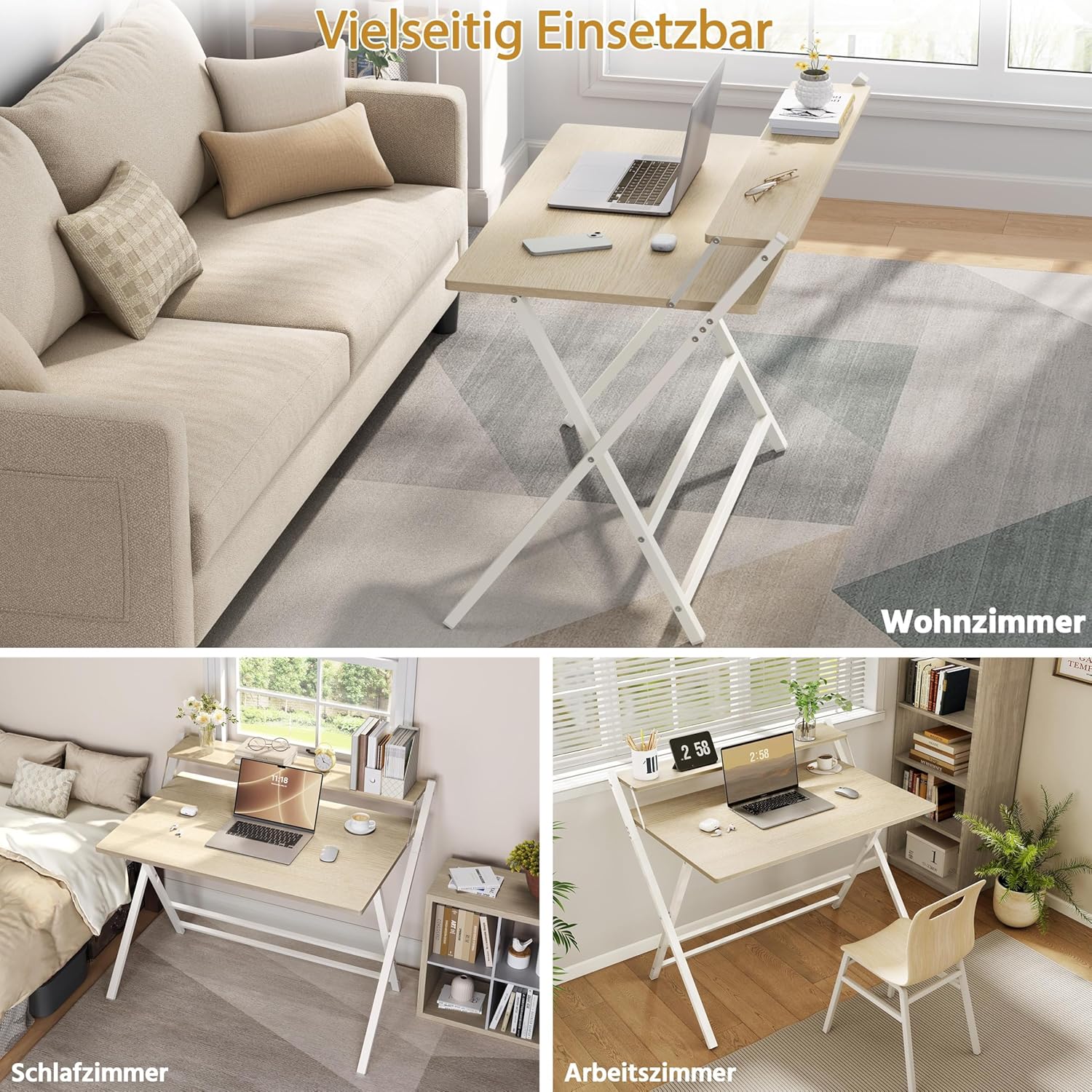
Image Description: A collage of three images showcasing the desk's versatility. It is depicted in a living room, a bedroom, and a dedicated study, demonstrating its suitability for various interior spaces.
Maintenance
The desk's waterproof surface is designed for easy cleaning. To maintain its appearance and longevity:
- Wipe the surface with a soft, damp cloth.
- Avoid using harsh chemicals or abrasive cleaners, as these may damage the finish.
- Regularly check and tighten any loose screws to ensure stability.
- Keep the desk away from direct sunlight and excessive moisture.
Specifications
| Feature | Detail |
|---|---|
| Model Number | YA1yc80001001 |
| Color | Light Wood |
| Material | Particle Board, Powder-Coated Metal |
| Overall Dimensions (Unfolded) | 106.5 cm (L) x 60.5 cm (W) x 90 cm (H) |
| Folded Dimensions | 107 cm (L) x 106.5 cm (W) x 4 cm (H) |
| Tabletop Dimensions | 100 cm (L) x 50 cm (W) |
| Shelf Dimensions | 100 cm (L) x 12 cm (W) |
| Tabletop Height | 74.5 cm |
| Total Weight Capacity | 70 kg (154 lbs) |
| Tabletop Weight Capacity | 60 kg (132 lbs) |
| Shelf Weight Capacity | 10 kg (22 lbs) |
| Item Weight | 10.8 kg (23.8 lbs) |
| Special Features | Foldable, Two-tier with Monitor Stand, X-shaped Metal Frame |

Image Description: A detailed diagram illustrating the dimensions of the desk in both its unfolded and folded states. It also clearly indicates the maximum load capacities for the main tabletop (60 kg) and the elevated shelf (10 kg).
Troubleshooting
If you encounter any issues with your Yaheetech Foldable Desk, please refer to the following common solutions:
- Desk Wobbles: Ensure all screws are tightened. Check that the desk is placed on a flat, even surface. Adjust any leveling feet if present.
- Difficulty Folding/Unfolding: Verify that no objects are obstructing the folding mechanism. Apply gentle, even pressure. Refer to the assembly instructions for the correct folding procedure, paying attention to safety warnings regarding pinching.
- Missing Parts: If any parts are missing from the accessory pack, please contact Yaheetech customer support.
Warranty and Support
For warranty information or if you require further assistance, please contact Yaheetech customer support through the retailer where the product was purchased or visit the official Yaheetech website. Please have your model number (YA1yc80001001) and purchase details ready.


