
1. Introduction
Thank you for choosing the TAOLOON Smartwatch. This manual provides essential information for setting up, operating, and maintaining your device. Please read it carefully to ensure optimal performance and longevity of your smartwatch.
2. Product Overview
The TAOLOON Smartwatch features a 1.43-inch AMOLED touchscreen with a high resolution of 466x466 pixels, offering clear visuals. It supports Bluetooth 5.3 for phone calls and notifications, includes over 120 sports modes, and provides 24/7 health monitoring. The device is IP68 waterproof, making it suitable for daily wear and various activities.

Image 2.1: Visual comparison highlighting the superior resolution and features of the AMOLED screen on the TAOLOON Smartwatch compared to a standard OLED screen.
3. Setup
3.1 Charging the Smartwatch
Before first use, fully charge your smartwatch. Connect the magnetic charging cable to the charging points on the back of the watch and plug the USB end into a power adapter (not included). A full charge typically takes 2.0-2.5 hours. The battery capacity is 250 mAh, providing 4-6 days of continuous use or 7-10 days of standby time.
3.2 App Installation
Download the Da Fit application from your smartphone's app store (Google Play Store for Android or Apple App Store for iOS). The app is required for full functionality and data synchronization.
3.3 Pairing with Your Smartphone
- Ensure your smartphone's Bluetooth is enabled.
- Open the Da Fit app and follow the on-screen instructions to add your device.
- Select your TAOLOON Smartwatch from the list of available devices.
- Confirm the pairing request on both your phone and the smartwatch.
The smartwatch is compatible with Android 5.0 and above, and iOS 9.0 and above versions. Once paired, you can receive calls and notifications directly on your watch.
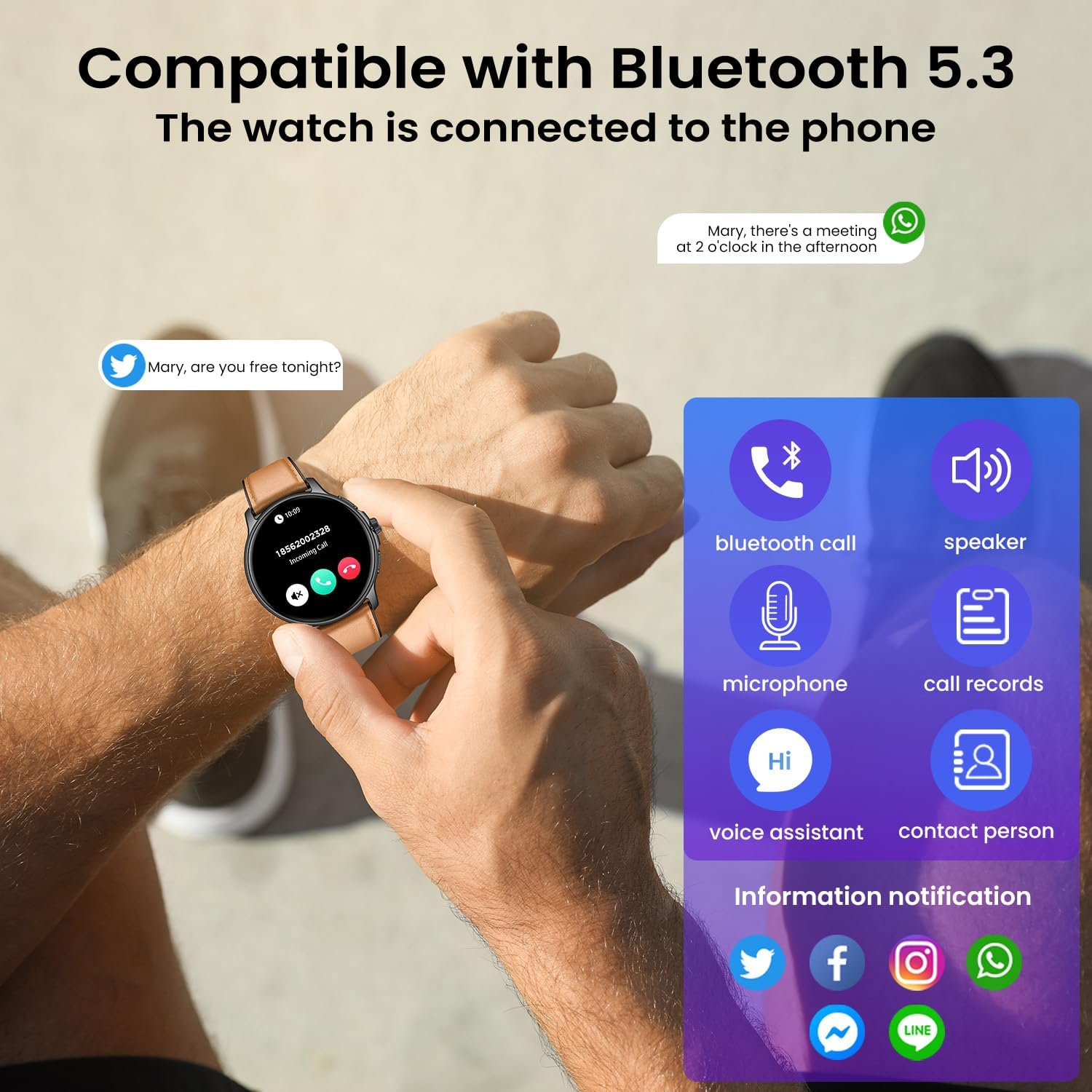
Image 3.1: The smartwatch demonstrating Bluetooth 5.3 connectivity for phone calls, microphone use, speaker output, call records, voice assistant, contact access, and information notifications from various social media platforms.
4. Operating Instructions
4.1 Basic Navigation
- Touchscreen: Swipe left, right, up, or down to navigate through menus and access different functions. Tap to select an item.
- Buttons: The smartwatch features multiple physical buttons for quick access to functions.
4.2 Button Functions

Image 4.1: Illustration of the smartwatch's physical controls, including the 'Switch button' for power and screen on/off, the 'Spin button' for menu navigation and selection, and the 'Basic button' for quick access or return functions.
4.3 Customizing the Watch Face
Through the Da Fit app, you can choose from over 100 watch faces or upload your favorite photos to create a personalized dial.
5. Health Monitoring
The TAOLOON Smartwatch provides comprehensive health tracking features to help you monitor your well-being.
- Heart Rate Monitoring: Accurately measures your heart rate 24/7.
- Sleep Quality Analysis: Tracks deep sleep, light sleep, and REM sleep patterns to help improve your sleep quality.
- Blood Pressure Monitoring: Provides estimates of your blood pressure.
- Blood Oxygen (SpO2) Monitoring: Measures your blood oxygen saturation levels.

Image 5.1: The smartwatch interface showing real-time health data, including heart rate (BPM), blood pressure (SBP/DBP), blood oxygen saturation (SpO2), and sleep duration with sleep stage breakdown.
6. Sports Modes
The fitness watch offers over 120 sports modes to cater to various physical activities. It uses high-precision motion sensors to accurately record your activities and track real-time data.
- Tracked Data: Calories burned, distance covered, and steps taken.
- Examples of Modes: Running, cycling, basketball, hiking, swimming, and more.

Image 6.1: The smartwatch interface showcasing the selection of over 120 sports modes, categorized into popular, water sports, and outdoor activities, alongside real-time tracking of distance, steps, BPM, and calories.
7. Other Smart Functions
Beyond health and fitness, your TAOLOON Smartwatch offers a range of intelligent features to enhance your daily life:
- Bluetooth Call Function: Make and receive calls directly from your watch.
- Information Reminders: Receive notifications for SMS, emails, and messages from social networks (e.g., WhatsApp, Facebook, Twitter).
- Weather Forecast: Get real-time weather updates.
- Music Control: Control music playback on your smartphone.
- Camera Control: Use your watch as a remote shutter for your phone's camera.
- Timer & Alarm Clock: Set timers and alarms for daily tasks.
- Stopwatch: For precise timing.
- Find Your Phone: Locate your misplaced smartphone.
- Breathing Training: Guided breathing exercises for relaxation.
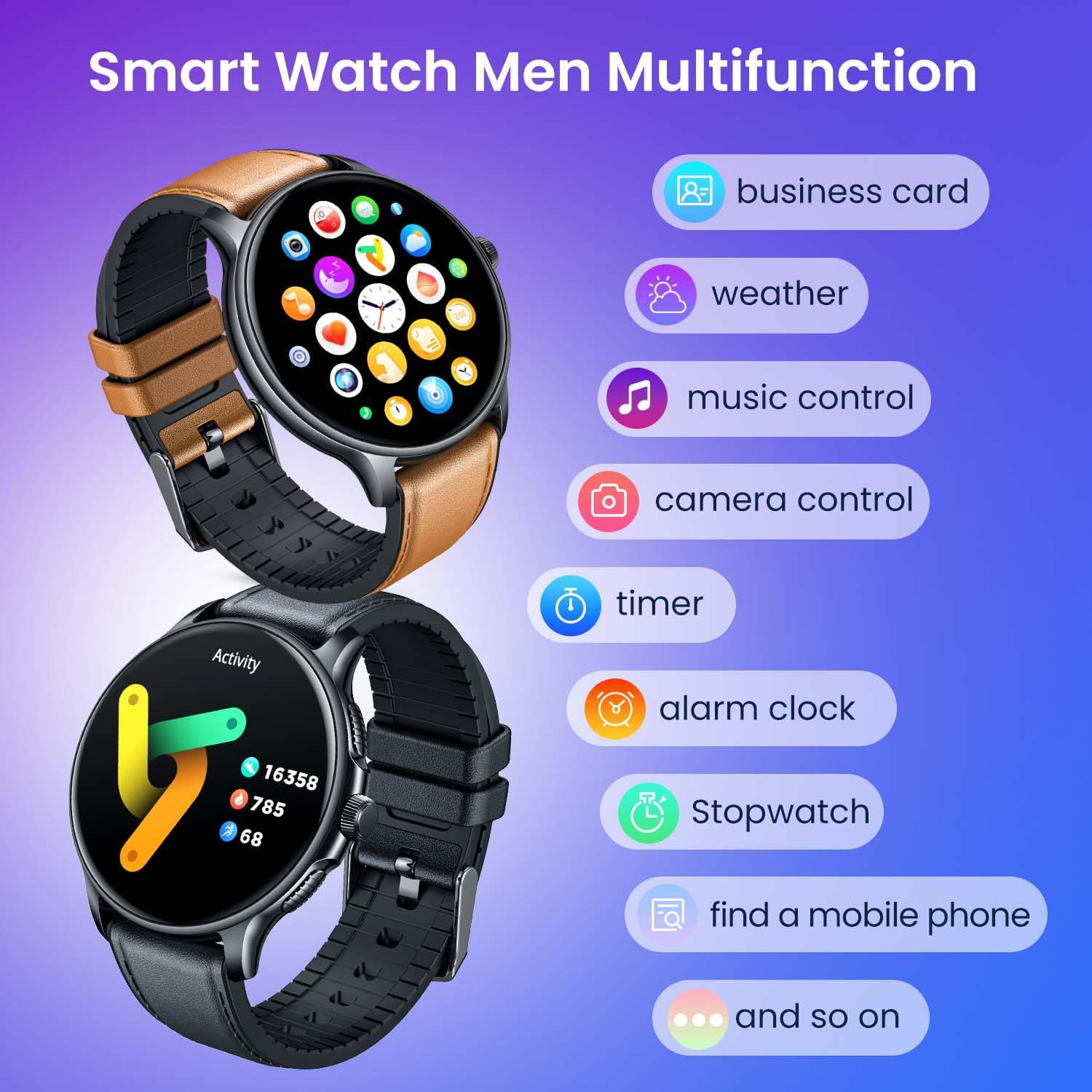
Image 7.1: The smartwatch showcasing its diverse multifunctionality, including business card display, weather updates, music playback control, remote camera activation, timer, alarm clock, stopwatch, and a 'find my phone' feature.
8. Maintenance
8.1 Waterproof Rating
The TAOLOON Smartwatch has an IP68 waterproof rating, meaning it is resistant to dust and can withstand immersion in water up to 1.5 meters for 30 minutes. It is suitable for daily use, such as washing hands, rain, and sweating during exercise. However, it is not recommended for hot showers, saunas, or diving, as steam and hot water can damage the seals.
8.2 Cleaning and Care
- Wipe the watch and strap regularly with a soft, dry cloth.
- If necessary, use a slightly damp cloth for cleaning, then dry thoroughly.
- Avoid using harsh chemicals, cleaning solvents, or strong detergents, as these can damage the watch's finish and seals.
- Keep the charging contacts clean and dry to ensure proper charging.
9. Troubleshooting
If you encounter issues with your smartwatch, please refer to the following common solutions:
- Watch not turning on: Ensure the watch is fully charged. Connect it to the charger for at least 30 minutes.
- Cannot pair with smartphone:
- Ensure Bluetooth is enabled on your phone.
- Make sure the watch is within range of your phone.
- Restart both your phone and the smartwatch.
- Clear the Bluetooth cache on your phone or forget the device and try pairing again.
- Notifications not received:
- Check if notifications are enabled in the Da Fit app settings.
- Ensure your phone's notification settings allow the Da Fit app to send notifications.
- Verify that the watch is properly connected via Bluetooth.
- Inaccurate health data:
- Ensure the watch is worn snugly on your wrist, but not too tight.
- Clean the sensor on the back of the watch.
- Environmental factors and individual physiology can affect readings. Consult a medical professional for accurate health assessments.
- Short battery life:
- Reduce screen brightness.
- Disable unnecessary features or continuous monitoring if not needed.
- Ensure the watch is fully charged each time.
If the issue persists, please refer to the support section.
10. Specifications
| Feature | Specification |
|---|---|
| Model Number | 364f215c-4e16-467d-849b-26c6bef945c9 |
| Screen | 1.43 Inch AMOLED, 466 x 466 Resolution |
| Bluetooth Version | 5.3 |
| Waterproof Rating | IP68 |
| Battery Capacity | 250 mAh Lithium Polymer |
| Battery Life (Typical Use) | 4-6 days |
| Standby Time | 7-10 days |
| Charging Time | 2.0-2.5 hours |
| Compatibility | Android 5.0+ / iOS 9.0+ |
| Memory Storage | 128 MB |
| Input Interface | Buttons, Microphone, Touchscreen |
| Product Material | Zinc alloy + plastic shell + silicone band |
11. Warranty and Support
Your TAOLOON Smartwatch is covered by a standard manufacturer's warranty. Please refer to your purchase documentation for specific warranty terms and conditions. For technical support, troubleshooting assistance beyond this manual, or warranty claims, please contact the retailer or the manufacturer's customer service through the contact information provided at the time of purchase.