
1. Important Safety Information
Please read all safety instructions before using this product. Keep this manual for future reference.
- Avoid prolonged exposure to high volume levels to prevent hearing damage.
- Do not attempt to disassemble or modify the earbuds or charging case.
- Keep the device away from extreme temperatures, humidity, and corrosive materials.
- Dispose of the product and batteries responsibly according to local regulations.
2. Package Contents
- 2 x Ordtop T8 Wireless Earbuds
- 1 x Charging Case
- 1 x USB-C Charging Cable
- 3 x Pairs of Earcaps (S, M, L)
- 1 x User Manual
3. Product Overview
The Ordtop T8 Wireless Earbuds are designed for active lifestyles, featuring secure earhooks, IPX8 waterproofing, and advanced Bluetooth 5.4 connectivity.
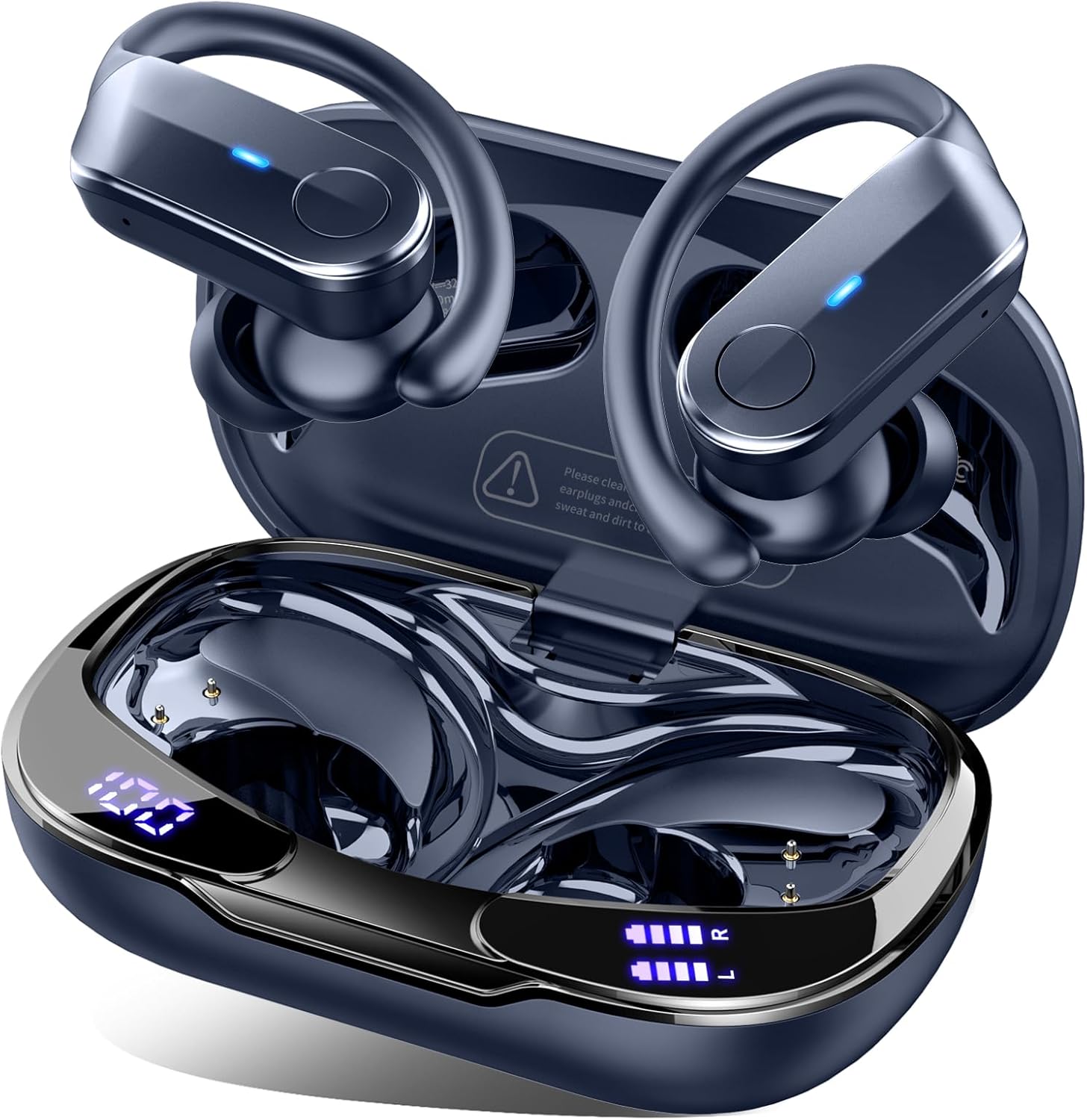
Figure 1: Ordtop T8 Wireless Earbuds and Charging Case

Figure 2: Key Features of Ordtop T8 Earbuds
4. Setup
4.1 Charging the Earbuds and Case
Before first use, fully charge the earbuds and charging case. The case features a USB-C port for charging and an LED display to show battery status.
- Connect the provided USB-C cable to the charging port on the case and to a power source.
- The LED display on the case will show the charging progress. The percentage indicates the case battery, while the L/R indicators show individual earbud charge levels.
- A full charge provides up to 14 hours of listening time for the earbuds, with the charging case extending total playtime to 70 hours. A 15-minute quick charge can provide 2 hours of listening.
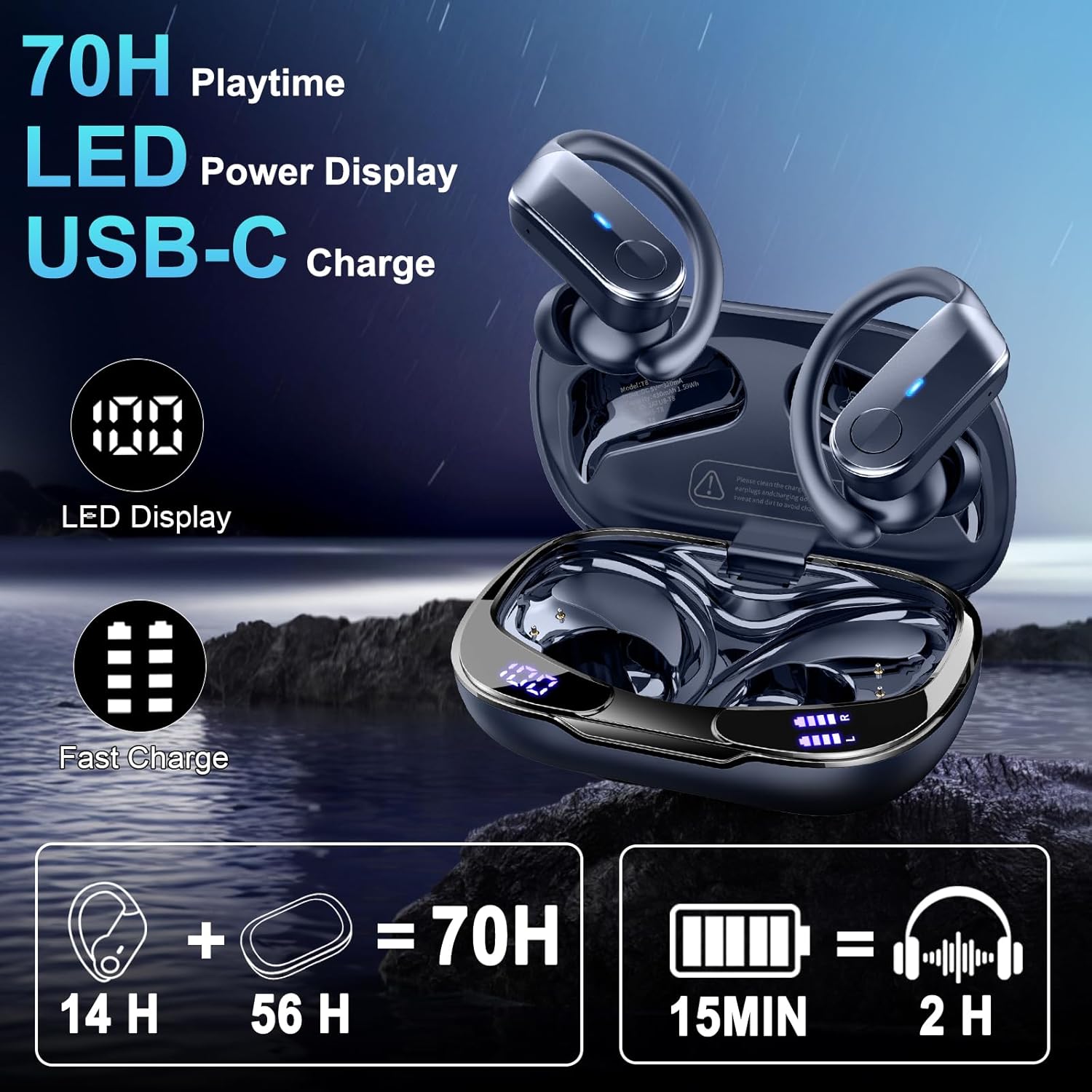
Figure 3: Charging Case with LED Power Display
4.2 Pairing with Your Device
The earbuds utilize Bluetooth 5.4 for a stable and fast connection.
- Open the charging case. The earbuds will automatically enter pairing mode.
- On your device (smartphone, tablet, laptop), enable Bluetooth and search for available devices.
- Select "T8" from the list of devices to connect. Once paired, the earbuds will automatically connect to your device when removed from the case.

Figure 4: One-Step Bluetooth Pairing
4.3 Wearing the Earbuds
The ergonomic design with flexible earhooks ensures a secure and comfortable fit, especially during physical activity.
- Select the appropriate size of earcaps (S, M, L) for a snug fit.
- Place the earbud into your ear canal.
- Rotate the earhook around the back of your ear until it sits comfortably and securely.

Figure 5: Ergonomic Design and Wearing Instructions
5. Operating Instructions
5.1 Button Controls
The earbuds feature sensitive button controls for various functions:
- Play/Pause: Single click (R/L earbud)
- Next Track: Hold R earbud for 2 seconds
- Previous Track: Hold L earbud for 2 seconds
- Volume Up: Hold R earbud
- Volume Down: Hold L earbud
- Answer/End Call: Single click (R/L earbud)
- Reject Call: Hold (R/L earbud) for 2 seconds
- Activate Voice Assistant: Triple click (R/L earbud)

Figure 6: Earbud Button Control Functions
5.2 Making and Receiving Calls
The earbuds are equipped with 4 built-in ENC (Environmental Noise Cancelling) microphones to ensure clear call quality by reducing ambient noise.
- To answer an incoming call, single click either earbud.
- To end an active call, single click either earbud.
- To reject an incoming call, hold either earbud for 2 seconds.

Figure 7: Enhanced Call Quality with ENC Mics
5.3 Audio Playback
Experience powerful and premium stereo sound quality with deep bass, delivered by 14.2mm large-size speakers.

Figure 8: Hi-Fi Stereo Bass Sound
6. Maintenance
Proper maintenance ensures the longevity and performance of your earbuds.
6.1 Cleaning
- Regularly clean the earcaps and earbud surfaces with a soft, dry, lint-free cloth.
- Remove earcaps and clean any earwax or debris from the speaker mesh using a small, soft brush.
- Clean the charging contacts on both the earbuds and the case to ensure proper charging.
6.2 Storage
- Always store the earbuds in their charging case when not in use to protect them and keep them charged.
- Store the case in a cool, dry place away from direct sunlight and extreme temperatures.
6.3 IPX8 Waterproof Rating
The earbuds are rated IPX8 waterproof, meaning they are protected against immersion in water. This makes them suitable for use during workouts, running, and in rainy conditions. However, they are not designed for swimming or prolonged submersion.

Figure 9: IPX8 Waterproof Protection
7. Troubleshooting
If you encounter any issues, refer to the following common solutions:
- Earbuds not pairing: Ensure both earbuds are charged and removed from the case. Turn off and on your device's Bluetooth, then try pairing again.
- No sound from one earbud: Place both earbuds back into the charging case, close the lid, then open it again and try reconnecting.
- Charging issues: Check that the USB-C cable is securely connected to both the case and the power source. Clean the charging contacts on the earbuds and inside the case.
- Poor sound quality: Ensure the earcaps provide a good seal in your ear. Try different sized earcaps. Clean any debris from the speaker mesh.
- Earbuds falling out: Ensure you are using the correct size earcaps and properly adjusting the earhooks for a secure fit.
If the problem persists, please contact customer support.
8. Specifications
| Feature | Detail |
|---|---|
| Model Name | T8 |
| Brand | Ordtop |
| Connectivity Technology | Wireless (Bluetooth 5.4) |
| Bluetooth Range | 15 Meters |
| Water Resistance Level | IPX8 Waterproof |
| Battery Life (Earbuds) | 14 Hours |
| Total Playtime (with Case) | 70 Hours |
| Charging Time | 1.5 Hours |
| Audio Driver Size | 14.2 Millimeters |
| Noise Control Features | ENC Noise Reduction, Passive Noise Cancellation |
| Control Method | Push Button, Touch |
| Compatible Devices | Cellphones, Tablets, Laptops |
| Item Weight | 5 ounces |
9. Warranty and Support
9.1 Warranty Information
The Ordtop T8 Wireless Earbuds come with a 2-year warranty from the date of purchase, covering manufacturing defects. This warranty does not cover damage caused by misuse, accidents, unauthorized modifications, or normal wear and tear.
9.2 Customer Support
For technical assistance, warranty claims, or any other inquiries, please contact Ordtop customer support through the retailer where the product was purchased or visit the official Ordtop website for contact details.

