
Introduction
This manual provides detailed instructions for the proper use, setup, and maintenance of your Ordtop T8 Wireless Earbuds. Please read this manual thoroughly before using the product to ensure optimal performance and longevity.
What's in the Box

Image: The package contents including earbuds, charging case, cable, and ear tips.
- 2 x Ordtop T8 Wireless Earbuds
- 1 x Charging Case
- 1 x USB-C Charging Cable
- 1 x User Manual
- 3 x Pairs of Earcaps (S, M, L)
Product Overview

Image: The Ordtop T8 wireless earbuds resting in their open charging case, displaying LED indicators for battery status.
The Ordtop T8 Wireless Earbuds feature an ergonomic design with ear hooks for secure fit, a portable charging case with LED power display, and intuitive button controls.
Setup Instructions
1. Charging the Earbuds and Case
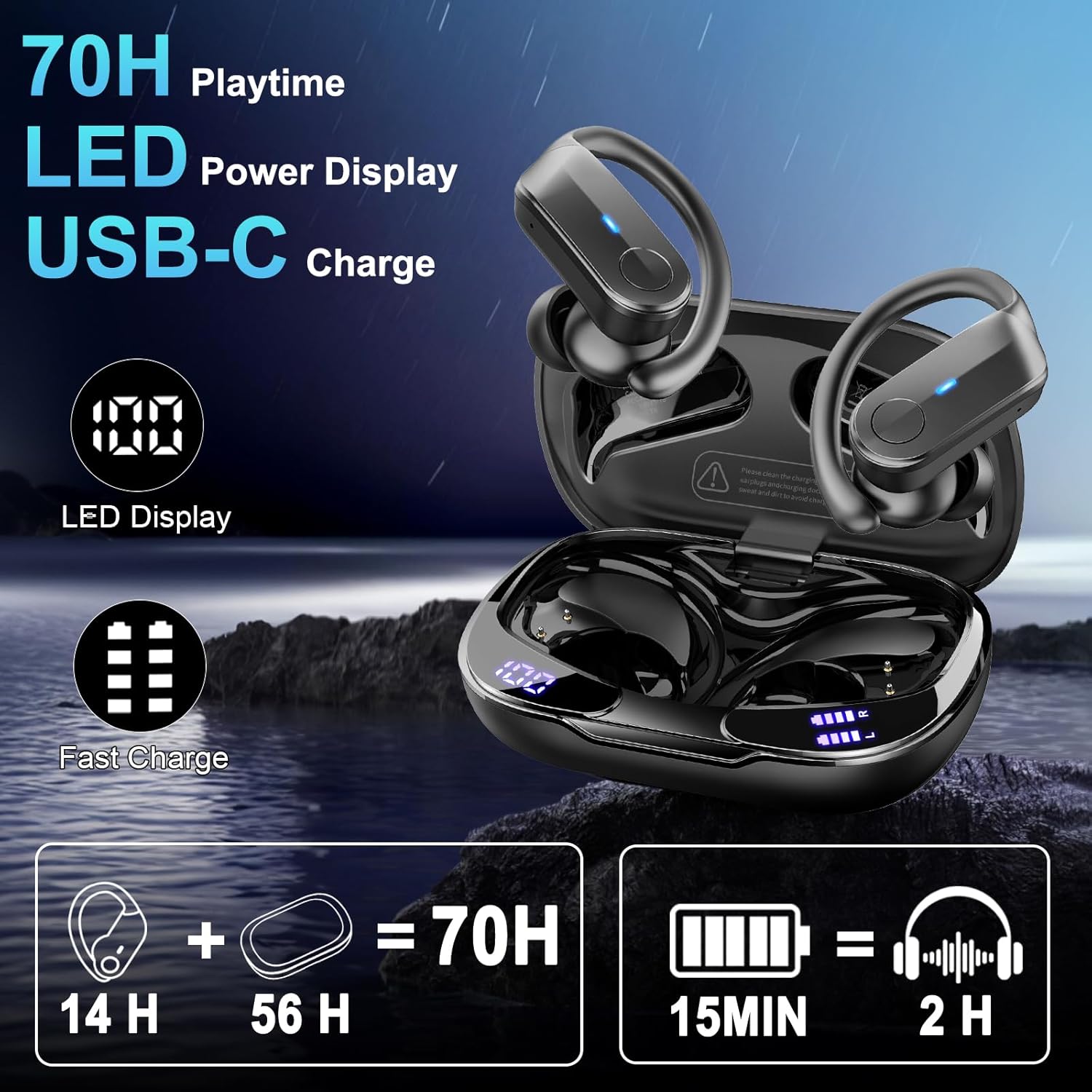
Image: The charging case and earbuds showing their respective battery levels via LED displays, indicating USB-C charging capability.
- Place the earbuds into the charging case. Ensure they are correctly seated to initiate charging.
- Connect the USB-C cable to the charging case and a power source. The LED display on the case will show the battery percentage.
- A full charge provides approximately 14 hours of earbud playtime and up to 70 hours total with the charging case. A 15-minute charge can provide 2 hours of listening time.
2. Wearing the Earbuds

Image: A step-by-step guide illustrating the correct method to wear the earbuds, involving placing them over the ear and adjusting the earhook for a stable fit.
- Select the appropriate earcap size (S, M, L) for a comfortable and secure fit.
- Place the earbud into your ear canal and rotate the earhook over your ear.
- Adjust the earbud and earhook until it feels stable and comfortable. The 45° tilt-angle design helps ensure a secure fit, especially during physical activity.
3. Pairing with a Device

Image: A smartphone displaying its Bluetooth settings, with 'T8' listed as a paired device, demonstrating the one-step pairing process for the earbuds.
- Ensure the earbuds are charged and placed in the charging case.
- Open the charging case. The earbuds will automatically enter pairing mode.
- On your device (smartphone, tablet, laptop), enable Bluetooth and search for available devices.
- Select "T8" from the list of devices to connect. Once paired, the earbuds will automatically connect to your device when removed from the case.
Operating Instructions
1. Button Controls

Image: A visual guide detailing the various button controls on the earbuds for managing music playback, calls, and voice assistant activation.
- Play/Pause: Click the button on either earbud (R/L) once.
- Next Track: Hold the button on the Right earbud for 2 seconds.
- Previous Track: Hold the button on the Left earbud for 2 seconds.
- Volume Up: Hold the Right earbud button.
- Volume Down: Hold the Left earbud button.
- Answer/End Call: Click the button on either earbud (R/L) once.
- Reject Call: Hold the button on either earbud (R/L) for 2 seconds.
- Activate Voice Assistant: Triple-click the button on either earbud (R/L).
2. Sound and Call Quality

Image: An illustration highlighting the 14.2mm audio drivers and sound wave patterns, indicating enhanced audio quality and noise reduction.
The T8 earbuds are equipped with 14.2mm dynamic drivers for clear audio with deep bass. Four built-in ENC (Environmental Noise Cancelling) microphones work to reduce ambient noise by up to 75%, ensuring clear voice transmission during calls.
3. IPX8 Waterproofing
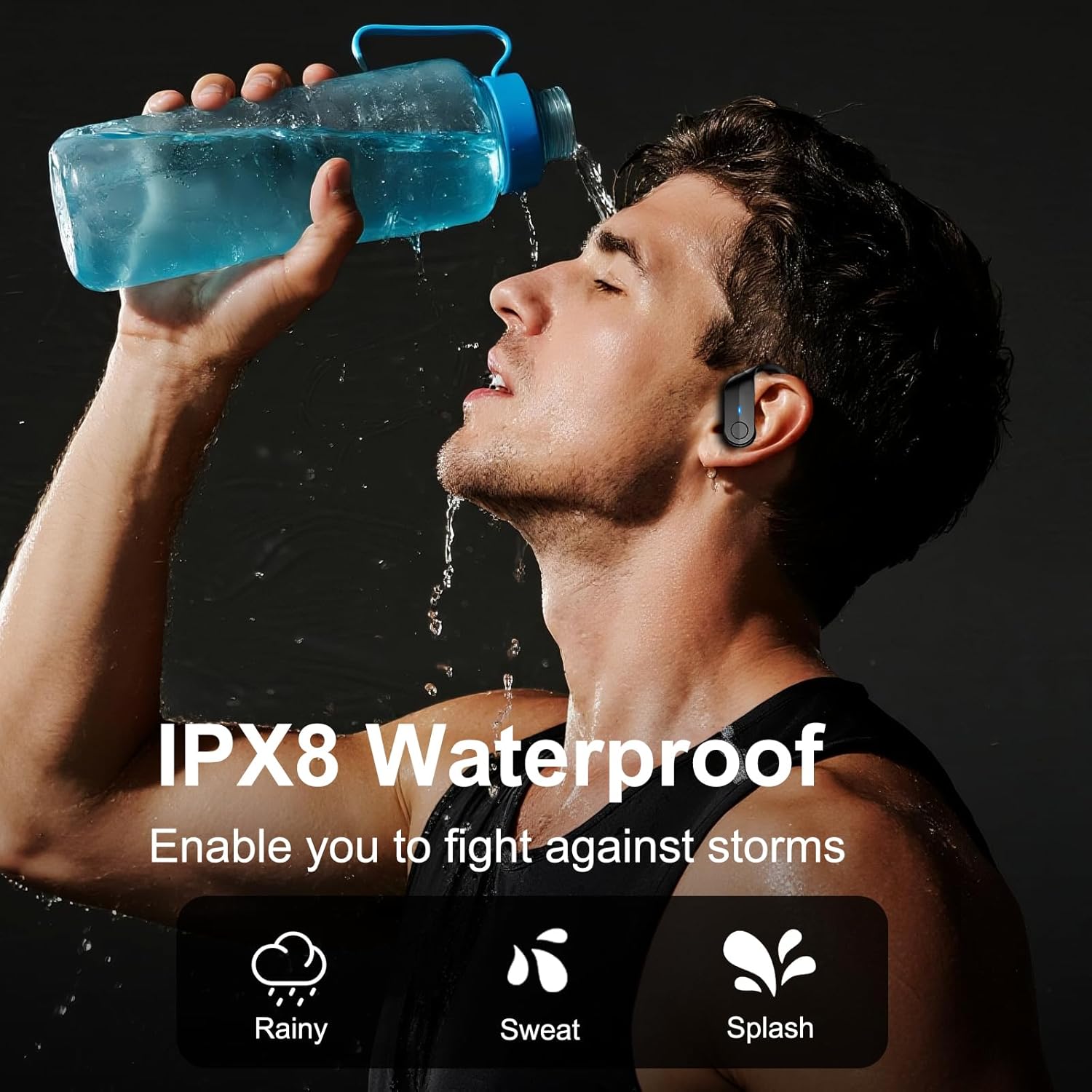
Image: A person wearing the earbuds while being splashed with water, demonstrating the IPX8 waterproof capability against rain, sweat, and splashes.
The earbuds feature an IPX8 waterproof rating, meaning they are protected against immersion in water. This makes them suitable for use during workouts, in rainy conditions, or when exposed to sweat and splashes.
Maintenance
- Cleaning: Regularly clean the earbuds and charging case with a soft, dry cloth. Avoid using harsh chemicals or abrasive materials.
- Earcaps: Remove and clean the earcaps periodically with mild soap and water. Ensure they are completely dry before reattaching.
- Storage: Store the earbuds in their charging case when not in use to protect them and maintain battery life. Keep them in a cool, dry place away from extreme temperatures.
Troubleshooting
- Earbuds not pairing: Ensure both earbuds are charged and removed from the case. Turn off and on your device's Bluetooth, then try pairing again.
- No sound from one earbud: Place both earbuds back into the charging case, close it, then reopen and remove them to reset the connection.
- Charging issues: Verify the USB-C cable and power adapter are working correctly. Ensure the charging contacts on the earbuds and case are clean and free of debris.
- Poor call quality: Ensure the microphones are not obstructed. Check your device's connection and try moving closer to your paired device.
Specifications
| Feature | Detail |
|---|---|
| Model Name | T8 |
| Connectivity Technology | Wireless |
| Wireless Communication Technology | Bluetooth |
| Bluetooth Version | 5.4 |
| Water Resistance Level | IPX8 Waterproof |
| Audio Driver Type | Dynamic Driver |
| Audio Driver Size | 14.2 Millimeters |
| Playtime (Single Charge) | Up to 14 hours |
| Total Playtime (with Charging Case) | Up to 70 hours |
| Noise Control | ENC Noise Reduction (4 Mics) |
| Ear Placement | In Ear |
| Form Factor | In Ear |
| Material | Plastic |
| Item Weight | 5 ounces |
Warranty and Support

Image: A scenic landscape with text indicating environmental commitment and a 2-year warranty.
The Ordtop T8 Wireless Earbuds come with a 2-year warranty from the date of purchase. This warranty covers manufacturing defects and ensures product quality.
For technical support, warranty claims, or any inquiries regarding your Ordtop T8 earbuds, please contact our customer service team through the retailer's platform or visit the official Ordtop website for contact information.

