
Introduction
The Rayofi FREESWIM W26 are waterproof bone conduction headphones designed for various activities, including swimming, running, cycling, and general fitness. They feature both Bluetooth connectivity for above-water use and an integrated MP3 player with 32GB of storage for underwater music playback. This manual provides instructions for setup, operation, maintenance, and troubleshooting to ensure optimal performance and longevity of your device.

Image: Rayofi FREESWIM W26 Bone Conduction Headphones, front view.
What's in the Box
Please check the package contents upon unboxing:
- Rayofi FREESWIM W26 Headphones
- User Manual
- Magnetic Charging Cable
- Swimming Earbuds (Earplugs)
Product Overview
The FREESWIM W26 headphones utilize bone conduction technology, delivering sound through your cheekbones, leaving your ears open to ambient sounds for safety. The design is lightweight and comfortable for extended wear.
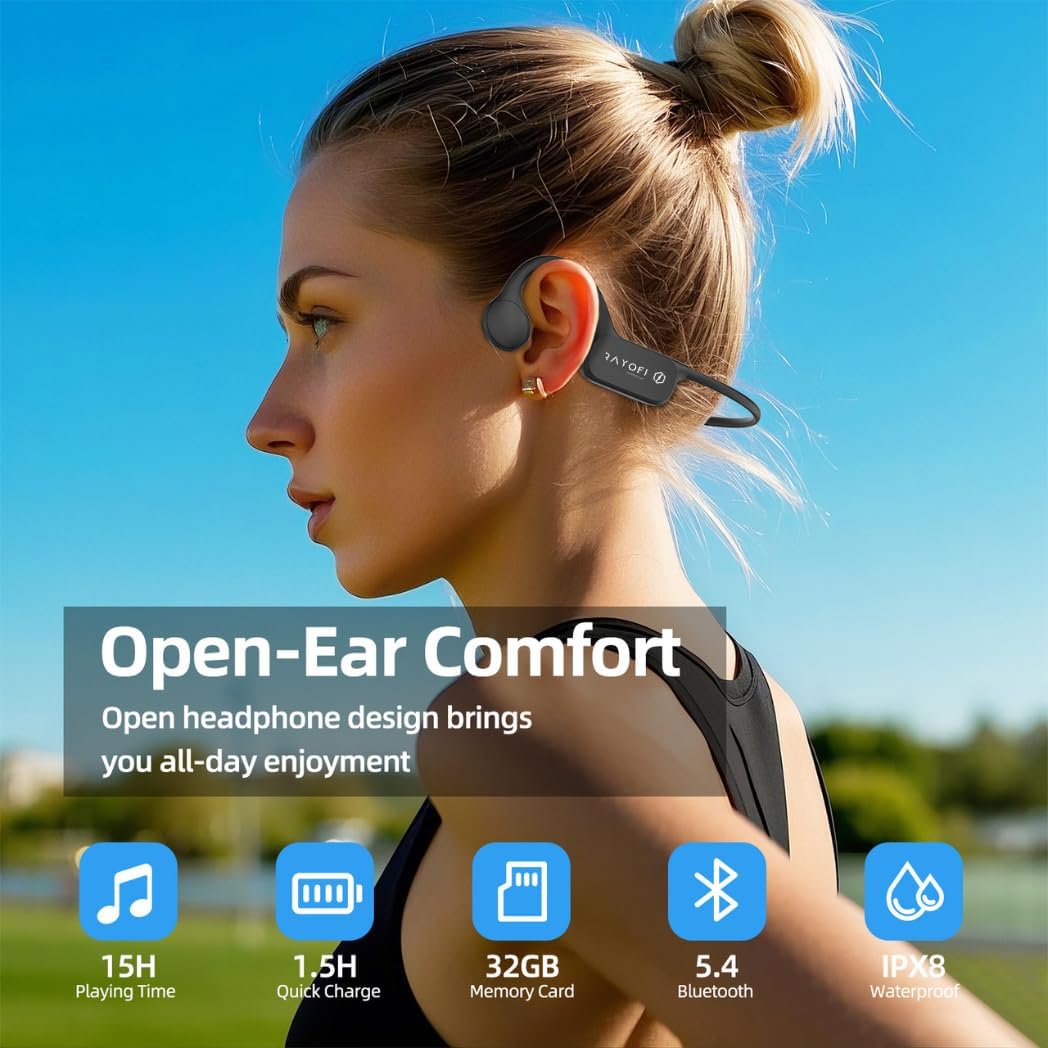
Image: A user wearing the Rayofi FREESWIM W26 headphones, highlighting the open-ear design and key features like 15H playing time, 1.5H quick charge, 32GB memory, Bluetooth 5.4, and IPX8 waterproof rating.
Key components include:
- Bone Conduction Transducers: Located near the temples, these transmit sound.
- Control Buttons: For power, volume, mode switching, and playback control.
- Magnetic Charging Port: For charging and data transfer.
- Flexible Headband: Ensures a secure and comfortable fit.
Setup
1. Charging the Headphones
Before first use, fully charge the headphones. Connect the magnetic charging cable to the charging port on the headphones and the other end to a USB power adapter (not included) or a computer's USB port. The LED indicator will show charging status. A full charge takes approximately 1.5 hours.
2. Power On/Off
- Power On: Press and hold the Power button for 3 seconds until the LED indicator lights up.
- Power Off: Press and hold the Power button for 5 seconds until the LED indicator turns off.
3. Bluetooth Pairing (Above Water Use)
To connect your headphones to a smartphone or other Bluetooth-enabled device:
- Ensure the headphones are powered off.
- Press and hold the Power button for 5-7 seconds until the LED indicator flashes red and blue alternately, indicating pairing mode.
- On your device, enable Bluetooth and search for available devices.
- Select "FREESWIM W26" from the list. Once connected, the LED indicator will flash blue slowly.
Note: Bluetooth connectivity is only supported in above-water environments. For underwater use, switch to MP3 mode.
4. MP3 Mode and Music Transfer
The headphones have 32GB of internal storage for MP3 files, allowing you to listen to music without a connected device, especially useful for swimming.
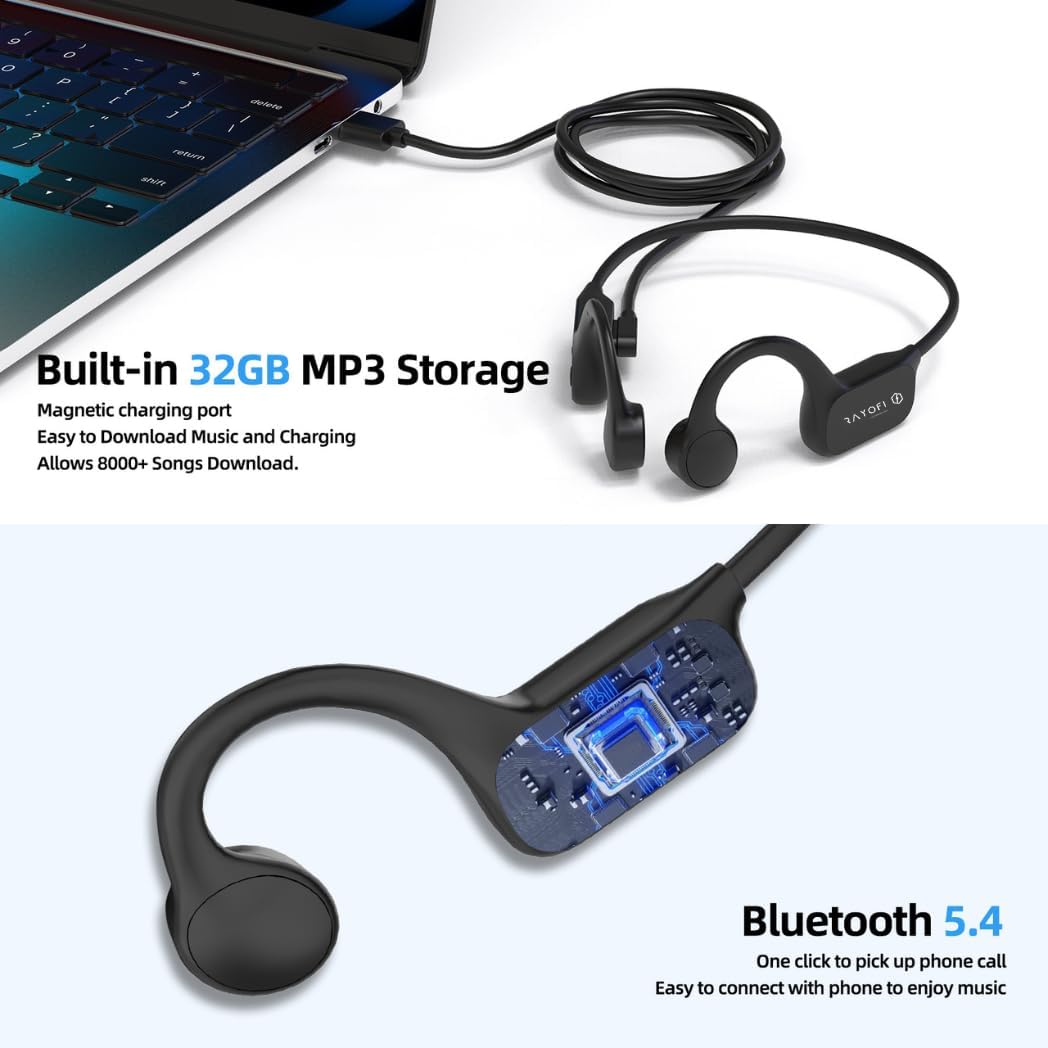
Image: Rayofi FREESWIM W26 headphones connected to a laptop via magnetic charging cable, illustrating built-in 32GB MP3 storage for music download and Bluetooth 5.4 capabilities.
To transfer music:
- Connect the headphones to your computer using the magnetic charging cable.
- The headphones will appear as a removable disk drive.
- Drag and drop your MP3 audio files into the headphones' storage folder.
- Safely eject the device from your computer before disconnecting the cable.
Operating Instructions
1. Switching Between Bluetooth and MP3 Modes
Press the Mode button (often combined with the Power button or a dedicated button) to switch between Bluetooth mode and MP3 player mode. The headphones will typically announce the current mode.
Important: Always switch to MP3 mode when using the headphones for swimming or any underwater activity.

Image: A person swimming while wearing Rayofi FREESWIM W26 headphones, with a clear note: "IPX8 Waterproof Rating. NOTE: PLEASE SWITCH TO MP3 MODE WHEN SWIMMING."
2. Basic Controls (Above Water - Bluetooth Mode)
- Play/Pause: Press the Multi-function button once.
- Next Track: Press and hold the Volume Up button.
- Previous Track: Press and hold the Volume Down button.
- Volume Up: Short press the Volume Up button.
- Volume Down: Short press the Volume Down button.
- Answer/End Call: Press the Multi-function button once during an incoming call.
- Reject Call: Press and hold the Multi-function button for 2 seconds during an incoming call.
3. Basic Controls (Underwater - MP3 Mode)
When in MP3 mode, especially underwater, controls are simplified:
- Play/Pause: Press the Multi-function button once.
- Next Track: Press and hold the Volume Up button.
- Previous Track: Press and hold the Volume Down button.
- Volume Adjustment: Use the Volume Up/Down buttons.
4. Wearing the Headphones
Place the headphones with the bone conduction transducers resting on your cheekbones, just in front of your ears. The headband should wrap around the back of your head. Adjust for a comfortable and secure fit. The open-ear design allows you to hear your surroundings, which is crucial for safety during outdoor activities.

Image: A man cycling while wearing Rayofi FREESWIM W26 headphones, emphasizing safety and connection by allowing awareness of surroundings.
Maintenance
1. Cleaning
After each use, especially after swimming or intense workouts, rinse the headphones with fresh water to remove chlorine, salt, or sweat. Wipe them dry with a soft, clean cloth. Do not use harsh chemicals or abrasive materials for cleaning.
2. Storage
Store the headphones in a cool, dry place away from direct sunlight and extreme temperatures. Avoid placing heavy objects on them. Ensure the charging port is clean and dry before charging.
3. Battery Care
To prolong battery life, avoid fully discharging the headphones frequently. Charge them regularly, even if not in use for extended periods.
Troubleshooting
- Headphones do not power on:
Ensure the headphones are fully charged. Connect them to the magnetic charging cable and a power source for at least 1.5 hours. - No sound or low volume:
Check the volume level on both the headphones and your connected device (if in Bluetooth mode). Ensure the headphones are properly positioned on your cheekbones. If in MP3 mode, verify that music files are correctly loaded. - Cannot pair via Bluetooth:
Ensure the headphones are in pairing mode (LED flashing red and blue). Turn off and on Bluetooth on your device. Move closer to your device (within 10 meters). Forget the device from your phone's Bluetooth list and try pairing again. - Sound breaks up or is unclear underwater:
Ensure the headphones are in MP3 mode. Bluetooth signals do not transmit effectively underwater. Verify that the MP3 files are not corrupted. - Headphones not recognized by computer:
Ensure the magnetic charging cable is securely connected. Try a different USB port or computer.
Specifications
| Brand | Rayofi |
| Model Number | W26 |
| Color | Black |
| Ear Placement | On Ear (Bone Conduction) |
| Form Factor | Open Ear |
| Internal Storage | 32GB (for MP3 files) |
| Item Weight | 34 Grams |
| Control Type | Button Control |
| Water Resistance Level | IPX8 Waterproof (up to 2 meters) |
| Connectivity Technology | Bluetooth |
| Wireless Technology | Bluetooth 5.4 |
| Bluetooth Range | 10 Meters |
| Battery Charge Time | 1.5 Hours |
| Battery Average Life | 8-15 Hours (varies by usage mode) |
| Frequency Range | 20 Hz - 20,000 Hz |
| Audio Driver Type | Bone Conduction Driver |
| Compatible Devices | iOS, Android |
| Specific Uses | Fitness, Sports, Swimming |
Warranty Information
The Rayofi FREESWIM W26 headphones come with a 1-year manufacturer's warranty from the date of purchase. This warranty covers defects in materials and workmanship under normal use. It does not cover damage caused by misuse, accidents, unauthorized modifications, or normal wear and tear.
Please retain your proof of purchase for warranty claims.
Support
For further assistance, technical support, or warranty inquiries, please refer to the contact information provided with your purchase or visit the official Rayofi website.
