
Introduction
Thank you for choosing the 45MinST 8-Inch LED Digital Clock with Medication Reminder. This device is designed to provide clear time, date, day, and temperature information, along with essential medication reminders and dual alarm functions. Please read this manual carefully to ensure proper setup and operation.
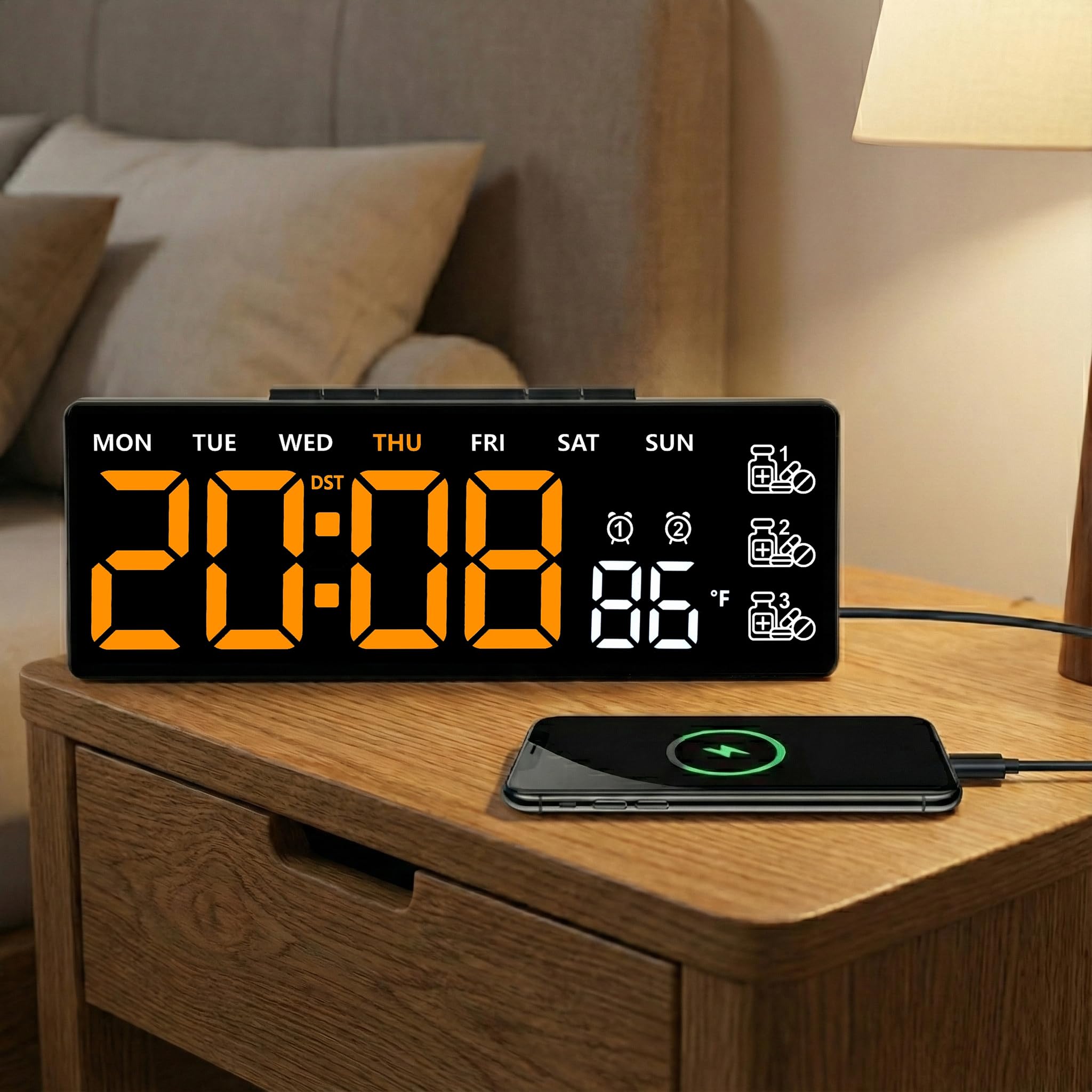
Image: The 45MinST 8-Inch LED Digital Clock, showing its large orange LED display with time, day of the week, temperature, and three medication reminder icons on the right side.
Key Features
- Large LED Display: 8-inch single-color screen for clear visibility of time, date, day, and temperature.
- 3 Daily Medication Reminders: Customizable alerts to assist with medication schedules or important tasks.
- Dual Alarm Clock Settings: Two independent alarms for flexible scheduling.
- Silent Operation: No ticking sound, suitable for quiet environments.
- User-Friendly Control: Simple button interface for easy setup and adjustment.
- Versatile Placement: Ideal for bedrooms, kitchens, living rooms, offices, and healthcare settings.
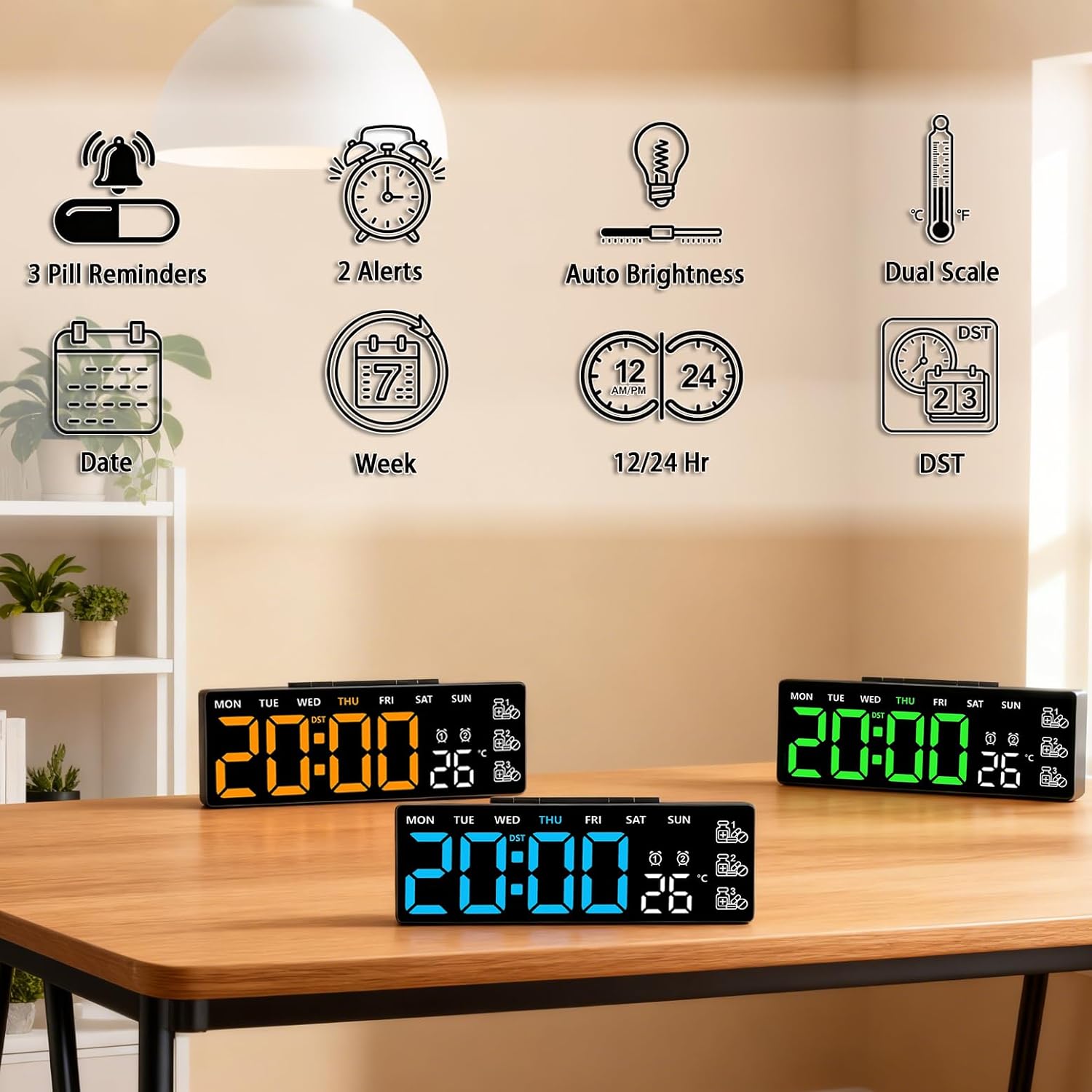
Image: An illustrative diagram highlighting the clock's features: 3 pill reminders, 2 alerts, auto brightness, dual temperature scale (C/F), date, week, 12/24 hour format, and Daylight Saving Time (DST) function.
Setup
Powering the Clock
- Connect USB Power: Plug the provided USB cable into the clock's power port and connect the other end to a USB power adapter (not included) or a powered USB port. The display will light up continuously.
- Install Backup Batteries (Optional): For time memory backup during power outages, insert 3 AAA batteries (not included) into the battery compartment on the back of the clock. When operating on battery power alone, the display will enter power-saving mode and turn off after 10 seconds of inactivity. Press any button to wake the screen.
Initial Settings
Upon first power-on, the clock may display default settings. You will need to set the correct time, date, and other preferences.
Operating Instructions
The clock features several buttons on the top or back for adjustments. Refer to the labels on your specific unit.
Setting Time and Date
- Press the SET button (or equivalent) to enter time setting mode. The hour digits will flash.
- Use the UP and DOWN buttons to adjust the hour.
- Press SET again to move to minute adjustment. Use UP/DOWN to set minutes.
- Continue pressing SET to cycle through year, month, and day settings, adjusting each with the UP/DOWN buttons.
- Press SET one last time to exit setting mode, or wait a few seconds for it to automatically save and exit.
Setting Alarms (Alarm 1 & Alarm 2)
- Press the ALARM button (or equivalent) to select Alarm 1. The alarm hour digits will flash.
- Use UP/DOWN to set the desired alarm hour.
- Press ALARM again to set the alarm minutes. Use UP/DOWN to adjust.
- Press ALARM again to enable/disable Alarm 1. An alarm icon will appear on the display when enabled.
- Repeat steps for Alarm 2 if your model supports dual alarms.
- To stop a sounding alarm, press any button.
Setting Medication Reminders (M1, M2, M3)
This clock features three independent medication reminders.
- Press the MEDICATION REMINDER button (or equivalent, often labeled 'M' or 'Pill') to select Reminder 1. The hour digits for M1 will flash.
- Use UP/DOWN to set the desired reminder hour.
- Press the MEDICATION REMINDER button again to set the minutes for M1. Use UP/DOWN to adjust.
- Press the MEDICATION REMINDER button again to enable/disable M1. A pill icon (1) will appear on the display when enabled.
- Repeat steps for Reminder 2 (M2) and Reminder 3 (M3).
- When a medication reminder sounds, press any button to silence it.

Image: A user adjusting settings on the 45MinST LED Digital Clock, demonstrating its user-friendly interface.
Brightness Adjustment
The clock may feature automatic brightness adjustment or manual settings. Look for a BRIGHTNESS button or a combination of buttons (e.g., long press UP/DOWN) to cycle through brightness levels.
12/24 Hour Format
To switch between 12-hour and 24-hour time formats, locate the 12/24H button or press a specific button (e.g., MODE or SET during time setting) to toggle the format.
Temperature Unit (Celsius/Fahrenheit)
To change the temperature display between Celsius (°C) and Fahrenheit (°F), press the TEMP button or a designated button (e.g., DOWN button during normal display mode) to switch units.
Daylight Saving Time (DST)
If your clock supports DST, there may be a dedicated DST button or a setting within the time adjustment menu to enable or disable it, which will automatically adjust the time by one hour.
Maintenance
- Cleaning: Wipe the clock surface with a soft, dry cloth. Do not use abrasive cleaners or solvents.
- Battery Replacement: If using backup batteries, replace them annually or when the display shows signs of memory loss during power outages. Ensure correct polarity.
- Storage: If storing the clock for an extended period, remove the AAA batteries to prevent leakage.
Troubleshooting
| Problem | Possible Cause | Solution |
|---|---|---|
| Display is off when on battery power. | Power-saving mode activated. | Press any button to wake the display. Connect to USB power for continuous display. |
| Clock does not keep correct time. | Incorrect time setting; power interruption. | Re-set the time and date. Ensure backup batteries are installed and fresh. |
| Alarm/Reminder does not sound. | Alarm/Reminder not enabled; volume too low (if adjustable). | Verify alarm/reminder is enabled (icon visible). Check if volume is adjustable and set appropriately. |
| Temperature display is incorrect. | Sensor obstruction; incorrect unit. | Ensure no objects are blocking the temperature sensor. Toggle between Celsius/Fahrenheit. |
Specifications
- Brand: 45MinST
- Model: LED-ORAN-001
- Display Type: 8-inch LED Digital
- Color: Orange LED (display)
- Shape: Rectangular
- Power Source: Electrical (USB cable), 3 x AAA batteries (for backup, not included)
- Item Weight: 0.3 Pounds
- Functions: Time, Date, Day, Temperature, Dual Alarm, 3 Medication Reminders

Image: A diagram illustrating the product dimensions, showing the clock is approximately 7.2 inches wide, 2.6 inches high, and 1.4 inches deep.
Warranty and Support
45MinST products are designed for quality and reliability. This product comes with a one-year service guarantee. For any questions, technical support, or warranty claims, please contact 45MinST customer service through the retailer's platform where the product was purchased.