
ANCEL ANCEL SP20 Spark Plug Tester
ANCEL SP20 Spark Plug Tester User Manual
Model: ANCEL SP20 Spark Plug Tester
Brand: ANCEL
1. Product Overview
The ANCEL SP20 Spark Plug Tester is an essential tool designed for quickly and accurately diagnosing spark plug performance. It allows for side-by-side comparison of two spark plugs, simulating real engine conditions to identify weak or failed plugs. Its user-friendly design ensures fast and foolproof testing for both professionals and DIY enthusiasts.

Image: The ANCEL SP20 Spark Plug Tester in operation, showing electrical sparks between the electrodes of two spark plugs within a clear protective cover.
2. What's in the Box
Upon opening the package, please verify that all the following items are included:
- 1* SP20 Spark Plug Tester
- 1* Protective Cover
- 1* User Manual
- 1* Power Adapter

Image: The complete package contents of the ANCEL SP20 Spark Plug Tester, including the tester unit, protective cover, user manual, and power adapter.
3. Setup Instructions
Setting up your ANCEL SP20 Spark Plug Tester is a straightforward process. Follow these steps to prepare the device for testing:
- Connect Power: Plug the provided power adapter into the tester's power input port and then into a standard 110-120V AC power outlet.
- Insert Spark Plugs: Carefully insert up to two spark plugs into the designated test holes on the tester. Ensure they are seated firmly.
- Place Protective Cover: Position the clear protective cover over the spark plugs and the test area. This cover is crucial for safety and must be in place for the tester to operate.

Image: A visual guide showing the three easy steps for setup: inserting spark plugs, closing the protective cover, and pressing the start button.
4. Operating Instructions
The ANCEL SP20 Spark Plug Tester is designed for one-touch operation, making spark plug diagnosis quick and efficient.
4.1 Single Spark Plug Test
- Ensure the tester is powered on and the protective cover is securely in place.
- Insert one spark plug into either test hole.
- Press the start button. The tester will begin simulating ignition conditions (approximately 2000 RPM) and generate sparks.
- Observe the spark. A strong, consistent blue spark indicates a healthy spark plug.
4.2 Dual Spark Plug Comparison Test
This feature allows for direct comparison between two spark plugs, such as a new one versus an old one, or two used plugs from different cylinders.
- Ensure the tester is powered on and the protective cover is securely in place.
- Insert two spark plugs into both test holes.
- Press the start button. The tester will simultaneously generate sparks for both plugs.
- Compare the intensity and consistency of the sparks from both plugs. A noticeable difference in spark strength or color can indicate a faulty plug.

Image: Close-up view of the ANCEL SP20 performing dual-hole testing, showing strong sparks on both inserted spark plugs.
Important Safety Note: The protective cover is a critical safety feature. The device is designed not to energize if the protective cover is not properly in place, preventing accidental electric shocks and containing spark splatter.
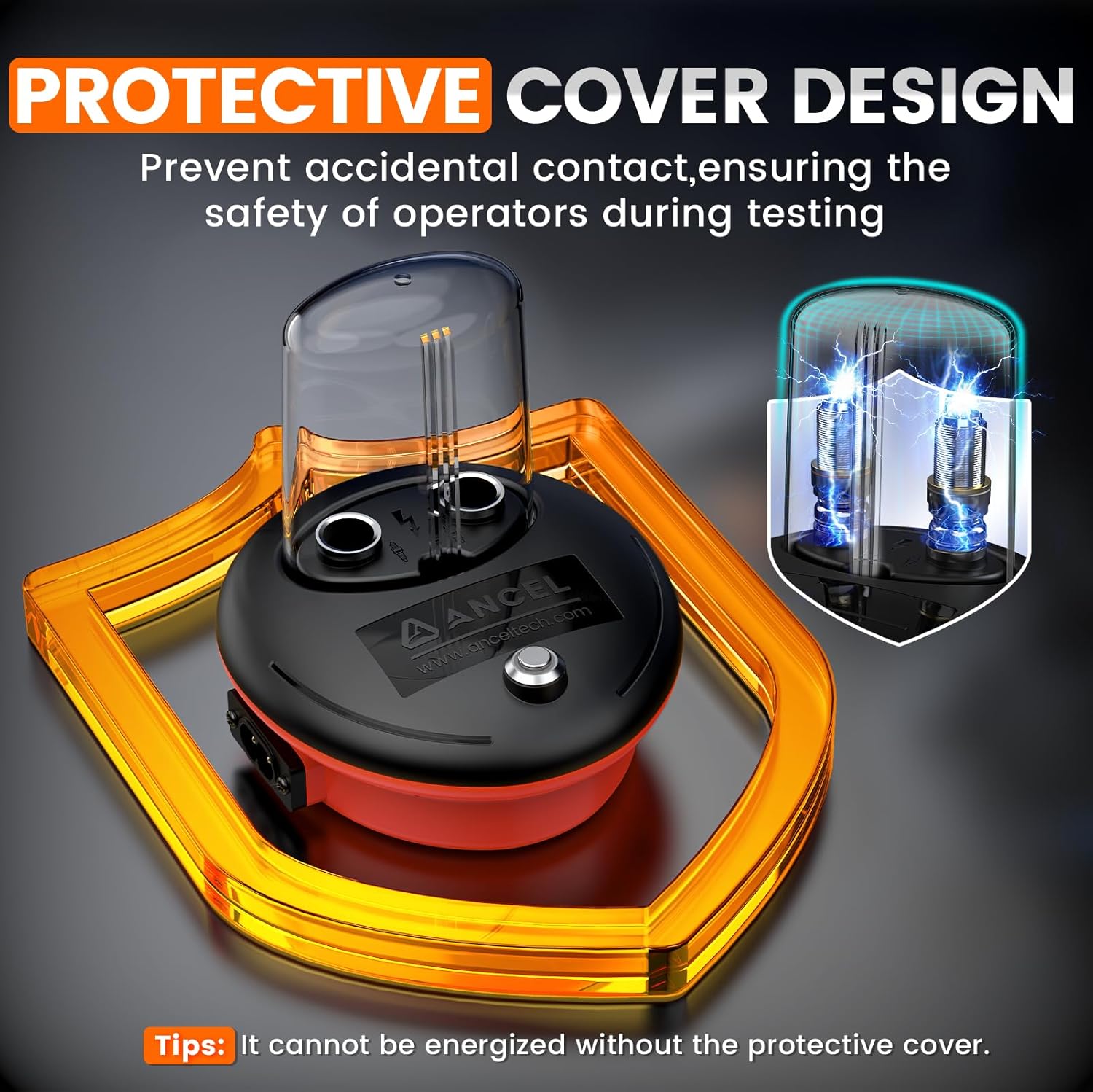
Image: Diagram illustrating the protective cover design of the ANCEL SP20, highlighting its role in preventing accidental contact and ensuring safety during testing.
5. Maintenance
To ensure the longevity and optimal performance of your ANCEL SP20 Spark Plug Tester, follow these simple maintenance guidelines:
- Cleaning: After each use, wipe the tester with a soft, dry cloth to remove any dust or debris. Do not use abrasive cleaners or solvents.
- Storage: Store the tester in a cool, dry place away from direct sunlight and extreme temperatures. Keep it in its original packaging or a protective case when not in use.
- Protective Cover: Regularly inspect the protective cover for any cracks or damage. Replace it if necessary to maintain safety during operation.
- Power Cord: Check the power cord for any signs of wear or damage. Do not use the device if the power cord is compromised.
6. Troubleshooting
If you encounter issues with your ANCEL SP20 Spark Plug Tester, please refer to the following common problems and solutions:
6.1 No Spark or Weak Spark
- Power Supply: Ensure the tester is connected to a stable 110-120V power supply.
- Protective Cover: Verify that the protective cover is fully and correctly seated. The tester will not operate without it for safety reasons.
- Spark Plug Condition: The spark plug itself might be faulty. Try testing with a known good spark plug.
- Spark Plug Length: Important Note: This spark plug tester is not compatible with very short spark plugs. Due to the plug length, the contacts may not reach the bottom of the testing port. If you suspect this is the issue, please contact support.
6.2 Device Not Turning On
- Power Connection: Check if the power adapter is securely plugged into both the tester and the wall outlet.
- Outlet Functionality: Test the power outlet with another device to ensure it is working correctly.
- Power Adapter: Inspect the power adapter for any visible damage.
If these troubleshooting steps do not resolve the issue, please contact ANCEL customer support for further assistance.
7. Product Specifications
| Model Number | ANCEL SP20 Spark Plug Tester |
| Brand | ANCEL |
| Power Source | Corded Electric (110-120V) |
| Compatibility | 12V Gasoline Engines (standard spark plugs up to 13mm insulator) |
| Test Holes | Dual |
| Simulated RPM | Approx. 2000 RPM |
| Dimensions | 8.11 x 5.31 x 2.52 inches |
| Weight | 13.4 ounces |
Note: Specifications are subject to change without prior notice.
8. Warranty and Support
ANCEL stands behind the quality of its products. For warranty information and technical support, please contact our customer service team.
- Customer Support Email: toptool-service@outlook.com
- Please include your product model and a detailed description of your issue when contacting support to ensure a prompt resolution.
For the most up-to-date warranty terms and conditions, please refer to the official ANCEL website or the warranty card included with your product.
Ask a question about this manual
Ask about setup, troubleshooting, compatibility, parts, safety, or missing instructions. Manuals+ will review the question and use this page’s manual context to help answer it.