
Introduction
The AUDIOCULAR SPARK is a portable Type-C to 3.5mm DAC (Digital-to-Analog Converter) dongle designed to deliver high-resolution, premium audio. It integrates the CX31993 DAC and MAX97220 amplifier chips to enhance sound clarity and detail from your USB-C devices to 3.5mm headphones. This manual provides essential information for setting up, operating, maintaining, and troubleshooting your device.
Key Features:
- Flagship DAC & Amplifier: Features CX31993 DAC and MAX97220 amplifier for rich, detailed sound with deep bass, smooth mids, and clear highs.
- High-Resolution Audio: Supports PCM 32bit/384kHz and ADC 24bit/96kHz, with an SNR over 124dB for clean audio.
- Portable Design: Lightweight and compact for on-the-go use.
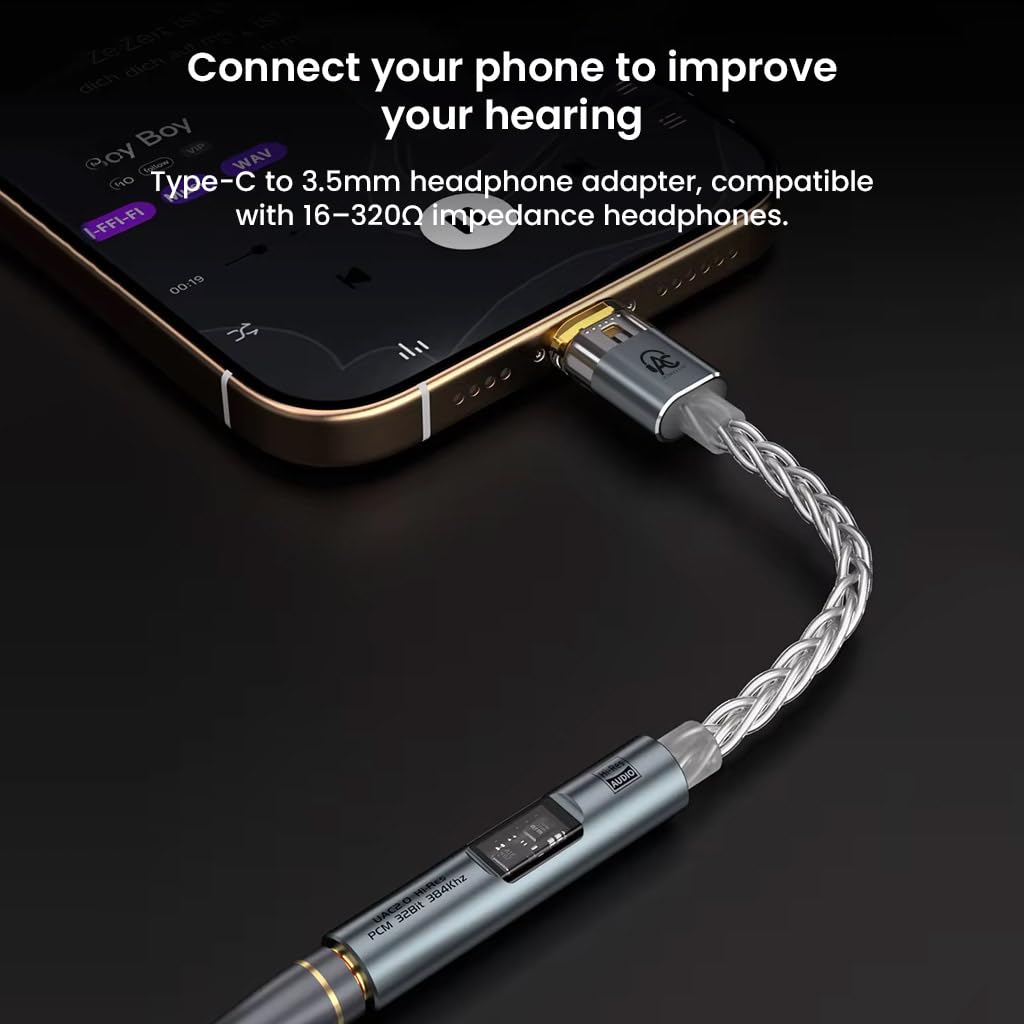
- Seamless Connectivity: Connects Type-C devices to 3.5mm headphones, supporting 16-320Ω impedance with 63mW output at 32Ω.
- Premium Materials: Constructed with an 8-strand braided single crystal copper silver-plated cable and gold-plated interfaces for durability and optimal performance.
- Immersive Soundstage: Enhances environmental sound effects and noise isolation for gaming, music, and multimedia.
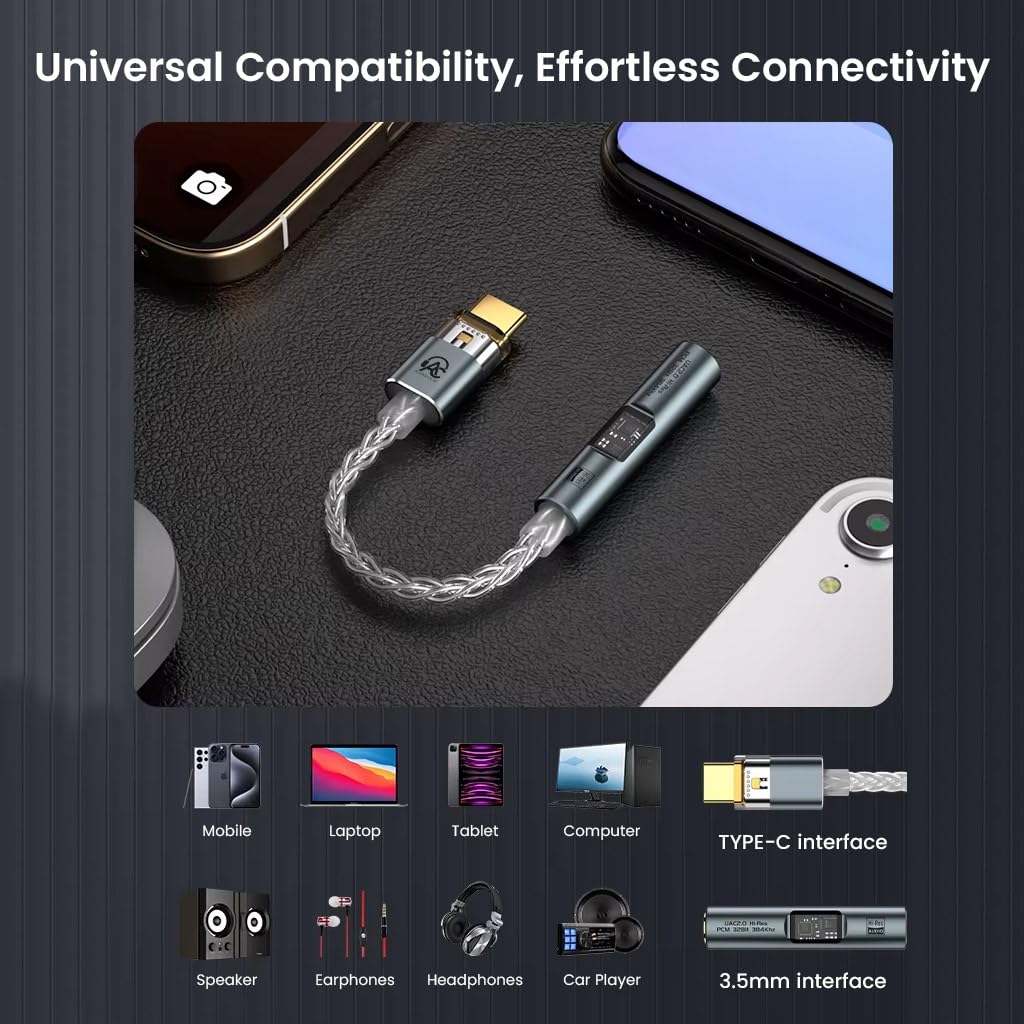
- Broad Compatibility: Works with most smartphones, tablets, and notebooks with Type-C ports (e.g., iPhone 15/16/17 series, Galaxy S24/S25 Ultra). Note: Not compatible with Moto Series.
Package Contents
- 1x AUDIOCULAR SPARK Type C to 3.5mm Portable DAC Dongle
- 1x USB Adapter (Type-C to Type-A)
Setup Instructions
- Connect Headphones: Plug your 3.5mm headphones or earphones into the 3.5mm audio jack of the AUDIOCULAR SPARK dongle.
- Connect to Device: Insert the USB-C connector of the AUDIOCULAR SPARK dongle into the Type-C port of your smartphone, tablet, or notebook.
- Automatic Recognition: Your device should automatically recognize the dongle as an external audio output device. No additional drivers are typically required for most operating systems (Android, Windows 11).
- (Optional) USB-A Connection: If connecting to a device with a USB-A port (e.g., a laptop), use the included USB Adapter (Type-C to Type-A) to connect the dongle. The necessary drivers should install automatically.
- Adjust Volume: Once connected, adjust the volume on your connected device to a comfortable listening level.
Operating Instructions
The AUDIOCULAR SPARK operates as a plug-and-play device. Once connected, your audio output will be routed through the dongle to your 3.5mm headphones.
- Audio Playback: Begin playing audio from any application on your connected device. The sound will be processed by the SPARK's DAC and amplifier, then output to your headphones.
- Volume Control: Use your device's native volume controls to adjust the output level.
- High-Resolution Audio: For optimal high-resolution audio playback (PCM 32bit/384kHz), ensure your audio files and playback software support these formats. On Android, third-party apps like USB Audio Player PRO or Poweramp may be required for bit-perfect or hi-res output.
- Impedance Compatibility: The dongle is compatible with headphones ranging from 16 to 320Ω impedance. It delivers 63mW output at 32Ω.


Maintenance
- Cleaning: Use a soft, dry cloth to wipe the dongle. Avoid using liquid cleaners or solvents.
- Storage: Store the dongle in a cool, dry place away from direct sunlight and extreme temperatures.
- Handling: Handle the dongle by its connectors when plugging or unplugging to avoid stressing the cable. Do not pull on the cable itself.
- Protection: While durable, avoid bending or twisting the cable excessively to prevent internal damage.
Troubleshooting
| Problem | Possible Cause | Solution |
|---|---|---|
| No sound output. |
|
|
| Poor sound quality or distortion. |
|
|
| Microphone issues during gaming (sound suppression). |
|
|
| Dongle not recognized by device. |
|
|
Specifications
| Feature | Detail |
|---|---|
| Brand | AUDIOCULAR |
| Model Number | SPARK |
| DAC Chipset | CX31993 |
| Amplifier Chipset | MAX97220 |
| Interface Type | USB-C to 3.5mm |
| Audio Output Mode | Stereo |
| PCM Support | Up to 32bit/384kHz |
| ADC Support | Up to 24bit/96kHz |
| Signal-to-Noise Ratio (SNR) | >124dB |
| Headphone Impedance Compatibility | 16-320Ω |
| Output Power (at 32Ω) | 63mW |
| Cable Material | 8-strand braided single crystal copper silver-plated |
| Connector Material | Gold-plated 3.5mm and Type-C interfaces |
| Item Weight | 20 Grams |
| Item Dimensions (L x W) | 12L x 1W Centimeters |
| Compatible Devices | Smartphones, tablets, notebooks with Type-C port, iPhone 17/16/15 series, Galaxy S25/S24 Ultra (Not Compatible with Moto Series) |
| Country of Origin | China |

Warranty Information
The AUDIOCULAR SPARK USB-C to 3.5mm DAC Dongle comes with a 1-Year Warranty covering manufacturing defects. Please retain your proof of purchase for warranty claims.
Customer Support
For any inquiries, technical assistance, or warranty claims, please contact our customer support:
- Importer/Packer: Concept Kart
- Address: 2nd Floor, A36, Block B, Naraina Industrial Area Phase 2, Naraina, New Delhi, Delhi, 110028
- Email: customercare@conceptkart.com