
1. Introduction
This manual provides essential information for the safe and effective use of your VILTROX AF 90mm F3.5 DL Lens. Please read this manual thoroughly before using the product to ensure proper operation and to prevent damage. Keep this manual for future reference.
The VILTROX AF 90mm F3.5 DL is a medium telephoto lens designed for the DJI DL Ecosystem, offering advanced aerial imaging capabilities. It features a fixed 90mm focal length and a maximum aperture of F3.5, optimized for superior optical performance and seamless integration with compatible DJI systems.
2. Safety Precautions
- Do not expose the lens to extreme temperatures, humidity, or direct sunlight for extended periods.
- Avoid dropping or subjecting the lens to strong impacts.
- Keep the lens away from water and other liquids. If the lens gets wet, disconnect it immediately and allow it to dry completely before use.
- Do not attempt to disassemble or modify the lens. Repairs should only be performed by authorized service personnel.
- Clean the lens surfaces with a soft, lint-free cloth specifically designed for optical lenses.
- Store the lens in a dry, dust-free environment when not in use.
3. Package Contents
Verify that all items are present in your product package:
- VILTROX AF 90mm F3.5 DL Lens
- Front Lens Cap
- Rear Lens Cap
- Lens Pouch
- Warranty Card
- Instruction Manual (this document)

Figure 3.1: Contents of the VILTROX AF 90mm F3.5 DL Lens package, including the lens, caps, pouch, and documentation.
4. Product Overview
4.1 Key Features
- Native DL Autofocus Support: Optimized for DJI’s native DL mount protocol, ensuring fast and reliable autofocus performance with compatible devices.
- Lightweight Design: Weighing approximately 170 grams, it enhances drone agility and flight endurance while minimizing gimbal stress.
- Precise Aperture Control: F3.5 maximum aperture allows for smooth and natural transitions, especially in high-contrast lighting.
- 90mm Focal Length: Provides a medium telephoto perspective, ideal for cinematic aerial imagery with enhanced composition depth and spatial compression.
- 8K Image Quality: Features a 9-group, 12-element optical design to reduce chromatic aberrations and distortions, ensuring edge-to-center clarity for 8K footage.
4.2 Lens Components
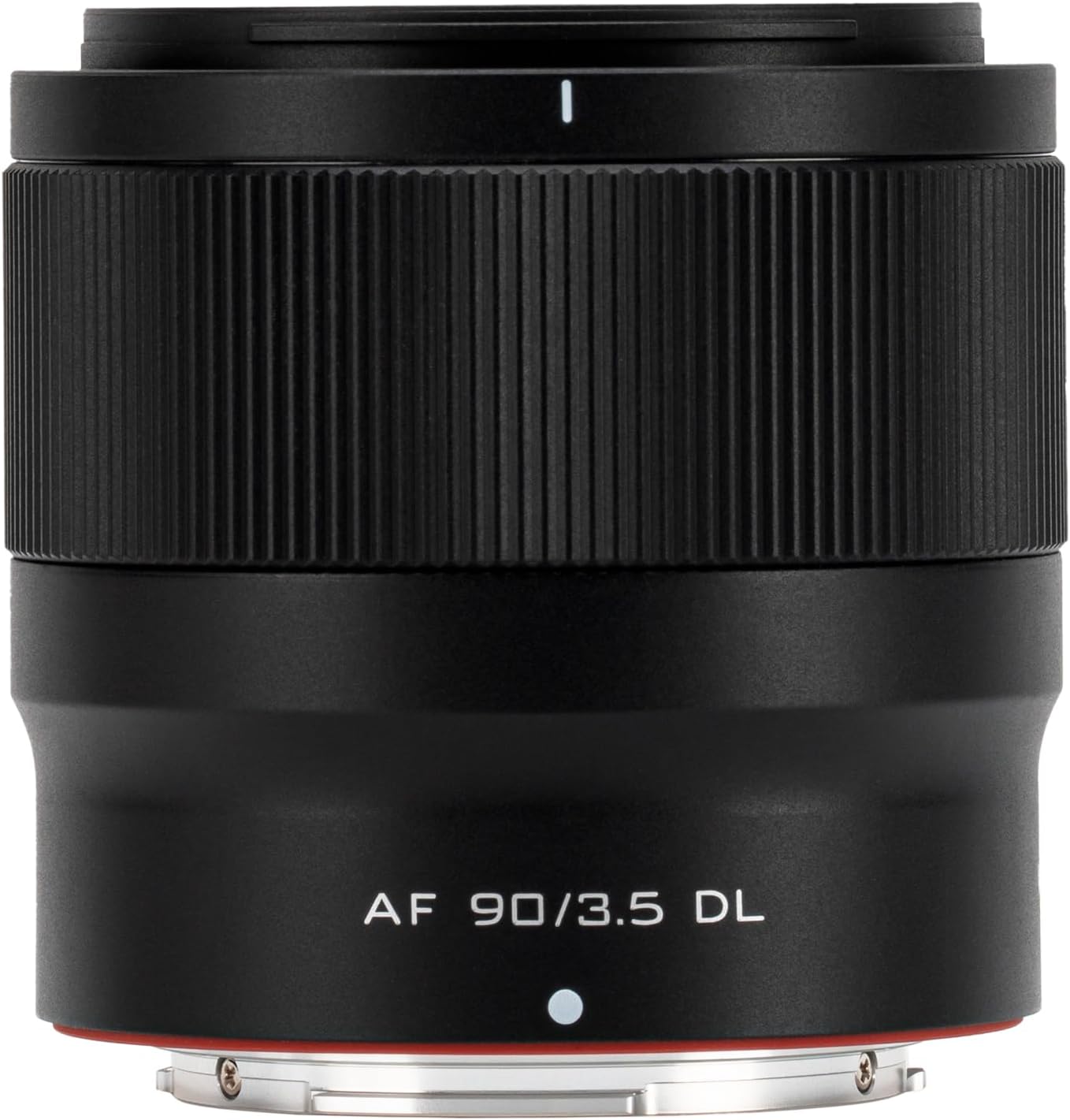
Figure 4.1: Front view of the lens, showing the focus ring and lens barrel.
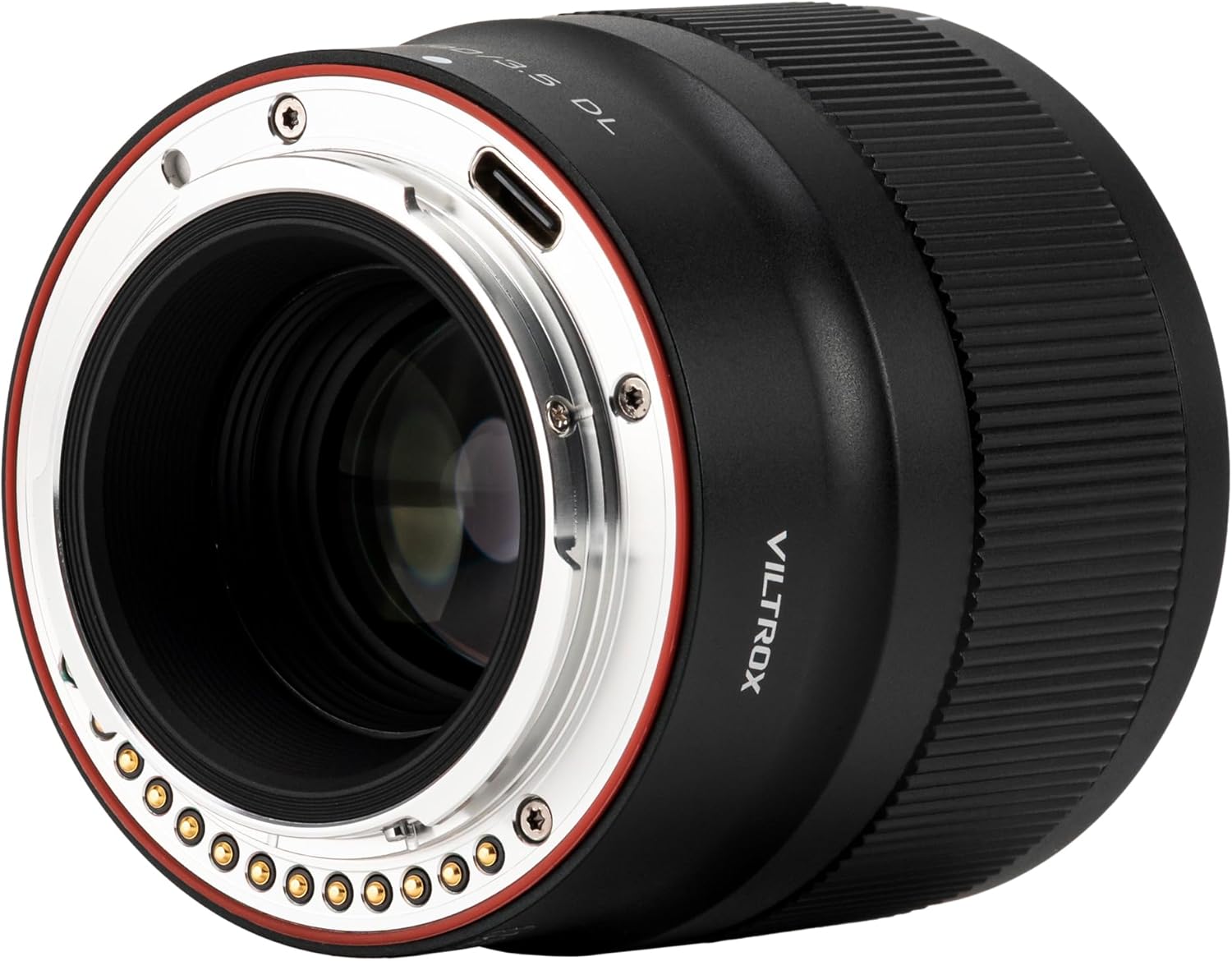
Figure 4.2: Rear view of the lens, highlighting the DL mount and electronic contacts.

Figure 4.3: Detailed view of the DL mount, showing the electronic pins for communication with the camera system.

Figure 4.4: Close-up of the front of the lens, displaying focal length, aperture, and filter thread size markings.

Figure 4.5: Optical construction diagram, illustrating the arrangement of 9 groups and 12 elements, including ED and high refractive index lenses.

Figure 4.6: Modulation Transfer Function (MTF) chart, indicating the lens's optical performance at F3.5 and F8.
5. Setup
5.1 Attaching the Lens
- Ensure your camera/gimbal system is powered off before attaching or detaching the lens.
- Remove the rear lens cap from the VILTROX 90mm F3.5 DL lens and the body cap from your compatible DJI DL mount camera/gimbal.
- Align the white dot on the lens barrel with the corresponding white dot on the camera/gimbal mount.
- Gently insert the lens into the mount and rotate it clockwise until it clicks securely into place. Do not force the lens.
- Replace the front lens cap when not in use to protect the front element.

Figure 5.1: Illustrates the process of attaching the VILTROX 90mm F3.5 DL lens to a compatible DJI DL mount gimbal.

Figure 5.2: The VILTROX 90mm F3.5 DL lens securely mounted on a DJI gimbal, ready for operation.
6. Operating the Lens
6.1 Autofocus (AF)
The VILTROX AF 90mm F3.5 DL lens supports native DL autofocus. Once mounted on a compatible DJI DL Ecosystem camera/gimbal (e.g., DJI Inspire 3, Ronin 4D, Zenmuse X9-8K Air), the autofocus function will be controlled by the camera system. Refer to your camera/gimbal's instruction manual for specific autofocus settings and modes.
6.2 Manual Focus (MF)
If your camera system supports manual focus override or mode, you can use the focus ring on the lens barrel to adjust focus manually. Rotate the focus ring until your subject appears sharp in the viewfinder or on the monitor.
6.3 Aperture Control
The aperture (F3.5) is electronically controlled by the camera/gimbal system. Adjustments to the aperture will be made through the camera's interface. The F3.5 maximum aperture provides excellent light gathering capabilities and depth of field control.
7. Care and Maintenance
- Cleaning Lens Surfaces: Use a blower brush to remove dust particles. For smudges or fingerprints, apply a small amount of lens cleaning solution to a clean, soft microfiber cloth and gently wipe the lens surface in a circular motion. Do not apply cleaning solution directly to the lens.
- Cleaning Lens Body: Wipe the lens body with a soft, dry cloth. Do not use organic solvents like thinner or benzene.
- Storage: When not in use, store the lens with both front and rear caps attached in a dry, cool, and well-ventilated area, away from direct sunlight and high humidity. Consider using a desiccant to prevent mold growth, especially in humid climates.
- Avoid Magnetic Fields: Keep the lens away from strong magnetic fields, as they can affect the electronic components.
8. Troubleshooting
| Problem | Possible Cause | Solution |
|---|---|---|
| Lens not recognized by camera/gimbal. | Lens not properly mounted; dirty contacts; firmware issue. | Ensure lens is securely attached. Clean electronic contacts on both lens and camera/gimbal with a clean, dry cloth. Check for firmware updates for your camera/gimbal system. |
| Autofocus is slow or inaccurate. | Low light conditions; subject lacks contrast; camera AF settings. | Ensure adequate lighting. Focus on subjects with clear contrast. Adjust camera's AF mode or area settings. If possible, update lens firmware via the USB-C port (refer to VILTROX website for tools and instructions). |
| Images are blurry. | Improper focus; camera shake; dirty lens element. | Verify focus. Use appropriate shutter speed to prevent camera shake. Clean lens elements. |
| Lens makes unusual noises. | Internal mechanism issue. | Discontinue use and contact VILTROX customer support or an authorized service center. |
9. Specifications
| Feature | Detail |
|---|---|
| Brand | VILTROX |
| Model | AF 90mm F3.5 DL |
| Focal Length | 90mm |
| Maximum Aperture | F3.5 |
| Lens Type | Medium Telephoto |
| Mount Type | DJI DL Mount |
| Optical Design | 9 groups, 12 elements |
| Autofocus | Yes, Native DL Autofocus Support |
| Product Dimensions | 2.48 x 2.56 x 2.56 inches (approx.) |
| Item Weight | 6 ounces (approx. 170 grams) |
| Manufacturer | Shenzhen Jueying Technology Co., Ltd. |
| ASIN | B0FHQBPTV8 |
| UPC | 6953400305722 |
10. Warranty and Support
This VILTROX product is manufactured by Shenzhen Jueying Technology Co., Ltd. For warranty information, please refer to the warranty card included in your package. Keep your proof of purchase for warranty claims.
For technical support, service, or inquiries, please visit the official VILTROX website or contact their customer service. You can also visit the VILTROX Official Store on Amazon for more information and support resources.